I’ve been using Aihumanize.io to make AI-generated text sound more natural, but I’ve hit the limit on the free plan and can’t upgrade right now. I’m looking for reliable free tools or websites that can humanize AI content without ruining the tone or meaning. What options are you using, and how do they compare in terms of quality and safety for long-term content use?
- Clever AI Humanizer, tested like a normal user
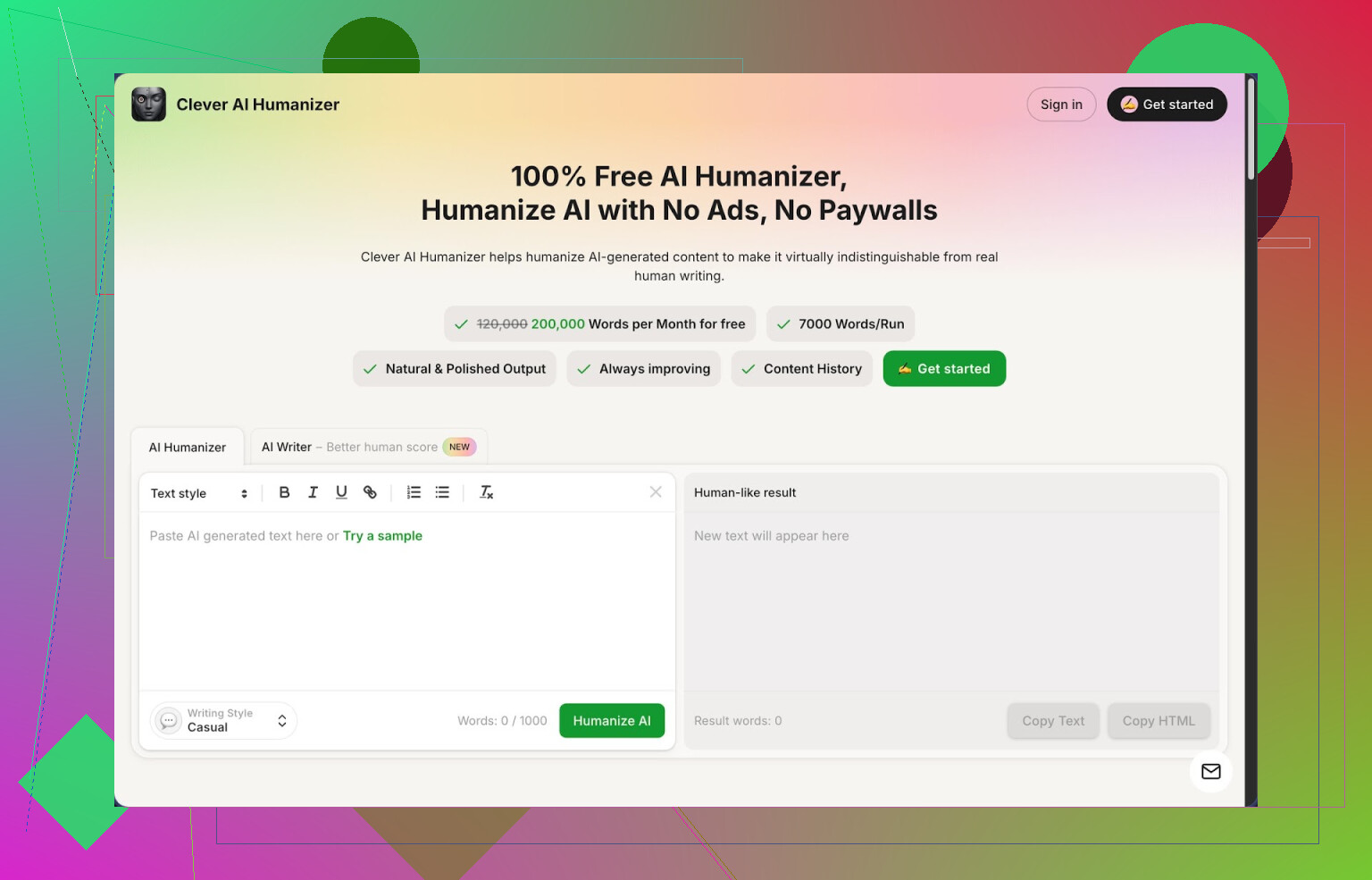
Link: https://cleverhumanizer.ai
I ran into Clever AI Humanizer after getting tired of hitting paywalls on tools that barely worked. I write with AI a lot and the same thing kept happening. The output looked fine to me, then some detector screamed 100 percent AI and the whole thing was useless.
So I took a Saturday and pushed a few tools to see what survives the detectors without wrecking the meaning. Clever ended up staying open in my browser while the others got closed.
Here is what stood out for me:
• Pricing and limits
It is free, no login hoops, nothing fake like “free trial” turning into 500-word limits.
You get about 200,000 words per month.
Up to 7,000 words in one go.
For long-form stuff, that matters more than most features.
• Styles
You get three modes:
- Casual
- Simple Academic
- Simple Formal
I mostly used Casual. That one gave me the best scores on AI detectors and sounded closest to how I write when I am not overthinking things.
I tested three different pieces, all run through the Casual style. On ZeroGPT, each one came back as 0 percent AI detected. That surprised me because most tools I tried before either got flagged hard or made the text unreadable.
Free modules, how I used them
- Free AI Humanizer
This is the core feature.
You paste in your AI text, pick a style, press the button, then wait a few seconds.
The result I got was not a wild rewrite. It kept the points, changed the rhythm, and removed some obvious AI patterns like over-explaining or repeating phrases.
The bigger input size helped. I often batch a full article segment instead of chopping it into micro pieces, and Clever handled that without error or weird truncation.
- Free AI Writer
If you do not have a draft, the built-in writer makes a first version for you, then you send it through the humanizer right away.
I tried this for a blog-style explainer. The raw AI Writer output still felt like normal AI text. After clicking over to the humanizer, the detection score dropped and the text sounded closer to something I would send to a client.
So the better flow for me was:
Prompt in the AI Writer → check structure → send to humanizer → light manual edit.
- Free Grammar Checker
This part is simple. Paste text, click, and it fixes:
- Spelling
- Punctuation
- Some clarity issues
I ran it on stuff written by me and the humanized output. It nudged commas, removed a few weird line breaks, and fixed small errors I had stopped seeing after reading the same text 5 times.
I would not replace a full edit with it, but I use it as a quick final pass before posting.
- Free AI Paraphraser
This one is for rewording, not only for AI detection.
I used it on:
- Old blog posts I wanted to recycle
- Drafts where I liked the idea but hated the wording
- Text where the tone was too stiff
It did a decent job keeping the same meaning while changing structure and phrasing. For SEO or different platform versions of the same idea, it helped cut repetition.
How it fits into a daily workflow
The main thing I liked is that all four tools sit in one place:
- Humanizer
- AI Writer
- Grammar Checker
- Paraphraser
No hopping between five tabs or exporting/importing.
I ended up doing this as a basic loop for long articles:
Outline → AI Writer for draft sections → Humanizer (Casual) → Grammar Checker → small manual edits
For shorter stuff, like emails or product blurbs, I skip the writer and only use humanizer plus grammar check.
Stuff that is not perfect
It is not magic. Couple of issues you should expect:
-
Some detectors will still flag it
No tool guarantees clean results on every detector. Different sites use different models.
I saw perfect scores on ZeroGPT with my tests, but I would not trust any tool blindly if your use case is high-risk. -
Text sometimes grows
After humanization, my text often came out longer.
The tool tends to expand sentences and add small transitions to break patterns.
If you work with strict word limits, you will need to trim manually. -
Occasional phrasing you might not like
I had a few lines where the style went softer than I prefer or slightly off from my voice. Not terrible, but I still read everything before sending it to anyone.
If you expect a one-click fix that never needs edits, you will be annoyed.
If you treat it as a strong rewrite assistant that saves you 60–70 percent of the effort, it feels useful.
Where to see more detailed tests
There is a longer breakdown with AI detection screenshots here:
YouTube review, if you prefer watching instead of reading:
Clever AI Humanizer Youtube Review

Reddit threads with more tools and opinions
If you want to compare other tools and not only Clever, these threads helped me see what others were using:
Best Ai Humanizers on Reddit
https://www.reddit.com/r/DataRecoveryHelp/comments/1oqwdib/best_ai_humanizer/
All about humanizing AI
https://www.reddit.com/r/DataRecoveryHelp/comments/1l7aj60/humanize_ai/
I went through those before settling on Clever for most of my stuff. I still test others from time to time, but for a free option with generous limits, this one stayed in rotation.
16 Likes
I hit the Aihumanize paywall too and went hunting around, so here is what ended up working for me.
First, I agree with a lot of what @mikeappsreviewer said about Clever Ai Humanizer. The free quota and no-login thing help a lot when you are stuck. I do not treat it like a one click fix though. I use it as one step in a small workflow.
Here is the setup that keeps my stuff sounding human and not triggering detectors too hard:
-
Start with your AI draft
Use whatever model you like. Keep paragraphs uneven. Vary sentence length. Add 1 or 2 personal asides in your own words before you send it anywhere. That alone drops AI scores in many tools. -
Run through Clever Ai Humanizer, but pick carefully
I get better results with:
- Casual for blogs, emails, social posts
- Simple Formal for reports or work docs
If the text comes back longer, trim examples and repetitive transitions. Do not trust the tone blindly, some phrases sound too soft or generic for technical content.
- Then do a manual “anti AI pattern” pass
I always:
- Remove generic openers like “In this article” or “On the other hand”
- Swap repeated words. Example, change “However” to “But” or “Still” sometimes
- Add 1 or 2 short, blunt sentences in my own voice
These little edits matter more than most “humanizer” marketing.
- Use another free tool only as a checker, not a writer
Instead of chaining five paraphrasers, I use:
- QuillBot free paraphrase for one or two stiff sentences
- Grammarly free for grammar and clarity
Run them lightly. If you over process the text, it starts to sound robotic again, even if detectors do not flag it.
- Think about your use case
For:
- School or work reports, keep it closer to your real style and accept some AI score. Safer.
- Blog or content farms, you can push harder on paraphrasing and humanizing but still mix in your own edits.
Quick sample flow that works for me on a 1,000 word article:
AI model draft → manual pass to add my takes → Clever Ai Humanizer Casual → manual trim and tone fix → Grammarly → done.
I disagree a bit with the idea that one tool will keep you safe across detectors. Every detector uses different data. Some flag even human text. Treat your own editing habits as the main “humanizer” and tools like Clever Ai Humanizer as helpers, not the star of the show.
I’m gonna be the slightly annoying person who says: the tool you pick matters less than how you use it.
You already saw what @mikeappsreviewer and @viaggiatoresolare do with Clever Ai Humanizer, so I’ll skip their exact workflows. I’ll add a few different angles and some other free options, then say where Clever fits in for me.
1. Don’t rely on a single “humanizer” pass
If your goal is “sounds human” + “doesn’t trigger detectors too hard,” chaining one humanizer after another usually backfires. The text starts to feel over-processed and weirdly bland.
What actually works better in my testing:
- One solid humanizer (Clever Ai Humanizer is fine for this, especially since it is free and doesn’t nag you every 2 minutes)
- Then you do a short, messy edit pass: cut stuff, move a paragraph around, add a throwaway line that only you would write
Detectors are pattern hunters. You beat patterns with structure and voice, not just synonyms.
2. Other actually-free tools that are useful (if you use them lightly)
Not repeating the same tools they listed, but here are a few that can slot into your stack:
-
Hemingway Editor (web)
Not an “AI humanizer” but it kills that stiff, over-explained AI style. It highlights long or complex sentences and passive voice. If your AI text is a wall of purple prose, Hemingway will slap it into shorter, punchier lines. -
LanguageTool free
Similar to Grammarly but less shouty. It catches grammar, agreement, and some awkward phrasing. Helps clean up after humanizing, without totally flattening your style. -
Any free text-to-speech tool
Weird trick, but it works:- Paste your text
- Listen with headphones
- Every time you cringe or get bored, fix that sentence
That method alone makes stuff feel way more human than any detector-focused tweak.
3. Where Clever Ai Humanizer actually shines
I don’t worship any tool, but Clever Ai Humanizer does solve two big headaches:
- You’re stuck on Aihumanize limits and need a free, higher quota option
- You want one place where you can go from “raw AI wall of text” to something cleaner without juggling 6 tabs
For me it’s useful like this:
- Use another LLM to draft
- Run a big chunk through Clever Ai Humanizer once
- Then ignore the temptation to re-run it 5 times
- Finish with your own edits + a light grammar check somewhere else
That gives you “humanized” text that doesn’t feel like it got beaten to death by paraphrasers.
4. What I disagree with a bit
I’m less obsessed with “0 percent AI detected” than some people. If you bend your writing too hard to please detectors, you often end up with:
- Overly casual or awkward transitions
- Bloated, fluffy paragraphs
- Text that passes a detector but fails a real human
You’re usually better off aiming for: “If my teacher/boss/client reads this, does it sound like something a normal, slightly tired human would write?”
5. Simple, low-effort approach you can try right now
Since you’re on a free budget:
- Draft with whatever AI you already have
- Run once through Clever Ai Humanizer
- Read it out loud or via text-to-speech and cut anything that sounds fake or too polished
- Quick grammar pass with LanguageTool or similar
- Stop. Don’t keep re-paraphrasing the same thing
That combo costs $0, keeps your sanity, and is way more sustainable than hunting for the “perfect” humanizer every week.