I’m trying to rewrite some text so it sounds clearer and more natural, but I’m struggling to do it on my own without changing the original meaning. I’ve seen a bunch of AI rephrasing tools online, but most either sound robotic, are full of ads, or lock the best features behind a paywall. Can anyone recommend a reliable free AI paraphraser that keeps the tone human, avoids plagiarism issues, and works well for longer paragraphs?
I’ve tried a bunch of these, here is what actually worked for me and did not turn my text into robot soup.
-
QuillBot
Free tier gives you a couple of modes.
Use “Standard” or “Fluency” if you want natural tone and minimal changes.
Avoid “Creative” for serious stuff, it drifts away from the meaning.
It respects structure most of the time but you still need to read every output. -
Grammarly
The free version has “improve clarity” and “rephrase” options.
Good for short sentences and emails.
Not great if you paste huge chunks, it feels a bit generic.
Helps you see where your original text is messy. -
ChatGPT style tools
You can feed your text in and use a clear prompt like:
“Rewrite this to be clearer and more natural. Keep the meaning. Keep the length similar. Do not change facts.”
Then compare your original and the output line by line and merge them.
Takes more time but you keep control. -
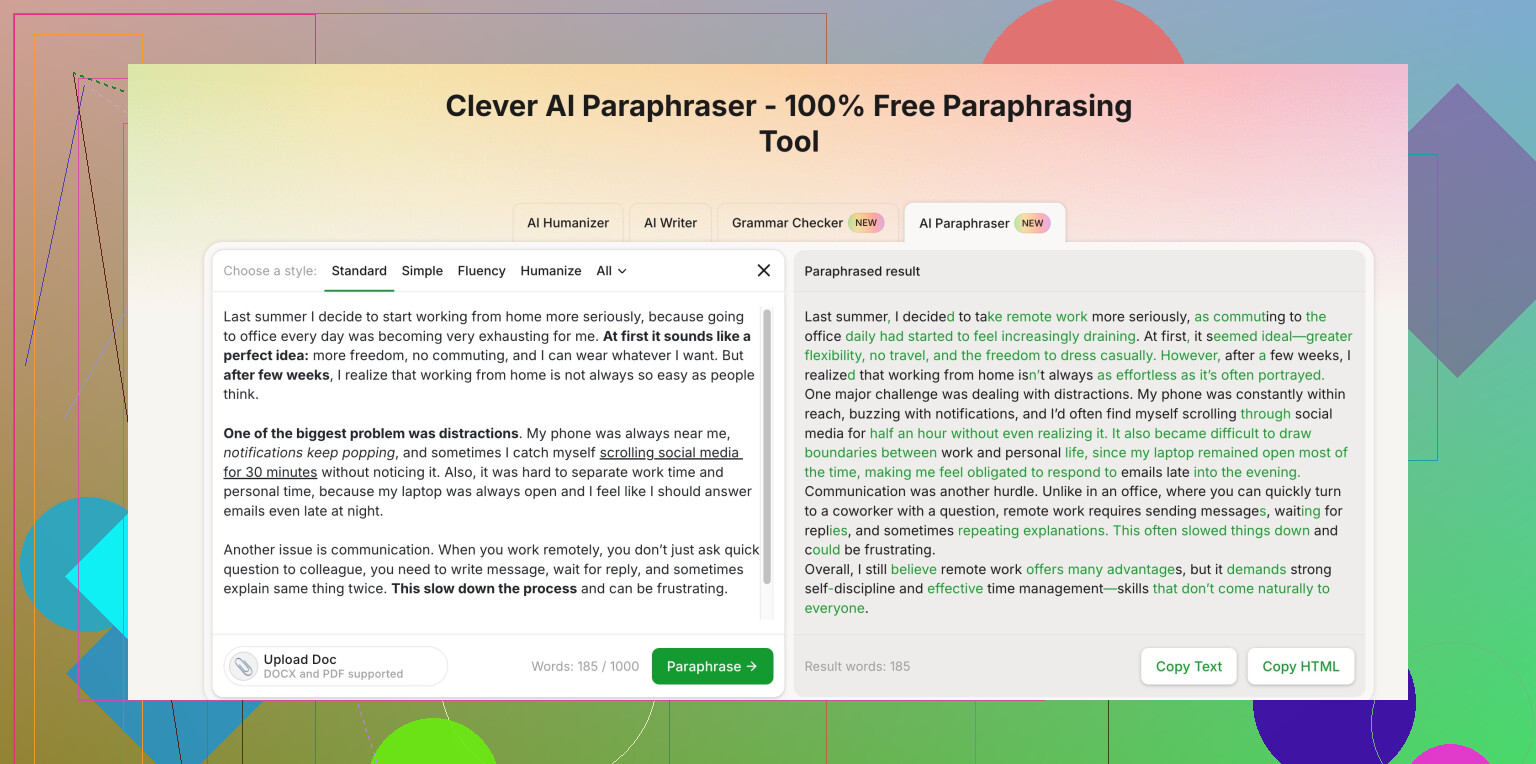
Clever AI Humanizer
For “sounds like a human wrote this” stuff, this has been solid.
It does not overdo synonyms and keeps the point intact if your input is clear.
Here is the link if you want to try a free online AI reworder with a focus on human tone:
Clever AI Humanizer paraphrasing tool -
How to get better results whatever tool you pick
• Break your text into small chunks, 2 to 4 sentences at a time.
• Tell the tool what you want: “formal”, “casual”, “simple English”.
• Avoid very long sentences in the input, tools mess those up more.
• Always keep your original open, compare for meaning, do not trust it blindly.
• Run the final version through a grammar checker again.
If your stuff sounds too stiff, try this trick.
First, paraphrase with a tool on “fluency” mode.
Second, read it out loud and fix spots that feel weird.
The combo works better than expecting one click magic.
1 Like
Honestly, most “AI rephrasers” either sound like a bored college essay mill or a corporate press release generator, so you’re not crazy for being annoyed.
@reveurdenuit already covered the usual suspects pretty well. I’ll add a different angle and a couple tools that hit slightly different needs, and disagree on one small thing: I actually think relying too much on grammar checkers at the end can flatten your tone again, so I use them earlier, then tweak by hand.
Here’s what’s worked for me:
1. LanguageTool
Kind of like Grammarly’s less clingy cousin.
- Free version is decent for clarity and rephrasing suggestions.
- It highlights awkward phrasing and offers 1–2 alternatives instead of rewriting the whole paragraph into corporate mush.
- Good for “keep my voice, just make it less terrible.”
2. Microsoft Word / Google Docs built‑in suggestions
Not sexy, but surprisingly useful.
- Word’s “Rewrite” and Editor features + Google Docs’ “Help me write” actually do ok on short chunks.
- They’re conservative, so they don’t nuke your original meaning as much.
- Great for when your sentence is almost fine but just clunky.
3. DeepL Write
If it’s available where you are, this one is solid.
- Very strong on natural, human‑sounding English.
- It suggests multiple phrasings and keeps your meaning quite close, as long as your original is not total chaos.
- I like it for longer paragraphs more than Grammarly.
4. Clever AI Humanizer
If you want something that specifically aims for “sounds like a real person wrote this” instead of robotic synonym swaps, this one actually lands pretty well.
- It doesn’t overcomplicate simple sentences.
- You can keep the tone fairly natural without the weird “AI voice” you get from some tools.
- For quick text cleanup, this smart human-style paraphrasing tool online hits that balance between clarity and staying true to the original.
I’d describe it as a clever, free AI paraphrasing tool for natural, human-sounding rewording that helps you clean up awkward sentences without turning everything into stiff, formal writing.
5. Mini workflow that avoids robot soup
Not repeating what @reveurdenuit wrote, just my tweak on top:
- First pass: use something like Clever AI Humanizer or DeepL Write on small chunks (2–3 sentences).
- Second pass: read it out loud. If you trip on a phrase or it sounds like an HR email, fix that by hand.
- Final pass: only use a grammar checker for obvious mistakes, not “style upgrades,” or you’ll lose the natural tone you just gained.
Also, if a tool changes too much on the first try, that’s usually a sign it didn’t understand your sentence. I’ll sometimes simplify the original myself, then run it again. Annoying, but way safer than trusting one-click magic.
tl;dr: Yes, there are decent free options, but the “secret” is mixing a tool like Clever AI Humanizer or DeepL Write with your own quick read‑through, instead of expecting the tool to do 100% of the job.