I need an AI headshot generator app for my iPhone that can create professional, realistic profile photos from regular selfies. I’ve tried a few apps but the results either look too fake or low quality. What are the best iOS AI headshot apps with good results, reasonable pricing, and strong privacy so I can safely use them for LinkedIn and work profiles?
Best AI headshot tools I tried so you do not have to
I hit that point where my LinkedIn pic was from a different lifetime, my hair is not even the same color anymore, and I did not feel like paying a photographer a few hundred bucks for 4 usable photos. At the same time every feed I open is full of AI portraits.
So I went all in and tested:
• Web services
• iOS apps
• Android apps
• The “free” route with ChatGPT and Gemini
Below is what I ended up with, what broke, what looked cursed, and what I would actually keep on my phone.
────────────────────
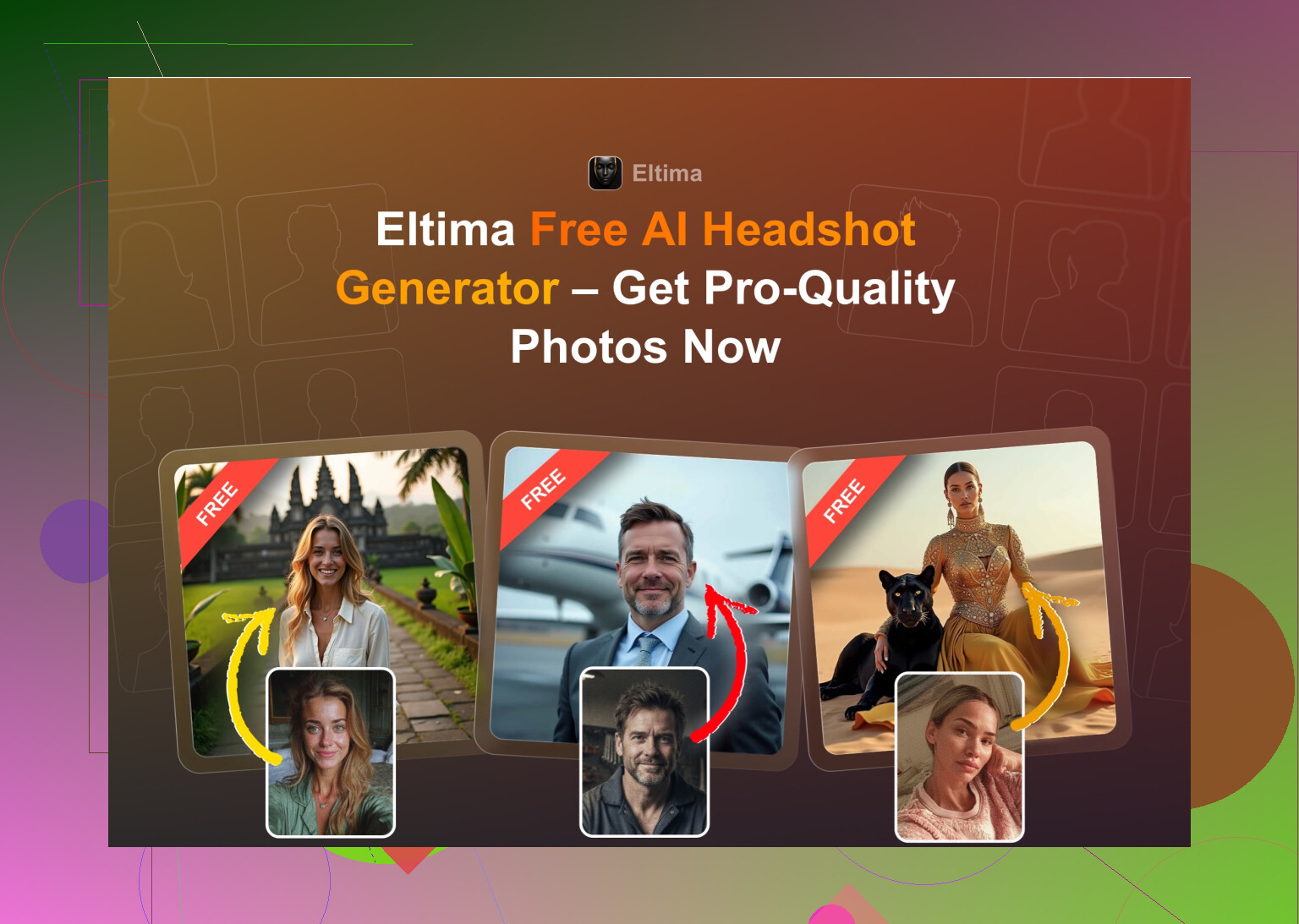
Eltima AI Headshot Generator, iOS
(My main pick on iPhone right now)
────────────────────
App Store link
Product page
Reddit thread I originally bumped into
https://www.reddit.com/r/DataRecoveryHelp/comments/1qi12pn/best_ai_headshot_generator/
This one kept popping up in comments so I tried it last, which is funny because it ended up replacing most of the others for me.
What stood out for me
• You get 1 free photo a day
• You start from one photo, not 10–20
• You can do group shots for up to 3 people
• It also does video from photo
• It runs through a stupid amount of templates, they say 800+ and it feels like it
• The faces look like you, not an AI cousin
How it behaved for me
Photo realism
Looked like photographer shots, not glam filters. Skin still looked like skin. There is a beauty mode slider, but even with that on, it did not cross into mannequin territory.
Styles
This is where it pulled ahead. I had:
• Clean corporate headshots
• Slightly relaxed “startup” style portraits
• Casual outdoor stuff
• Weird themed ones that I would only use for socials
Enough variation to reuse the same base selfie and still not look like a copy-paste across platforms.
Pricing
• 7.99 per week
• 49.99 per year
• 1 free image per day
Free daily image is what made me stay, since you can slowly try outfits, backdrops, hair styles, without getting locked in.
Speed
This one was fast on my iPhone. Photos came back in under a minute in my tests.
My verdict on Eltima
This is the only iOS app in the list where I pulled a headshot straight into LinkedIn without second guessing it. The multi-photo face analysis seems to do something right, the face stays consistent even across odd templates. The free daily shot is what I show people first if they are not sure they want to pay.
Nice demo video if you want to see how it behaves before installing

────────────────────
The big web platforms
Canva, Aragon AI, HeadshotPro
────────────────────
I went through Google for “AI headshot generator” and stuck to the big three you keep seeing everywhere: Canva, Aragon, HeadshotPro.
────────
Canva
────────
Website
https://www.canva.com/
I already use Canva for other things, so testing their portraits was easy. You upload a photo, tap through a bunch of looks on the side, and it spits out results.
Quality I got
For straight “office-friendly” shots it did fine. The usual Canva look, a bit too polished at times but not horrifying. For more casual portraits it started to feel a bit plastic.
Pros
• If you already live in Canva, it is right there
• Lots of presets and editing tools after generation
• Decent for resumes, presentations, internal company stuff
Cons
• Pricey once you need Pro features
• Faces sometimes get the “perfect porcelain” skin that looks off at full size
• You pay in a mix of subscription and credits
Price I saw
Roughly around 120 per year for Pro, often with discounts. Headshot stuff sits on top of that general subscription model.
My take
Good if you want “safe and generic” and already pay for Canva for work projects. If you need something that looks less corporate and more human, it starts losing to the more focused tools.
────────
Aragon AI
────────
Website
Aragon greeted me with a full questionnaire. It asked multiple things about my role, use case, etc. After that I had to upload a noticeable stack of photos before it would run.
What I noticed
Pros
• Best likeness of all the web tools I tried, including small quirks in my face
• Turnaround was fast once the initial upload was done
• Feels tuned for professional headshots, not random avatars
Cons
• Onboarding is slow: profile questions plus many input photos
• No free tier when I tried it, you pay for packs
• You have to prep a folder of photos before starting, which is extra work
Pricing I saw
Started around 12 to 25 for a batch, depending on how many photos and styles.
My verdict on Aragon
If you do not mind spending 20 bucks once to solve “I need solid headshots for job hunting,” Aragon does the job. It cares more about accuracy than fancy styling. It is not my favorite for ongoing experiments, more of a one-and-done purchase.
────────
HeadshotPro
────────
Website
HeadshotPro is blunt about what it is for. Company IDs, corporate accounts, big teams that need matching photos. Their page talks a lot about privacy and data handling, which is what HR likes.
Pros
• Extremely consistent lighting, poses, and framing
• The results looked like something an in-house corporate photographer might do
• You can see how it works well for teams wanting the same background and tone
Cons
• Little room for fun or personality
• Styles are limited to “corporate acceptable” territory
• Not ideal if you want a mix of social and work shots
Pricing
Started around 29 in my run for a basic pack.
My verdict on HeadshotPro
If someone from your company is paying and wants everyone’s photos to look identical in the directory, this fits. I would not use my own money for it unless I was deep in finance or law and only needed that exact look.
────────────────────
iOS apps I tried besides Eltima
────────────────────
What I installed on iPhone:
• Remini
• Fotorama
• Collart
• IRMO
• Eltima (covered above)
I checked each for:
• How confusing it felt to get the first result
• How much the face still looked like me
• How many styles were usable
• What they charged and what you get before paying
• Speed from upload to output
────────
Remini
────────
App Store
Remini is probably the name you know already. I used it before for old photo cleanup.
How it went this time
Ease of use
The UI is simple. Pick a feature, upload, wait. No real learning curve.
Video from photo
This part went off the rails. One of my tests turned into a bizarre little clip where the model (me) did some strange motion under the stairs with a child. It felt like a random mix of scenes, not grounded in the photo at all.
Photo realism
Faces in videos looked like game characters with heavy smoothing. Clothing artifacts everywhere. Hands and clothes warped enough that I would not post that on any serious profile.
Styles
There are plenty of themed looks and professional-ish ones so you can cover LinkedIn, Instagram, etc. The issue is how inconsistent the results look.
Pricing
• 9.99 per week
• 79.99 per year
• 1 week free trial when I tried it
Speed
My video took about 13 minutes. Static images are faster, but that video delay was annoying.
My verdict on Remini on iOS
Nice for playing with old selfies or casual social posts. For a headshot you want recruiters to see, the distortion and glam filter vibe is too strong. I ended up uninstalling it after trying the others.
────────
Fotorama AI Photo Generator
────────
App Store
This one looked promising from screenshots, with more “styled shoot” options.
My experience
Ease of use
The interface layout is fine. Labels make sense and flows are simple.
Video from photo
I tried to run one generation using my own photos. It spent about 30 minutes on “analyzing,” then I closed the app because nothing was happening. Coins disappeared, output never arrived.
Styles
A fair amount of fashion, character, and themed options. On paper it looks like a fun variety.
Price
• 11.99 per week
• 79.99 per year
Runs on a coin system inside that made me annoyed fairly fast.
Speed
Slow to the point of being unusable for me. The 30 minute wait with no result was enough.
My verdict on Fotorama
If an app wastes half an hour and eats your in-app currency with no output, it slides straight into the “do not recommend” pile for me. Even if the styles look nice in theory, the experience did not feel reliable.
────────
Collart AI Photo Generator
────────
App Store
This one feels like a “fun edit” app first, portrait generator second.
Ease of use
Straightforward menus, no confusion. Easy to find what you want.
Video from photo
It can animate photos and do short clips.
Photo realism
This is where it broke for me. It used only one reference photo and then spat out variations that looked like random people wearing my hair style. Many results were so off I would not share them anywhere.
Styles
There are a lot of them. If you treat it as a toy, that is fine. Accuracy goes out the window with the single-photo input though.
Price
• 3.99 per week
• 59.99 per year
Speed
Generation was quick, which almost made it worse because I got a lot of bad photos fast.
My verdict on Collart
Good for messing around and sharing bizarre, over-the-top versions of yourself with friends. I could not get anything I would use as a serious public profile photo.
────────
IRMO AI Photo Generator
────────
App Store
IRMO sits somewhere between “toy” and “tool.”
My tests
Ease of use
Simple layout, nothing complicated. Anyone can use it without instructions.
Video from photo
Worked as advertised. No major glitches in the short clips I tried.
Photo realism
Quality in a technical sense is not bad. The issue is likeness. Since it only asked me for one reference photo, it often generated a face that looked like some AI hybrid, almost me, not quite.
Styles
Wide spread of outfits, backgrounds, and vibes. Fun to scroll through and tap.
Price
• 5.99 per week
• 99.99 per year
Speed
Took about 2–6 minutes per image for me, which feels fine.
My verdict on IRMO
You get decent looking outputs that do not feel connected to your actual face. I would call it a novelty portrait app, not a reliable replacement for a headshot session.
────────────────────
Android apps I tried
────────────────────
Play Store is full of sketchy clones, so I limited myself to the names that kept showing up.
What I used:
• Remini
• GIO
• Momo
────────
Remini on Android
────────
Google Play
Same name, similar behavior to the iOS version.
Verdict in short
• Still easy to use, upload selfies and tap generate
• Still likes to over-enhance the face into a version of you that spent 3 hours with a makeup artist
• The “professional” modes still looked a bit too polished for my taste
Good enough for places you want to look a bit overdone. I would not pick it for a law firm application.
────────
GIO: AI Headshot Generator
────────
Google Play
I checked it on Android to avoid repeating my iOS impressions.
Pros I saw
• Faces leaned less plastic than Remini
• Clothing swap feature did a decent job, especially with suits or business casual outfits
Cons
• Output quality jumped all over the place
• Some runs produced outright unusable photos with weird artifacts
• It felt less reliable than I hoped from the marketing
My verdict on GIO
It works as a backup when Remini gives you that hyper-processed face. Still, too many outputs looked off. I would not rely on it as my only tool.
────────
Momo
────────
Google Play
Momo ended up between GIO and Remini in my results.
Pros
• Average result quality was higher than what I got from GIO
• Single runs often gave me at least one or two usable images
Cons
• Pricing felt high compared to Remini
• Uses subs and coins, which add up if you experiment a lot
• When you compare side by side with the top tools, it looks a bit behind in realism
My verdict on Momo
If someone does not want Remini or GIO, Momo is a middle option. The price versus quality ratio made me walk away from it.
────────────────────
Using ChatGPT & Gemini for free headshots
────────────────────
If you want to spend 0 dollars and you have patience, you can push general AI tools into doing headshot-like images. Results sit below the specialized apps but are interesting.
What I used
• ChatGPT with DALL·E on https://chatgpt.com/
• Gemini image model (Nano Banana Pro) on
Gemini AI Nano Banana Pro: KI-Bildgenerierung und Bildbearbeitung von Google
The “description loop” method I tried
Step 1
Find a reference photo online that has the mood and style of headshot you want. Could be a photo of a stock model in an office or studio.
Step 2
Upload that reference to ChatGPT or Gemini and ask it to describe the photo in detail. Clothing, lighting, framing, expression.
Step 3
Copy the description. Start a new chat.
Step 4
Upload your own selfie into the new chat. Paste the description and tell the model to generate an image of you in that style.
Step 5
Pick an image model
• On ChatGPT I used DALL·E
• On Gemini I pointed it to their newer image model when it was available
How it turned out for me
ChatGPT with DALL·E
It produced a person who looked like a relative more than me. Same haircut and vibe, not the same face. DALL·E pushes its own style into the results, so it never reached “this is a real photo of me,” more like “this is an AI portrait of someone similar.”
Website
https://chatgpt.com/
Gemini (Nano Banana Pro)
Gemini got closer to photorealistic texture and lighting in my tests, but it also tripped safety filters a lot. Sometimes it refused to output anything close to “real person” likeness even though I used my own photo.
Website
My verdict on the free route
If you like experimenting, it is fun. You can build moodboards of how you might look in different outfits or setups. For a profile photo that you want people to believe is an actual shot of you, I would still use one of the dedicated headshot tools.
────────────────────
Where I ended up
────────────────────
After burning a bunch of time on all of these, this is how I personally use them now:
• Need a clean, realistic headshot on iPhone
I reach for Eltima and abuse the daily free photo for a while before paying.
• Need a one-off pack of corporate headshots from desktop
I lean toward Aragon for likeness, unless a company is already paying for HeadshotPro.
• Want to play with weird or casual stuff
I might open Remini or IRMO for fun, but not for anything serious.
iOS Remini: Remini - AI Photo Enhancer App - App Store
IRMO: AI Photo Video Generator: IRMO App - App Store
• Want to test styles without spending
I do a round of “description loop” prompts on ChatGPT and Gemini, then move to a paid tool once I know which look I want.
https://chatgpt.com/
If your goal is a LinkedIn photo or something your manager will see, start with one of the focused headshot generators, not the “everything app” photo toys. It saves a lot of scrolling through uncanny faces you will never post.
28 Likes
I hit the same problem as you on iPhone. Most apps made me look like a wax figure or a TikTok filter.
Short version from my tests plus piggybacking on what @mikeappsreviewer wrote:
- Best overall on iPhone for pro, realistic headshots
Eltima Ai Headshot Generator App
This is the one I’d start with if your goal is “LinkedIn-ready from a selfie”.
What worked for me:
- Starts from 1 selfie, not 15–20.
- Faces stay consistent across outfits and backgrounds.
- Skin texture stays human, not plastic.
- One free headshot per day lets you test a bunch of looks without paying first.
I disagree a bit with Mike on only one point. I would not subscribe weekly unless you are in a short job hunt sprint. The free daily image plus maybe one month of sub is enough to build a full set of profile photos.
Tips that helped my results:
- Use a sharp selfie in daylight, front facing, no strong shadows.
- Neutral expression, slight smile, no extreme angle.
- Avoid heavy makeup filters or portrait blur in the input photo.
- Run the same selfie through multiple “corporate” or “business casual” styles, then keep 2–3 that look closest to how you look in real life.
-
If you want desktop options too
I liked Aragon AI more than Canva for realism. Aragon needed a pile of photos but the face match was strong. Good if you want to pay once, export a full set, and be done. -
What I would skip for serious profiles on iPhone
- Remini: good for fun, too much face smoothing for a CV or LinkedIn.
- Collart / IRMO: lots of styles, weak likeness from a single selfie. Feels more like “AI cousin of you”.
If you want the simplest path on iPhone right now, install Eltima Ai Headshot Generator App, feed it one clean selfie, abuse the free daily slot for a week, then pick one image and lightly retouch in your normal photo editor for crop and brightness. That gave me the most “no one will guess this is AI” result.
I was in the exact same spot a couple weeks ago: every “AI headshot” app either made me look like a wax doll or like my more attractive cousin. After messing around with a bunch (and reading what @mikeappsreviewer and @suenodelbosque wrote), here’s where I landed on iPhone specifically.
Short answer for iOS:
If you want something that looks like a real photo from a real camera, not an AI filter, the only one that consistently passed the “would I actually put this on LinkedIn” test for me was Eltima Ai Headshot Generator App.
I agree with both of them on a few points about Eltima:
- Starts from one decent selfie instead of demanding a whole camera roll.
- Likeness is solid, it actually still looks like you.
- Free 1 image per day is clutch if you’re picky.
Where I’d slightly disagree:
I wouldn’t lean on it for super “creative” shots. Once you start going too far from neutral outfits and simple backgrounds, results can still drift into “AI cousin” territory. For tight, boring corporate or clean business casual, it shines. For “edgy startup founder who surfs at 6am,” the templates still feel a bit templated to me.
How I’d actually use it for your problem:
- Install Eltima Ai Headshot Generator App on your iPhone.
- Take 1 or 2 new selfies: natural daylight, no filter, simple t‑shirt or shirt, front-facing, not from way above or below.
- Use the daily free generations for 3–5 days and only pick:
- Plain studio or simple office backgrounds
- Business / business casual outfits
- Neutral pose and expression
- Export 2–3 that feel the closest to how you look in real life, then:
- Crop and do tiny tweaks (exposure / contrast) in the default Photos app or Snapseed. Nothing heavy.
That workflow finally gave me something where no one has asked, “lol is this AI?” yet.
Stuff I’d personally skip for serious use on iPhone, even though they were mentioned:
- Remini: I know it’s super popular, but on my end it still over-polished the skin and added random artifacts in clothes and hair. Great if you like that hyper-beauty look, not so much if you want “I might actually work here” energy.
- Collart / IRMO: Fun toys, cool for crazy styles, but they drifted too far from my actual face. Good for socials, not for a professional profile.
If you want to stick to your iPhone and you’re sick of fake-looking stuff, I’d honestly just focus on squeezing as much as you can out of Eltima Ai Headshot Generator App for a week, then sub for a month if you need a bigger batch. Everything else I tried felt like more work for worse “this could actually be a real photo” quality.