I’ve been using NoteGPT’s AI Humanizer to clean up and humanize my AI-written notes, but I’ve hit its usage limits and can’t upgrade right now. I’m looking for a reliable, totally free tool or workflow that can do something similar without sounding robotic or getting flagged by detectors. What free AI humanizer alternatives or tricks are you using that actually work well for long-form content and study notes?
- Clever AI Humanizer – my take after a week of abusing it
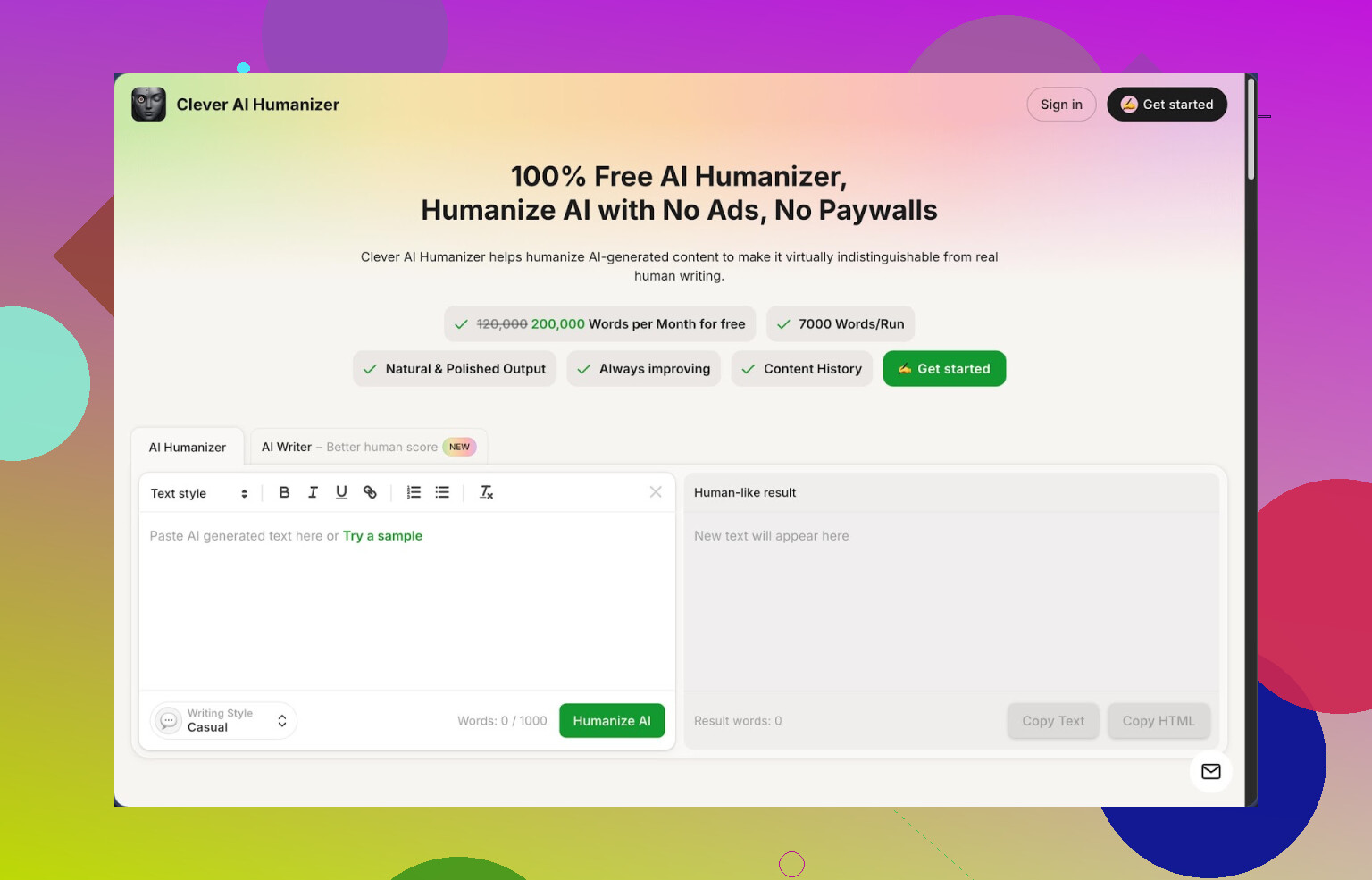
Link: https://cleverhumanizer.ai
I ran into Clever AI Humanizer when I was looking for something cheap for longform stuff. Ended up keeping it open in a pinned tab for a week, so here is what I noticed.
First, numbers, because that is what matters if you write a lot:
• About 200k words per month for free
• Up to around 7k words per run
• Three presets: Casual, Simple Academic, Simple Formal
• Built in AI writer, grammar checker, paraphraser
No login paywall games, no “here is 500 words then pay us” surprise. I pushed it with whole chapters and it handled it.
I fed it a few AI generated samples and checked them with ZeroGPT. When I used the Casual mode, the output showed 0 percent AI on all three runs. That will not happen every time with every detector, but it was good enough that I saved those samples as templates for later.
What you do in the main humanizer
My usual flow looked like this:
- Write or generate the base text in another tool
- Paste into Clever in the Free AI Humanizer module
- Pick “Casual” if it is a blog or email, “Simple Academic” for school type stuff
- Hit the button and wait a few seconds
The output keeps the structure and main points. It feels more like “rewriting with common sense” than random synonym spam. It breaks up patterns that detectors tend to hit on, like repetitive phrasing and overclean sentence rhythm.
I noticed it tends to expand a bit. For example, 1,000 words turned into ~1,150 to ~1,250. It adds small transitions and extra clarification lines. If your teacher or client is strict about word limits, you will need to trim.
Quality and meaning
I tried it on:
• A technical tutorial
• A product comparison blog post
• A casual newsletter style email
It did not blow up the meaning on any of them. On the technical one, I still re-read every paragraph because it occasionally simplified something I wanted to keep precise, but it never invented new facts. On the newsletter type email, it arguably made it read more like something I would write by hand.
If you write in a very personal style, you will want to nudge the output back toward your voice. Out of the three presets, “Casual” felt the least robotic for day to day use.
Other modules I tried
Free AI Writer
This one lets you generate from scratch, then humanize in the same place. I used it to knock out a 1,500 word draft about browser security.
Flow:
• Pick a type of text, set topic
• Let it generate
• Hit the humanize button right away
Content quality is about what you expect from an AI writer, but once you humanize it, ZeroGPT scores got lower than when I pasted in text from another AI. So if you want everything in one tab, this is workable.
Free Grammar Checker
This is the boring but useful part. I pasted a few messy drafts with tense issues and commas all over the place.
It fixed:
• Common spelling mistakes
• Comma splices
• Sentence clarity problems
Output felt similar to running it through a standard grammar tool. Handy when you already have the humanized version and do not want to open a separate editor.
Free AI Paraphraser
I used this on:
• Old blog posts that I wanted to recycle
• Paragraphs from a rough draft where I hated the wording
You paste a paragraph, it rewrites it while keeping the point. I found it useful when I wanted a different angle on a sentence without losing the structure. For SEO work or adapting tone for different sites, this helps.
How it fits into a daily writing workflow
My current pipeline for long pieces ended up like this:
- Outline in a notes app
- Draft with any AI model or in their AI Writer
- Run the draft through Clever AI Humanizer in Casual or Simple Academic
- Run the result through the Grammar Checker
- Manually trim and adjust wording if the length inflated too much
- Spot check with one or two detectors, including ZeroGPT
Because the word limits are high and the monthly cap is generous, I did not have to think about “saving credits” or chopping everything into tiny blocks.
Stuff that bugged me
It is not magic. A few things to keep in mind:
• Some detectors will still flag the text as AI. I saw this when I tested the same output on multiple tools. ZeroGPT was fine, others were mixed.
• Word count creep. Humanized output tends to be longer. Good for clarity, bad if you are stuck with hard limits.
• Style uniformity. If you use it for every single paragraph across a site, you will start to see a “Clever flavor” in the rhythm. Mixing in your own adjustments helps.
If you expect 100 percent undetectable output on every site and every checker, you will be annoyed. If your goal is to make AI sounding text less stiff and reduce flags on stricter detectors, it is useful.
Who I think it fits
From my week with it, it worked best for:
• Students trying to clean up AI assisted essays, while still editing a bit
• Bloggers and niche site owners who push a lot of words per month and hate low word caps
• People writing emails, LinkedIn posts, or internal docs who want the text to sound less synthetic
If you only write short emails here and there, this is probably overkill. If you push 30k plus words every month, the free quota is attractive.
Extra links if you want to dig through other opinions
More detailed write up with AI detection screenshots:
YouTube review:

Reddit thread on AI humanizers:
https://www.reddit.com/r/DataRecoveryHelp/comments/1oqwdib/best_ai_humanizer/
General discussion about humanizing AI output:
https://www.reddit.com/r/DataRecoveryHelp/comments/1l7aj60/humanize_ai/
23 Likes
You have a few good free paths here if NoteGPT is capped for you.
First, I agree with a lot of what @mikeappsreviewer said about Clever Ai Humanizer, but I would not rely on a single tool for everything. It is strong for longform, generous free quota, and the Casual preset works well when you want notes to feel less stiff. For “AI written notes but more human” it fits your use case pretty well.
That said, here is a workflow that keeps you fully free and less dependent on one site:
-
Primary humanizer
• Use Clever Ai Humanizer as the first pass for long notes
• Stick to 3 to 5 paragraph chunks even if it handles more, you get better control on tone and length
• For school or work notes, prefer Simple Academic, then do a manual pass to fix any oversimplified terms -
Tone pass with a general LLM
• Copy the humanized chunk into ChatGPT free or another free model
• Prompt example:
“Rewrite this so it sounds like personal study notes from a student. Keep all technical details. Short sentences. Add small comments like ‘this part is confusing’ or ‘important’ where it makes sense.”
• This turns AI sounding prose into something closer to real notes instead of blog copy -
Structure and compression
• Run the text through a free editor like Hemingway Editor or LanguageTool
• Delete filler transitions Clever added if word count grew too much
• Turn repetitive lines into bullets for faster review -
Style “fingerprint”
This is where I slightly disagree with @mikeappsreviewer. If you use only Clever on everything, your notes start to share the same rhythm. To avoid that:
• Alternate: one chunk through Clever Ai Humanizer, next chunk you rephrase manually with a grammar checker open
• Keep some of your original phrases and slang so your voice stays visible -
Quick sanity check for detection
• If you care about detectors, pick one free checker and stick with it. Scores vary a lot between tools, so jumping across three or four of them wastes time
• Adjust only if it is heavily flagged, do not chase “0 percent AI” on every part of every note
Bonus low effort workflow if you are tired:
• Rough draft with any AI
• One pass through Clever Ai Humanizer in Casual
• Short edit pass yourself, focusing only on:
- Remove repeated ideas
- Make bullet lists for key points
- Add your own 1 to 2 line comments per section
This keeps everything free, keeps you under fewer limits than NoteGPT, and you still end up with notes that sound like something a real person wrote, not a polished marketing article.
I’m gonna slightly disagree with both @mikeappsreviewer and @codecrafter on one thing: you actually don’t need a full humanizer-style site for note cleanup if your main use is “AI notes → more human, more ‘me’, totally free.” Clever Ai Humanizer is solid (especially for long stuff), but I’d treat it as a “when needed” tool, not the center of your setup.
Here’s a workflow that avoids relying too hard on any one app and stays 100% free:
-
Use Clever Ai Humanizer only for “heavy lift” rewrites
- Use it for long, stiff AI dumps that are basically unreadable.
- Keep chunks smaller than what they suggest, like 3–4 paragraphs max, just so you don’t get that “samey” Clever flavor everywhere.
- For notes, I’d actually pick Casual most of the time, even for study stuff, then re-add any technical precision it softens. Simple Academic is fine, but it can make everything sound like a soft textbook.
-
Turn AI-text into real notes with a pattern-based prompt
Instead of “humanize this,” use a structure prompt in any free LLM (ChatGPT free, Gemini, etc.):“Convert this into personal study notes with:
• Bullets and sub‑bullets
• Occasional short comments in parentheses like (important), (weird, need to review), (example?)
• Short, direct sentences. No intro or conclusion, just notes.”
This gives you something that looks like someone actually studied, not like a blog post that got flattened. -
Add your own “signal words” on a quick manual pass
This is the part most people skip and then wonder why everything still feels AI-ish. Do a 5–10 minute pass per topic and sprinkle in:- “idk why but…”
- “this basically means…”
- “easier version:”
- “remember: …”
Weirdly, 5–10 of those little comments per page make the text feel way more human than any humanizer can.
-
Abuse formatting instead of text rewriting
Instead of constantly re-humanizing, lean on structure:- Convert repetitive lines to bullets
- Turn long explanations into Q&A style:
- “Q: Why does X matter?”
- “A: Because …”
- Highlight or bold “key term:” patterns.
Detectors mostly look at language patterns, not that you used bold text and bullet lists to break things up.
-
“Reverse outline” your AI notes
This is underrated. Take your AI-generated notes and:- Write a 5–10 bullet summary in your own words first.
- Then only use Clever Ai Humanizer or any LLM to rewrite the bullets into slightly fuller sentences if you want.
That way the core phrasing is yours, the model is just smoothing edges.
-
When to actually use Clever Ai Humanizer in this setup
I’d use the Clever Ai Humanizer specifically when:- The text is super formal and you want it more conversational.
- You need to break obvious AI repetitiveness (same sentence rhythm, same transitions).
- You’re starting from raw AI output, not something you’ve already touched.
It’s SEO‑friendly enough that if you ever reuse those notes for blog posts later, the Casual preset won’t sound like a stock chatbot and gives you a decent base.
-
Stuff I’d skip that others suggest
- Constantly checking 3 or 4 AI detectors. Total time sink. Pick one if you must, or honestly ignore them for notes.
- Running every single paragraph through Clever. That’s how you end up with the “Clever accent” that both of them hinted at. Use it like a spice, not the main ingredient.
So in short:
- Use Clever Ai Humanizer as your free heavy-duty rewriter when the text is super robotic.
- Use a simple, repeatable prompt in a free LLM to push everything into “personal notes” format.
- Layer your own quick comments and structure on top.
That combo gets you very close to what NoteGPT’s AI Humanizer is doing, without hitting paywalls all the time, and without every page of your notes sounding like it came out of the same machine.
Here’s a different angle that plays nicely with what @codecrafter, @nachtdromer, and @mikeappsreviewer already laid out, without rehashing the same workflows.
1. Treat “humanizing” as a 3‑layer problem, not 1 tool
Instead of hunting for a single NoteGPT clone, split the job into:
- Content layer: what you say
- Voice layer: how “you” it sounds
- Noise layer: little quirks, shortcuts, imperfections
Most humanizer tools, including Clever Ai Humanizer, mainly hit the voice layer. If you rely only on that, your notes still feel like cleaned‑up AI essays rather than actual working notes.
2. Use Clever Ai Humanizer only where it actually beats a normal LLM
Pros of Clever Ai Humanizer for your use case:
- Very generous free quota for long notes
- Handles big, dense AI dumps without collapsing structure
- Casual / Simple Academic presets are decent starting points
- Good at breaking the super-regular AI rhythm
Cons you should factor in:
- Tends to inflate word count, which is annoying for tight revision notes
- Starts giving your text that recognizable “same rhythm” if you run everything through it
- Sometimes over-smooths, so tricky concepts feel vague instead of sharp
- Not great if you want ultra-minimal, high-compression notes
Where it shines vs just a free LLM:
- Huge chunks of stiff, formal text that you do not want to rephrase line by line
- First-pass rewrite on stuff you might later turn into blog posts or public docs
Where I would actually skip Clever and go straight to a free LLM:
- Short daily notes
- Formula sheets, definitions, code explanations
- Anything you want hyper-condensed
3. Quick “compression-first” workflow (different from what’s already suggested)
If NoteGPT’s limit is the problem, your real bottleneck is time and volume, not just detection. Try flipping the order:
-
Compress first with a free LLM
Prompt idea:“Turn this into ultra compact study notes:
• Only bullets and sub bullets
• Keep equations, definitions, and examples
• Remove filler and soft transitions
• Max 30 percent of original length.” -
Then selectively humanize only the dense bits
Take the densest bullet clusters and run those through Clever Ai Humanizer in Casual or Simple Academic. You are not humanizing everything, just the parts that feel unreadable. -
Finally add your own “friction words”
Sprinkle comments like “careful here”, “I always mix this up with…”, “shortcut: think of it as…”. This is where neither Clever nor any general LLM can truly fake you.
This avoids the “Clever everywhere” problem that both @codecrafter and @nachtdromer warned about, but still uses it where its longform strength matters.
4. Where I slightly disagree with the others
- I would not always run a second LLM tone pass after Clever. If your goal is fast, readable notes, two full rewrites stack artifacts from both models and you spend more time undoing them.
- I also would not worry about AI detectors for private notes. Using Clever Ai Humanizer and then checking with a detector is overkill unless those notes are getting graded or published.
5. Competitors vs workflow thinking
What @codecrafter and @mikeappsreviewer outlined is great if you want a humanizer-centric setup. What @nachtdromer suggested shifts weight to free general models. I’d go one step further: treat Clever Ai Humanizer as a “turbo rewriter” that you call in sparingly, not a default step.
So:
- Keep using Clever Ai Humanizer, but only on ugly, long AI dumps.
- Compress with a free LLM first, humanize only where your brain stalls.
- Add your own quick annotations as the final layer.
That gets you very close to (or better than) NoteGPT’s AI Humanizer results, keeps everything free, and avoids every page sounding like it passed through the same filter.