I’m looking for the best GPS splitter software that works smoothly on Windows. I need to share a single GPS signal with multiple applications, but the tools I’ve tried so far keep disconnecting or freezing. Does anyone have a solution that’s stable and easy to use?
A GPS splitter basically lets you share a single GPS device’s output with multiple applications at once. Sounds simple in theory, but in practice most splitters choke under heavy use—you get random disconnects, freezes, or just straight-up ghosting when you need them most.
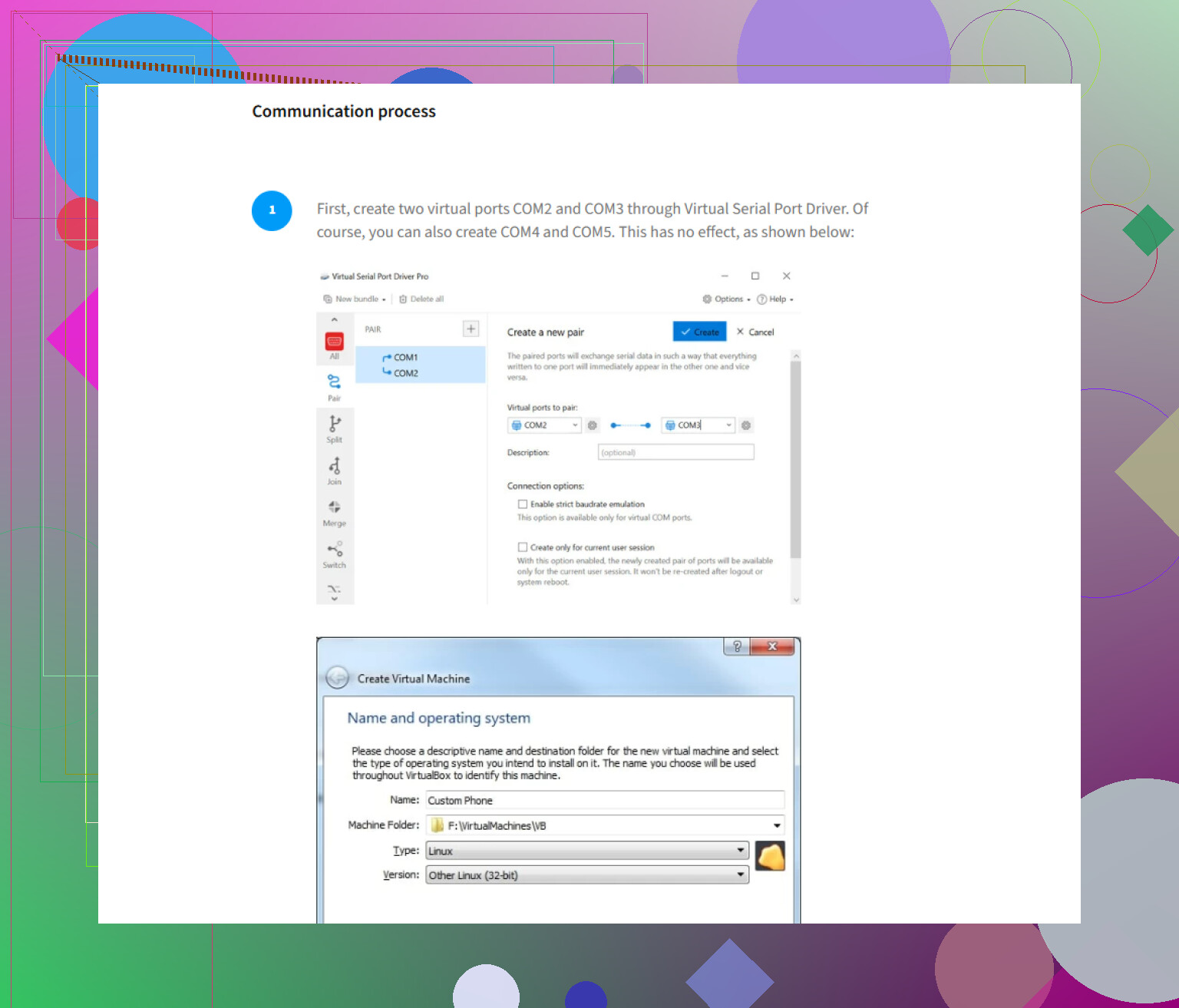
Virtual Serial Port Driver is super stable, especially on Windows, and actually handles multiple client apps grabbing the GPS data without flinching. No more application tug-of-war, and it supports all the standard NMEA protocols with barely any latency.
If you want deep dive specs, it creates virtual COM ports, mirrors real GPS device data, and distributes it seamlessly so five mapping or nav apps can read from the same GPS at the same time. Plus, setup is quick—no tinkering with system drivers or registry hacks. It’s paid, yeah, but you get what you pay for. The ‘free’ options usually died after a few hours or hogged so much RAM my machine would crawl.
You can check out how to seriously share GPS data easily with multiple apps on Windows—that’s the only detailed guide I found that didn’t skip vital steps or gloss over the gotchas.
Anyone else found something better? I tried GPSGate and U-Center’s virtual ports but… not exactly crash-proof, at least on Win 10 and 11.
46 Likes
The fact that apps fight for the same COM port is just one of those classic Windows quirks that makes you question your life choices as you hammer your head against freezing freeware. @nachtdromer’s take on most GPS splitter apps turning into expensive paperweights after a few hours? Absolutely accurate.
But let’s throw another log on this fire: a lot of posts around the net hype GPSGate as the holy grail, but in my experience it’s kinda hit-or-miss—especially on newer Windows builds (Win 11 really does something weird to the virtual serial stack, I swear). And U-Center is more about data logging than actual seamless feed splitting, so not my pick for multi-app use.
Virtual Serial Port Driver is honestly as stable as you’ll get if you wanna route one GPS signal to multiple applications hassle-free. Create as many virtual COM ports as you need linked to the real GPS, and suddenly every nav/telemetry/mapping app talks nice to each other. Barely any lag, no random disconnects, plus setup is easy and doesn’t hijack your system. It’s not free, but after watching four open-source splitters die on a windy backroad with no cell signal, you’ll see the value.
If you wanna go full techie and see how it ticks, check out this quick rundown on sharing GPS data efficiently on Windows. It covers the essential stuff, not the marketing fluff.
Maybe someone out there had better luck with free GPS splitters or open-source virtual ports, but after a decade of GPS abuse in fieldwork, I’m skeptical. Anyone else actually found freeware that holds up when you’re running five apps at once and the boss is screaming over Teams? Prove me wrong—I wish you could.
Virtual Serial Port Driver is absolutely solid—agree with both opinions above—but let’s zoom out a sec before labeling it the lone hero. Here’s what you’re dealing with: GPS splitters all talk a big game until Windows COM voodoo eats their lunch. VSPD delivers where GPSGate and U-Center stumble, especially if you’re hot-rodding Win10/11 with three+ GPS-hungry apps. Actual strengths: barely any latency, rock-stable connections, idiot-proof setup. Drawbacks? It’s paid, and sometimes eats more memory if you run way too many virtual ports (think double digits), and there’s a bit of sticker shock if you’re used to FOSS.
Competitors like those mentioned bring something to the table, but for heavy-duty, multi-app fieldwork, they just can’t stomach Windows’ quirks the way Virtual Serial Port Driver does. I’ve seen open-source splitters have memory leaks on long hauls and GPSGate getting ghosted by Windows Update.
That said, don’t expect miracles: you won’t get flashy dashboards or deep NMEA customization. ‘Stable, boring, reliable’ is the vibe, not cutting-edge features. No, it’s not cheap, and if you’re a hobbyist or just need two programs at once, maybe roll the dice with freeware. But if you want five apps running in parallel on a sketchy field laptop and can’t risk a freeze, Virtual Serial Port Driver is the least likely to give you that crash-induced facepalm.
Pro:
- It. Just. Works.
- Virtually no lag.
- No driver or registry hell.
- Handles multiple clients without drama.
Con:
- Not free.
- No fancy bells/whistles.
- Eats more RAM with tons of virtual ports.
Ball’s in your court if budget is tight, but for pros: spend the money, spare your sanity. Not perfect—just least likely to betray you three hours from the nearest cell tower.
Skip virtual COM ports. Use one GPS-aware app as the primary reader, then rebroadcast NMEA over UDP to localhost. Set the output to 127.0.0.1 on port 10110, then point each compatible app to the same UDP feed. UDP supports multiple listeners and avoids driver conflicts, registry edits, and frozen ports. Check each app’s network GPS setttings first. This works best when your programs accept NMEA over TCP or UDP. Setup takes a few mins.
If every app on your list can take a network feed, @neonninja4117 is right and you should just do the UDP thing. It’s cleaner and you dodge the whole COM port mess entirely. The catch is that a lot of older marine and aviation software only speaks serial. OpenCPN handles network input fine, but plenty of legacy nav tools from 10+ years ago will only look at a COM number. If even one of your five apps is stuck in serial land, UDP doesn’t solve your problem and you’re back to virtual ports anyway.
That’s the real fork in the road here, and I think it got skipped. Check the GPS input settings in each app before you pick a method. If they all list a network or TCP option, go UDP. If any of them only offer a COM port dropdown, you need a splitter.
On the freeware skepticism from earlier, I’d soften it a bit. com0com plus a small NMEA multiplexer can hold up fine for a couple of apps on a stable desktop. Where it falls apart is exactly the scenario @codecrafter described, a field laptop bouncing between sleep states with a real GPS on USB. USB reconnects are what kill most of the free setups, not the port sharing itself. So the freeware isn’t garbage, it just doesn’t handle the messy real world part well.
Virtual Serial Port Driver makes sense as the paid answer for the serial-only case, mostly because it reconnects without you babysitting it. I wouldn’t buy it if all your apps already accept UDP though. Paying for virtual COM ports you don’t need is just money gone. Match the tool to what your software actually accepts and you’ll save yourself the freezing loop you’re stuck in now.
One small thing people forget with the UDP route: if you also want the feed to survive a laptop reboot or the primary app crashing, whatever you use as the reader becomes a single point of failure. Set that app to auto-start, or you’ll be reconnecting the whole chain by hand out in the field.