I’m trying to declutter my computer. Since Cyberduck connects to cloud storage, can I just use it as my one-stop shop for all my files, or are the official apps still necessary for things like syncing?
 Why I Started Using Cyberduck
I originally tried Cyberduck because I needed a simple way to manage files on a VPS while also occasionally accessing cloud storage. At the time I was juggling a few small web projects and wanted something that could handle SFTP transfers and also let me check files in cloud storage without constantly logging into web dashboards.
What pulled me in was that it was open-source and didn’t lock anything behind a subscription. I figured I could test it without committing to anything and just keep it around if it worked. That’s basically how it ended up becoming part of my toolkit.
---
 What I Actually Used It For
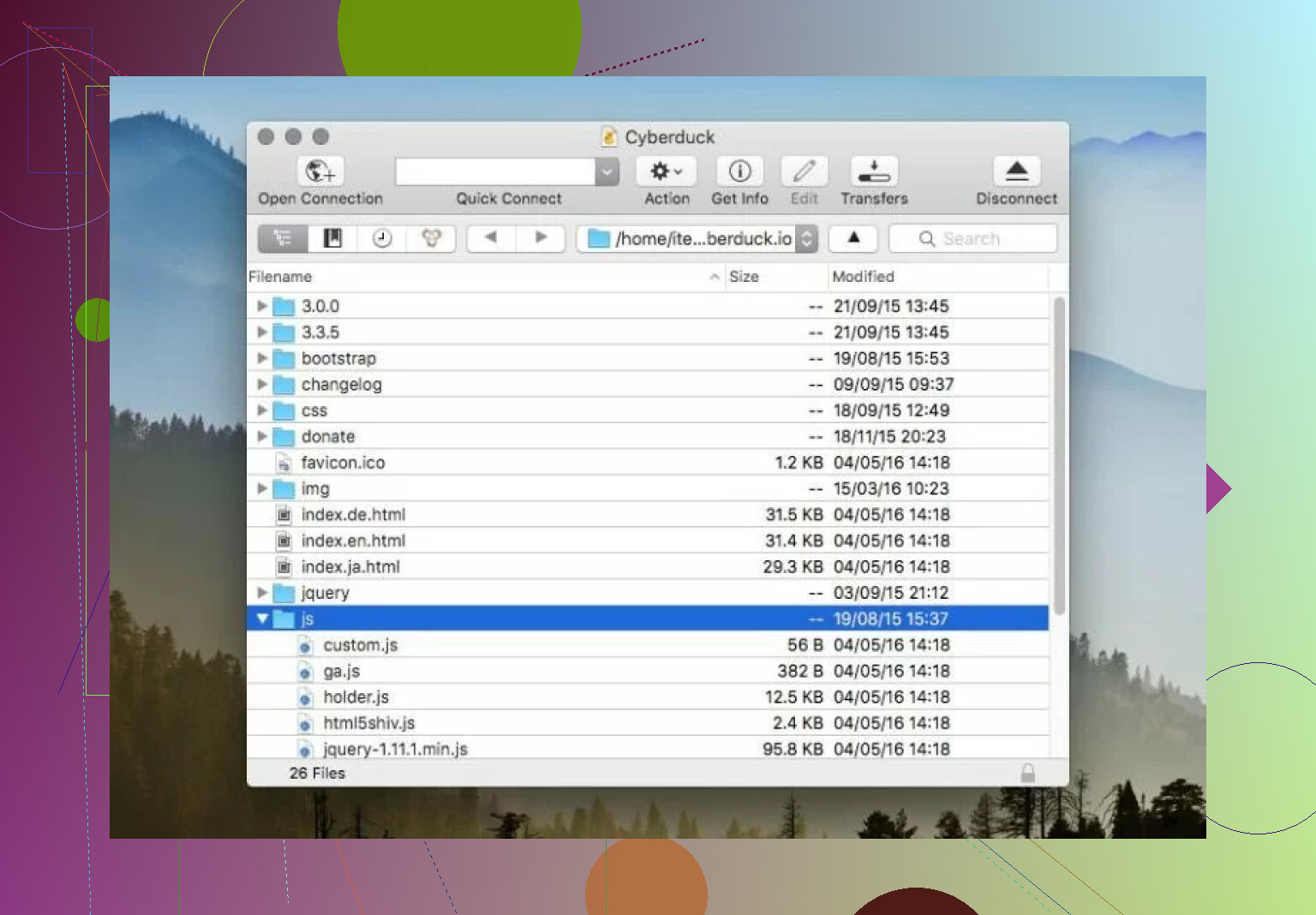
In my day-to-day use, I mostly relied on Cyberduck for uploading website updates through SFTP and occasionally downloading backups from remote servers. I also tested it with cloud storage connections, mostly S3, just to avoid using the AWS web interface when moving files around.
What I liked was how similar everything felt once connected. Whether I was inside a server directory or looking at a cloud bucket, the experience didn’t really change. I could browse folders, drag files, and queue transfers without relearning anything.
I also ended up using the external editor feature more than I expected. Being able to open a config file locally, edit it, and have it automatically upload when I saved it made small fixes much faster. This was especially useful when I was tweaking nginx configs or fixing small CSS issues directly on staging servers.
It felt like a practical tool rather than something trying to manage my whole deployment process.
 Interface and General Feel
The first thing I noticed was how clean the interface felt. There isn’t much visual noise. You basically connect, see your files, and transfer what you need. I never felt lost trying to find basic actions.
I did notice though that it feels more like a connection window than a file management workspace. Because it only shows the remote side, I always had Finder open next to it. For quick transfers this was fine, but during longer sessions I started noticing the extra friction.
For example, when I was reorganizing website assets, I had to keep switching between windows to compare folders. It worked, but it wasn’t smooth. I kept thinking how much easier it would be if I could just see both sides at once.
That said, for simple tasks like uploading a few updated files or checking logs, the simplicity actually helped more than it hurt.
 Features I Ended Up Using the Most
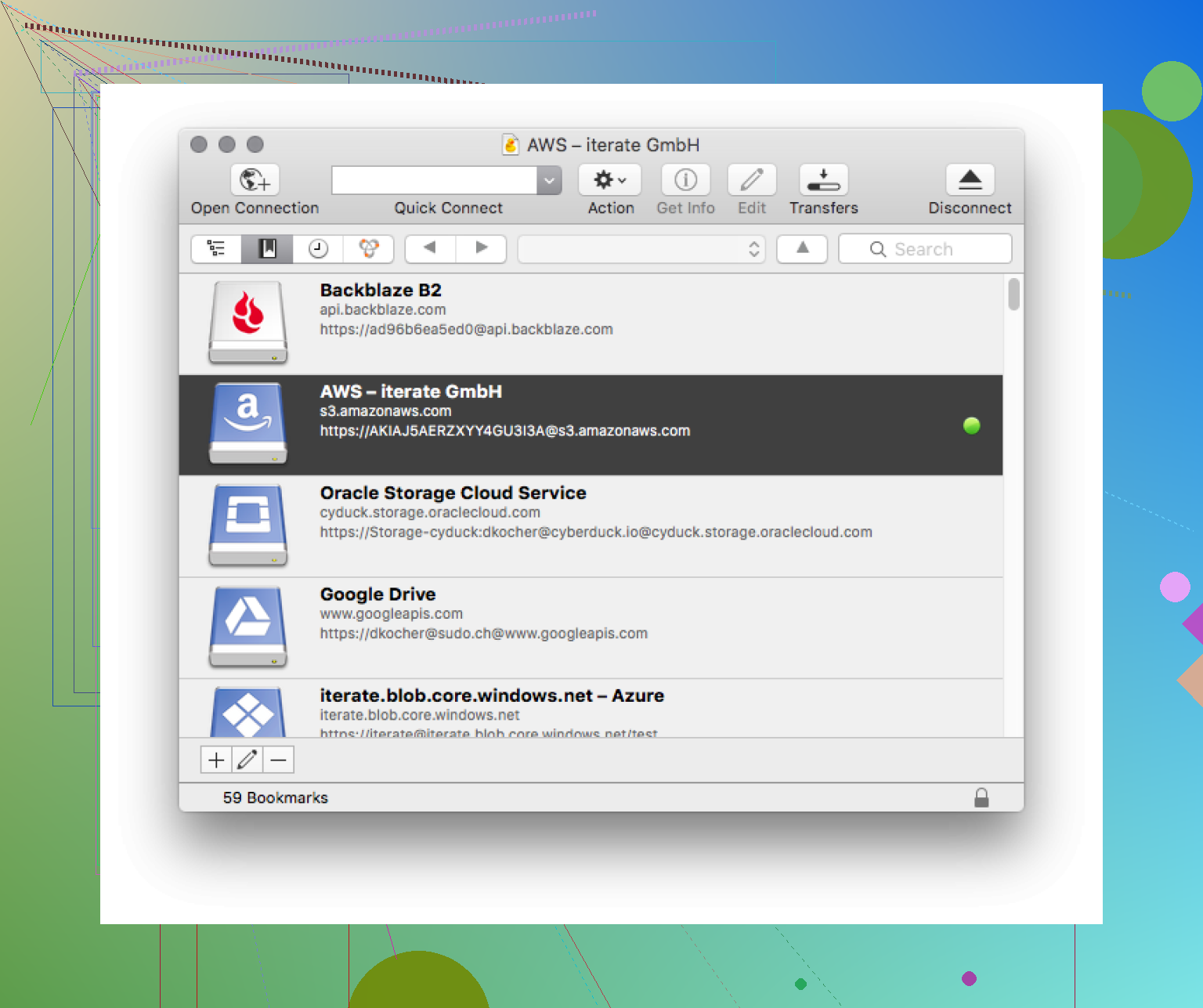
The features I kept coming back to were mostly the practical ones. Bookmarks turned out to be very useful once I had several servers configured because I didn’t have to remember connection details. I could just click and reconnect.
I also appreciated that it handled secure authentication without much effort. SSH keys worked without me needing to fight with settings, which isn’t always the case with transfer tools.
Something I did notice missing was deeper file management functionality. There’s no built-in archive browsing, no folder comparison tools, and no real sync features beyond manual transfers. None of that broke my workflow, but it did define what Cyberduck feels designed for: moving files, not managing them.
 Performance in Real Use
Performance was mostly fine when I was doing small updates. Uploading a few megabytes of changes or grabbing logs from a server usually finished quickly and without problems.
Where things got complicated was during larger transfers.
At one point I was uploading a few hundred megabytes of website assets after a redesign. During that process I saw transfer speeds drop dramatically. I’m talking about situations where transfers dropped to around 2 kb/s, which immediately stood out because that’s far below what my connection normally handles.
At first I assumed something was wrong with Cyberduck itself. After digging around forums and testing different connections, I found out this often relates more to network routing, server throttling, or configuration issues rather than the client itself.
Still, from a practical perspective, the cause didn’t matter as much as the effect. When I was uploading those files, what should have taken minutes sometimes stretched into much longer sessions. I found myself watching the transfer queue more than I wanted to.
During a large backup download I ran into the same thing. Transfers would start normally, then slow down unpredictably. Sometimes restarting the transfer helped, sometimes switching networks did.
This didn’t happen every time, but it happened often enough that I started factoring it into my expectations when moving larger files.
The slow transfer issue was definitely the biggest practical problem I encountered. Even knowing it might not be Cyberduck itself causing it, it still affected how I used the tool. For example, I started avoiding large uploads unless I had time to monitor them.
The other limitation that kept coming up was the lack of a dual-pane interface. This became most obvious when I was doing anything involving lots of files rather than simple uploads. Moving directories, cleaning up server folders, or comparing project structures just took longer because I couldn’t see everything in one place.
I also came across discussions about older versions having issues with ASCII versus binary transfers causing corrupted files. I didn’t personally hit this problem, but I did see enough reports that it made me careful about keeping the client updated.
None of these problems made Cyberduck unusable. They just defined the situations where it felt less efficient.
 Looking at Alternatives
Because of the workflow friction, I started looking at alternatives, especially ones Mac users mentioned in discussions. One name that kept coming up was Commander One.
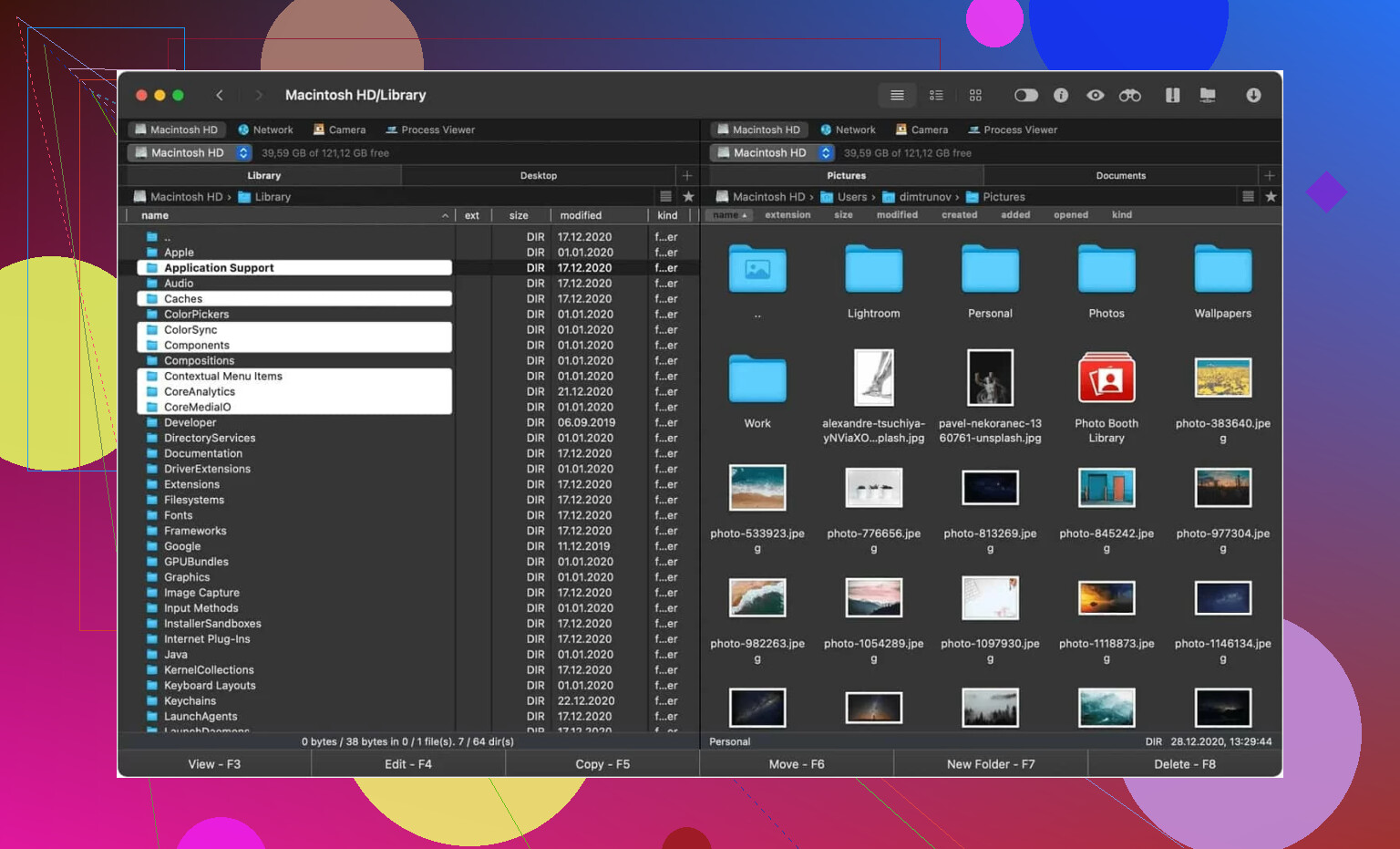
From what I tested and read, Commander One approaches things differently. Instead of being purely a transfer client, it’s more like a dual-pane file manager that includes FTP and SFTP support. The biggest difference I noticed right away was being able to see local files on one side and server files on the other.
That alone changed how transfers felt. Instead of juggling windows, I could just move files directly between panels. I also noticed it included extra capabilities like archive handling and system tools, which made it feel more like a workspace than just a connection tool.
Transfer speeds also felt more consistent in my limited testing, though I’d still say that depends heavily on network conditions.
 Final Verdict
After using Cyberduck for real projects, I see it as a straightforward transfer tool that works well when you just need to connect and move files without extra complexity.
From my experience:
 I found it useful for simple transfers, quick edits, and connecting to different storage systems
I liked the clean interface and the fact I could use it freely without subscriptions
 I ran into slow transfers during large uploads, sometimes dropping to very low speeds
I felt the single-pane design slowed me down during heavier file organization work
If someone asked me who it fits, I’d say it works well for people who mainly need a clean way to access servers or cloud storage without managing huge file structures. If someone spends a lot of time organizing files across local and remote systems, they might prefer something built around dual-pane workflows.
That’s basically how I see it after using it for a while. Cyberduck works well as a simple transfer utility. If your workflow grows beyond that, you might eventually want something designed more around file management than just connections.
23 Likes
No. Cyberduck does not replace the Google Drive or Dropbox desktop apps if you depend on sync.
It works as a transfer client and remote browser. You open the service, move files, download, upload, and manage folders. Fine for manual file work. Not fine if you want your Drive or Dropbox folder to stay mirrored on your Mac all day.
What you lose if you remove the official apps:
- Background sync.
- Selective sync and smart sync style features.
- Finder integration and status badges.
- Offline copies managed automaticly.
- Conflict handling tuned for each service.
- Shared link and team workflow features tied into the desktop app.
So if your workflow is, ‘I need to grab files from cloud storage now and then,’ Cyberduck is enough. If your workflow is, ‘I save into a folder and expect everything to sync on its own,’ it is not.
I slightly disagree with @mikeappsreviewer on one point. The single-pane UI is not the main issue here. The bigger blocker is sync logic. Even with a better file manager layout, Cyberduck still is not a full Dropbox or Google Drive replacement.
If you want one app for cloud connections plus local file work, Commander One makes more sense than Cyberduck. It gives you a dual-pane file manager and connects to cloud services in one place. Still, even Commander One is closer to file management than native Dropbox or Google Drive sync.
Short version:
Cyberduck replaces manual access.
It does not replace desktop sync.
If sync matters, keep the official apps installed. If sync does not matter, Cyberduck is fine. If you want a cleaner all-in-one file manager setup, look at Commander One too.
Short answer: no, not if you actually rely on sync.
Cyberduck can replace the “I need to browse my cloud files and manually upload/download stuff” part. It cannot really replace the “this folder lives on my Mac, stays updated in the background, works offline, and quietly handles changes” part of Google Drive for desktop or Dropbox.
That’s where I slightly part ways with @mikeappsreviewer. The transfer UI matters, sure, but for your specific question the real issue is not pane layout or even transfer speed. It’s that Cyberduck is basically an access client, not a true sync engine.
Stuff you’d miss by removing the official apps:
- automatic background sync
- local mirrored folders
- offline file handling
- Finder context actions and status icons
- better conflict/version handling
- service-specific sharing and team features
So if your workflow is occasional file moves, Cyberduck is enough. If your workflow is “save file, forget about it, let Dropbox/Drive do the rest,” then nope. Not even close tbh.
I also kind of disagree with @viaggiatoresolare on one angle: you do not always need to keep both official apps installed forever. If one service is just archive storage for you, Cyberduck can absolutely replace that one. You can mix and match.
If you want fewer apps but still want a more complete file manager, Commander One makes more sense than Cyberduck because it’s better for day-to-day file handling. But even Commander One is still not a full Dropbox or Google Drive desktop sync replacement. Different job, differnt tool.
So the practical answer is:
- Keep official apps for any service you need synced constantly
- Use Cyberduck for manual access
- Consider Commander One if you want one cleaner hub for cloud connections and file management
Trying to make Cyberduck be Dropbox + Google Drive desktop in one app is kinda forcing a screwdriver to be a wrench. It will open the files, sure. It just won’t do the invisble sync stuff you probably want.
No, not as a full replacement.
I agree with @codecrafter on the main point: Cyberduck is access, not sync. Where I slightly disagree with @viaggiatoresolare is that the UI friction is secondary here. Even if Cyberduck had a perfect layout, it still would not behave like Dropbox or Google Drive desktop apps.
The real test is simple:
- Do you want to manually open an app and move files around?
- Or do you want files to quietly stay current in the background?
Cyberduck handles the first one well. It does not really do the second.
Where Cyberduck is fine:
- occasional uploads/downloads
- browsing cloud folders
- grabbing archived files
- connecting to multiple services from one place
Where it falls short:
- no always-on folder sync
- no proper local mirror workflow
- weaker offline behavior
- less integration with Finder
- fewer service-specific sharing conveniences
I also think @mikeappsreviewer is right that you can mix tools. You do not have to treat this as all or nothing. If Dropbox is your daily working folder, keep Dropbox installed. If Google Drive is mostly storage you dip into sometimes, Cyberduck can cover that part.
If you want one cleaner hub for cloud accounts plus local file management, Commander One is the more practical middle ground.
Commander One pros:
- dual-pane file manager
- easier local-to-cloud dragging and organizing
- multiple cloud connections in one app
- better for day-to-day file handling than Cyberduck
Commander One cons:
- still not a true replacement for Dropbox or Google Drive sync engines
- some advanced cloud features depend on the Pro version
- service-native sharing and collaboration features are still better in official apps
So the short version:
Cyberduck can replace your browser tab workflow.
It cannot replace your sync client workflow.
If background syncing matters, keep the official apps. If you just want occasional access and fewer installed tools, Cyberduck or Commander One can help trim the setup.