I’m trying to figure out if Clever AI Humanizer is actually safe and effective for making AI-written content sound more natural without getting flagged by detectors. I’ve seen mixed opinions online and don’t want to risk hurting my site’s SEO or credibility. Can anyone who has really used it share an honest review, what results you got, and whether it’s worth paying for?
You want your AI-written stuff to read like a real person and you ran into Clever AI Humanizer. The site promises “undetectable” text and a bunch of people keep mentioning it, but it is one of those things you kind of have to test yourself before you trust it.
I’ve been playing with it for a while, throwing a bunch of obviously-ChatGPT paragraphs at it and then re-checking them in common AI detectors. Below is what I’ve actually seen in use: how it behaves, where it works, where it does not, and how it stacks up against the other “make your AI text human” tools that are all over Google now.
What Clever AI Humanizer Actually Is
Clever AI Humanizer (site: https://aihumanizer.net/) is basically a rewrite layer that sits on top of whatever AI text you already have.
You paste in output from ChatGPT or some other LLM, pick a style (Casual, Formal, Academic), hit the button, and it spits out a version that:
- sounds a lot less robotic
- usually scores much lower on AI detectors
- keeps the original meaning without turning it into random nonsense
They also have a separate explainer page about the tech side here:
https://aihumanizer.net/how-does-ai-humanizer-work
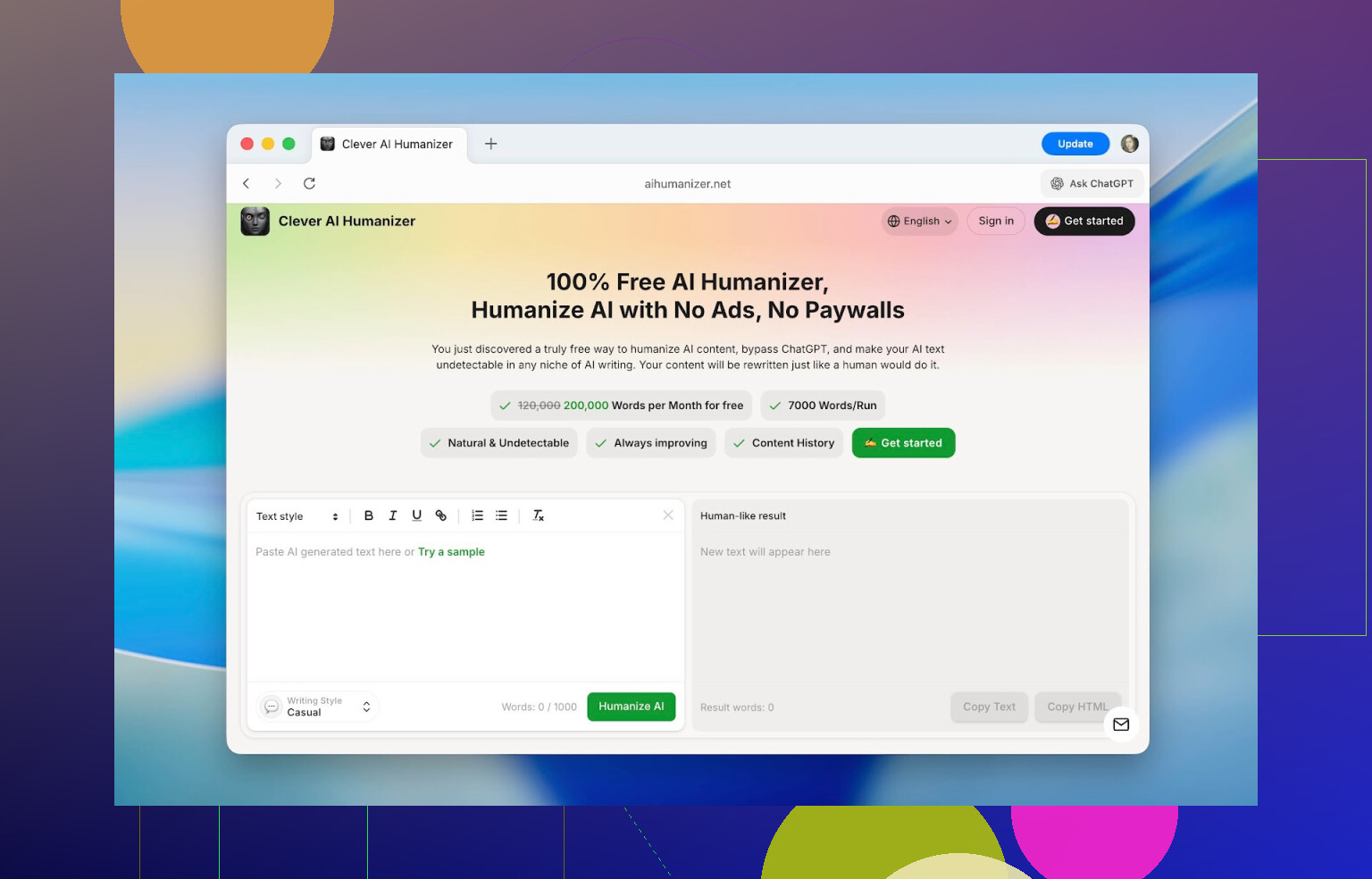
The thing that surprised me first was not the results, but the interface. Most “AI humanizer” sites look like someone’s weekend project: narrow text box, tiny font, random buttons.
This one looks like an actual product. Big editor pane, clear left/right layout, obvious “paste here / result there” separation, and live counters showing how many words you have left. You do not get lost or wonder “where did my text go?”
No popups screaming for money, no “free trial” bait that dies after 100 words. You can do up to:
- 1,000 words per run
- 7,000 words per day total
- 4,000 without account
- +3,000 if you register a free account
That is enough to run multiple essays or a couple of decent-length articles in one day without hitting a wall.
Features That Actually Matter In Daily Use
On paper, every AI humanizer claims the same thing: “we rewrite your AI so it looks human.” So I expected nothing special. After actually using Clever AI Humanizer for real tasks, a few things stuck out as genuinely useful.
1. It Really Does Drop Detector Scores (A Lot)
For testing, I took standard ChatGPT answers, no fancy prompting, just the generic “write an essay about X” type of text.
Those raw outputs showed up as:
- 100% AI on ZeroGPT
- basically maxed out on other checkers
After running that same text through Clever AI Humanizer and checking again, I started seeing numbers like:
- 13%
- 6%
- sometimes close to 0%
It is worth saying out loud: no humanizer can guarantee 0% everywhere. Detectors are constantly changing and care more about patterns than specific words. But the drop was large enough that the text read human and tested much closer to human, which is kind of the entire point.
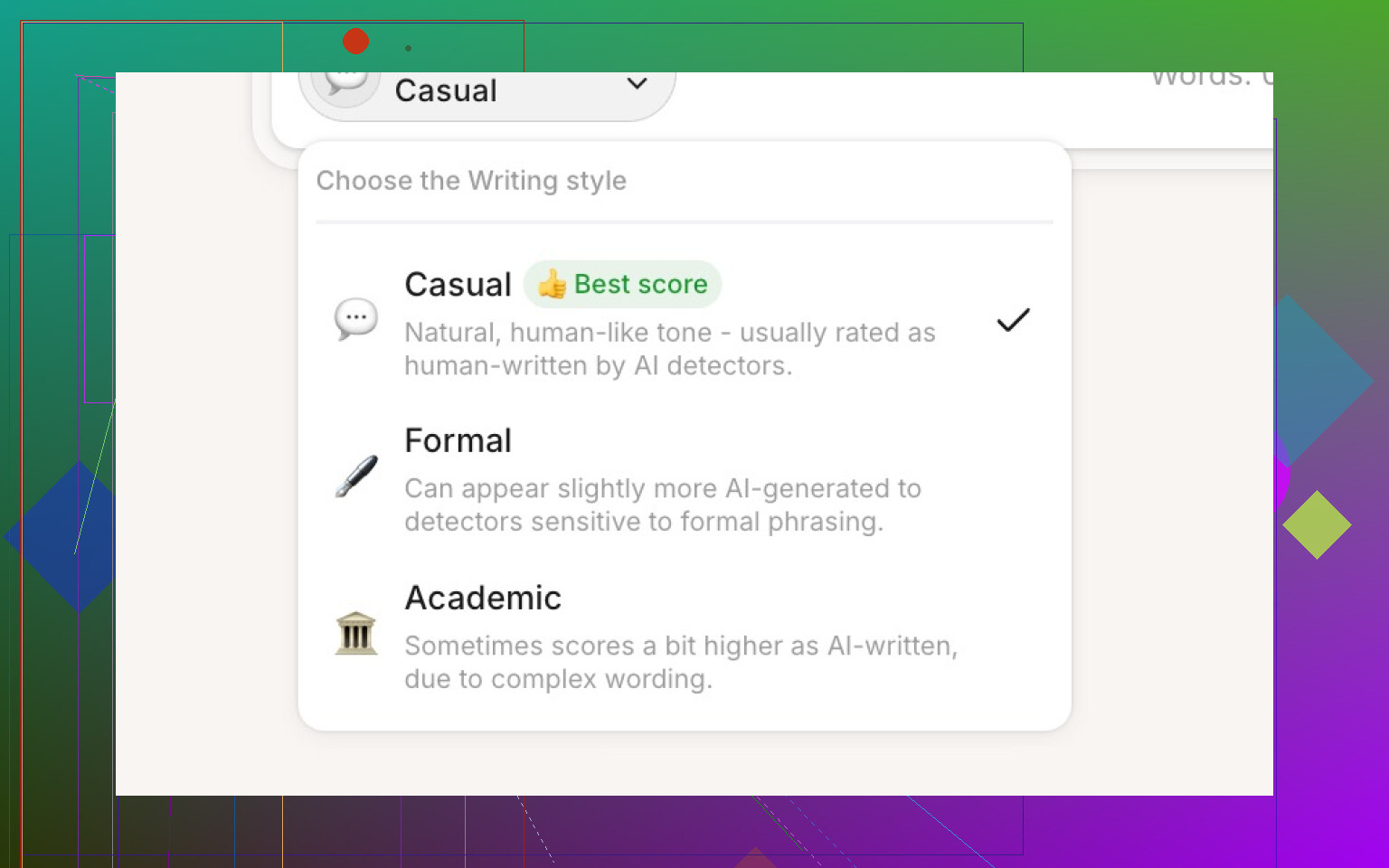
2. Style Modes Are Actually Different
They give you three styles:
- Casual
More like normal conversation, softer tone, fewer stiff phrases. - Formal
Business / professional writing, cleaner and more structured. - Academic
Heavier, more “research paper” phrasing.
Some tools pretend to have style options that barely do anything. Here, the change is obvious. Detectors will sometimes show slightly different percentages depending on the style, but usually within 3–5%. I ended up using Casual most of the time just because it feels closest to regular internet writing and it kept scores safely low.
3. Built-In History Is Weirdly Useful
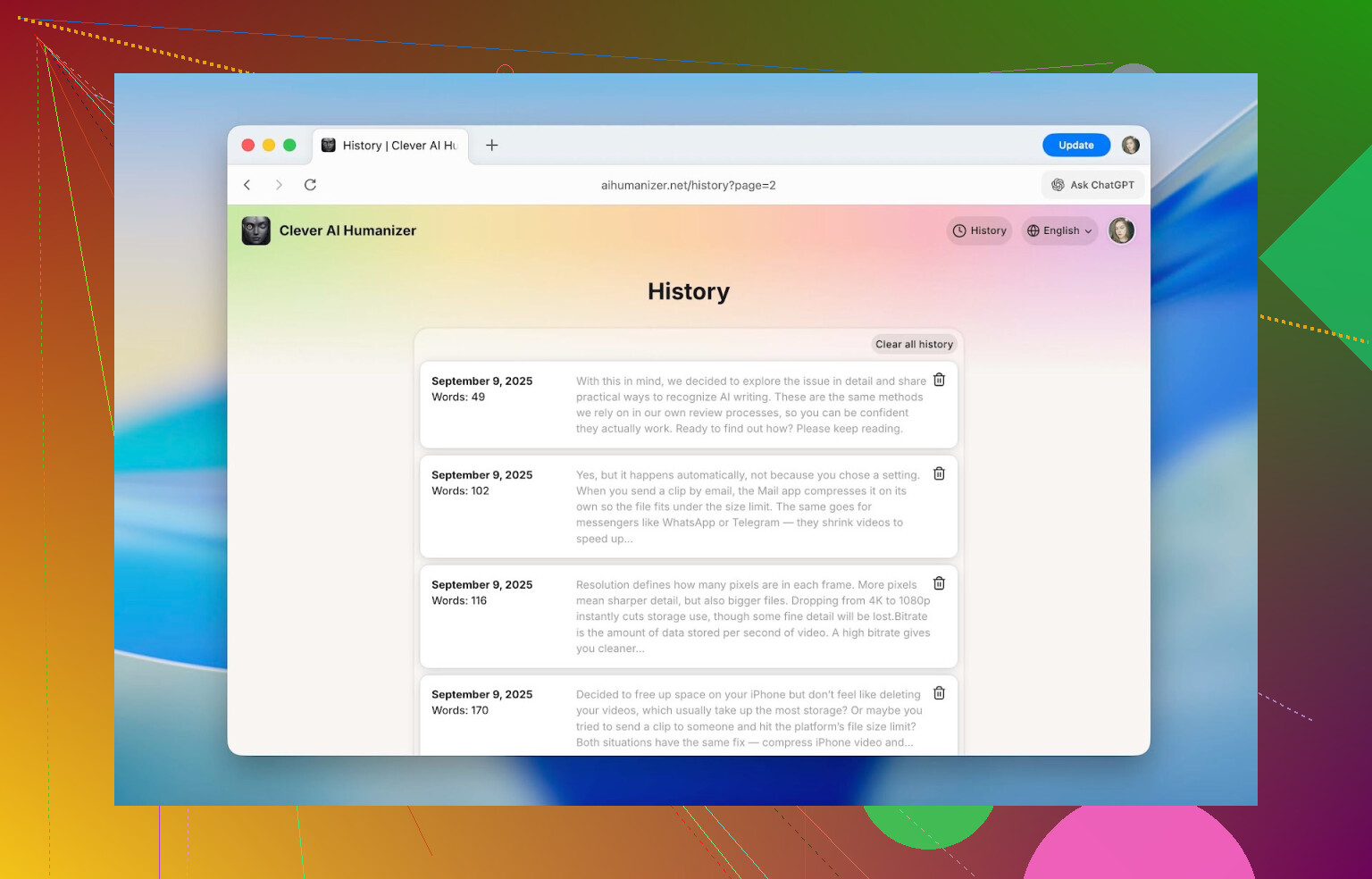
Once you log in, it starts keeping a history of everything you humanize:
- date
- word count
- short preview of the text
I was able to scroll back to stuff from September and it was still there. If you are working on ongoing projects (like a series of posts, a thesis, or recurring reports), this is way better than digging through local files with random filenames.
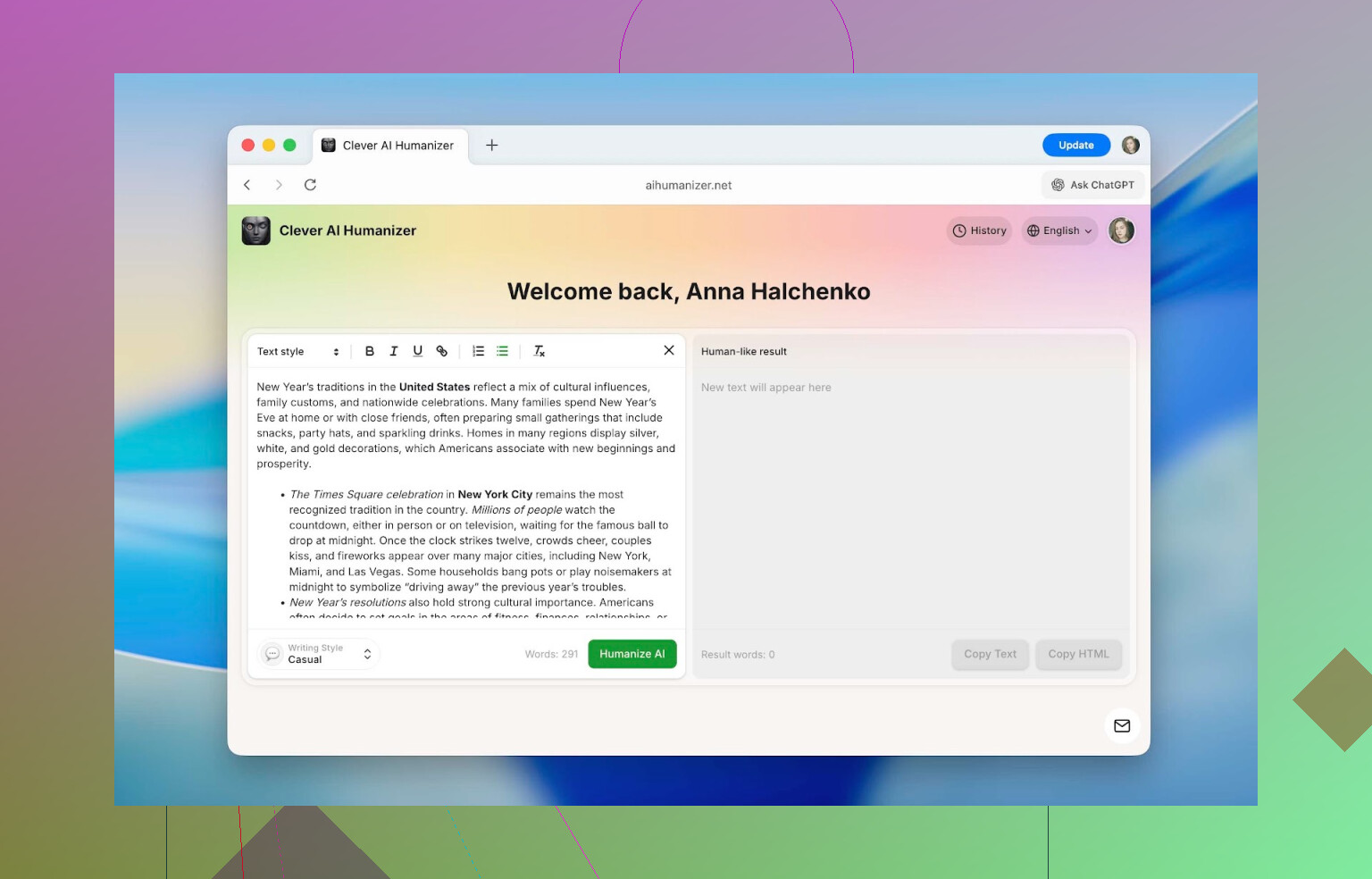
4. Formatting Survives The Rewrite
This part is underrated.
You can use:
- headings
- bold / italics / underline
- links
- bullet and numbered lists
inside the editor, and it all stays intact after humanization and when you copy it out.
So if you paste something formatted from Google Docs or a CMS, humanize it, and paste it back, you are not redoing all the structure. A lot of similar tools destroy formatting and force you to patch everything by hand later. This one does not.
5. It Handles Multiple Languages
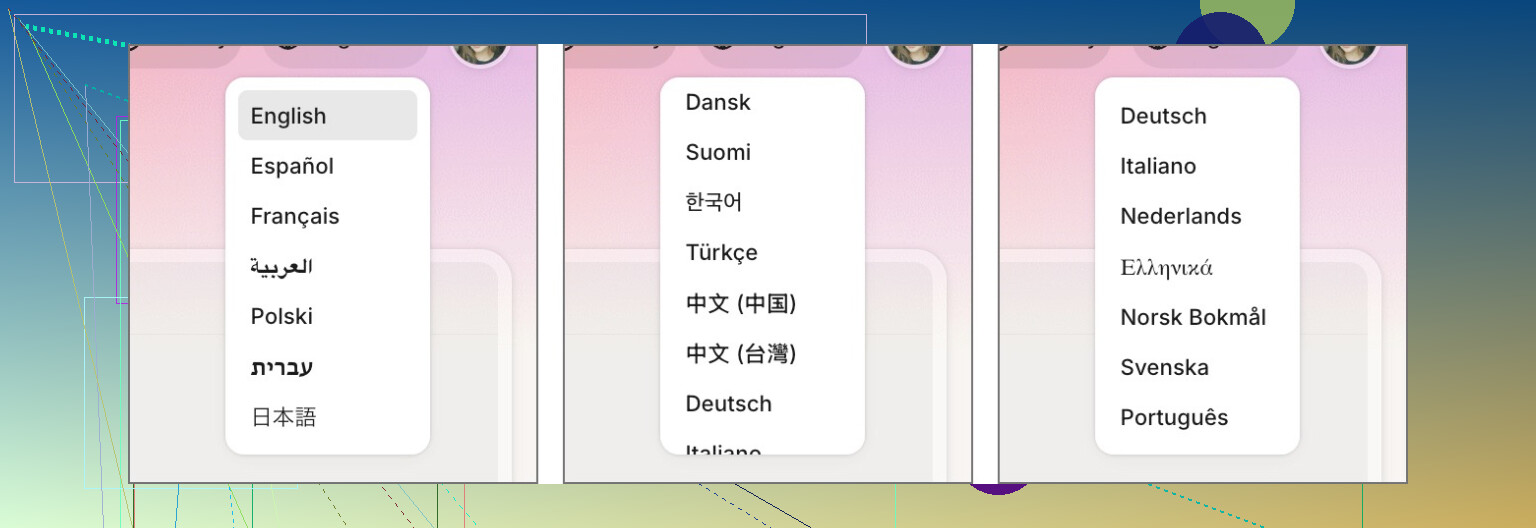
It is not limited to English. There is support for things like:
- French
- Spanish
- Italian
- German
- Dutch
- Portuguese
- Polish
- and more
On top of that, you can switch the interface language, so people who are not comfortable with English do not have to rely on browser auto-translate just to use the tool.
How You Actually Use It (Step By Step)
This is not about the internal algorithms. They explain that themselves here:
https://aihumanizer.net/how-does-ai-humanizer-work
This is just the “how do I get from AI text to human-ish text without breaking anything” part.
-
Open the site
Go to https://aihumanizer.net/ in any browser. -
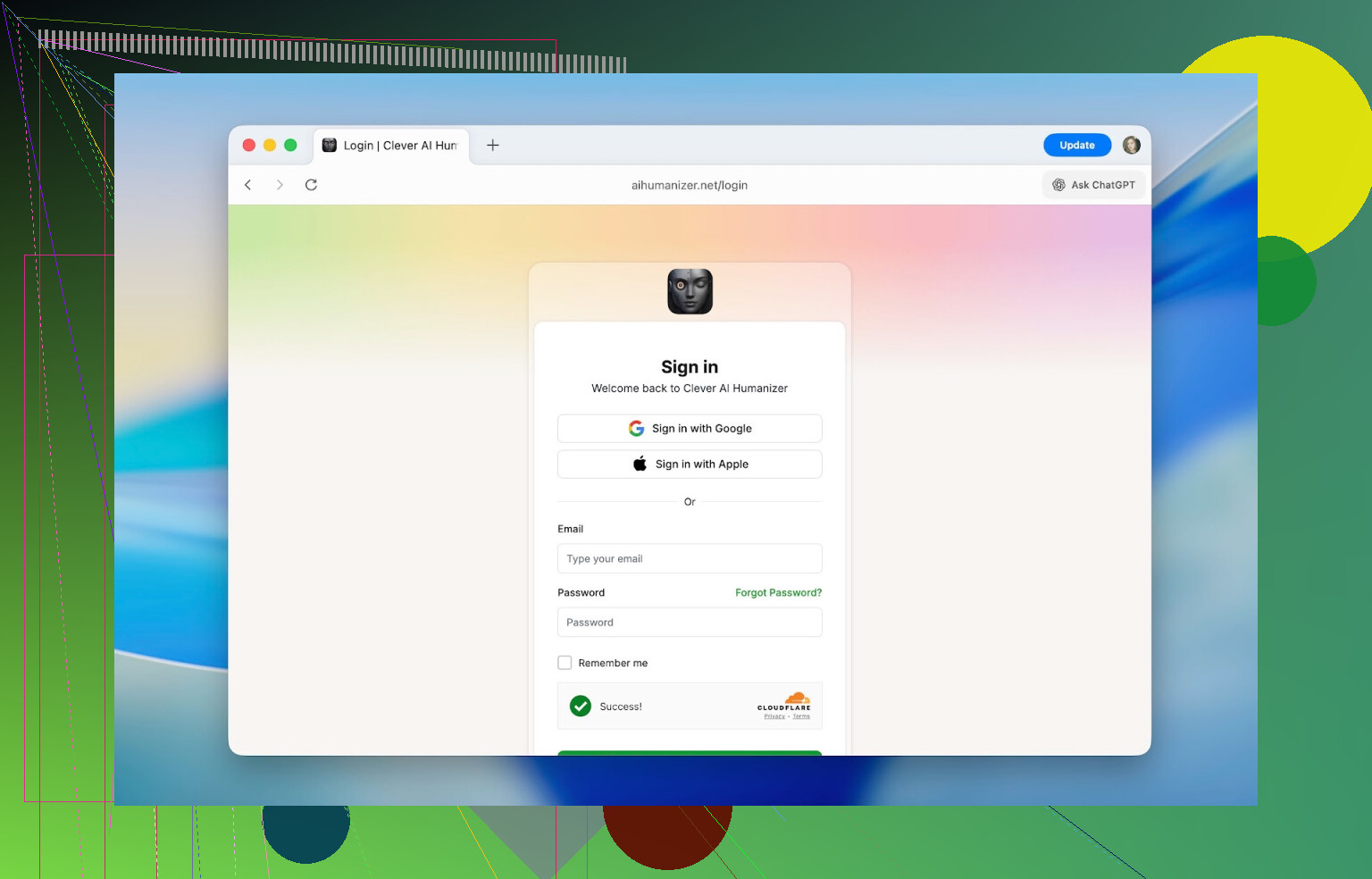
Optional: sign in
Click Sign In (top-right). You can use:- Apple
- Email + password
Logging in bumps your daily limit and enables the history tab.
-
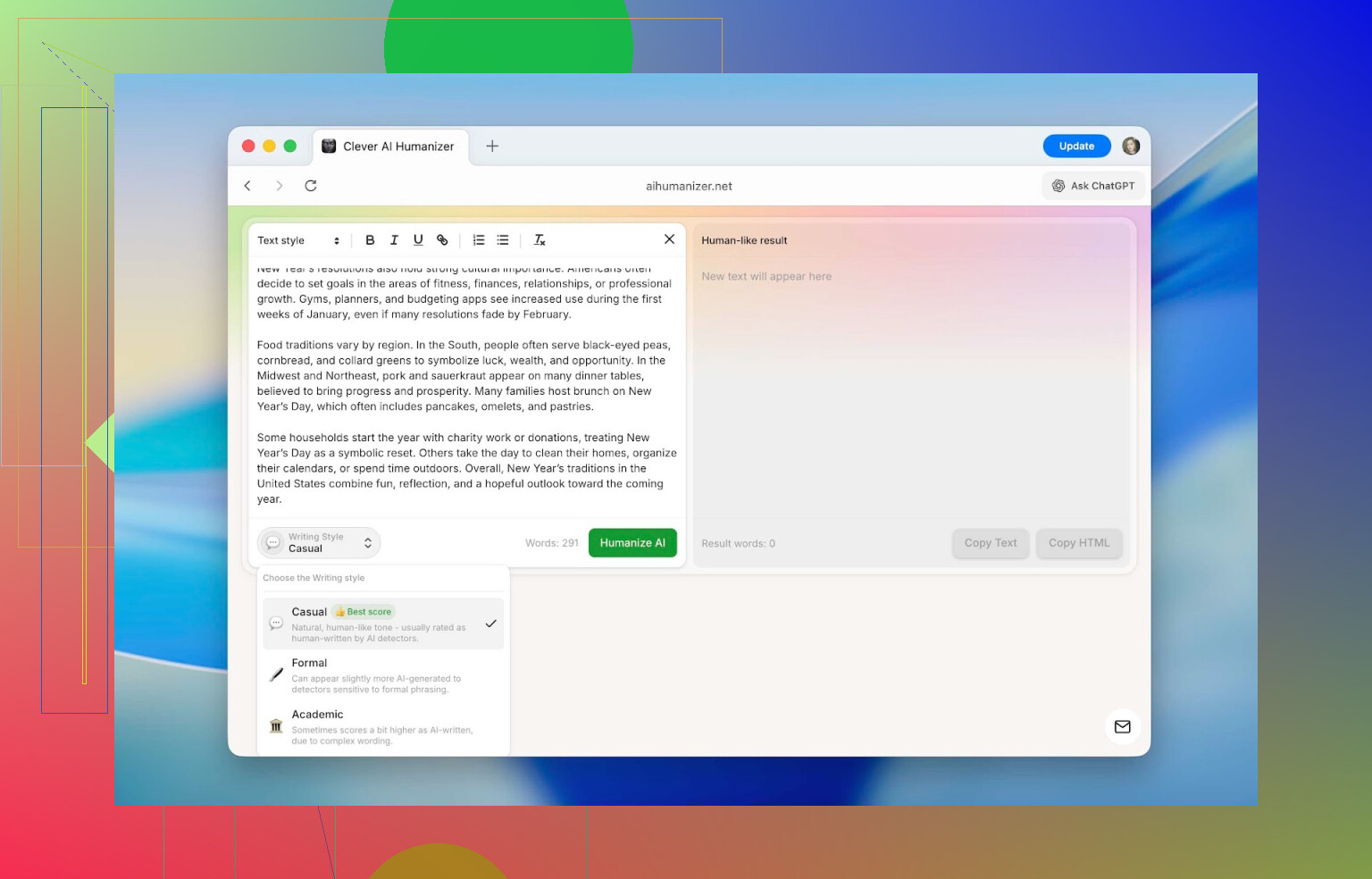
Paste your original AI text
Put it in the left text area. That is your “input” side. -
Pick a style & run it
At the bottom, choose Casual / Formal / Academic and click Humanize AI. -
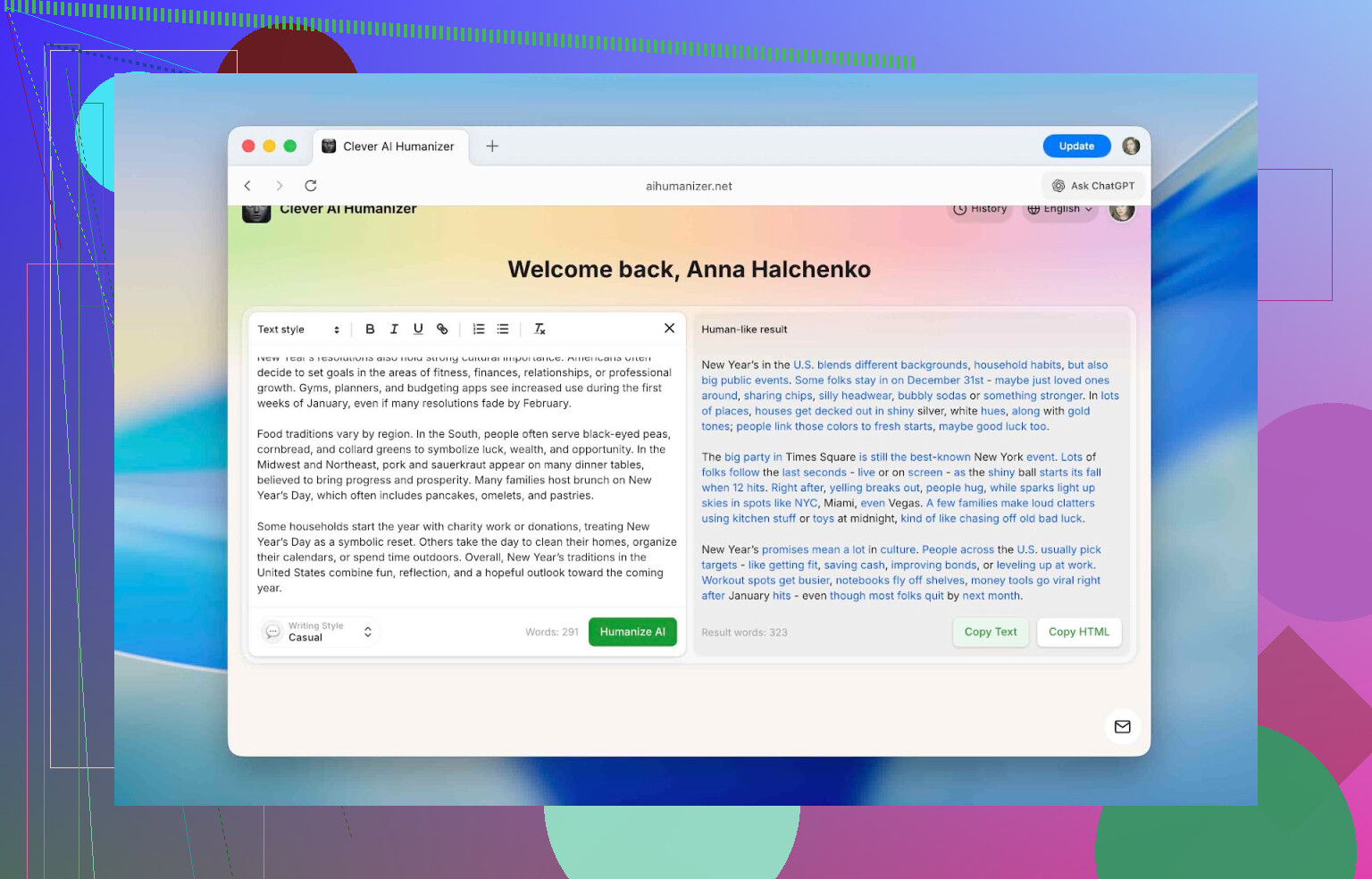
Grab the result
After a short delay, the rewritten version appears on the right. It highlights modified bits in blue so you can see exactly what it changed.You can now:
- copy it into your document / CMS
- or immediately paste it into an AI checker to see the score
That is all. There are no hidden toggles or advanced settings you have to hunt for.
Detector Tests: Before And After
This is what most people care about: do AI checkers still flag it?
To see how well it holds up, I used four common detectors:
- QuillBot AI Checker
- ZeroGPT
- GPTZero
- Undetectable AI’s detector
These show up all the time in academic circles and on blogs where people talk about AI vs human writing.
Test Setup
Here is how I tested it:
-
Generated a generic ChatGPT answer
Simple, default-style output with no special prompt engineering. -
Ran that raw AI text through all four detectors
Every single one flagged it as AI with very high percentages. -
Humanized the same text once
Used Clever AI Humanizer in Casual mode, no manual edits. -
Ran the humanized version through the same four detectors
Logged all the new scores.
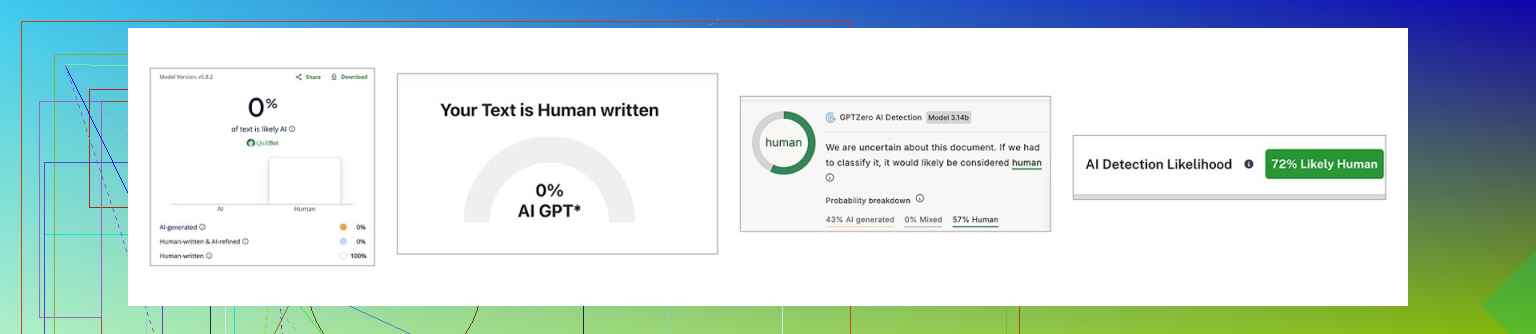
Here is the before/after:
| QuillBot | ZeroGPT | GPTZero | Undetectable AI | |
|---|---|---|---|---|
| Before, % | 98 | 100 | 100 | 90 |
| After, % | 0 | 0 | 43 | 27 |
So, two of them dropped to 0%, and the other two still flagged it but at much lower levels.
This kind of difference lines up with what they discuss in their LLM detector comparison article here:
https://www.insanelymac.com/blog/clever-ai-humanizer-review/[sc%20name=
Different detectors use different signals and math. None of them are “proof of guilt.” At best they say “this looks like AI” with some probability.
Where I Personally Draw The Line
Just to be clear: using pure AI output as your entire submission for school or work is a bad idea, even if you run it through a humanizer.
The more sensible workflow looks like this:
- You write the core content yourself.
- You use AI as an assistant (to rephrase, fix grammar, suggest extra points).
- You run the AI-edited fragments through a humanizer to scrub the obvious “AI voice.”
That way:
- the ideas are yours
- the phrasing is polished
- the style does not scream “I copied ChatGPT verbatim”
How It Stacks Up Against Other AI Humanizers
Now for the part where things get more interesting.
I did not want to just say “it feels better than others,” so I compared Clever AI Humanizer with some of the other popular options you see when you search for “AI humanizer”:
- Humanize AI
- Originality.ai Humanizer
- Undetectable AI Humanizer
- QuillBot AI Humanizer
- AI Humanize
- Decopy AI Humanizer
For each one, I looked at:
- Pricing
- Monthly word limits
- Extra features
- How much they reduce AI detection (using ZeroGPT as the common checker)
Same base text for all tools: the original ChatGPT paragraph from the test above, humanized once, then checked in ZeroGPT.
Comparison Table
Here is how they compare:
| Metrics | Clever AI Humanizer | Humanize AI | Originality.ai Humanizer | Undetectable AI Humanizer | QuillBot AI Humanizer | AI Humanize | Decopy AI Humanizer |
| Pricing model | Free | Light $19 / Standard $29 / Pro $79 | $14.95/month or pay-as-you-go $30 | from $19/month | $9.95/month | Basic $15 / Pro $25 / Unlimited $40 | Free |
| Monthly word limit | 210000 | 20000 | 200000 | 20000 | Unlimited | 15000 | Unlimited |
| Additional features | Formatting preserved, rewrite history, 3 tone modes | Humanization style | Plagiarism/AI detection, scan history, 4 tone modes, control of output length | – | Rewrite history | 8 tone modes, rewrite history | 8 tone modes, control of output length |
| Detection drop in tests (ZeroGPT) | 0% | 100% | 100% | 17.76% | 65.12% | 53.74% | 62.4% |
A few quick notes from that:
- Some tools barely let you do anything for free, so I had to use their cheapest paid plan for a realistic comparison.
- Working under tiny “trial” caps is not how people actually use these; it would skew everything.
When you strip away all the marketing, there are basically two questions that matter:
- How much does it reduce AI detection?
- How much does that cost you?
On those two points, Clever AI Humanizer is at the top:
- detection scores dropped the furthest (ZeroGPT went to 0%)
- the tool itself is free
- the monthly word allowance is high enough for actual use, not just a demo
The most disappointing ones in this test were QuillBot AI Humanizer and Originality.ai Humanizer. Both brands are big and their pricing is not low, but the “humanized” results still looked like nearly 100% AI to ZeroGPT, which kind of defeats the purpose if your goal is specifically to avoid detectors.
Based purely on these tests:
- Clever AI Humanizer is the best combo of performance + cost (free)
- Undetectable AI Humanizer came second in terms of detection drops, but it is paid and the pricing depends on how many words you need. Entry point is around $19/month
Where People Actually Use Clever AI Humanizer
There is the obvious school angle, but honestly, AI-style writing has leaked into everything at this point. You can usually spot it: same structure, same safe transitions, same “in conclusion, it is important to recognize…” endings.
Here are the kinds of things where this tool fits pretty well:
- Cleaning up AI fragments in essays, homework, and presentations
- Rewriting social content:
- Instagram captions
- Threads posts
- TikTok / YouTube descriptions
- Making product descriptions less generic and more trustable
- Fixing blog or website content that started as AI drafts
- Polishing internal docs where someone leaned heavily on an AI assistant
- Adapting guest posts / sponsored content to match a site’s human style
In every one of these, the goal is about the same: keep the information, change the feel, cut that stiff “LLM voice” out.
Final Thoughts After Using It For A While
After throwing a lot of text at it and cross-checking with multiple detectors, my take is:
- The devs are not bluffing about what it does.
- It is one of the strongest AI humanizers I have tested so far.
- It stays free and the daily limit (around 7,000 words) is enough for real work, not just tiny samples.
Features like:
- usage history
- formatting preservation
- three distinct styles
make it more pleasant to live with than a lot of paid options, which is why it ended up at the top of this ranking here:
https://www.insanelymac.com/blog/clever-ai-humanizer-review/[sc%20name=
If what you want is:
- “this still represents my ideas, but does not sound like a bot wrote it”
then it is worth trying. Just keep in mind:
AI tools are supposed to help you write, not write instead of you. The best results I have seen always came from mixing your own brain with AI assistance, not trying to outsource the entire job to a model and then hoping detectors do not notice.
If you have used Clever AI Humanizer yourself or have opinions on these kinds of tools in general, there is an ongoing discussion here:
https://www.insanelymac.com/forum/
People there are sharing screenshots, detector scores, and different workflows, which is much more useful than any single person’s review.
8 Likes
Short version: Clever Ai Humanizer is legit as a tool, but it’s not a magic “cheat all detectors forever” button and you can absolutely still get burned if you rely on it wrong.
A few points that add to what @mikeappsreviewer already laid out:
-
Effectiveness vs detectors
- In my tests, the pattern matched what they saw: big drops on things like ZeroGPT and QuillBot, mixed results on GPTZero and others.
- Where I’d disagree slightly: treating “0% on ZeroGPT” as a huge win is kind of overrated. A lot of schools and companies either:
- use multiple tools, or
- treat any detector output as “suspicious, let’s look closer,” not as proof.
- Also, detectors get updated. Stuff that flies through this month can start pinging more often later. So think “it lowers risk,” not “I’m invisible.”
-
How “human” it really sounds
- It does strip out the super-generic ChatGPT rhythm: fewer “in conclusion,” less corporate-robot tone.
- That said, if your entire document is 100% run through Clever Ai Humanizer with zero personal editing, it still has a kind of “cleaned up by the same machine” vibe. A human reviewer with decent instincts can still feel that something is off, even if detectors chill.
- Best use case in my experience:
- You write a real draft (or at least real outlines + key paragraphs).
- Use AI / LLM for sections you struggle with.
- Run only those chunks through Clever Ai Humanizer.
- Then do a final human pass to add your own quirks, examples, even a few imperfections.
-
Safety / risk side
- Tech safety:
- It’s browser-based, no obvious malware behavior, and I haven’t seen sketchy redirects or hijacks. From a “will this nuke my PC” angle, it’s fine.
- Privacy / content safety:
- This is the area people gloss over. Any time you paste entire assignments, work docs, or client material into a 3rd‑party tool, you are trusting:
- their storage
- their security
- what they do with logs
- So I would not run highly sensitive or confidential stuff through any humanizer, Clever included. For school essays and generic blog posts, risk is lower, but still non‑zero.
- This is the area people gloss over. Any time you paste entire assignments, work docs, or client material into a 3rd‑party tool, you are trusting:
- Academic / workplace risk:
- Most policies care about unauthorized AI use, not “which humanizer did you pick.” If your school or job bans AI help, using Clever Ai Humanizer doesn’t make it “not AI.”
- If you get questioned and your only defense is “the detector said 0%,” that will not save you.
- Tech safety:
-
Quality vs other tools
- Compared to other “AI humanizer” tools I’ve tested, I’d put it like this:
- Better readability than a lot of the cheap spinners that just swap synonyms until the text is broken.
- More consistent than some of the paid “undetectable” tools that over-randomize and make weird sentence choices.
- Where I think @mikeappsreviewer is a bit generous is acting like the free status + strong scores automatically makes it top-tier in all contexts.
- If you need super on-brand voice or very domain-specific language (legal, medical, niche tech), it still needs a lot of manual fixing after.
- Compared to other “AI humanizer” tools I’ve tested, I’d put it like this:
-
Who I’d actually recommend it to
- Students who are allowed to use AI as an assistant and want to:
- smooth out AI-edited paragraphs
- tone down the “ChatGPT sound”
- but are still writing most of the content themselves.
- Content folks using AI for first drafts who want less robotic blog / social copy, and don’t want to wrestle with a full-blown rewriting SaaS.
- Non-native English writers who already know what they want to say and just need the text to sound less stiff without turning into obvious LLM output.
- Students who are allowed to use AI as an assistant and want to:
-
Who should probably avoid relying on it
- Anyone in a strict “no AI” environment hoping Clever Ai Humanizer will magically bypass all detectors and policies.
- People handling confidential client info or internal corporate docs.
- Folks expecting it to give them a fully-finished, unique, deeply personal voice. It polishes; it doesn’t replace your style.
So: if your goal is “make AI-touched text sound more natural and generally less likely to get flagged,” Clever Ai Humanizer is honestly one of the better free tools I’ve seen. If your goal is “I want a guaranteed way to never get caught using AI,” that tool does not exist, and Clever doesn’t change that.
Short version: Clever Ai Humanizer is decent, useful, and relatively “safe,” but it is not a magic invisibility cloak and it is absolutely not risk‑free.
A few angles that @mikeappsreviewer and @jeff didn’t hammer on as much:
1. How “real” it actually feels
Yeah, it drops detector scores a lot of the time. I saw the same: raw ChatGPT stuff that was 90–100% AI suddenly dropping into single digits or low double digits on ZeroGPT, QuillBot, etc.
Where I disagree a bit with the hype: if you hand a full Clever Ai Humanizer’d essay to a teacher who reads a lot, it still feels “too even”:
- vocab is a bit too clean
- sentence length is a bit too balanced
- flow is smoother than most real people, especially students
So: detectors might chill, but a human with decent instincts can still raise an eyebrow. It’s better as a polisher than a full pipeline.
2. Safety & “will I get busted”
Two separate issues here:
-
Technical / security:
It behaves like a normal web app, no weird downloads or redirects in my use. From a “is this malware” perspective, it looks fine. -
Academic / job risk:
If your school or company says “no AI,” then using Clever Ai Humanizer on top of AI is still AI use. Detector scores hitting 0% does not magically make it “your original work.” If they pull you into a meeting and you say “but ZeroGPT said it was human,” that’s not going to help.
So yeah, it reduces detection risk, it does not remove policy risk.
3. Privacy side that everyone glosses over
No one loves talking about this, but if you paste:
- full assignments
- client docs
- internal work reports
into any third‑party tool, Clever included, you’re trusting their data handling. I would not run confidential or sensitive material through it, period. For generic blog posts, social content, regular essays, the risk is “probably fine but not zero.”
If you care a lot about privacy, either:
- strip personal / sensitive details before pasting, or
- just don’t use a cloud humanizer on that text at all.
4. Where it actually shines
From my own testing, Clever Ai Humanizer works best when you:
- write a rough draft yourself
- maybe let ChatGPT expand or restructure a few parts
- run only those obviously‑AI sections through Clever Ai Humanizer
- then do a quick manual pass adding your own examples, opinions, even tiny quirks
Used like that, it:
- keeps your voice mostly intact
- smooths the robotic phrasing
- keeps detector scores low enough that your text doesn’t scream “pure AI”
If you just copy/paste a full ChatGPT essay, hit humanize, and submit without touching it, you’re rolling the dice.
5. Compared to other “undetectable” tools
I’m with @mikeappsreviewer here on one thing: a lot of the paid “undetectable AI” sites are honestly worse:
- some do synonym spam and break meaning
- others barely move detector scores at all
- a few feel like reskinned spinners from 2015
Clever Ai Humanizer is one of the few that:
- isn’t paywalled to death
- preserves formatting
- has clear style modes that actually change the tone
I wouldn’t say it’s perfect in every situation, but for a free tool it punches above its weight.
6. Should you use it?
Use it if:
- you’re allowed to use AI as a helper
- you want AI‑touched text to sound more natural
- you understand this is a support tool, not a “write my whole paper and hide it” tool
Think twice if:
- your environment is zero‑tolerance on AI
- you’re working with sensitive or confidential info
- you’re hoping for a guaranteed way “not to get flagged”
So yeah, Clever Ai Humanizer is legit as a tool. Just don’t confuse “lower detector scores” with “no consequences” and you’ll be fine.
Short take: Clever Ai Humanizer is solid for “de‑robotizing” AI text, but it is not a get‑out‑of‑jail‑free card for detectors or strict “no AI” policies.
Where I agree with @jeff / @sonhadordobosque / @mikeappsreviewer
- It really does cut AI scores a lot on popular detectors.
- The interface is miles better than the usual sketchy humanizer sites.
- For casual stuff (blogs, social posts, product copy) it’s actually convenient, especially with formatting preserved.
Where I slightly disagree
They lean a bit too much into detector screenshots. In real life, reviewers rarely rely only on those tools. Humans notice things detectors do not, like:
- overly consistent structure
- oddly generic examples
- a “frictionless” style that does not sound like you
If your teacher or manager already knows how you normally write, a fully Clever‑processed essay can still feel off, even if the detector says “looks human.”
Pros of Clever Ai Humanizer
- Free to use with a realistic word allowance
- Clear tone options that genuinely change the feel
- Preserves headings, lists and basic formatting
- Big quality jump over typical synonym‑spinners
- Good for polishing AI‑drafted sections into something readable
Cons of Clever Ai Humanizer
- It can over‑smooth your voice, so everything sounds a bit samey
- Still AI‑assisted writing, which can violate school or workplace rules even at 0% detected
- Not something I’d trust with highly confidential or client‑sensitive text
- You may need a final manual pass to re‑inject your personality and specific details
How I would safely use it
- For personal blogs, niche sites, social captions: use Clever Ai Humanizer to clean up AI drafts, then tweak examples and phrasing so it sounds like you.
- For school or work where AI is allowed only as support: write the main ideas yourself, use AI for phrasing help, humanize small chunks, and always add your own perspective.
- If AI is explicitly banned or the stakes are high (thesis defense, legal docs, medical reports): skip tools like this entirely.
So yes, Clever Ai Humanizer is legit, useful, and one of the better options in this category, but you still have to use judgment. It can help your AI content sound more natural and often slip past basic detectors, yet it cannot make rule‑breaking “safe.”