I accidentally emptied the Trash on my MacBook Air and deleted important files I still need. I’m trying to find the best way to recover deleted files on macOS before they’re gone for good. Any quick help with MacBook Air Trash recovery would really help right now.
I screwed this up once on a MacBook, so I’m going to say the blunt part first. Stop using the Mac right now. Close stuff. Don’t save anything. Let it sit.
When you empty Trash on macOS, the files usually aren’t erased on the spot. The system drops the index entry and marks the space as free. The file data often stays on the SSD until new writes land over it. So every app launch, browser tab, cache update, or file save cuts into your odds. On top of that, SSDs in Macs use TRIM, which clears deleted blocks in the background. That part is why people say time matters here. It does.
Before you mess with recovery software, check the easy stuff fast.
- Cloud accounts. If the files lived in iCloud, Dropbox, or Google Drive, disconnect the Mac from the internet and check those services from your phone or another device. Each one keeps a Recently Deleted area for a while, often up to 30 days.
- Photos and Notes. If it was pictures or notes, open those apps and look in Recently Deleted. Apple usually keeps those around for roughly 30 to 40 days.
- Time Machine. If you ever turned it on, open it and go back to earlier today. Even without the backup drive attached, macOS often keeps local snapshots for about the last day.
If those come up empty, this is the route I’d take.
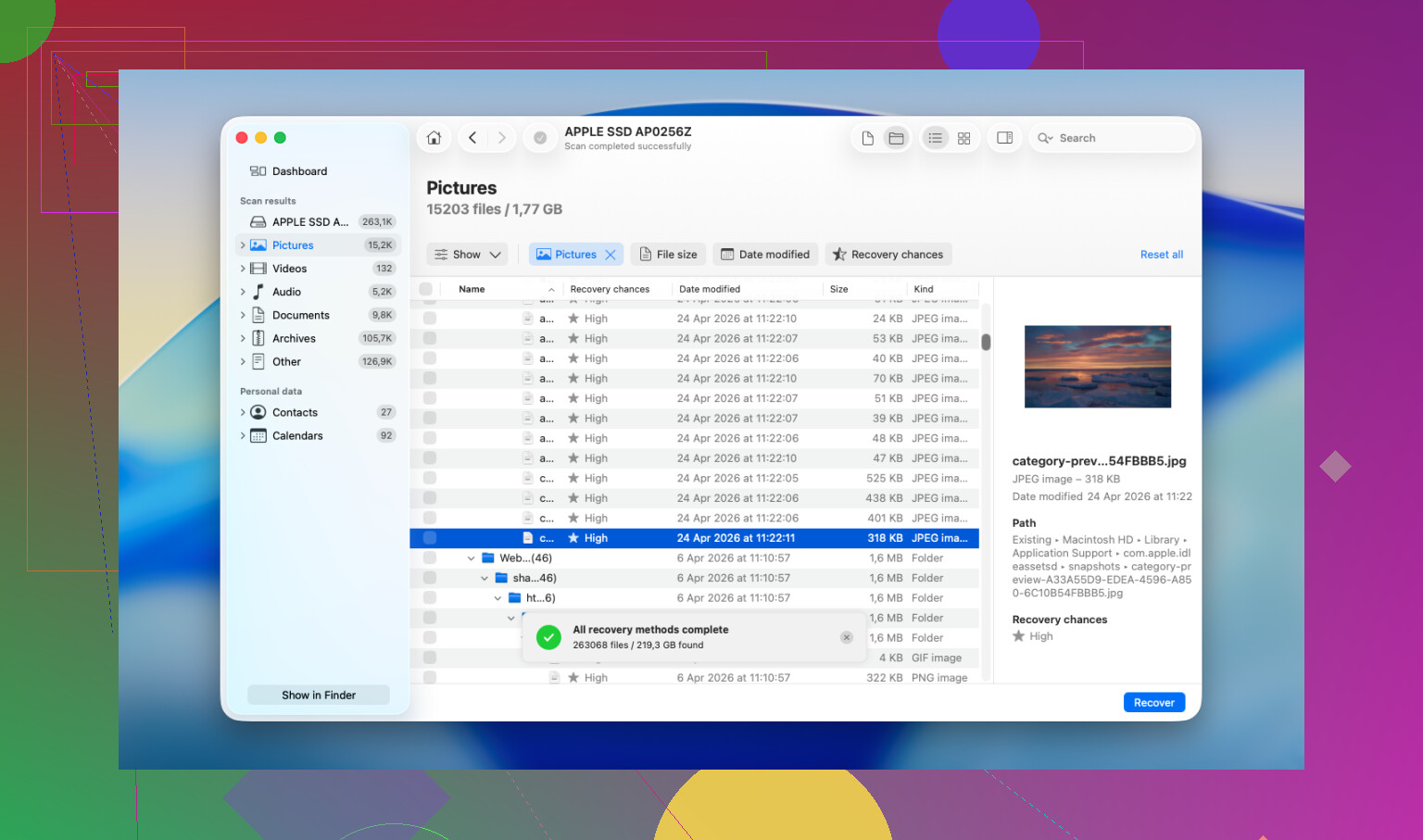
Disk Drill tends to be the practical pick here, mainly on newer Macs with Apple Silicon. A lot of free tools hit a wall with Apple’s storage encryption and either fail to read the drive properly or return junk.
- Do not install it onto the MacBook’s internal drive. This matters most. Download Disk Drill on another computer, copy it to a USB flash drive, then run it from there. Installing software to the same drive you’re trying to recover from is how people overwrite the files they wanted back. I’ve seen people do this and then wonder why the scan found scraps.
- Make a full disk image first. Use Disk Drill to create a byte-for-byte image of the drive and save it to an external disk. Do this before the scan. If the first pass misses something, you’ll still have the original state preserved in the image. Then you scan the image again instead of stressing the source drive. Skip this and you lose a clean second shot.
- Scan the image, not the live drive. Point Disk Drill at the image file you made and let it run through the raw sectors. On large drives this drags a bit. Leave it alone and let it finish.
- Preview the results before spending money. The scan itself is free. Disk Drill will show previews for many recoverable files, including photos, docs, and videos. You get to see whether the files are intact before paying for recovery. This part saves time, and money too.
- Recover to an external drive only. Don’t write recovered files back to the MacBook. Use a USB drive or external SSD. Writing them back internally risks stomping on other deleted data you haven’t recovered yet.
If the scan finds nothing, or it pulls back broken files with missing chunks, I’d look at a pro recovery shop next. Software hits limits. Labs work lower down, closer to the hardware side, and they deal with this stuff every day. Most places do an initial diagnostic for free and then quote the job before starting. Typical turnaround is a few days, sometimes a week. Price is the ugly part. A lot of cases land somewhere around $500 to $2,000, depending on what went wrong. If the files matter more than the bill, it’s worth asking.
13 Likes
First move, check where the files came from. If they were attached to an email, pulled from AirDrop, or opened from a work app, the original copy might still exist outside Trash. A lot of people skip this and go straight to recovery scans.
I agree with @mikeappsreviewer on stopping writes. I disagree a bit on waiting too long before checking Apple-native stuff. On a MacBook Air, I would look at these fast:
- Finder Recents. Sometimes you deleted an alias, not the source.
- iCloud Drive on icloud.com. Look under Data Recovery for file restore options.
- Terminal, if you know the filename. Use Spotlight first, then:
mdfind ‘filename’
Sometimes the item was moved, not gone. - App-specific recovery.
Pages, Word, Excel, and Adobe apps often keep AutoRecovery or temp files.
Word path often includes:
~/Library/Containers/com.microsoft.Word/Data/Library/Preferences/AutoRecovery - APFS snapshots.
Open Terminal and run:
tmutil listlocalsnapshots /
If snapshots exist, you have a shot at pulling older file states.
If none of that works, use Disk Drill. It handles APFS better than a lot of old Mac recovery tools. Save recovered files to an external drive, not your internal SSD. Preview results first so you do not waste time.
Also, this short Mac deleted file recovery video is decent:
watch this quick Mac deleted file recovery walkthrough
If the files are business docs, tax stuff, or client work, stop DIY after the first failed pass. SSD overwrite on Macs gets ugly fast. I learned this the dumb way too.

One thing I’d add to what @mikeappsreviewer and @reveurdenuit said: check version history, not just backups or recovery bins. A lot of Mac users forget the file may still exist as an older revision even if the current copy got trashed.
If it was a Pages, Numbers, Keynote, Office, or Adobe file, open the app and look for:
- File > Revert To
- AutoSave versions
- app temp folders
- cloud version history in iCloud, OneDrive, Dropbox, or Google Drive
That can be way cleaner than raw undelete.
Also, slight disagree with the “scan immediately no matter what” mindset. On newer MacBook Air models with SSD + TRIM, deep recovery from the internal drive can be pretty hit or miss anyway. So before burning hours on a huge scan, I’d check whether the file was ever:
- emailed
- messaged
- exported
- printed to PDF
- attached in Slack/Teams
- copied to Downloads/Desktop duplicates
Finder can miss dupes, but apps don’t.
If none of that pans out, yeah, Disk Drill for Mac is one of the more realistic tools to try on macOS. Just don’t recover back onto the same internal drive. That part people mess up allll the time.
Also useful if you want more real-world Mac Trash recovery experiences: best Reddit tips for recovering files after emptying Trash on Mac
Short version:
- Stop using the Mac.
- Check app version history and cloud history.
- Search for duplicates and exported copies.
- If needed, use Disk Drill with an external drive.
- If the files are truly important, skip the DIY spiral and call a recovery lab.
It’s annoyngly easy to make this worse by poking around too much.