I’m not looking for technical details - just genuine opinions from regular users. Has using LocalSend mostly been smooth, or have you run into enough annoyances to avoid recommending it?
LocalSend is one of those tools I kept around because it solves a plain problem without making you sign up for anything. It moves files across devices on the same Wi-Fi or local network, no internet involved. Windows, macOS, Linux, Android, iPhone, iPad, it all mixes fine when it works.
Why people stick with it
A lot of the appeal is simple.
-
No account mess
You open it and send the file. No login, no profile, no email check. -
Your files stay inside your network
Data does not get pushed through some company server first. If you care where your files go, this matters. -
It handles mixed devices
I used it for stuff like sending from Android to a Windows laptop, or from an iPhone to a Linux box. That part feels refreshingly normal.
Where it tends to break
The issue I saw most often was device discovery. Two devices are on the same network, both open, and still nothing shows up. In my case, one of these was usually the reason:
-
Firewalls blocking the app’s traffic
Windows is the usual offender. Sometimes you need to allow LocalSend by hand in firewall settings or it sits there acting dead. -
Router isolation settings
Some routers separate devices from each other even when they look connected to the same Wi-Fi. AP isolation is one setting worth checking. -
VPN interference
If a VPN is on, local discovery gets weird fast. I had to shut mine off a few times before devices started seeing each other agian.
Folder transfers are rougher than they should be
This is where I hit the wall more than once. Sending a single file, okay. Sending a whole folder, less okay. People keep running into vague permission errors, and the app does not explain much. You get a failure, but not a useful reason.
The complaints in Folder transfers line up with what I saw, especially on Windows to Windows setups with different versions in play.
About the web version
I would be careful with the browser route. Any app or tool opening a local port needs some attention. On your own trusted network, fine. On guest Wi-Fi or some random shared setup, I would not treat it casually.
When I stopped bothering with wireless
For a couple photos or a PDF, LocalSend is okay once you fix the firewall nonsense. For big transfers, repeated transfers, or messy folder structures, Wi-Fi starts feeling like a tax. Speeds dip, transfers stall, and sometimes files vanish mid-process. I had one batch hang long enough for me to give up and plug in a cable.
If your setup is Mac plus Android, I would skip the drama and use MacDroid over USB.
Why the wired route feels better
A cable is boring, which is good. Boring means it finishes.
MacDroid lets a Mac read and manage Android storage through Finder. It supports MTP and ADB, works with photos, video, music, documents, and full folders, and it handles SD card storage too. One useful bit is file editing from the Mac side without copying everything over first.
Free version covers Android to Mac transfers. The paid version is $19.99 per year and adds Mac to Android transfers plus in-place editing.
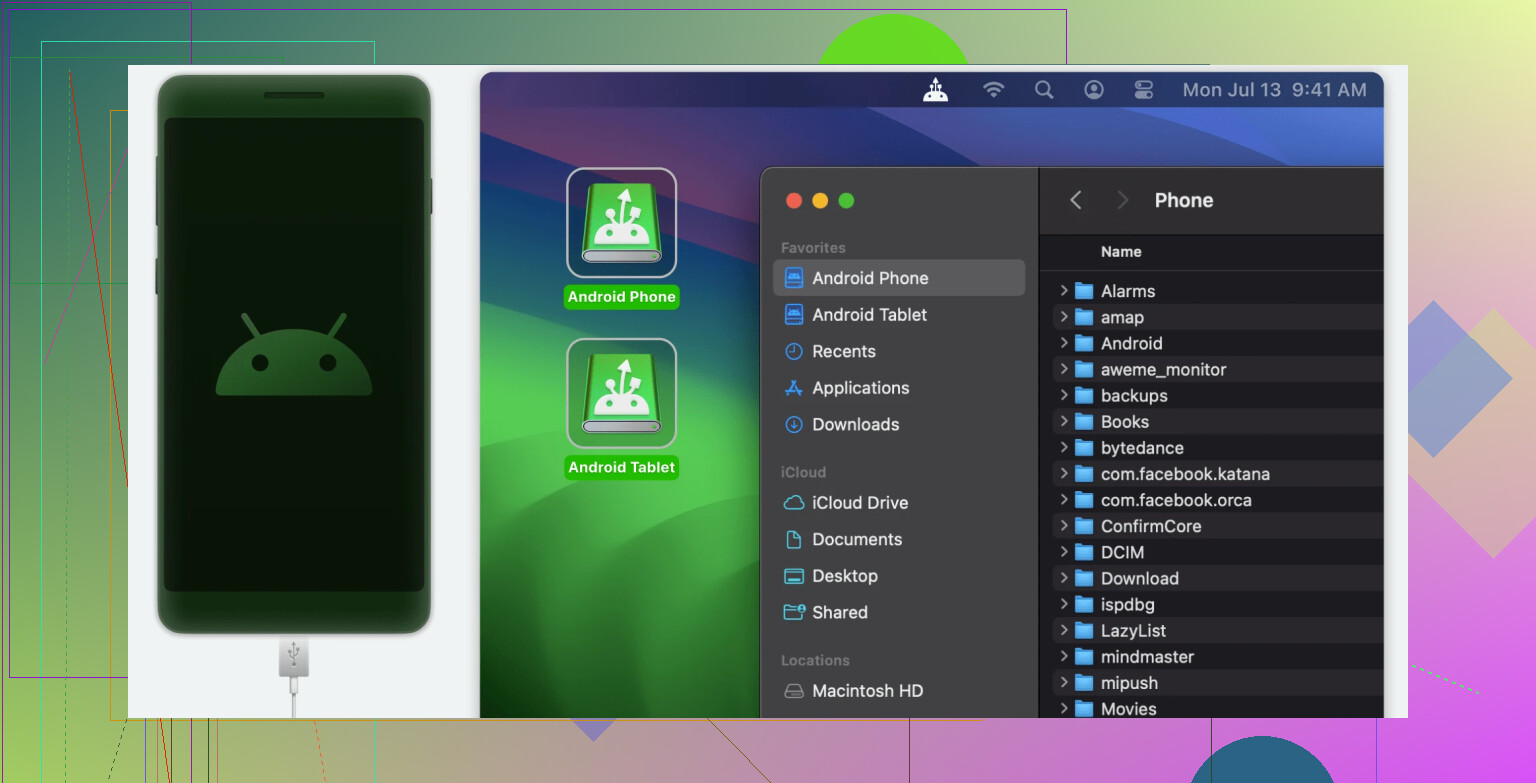
Why I ended up preferring USB for bigger jobs
-
No crawling transfer speeds from unstable Wi-Fi
-
No cloud storage account in the middle
-
No guessing whether half the files made it or not
If you’re sending one small thing, LocalSend does the job after a bit of setup. If you’re moving larger batches often, especially between Mac and Android, cable plus MacDroid is the route I found less annoying.
28 Likes
My results with LocalSend have been mixed too. I like it more than @mikeappsreviewer does for small stuff, but I do think it gets shaky once file size goes up or your network is busy.
What helped me most was checking the boring stuff people skip:
- Make sure both devices stay awake. If your phone screen locks, transfers sometimes crawl or fail.
- Try 5 GHz Wi-Fi instead of 2.4 GHz. On my setup, a 2 GB video took about 3 minutes on 5 GHz and over 10 on 2.4 GHz, with one failed attempt.
- Keep both apps updated. Older builds gave me more random dropouts.
- Test with one large file, then a folder with many small files. LocalSend often handles one big file better than 500 tiny ones.
- Watch storage permissions on Android. After an update, mine reset and folder sends got weird.
One thing I disagree on a bit, the app itself is not the whole problem. A lot of this feels tied to phone battery saving and weak router behavior.
If you use Mac and Android often, MacDroid is the smoother option for bigger transfers. USB is faster, more stable, and less fussy. LocalSend is still fine for quick sends, but for repeat file moves I stopped trusting it 100 percnet.
I’m somewhere between @mikeappsreviewer and @byteguru on this. For me, LocalSend is very likable but not fully dependable.
The good part is really good. When it works, it feels almost too easy. Open app, pick file, send, done. No account junk, no weird upload delay, no wondering where your files are sitting. For quick stuff like a photo dump, a PDF, or moving a clip from phone to laptop, I’d absolutely recommend it.
Where I slightly disagree with the harsher takes is that I don’t think it’s annoying enough to avoid entirely. I just think it has a “small task app” vibe. The second I start depending on it for bigger batches, I get nervous. Not always because it fails, but because I stop trusting it. That’s a different kind of problem.
My regular-user opinion: convenient, clean, occasionally flaky. Good tool to keep installed, not the tool I’d build a routine around.
If you’re doing Mac and Android file transfer a lot, that’s where I’d say MacDroid makes more sense. LocalSend is nicer for quick wireless sends, but MacDroid feels less fiddly for bigger jobs and regular transfers. So yeah, I’d recommend LocalSend, just with a small asterisk lol.
I’m closer to @viajantedoceu than @mikeappsreviewer on this. I still recommend LocalSend, but with conditions.
For everyday use, it’s honestly pleasant. Fast enough, clean interface, no account nonsense, and it feels way less annoying than cloud workarounds. For sending a photo set, a document, or one video, I’ve had mostly good experiences. So as a regular-user opinion, no, I wouldn’t say it’s so annoying that I’d tell people to avoid it.
Where I disagree a little with the more forgiving takes is this: reliability matters more than simplicity once you use it often. If a tool works 8 out of 10 times, that sounds fine until you’re in a hurry. Then it starts feeling flaky, even if the app itself is nice.
So my verdict is:
LocalSend pros
- super easy to use
- no sign-up or account friction
- great for quick, casual transfers
- nice across mixed devices
LocalSend cons
- can feel inconsistent
- bigger or repeated transfers are where trust drops
- sometimes too dependent on your network behaving perfectly
- not something I’d rely on for important bulk moves
I’d keep it installed, absolutely. I just wouldn’t make it my main file moving system.
For Mac and Android specifically, I think MacDroid makes more sense if you transfer files regularly.
MacDroid pros
- more stable for larger transfers
- wired connection is usually less fussy
- works well for full folders and repeat jobs
- better if you want a routine that feels predictable
MacDroid cons
- not as instant or convenient as a wireless send
- USB is less casual than tapping send on the couch
- some features are behind the paid version
So yeah, LocalSend is good. Not amazing, not terrible. Useful enough to recommend, but with a clear asterisk.
I’d still recommend LocalSend for photos, PDFs, and the odd video. My experience is mostly smooth, though large folders and busy Wi-Fi make it feel unreliable. If you move 2 GB or more often, failed transfers get annoying fast. Keep both devices awake, use 5 GHz, and test one large file first.
A simpler option is a USB-C flash drive. Copy files from your phone, plug it into your Mac or PC, then move them. No app, firewall, or Wi-Fi issues. It’s slower to start, but far more predicatble.
Next time discovery stalls, stop waiting for the two devices to find each other and just punch in the IP by hand. LocalSend lets you add a device manually, and once you do that the whole mDNS guessing game goes away. That single step fixes maybe half the ‘both open, nothing shows up’ complaints @mikeappsreviewer listed, and it’s way faster than digging through firewall rules every time.
I’ll push back a little on the idea that the app is mostly innocent and it’s all router and battery behavior. Sure, weak routers and aggressive power saving make it worse, but plenty of solid apps handle a sleeping phone or a busy 2.4 GHz band without silently dropping files mid transfer. The vanishing-files-with-no-error thing @vectorlogic and others mentioned is a real weak spot, and blaming the network lets the app off too easy. When a transfer dies, it should tell you why. It usually doesn’t.
For the Mac and Android crowd, MacDroid over USB makes sense if you’re moving the same big folders week after week and you’re tired of babysitting a wireless send. It’s the boring predictable option, which is the point. But I wouldn’t reach for a cable to shoot one screenshot to my laptop. My rule is dumb but works: small and occasional, LocalSend with a manually added device. Large and repeated, plug in. Everything in between, whatever’s already open.