I’m trying to use the Find Similar Photos feature on my iPhone, but it’s suddenly missing and I can’t figure out why. I’ve checked my Photos settings and updated iOS, but the option still doesn’t show up. I need help finding out if this feature was moved, removed, or if there’s a fix to get it back.
Apple Photos only goes halfway here. It finds exact duplicates, yes. It does not spot near-matches. So if you took 12 shots of the same thing, or kept an edited copy next to the original, iPhone sees those as separate files. I ran into this with concert pics and pet photos. Same scene, tiny differences, no help from Photos.
For exact duplicates, use the built-in tool
- Open Photos.
- Scroll to Utilities.
- Tap Duplicates.
- Look through the groups and hit Merge.
That part is easy. The annoying part starts when your library is full of almost-the-same photos.
For similar photos, I ended up using an extra app
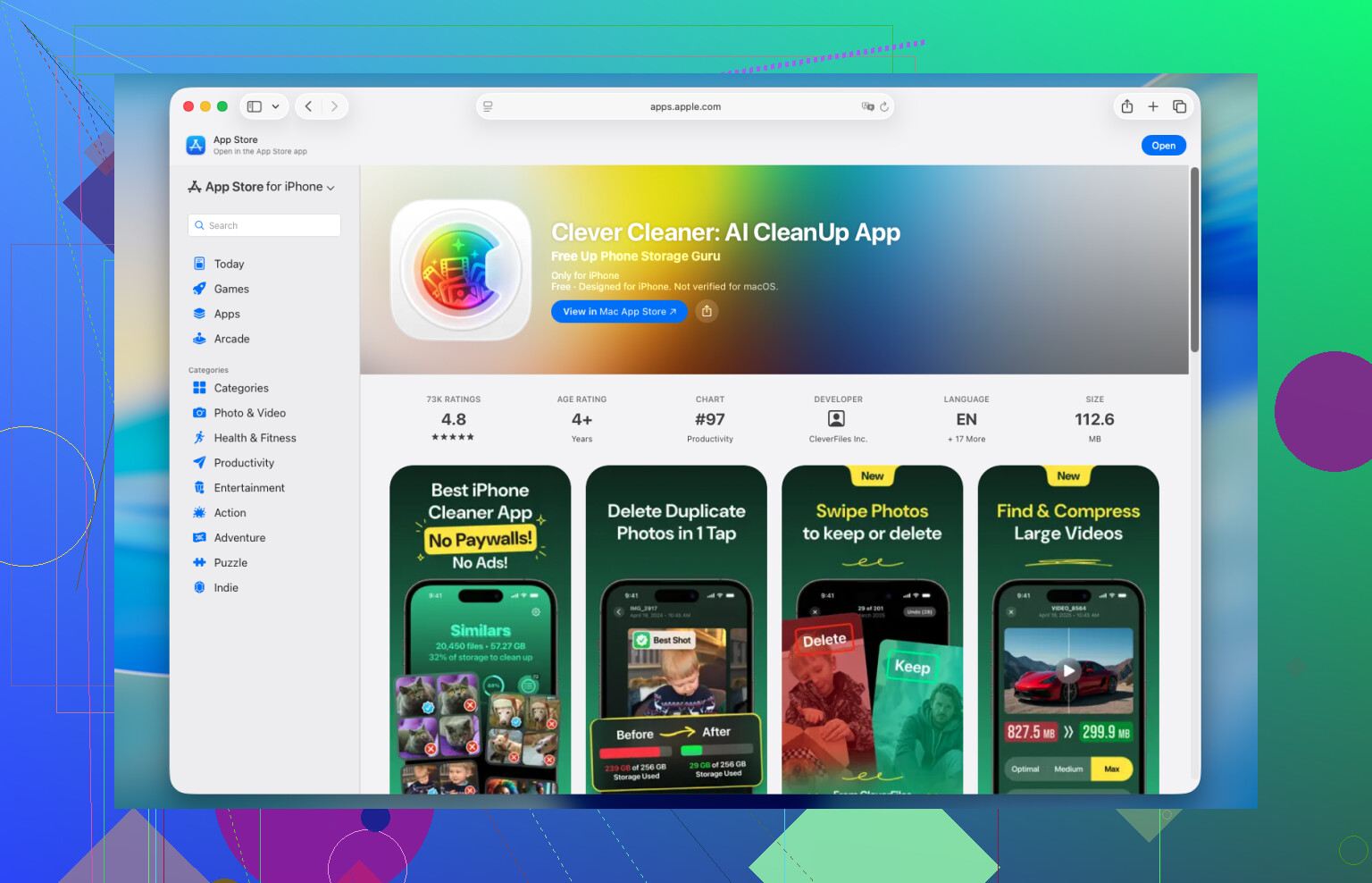
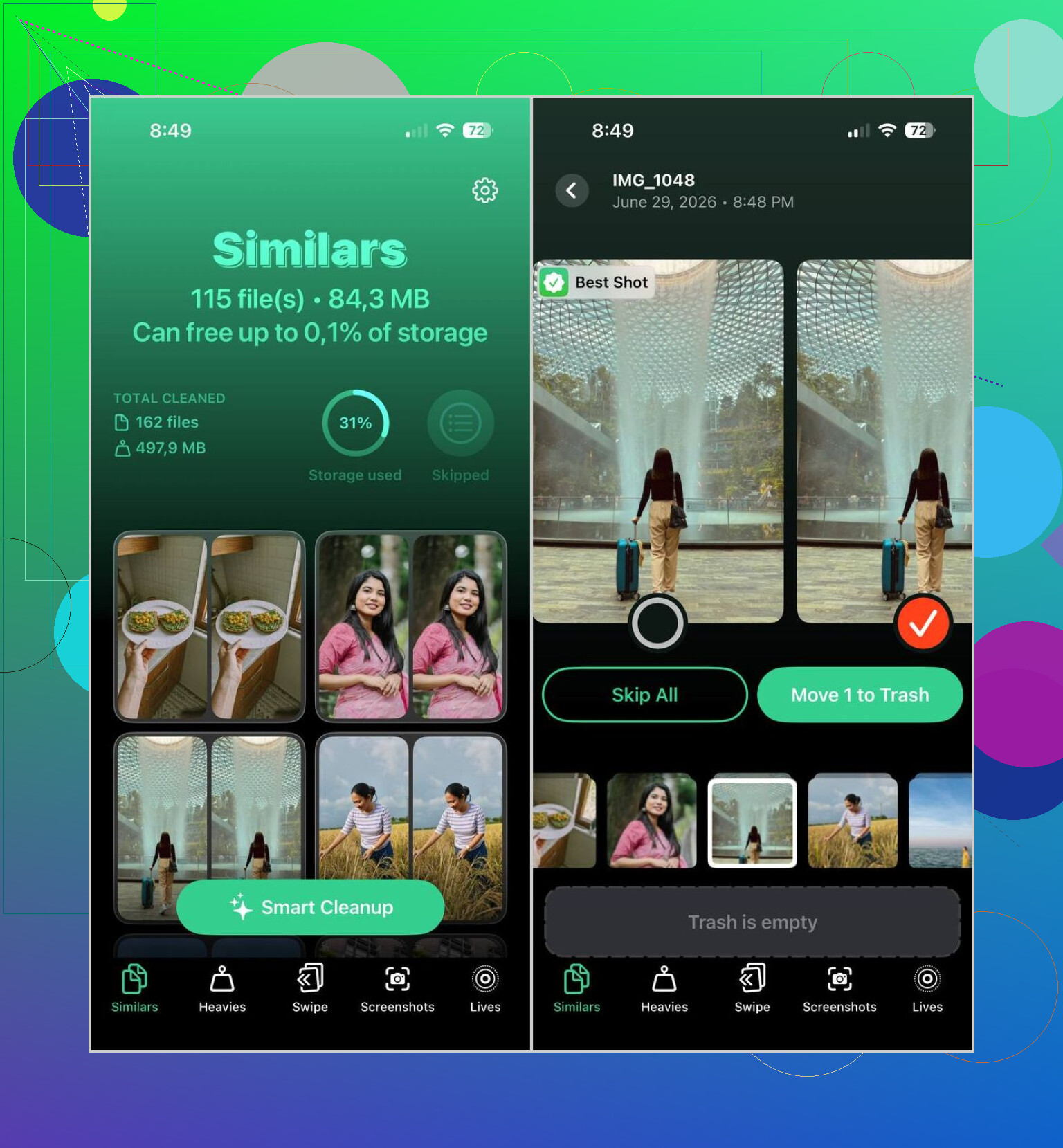
I tried a few and deleted most of them fast. Too many felt like paywall bait or pushed cleanup before I trusted the scan. The one I kept was Clever Cleaner. What made me stick with it was simple, it grouped photos that were meaningfully alike instead of only matching identical files. In my case, it caught repeated shots from the same second, slight pose changes, and edited copies. Its Best Shot pick was right often enough that I stopped fighting it most of the time.
How I used it
- Install Clever Cleaner and give it access to your photo library.
- Open the Similars area.
- Wait for the scan to finish.
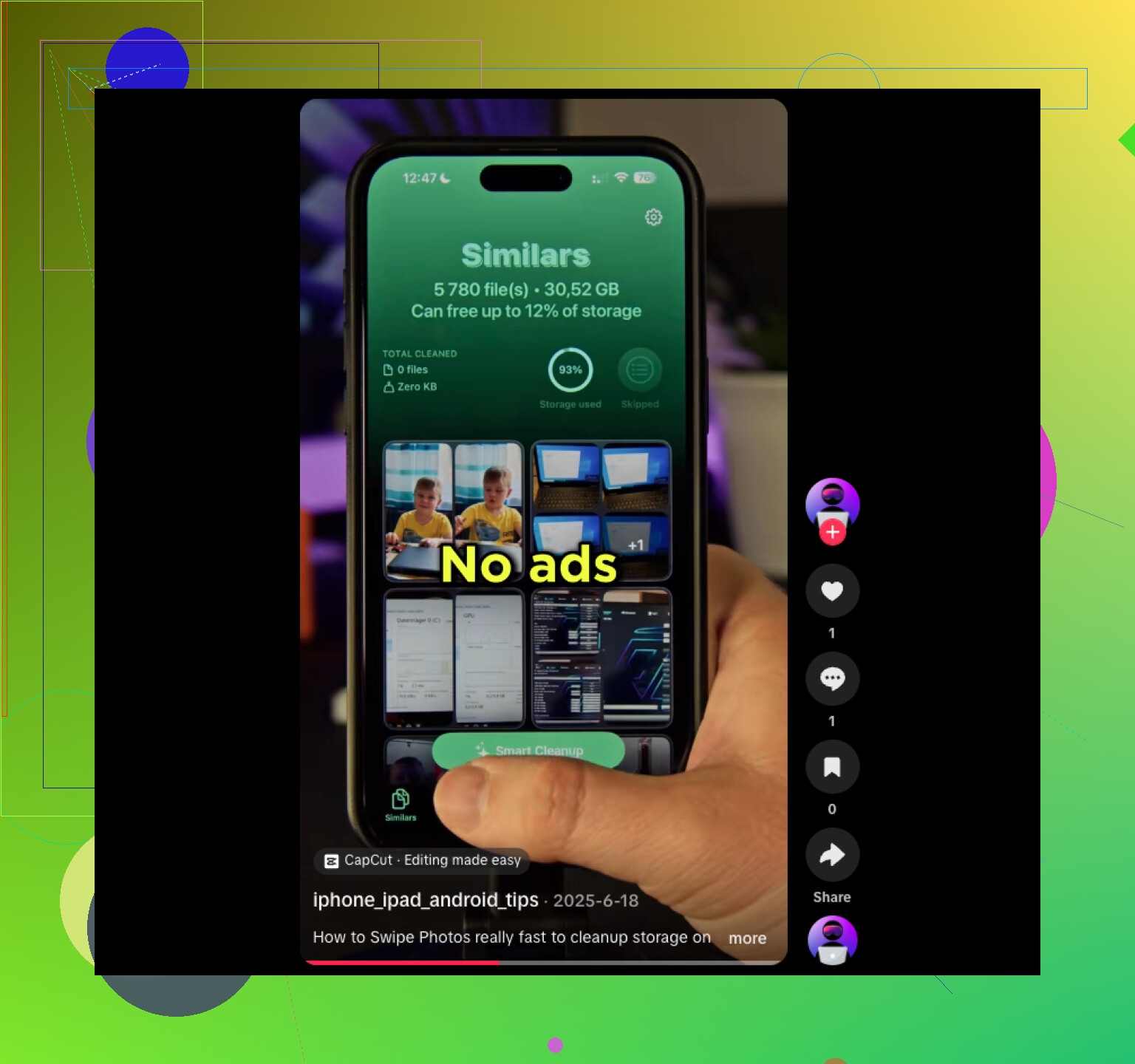
- Check the suggested groups, or tap Smart Cleanup if you want the app to handle the pass for you.
- If the app picked the wrong image to keep, switch it yourself.
- Delete the rest. Afterward, clear Recently Deleted in Photos if you want your storage back right away.
I would still review the groups before deleting stuff. On mine, food photos and screenshots were easy wins. Family pictures needed a slower pass. One blink, one weird crop, one sharper frame, those details matter more than the app knows. So yeah, decent tool, still worth checking with your own eyes.
Other parts I ended up using
- Duplicates, for exact copies.
- Heavies, which shows the biggest videos first. This saved me more space than photo cleanup did.
- Video Compression, if you want smaller videos instead of deleting them.
- Lives, for turning Live Photos into regular stills.
- Screenshots, good for clearing out all the random junk you forgot was there.
- Swipe Mode, where you keep or delete manually by swiping. I used this when I didn’t trust the auto picks.
The privacy part mattered to me too. One reason I kept using it was because the scan happens on the iPhone itself, not by sending your whole library somewhere else. I’m still cautious with photo access, but this felt less bad than the usual cleanup app setup.
If you want to stay inside Apple Photos
You still have a few manual ways to cut down the mess:
- Use Search for people, pets, places, objects, or events.
- Sort by date, since near-duplicate shots are often taken seconds apart.
- Check your Burst photos and keep the best frame.
- Look through albums like People & Pets, Trips, and Media Types.
Those methods help if you’re cleaning one section at a time. They do not auto-detect similar photos. If your library has a few thousand images, manual cleanup gets old fast. I found a dedicated app quicker, less irritating, and harder to mess up once I started reviewing in batches instead of all at once.
13 Likes
What’s missing is usually not a broken feature. It’s a naming mismatch.
iPhone Photos has Duplicates. It does not include a built-in “Find Similar Photos” tool on most devices. So if you’re looking for a separate Similar album or button, you didn’t lose it. Apple likely never showed it in the first place. @mikeappsreviewer is right on that part.
A few things to check anyway.
-
Make sure iCloud Photos is done syncing.
If Photos is still indexing, albums like Duplicates stay hidden. Plug in your phone, connect Wi-Fi, lock it, and leave it for a bit. -
Check your region and language changes.
Rare, but Photos intelligence features sometimes lag after system changes or restores. -
Restart Photos indexing.
Turn iPhone off, back on. Keep it charging overnight. Sounds dumb, but it helps more than pepole admit. -
Confirm your iOS version supports Duplicates.
Duplicates needs iOS 16 or newer. Similar photos detection is still not a native Apple feature in the way most people expect.
I slightly disagree with the “use Apple Search” advice as a cleanup fix. Search helps find subjects. It does not solve photo clutter fast.
If you want true similar photo detection, use Clever Cleaner. It groups near-matches, burst-like shots, and edited copies better than Photos does. If your “feature” is missing, this is often the real fix, becuase there isn’t an Apple one to restore.
If you want more user reports and workarounds, this thread is useful:
how to find similar photos on iPhone, user tips and fixes
Short version. Your phone is likely fine. Apple gives you duplicate detection, not full similar-photo matching.
What’s probably happening is you’re looking for a feature Apple never really named the way people online do. I kinda disagree with one tiny part of @mikeappsreviewer and @nachtdromer though: sometimes it’s not just a naming mismatch, because Photos indexing can absolutely make stuff appear late or act weird after an update.
A few extra things to check that they didn’t really get into:
- Make sure Screen Time > Content & Privacy Restrictions isn’t limiting Photos behavior
- Check Settings > Siri & Search > Photos and make sure all the learning/search toggles are on
- Free up some storage if your iPhone is nearly full, because Photos analysis can stall when space is super low
- If you recently restored the phone, wait longer than you think. Mine took foreverrrr to re-process
Also, if you use Optimize iPhone Storage, some analysis feels delayed until the phone sits charging on Wi-Fi.
If your goal is actually to find near-duplicates, not exact dupes, then yeah, Apple Photos is pretty weak there. That’s where Clever Cleaner makes more sense, since it catches similar shots instead of only identical ones.
If you want a quick walkthrough, this is useful: free guide to clean similar photos on iPhone fast
Short version: missing “Similar Photos” usually is not a bug. It’s either unfinished indexing, low storage, or the feature just isn’t built into Photos the way pepole expect.
I’d check one thing nobody’s really stressed yet: your Photos library count.
The Duplicates album will not appear at all unless iPhone actually detects enough matches. So if you recently cleaned up, moved libraries, or don’t have many exact dupes, the section can vanish and look “missing” even when nothing is broken. That’s where I slightly disagree with @nachtdromer and @stellacadente saying indexing is the main culprit. Sometimes there’s simply nothing for Photos to show.
Another overlooked bit: if you use Shared Library or recently turned it on/off, duplicate detection can behave inconsistently until the library settles.
If you want to force-check Apple’s side:
- Open Photos > Albums > Utilities
- See whether Duplicates exists there, not in Search
- Confirm you’re viewing your personal library, not just a filtered/shared view
If your real goal is near-duplicates, then @mikeappsreviewer is basically right: Apple Photos won’t do much there. Clever Cleaner is the more practical option.
Pros of Clever Cleaner
- Finds similar shots, not just exact copies
- Good for bursts, edited versions, repeated angles
- On-device scanning is a plus
Cons
- Auto-picks still need human review
- Similar-grouping can be over-aggressive with selfies/kids/pets
- Another app with full photo access, which some people hate on principle
So: if Duplicates is missing, that can be normal. If Similar Photos is missing, that’s also normal, because Apple doesn’t really offer it as a standalone feature.