I accidentally deleted some files and I’m thinking about using Recuva to try to recover them, but this computer also has important documents and photos I can’t risk damaging. I need help figuring out if Recuva is safe to use, what risks I should watch for, and the safest way to recover deleted files without causing more data loss.
People ask this all the time, and I never give a one-word answer. If you mean malware, then yes, Recuva is safe. It is not some fake recovery app trying to infect your PC. It does not trash your system on purpose. If you mean privacy, or whether it is safe for the files you already lost, then the answer gets messier.
I have used Recuva on old laptops, USB sticks, SD cards, and one dying hard drive I should have left alone. So here’s the plain version of it in 2026.
About the malware scare
A lot of the fear comes from the old CCleaner mess in 2017. Same company family, same baggage. Piriform got hit in a supply chain attack and a poisoned CCleaner update went out to a huge number of users. People still bring it up, and I get why.
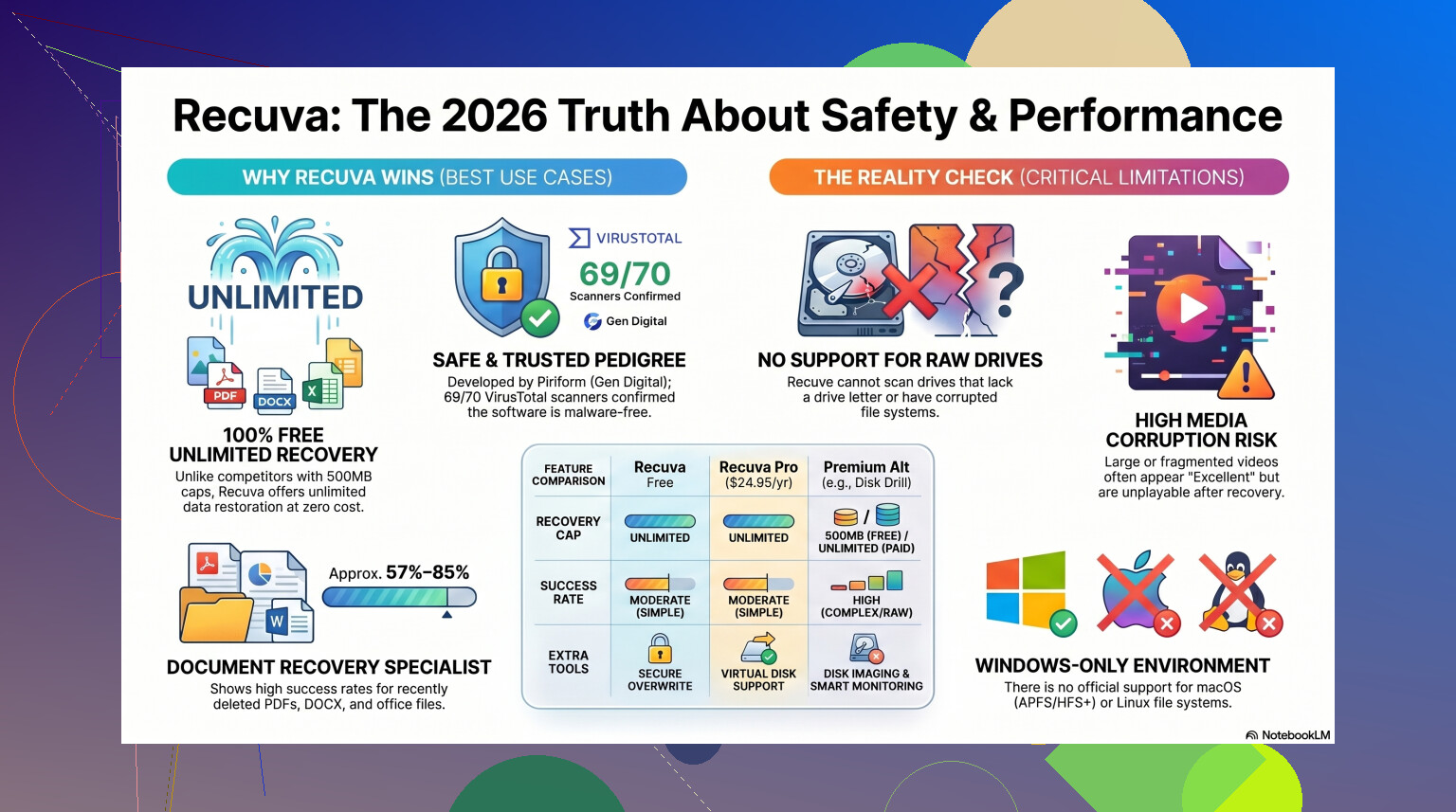
Still, 2026 is not 2017. Piriform ended up under Avast, then under Gen Digital. The current Recuva installer from the official source is usually clean when checked on VirusTotal. Sometimes one tiny antivirus engine throws a warning, which I saw too, but it tends to be the usual heuristic false flag. Recovery apps poke around low-level file structures, and some scanners hate anything with deep disk access.
If you grab it from the official page, you are not dealing with a virus issue.
Privacy is a separate problem
This part bothered me more than the malware talk. Recuva itself is not spying in some dramatic movie way, but the company does collect routine app and device info. Stuff like your IP, device ID, operating system details, and location data for licensing and fraud checks. Normal for modern software, sure. I still turned it off where I could.
After install, open Options, then Privacy, then disable the usage-sharing setting. I do this first, before a scan, before anything else. If you care about logs and retention, keep in mind IP addresses are kept for 36 months before they get anonymized. Some people won’t care. I did.
The part where users ruin their own recovery
This is where most file recovery attempts go sideways.
Recuva is safe. Your recovery process might not be.
Do not install it onto the same drive where your deleted files were sitting. I did this once years ago with a photo folder on a secondary HDD, and I got lucky. I would not count on luck again. When Windows deletes a file, the file data often stays there until new data overwrites it. So if you download and install recovery software onto that same disk, you risk writing over the thing you wanted back.
The safer move is the portable build. Put it on a USB drive and run it from there. And when you recover files, save them somewhere else. External drive, second internal drive, different partition if you have no other option. Same source drive is the bad move.
How well it works now
Here’s the blunt part. Recuva still feels old.
It has had maintenance updates, yes. It still runs on Windows 11. But the main recovery logic feels like a tool from another era. Good for simple undelete jobs. Weak once things get ugly.
If you emptied the Recycle Bin ten minutes ago on a healthy Windows disk, Recuva is often enough. It is quick. It is light. It is free without weird file limits. I like it for those cases.
But if your drive shows up as RAW, or Windows says you need to format it, Recuva often falls flat. Sometimes it does not even recognize the drive in a useful way. On formatted USB tests, results tend to land in the 63% to 67% recovery range. I have also had it list files as recoverable, even healthy, then the recovered JPG opens to nothing. Corrupt file. Dead end.
Folder structure is another headache. One scan dumped thousands of files into a single directory with names like 000123.jpg and 000124.jpg. If your deleted stuff was family photos, maybe you sort it out. If it was project assets with client deadlines, that turns into a long night.
When I stopped using it
I still think Recuva is fine as a first pass on easy jobs. Free is free. No argument there.
But once the files matter, I stop messing around fast. Wedding photos, tax records, work docs, camera footage, anything from a flaky drive, I would not waste repeated scans on a weak tool. Every pass puts more stress on troubled hardware. If the disk is failing, you want the better shot early, not after three failed attempts.
For harder recovery work, I’ve had better results with Disk Drill. It handles RAW volumes, damaged partitions, and deeper scans far better than Recuva did in my tests. The big safety feature for me is byte-to-byte disk imaging. You clone the failing drive first, then scan the clone. If the original disk quits halfway through, you still have something to work with. Recuva does not give you that safety net.
If you work with photo or video files, the gap gets wider. Recuva has a rough time with fragmented video and camera RAW formats. I saw it choke on files from a Nikon card and return garbage. A stronger recovery tool usually does better with those signatures, which this video comparison covers if you want to see it tested directly.
My take
If you deleted something by accident on a normal Windows PC and the drive is healthy, Recuva is a reasonable first try. I would still keep a few rules taped to the monitor:
- Get it from the official site.
- Use the portable version if you can.
- Turn off usage sharing in the privacy settings.
- Do not expect miracles.
If it misses your files, or recovers broken junk, stop using the drive right there. Don’t keep installing things. Don’t keep copying random files onto it. Move to a tool built for deeper recovery, or clone the drive first if it shows signs of failure.
So yes, Recuva is safe in the malware sense. Safe for recovery depends more on how you use it, and on how bad the storage damage is. For small mistakes, I’d still try it. For anything painful to lose, I’d skip the cheap test and go straight to something stronger.
43 Likes
Yes, Recuva is safe for your PC if you download it from the official source. It is a legit file recovery tool, not malware. I agree with @mikeappsreviewer on that part.
Where I differ a bit is this. Recuva itself is usually not the main risk. Your drive activity is the risk. Every install, update, browser cache write, and file copy on the same drive lowers recovery odds. So if the deleted files are important, stop using that drive now.
A few practical points.
- Do not install Recuva on the drive where the files were deleted.
- Do not recover files back to the same drive.
- If the drive makes noises, freezes, or disappears, stop. Recovery software is the wrong first move.
- If the files matter a lot, make a full drive image first.
Recuva works best on simple deletes. Fresh Recycle Bin stuff, small docs, recent photos. It is weaker on formatted drives, damaged partitions, and corrupted file systems. That part matters more than the app’s safety.
If this is your main computer with important docs and family photos, I would lean toward Disk Drill first, not because Recuva is unsafe, but because Disk Drill gives you stronger recovery options and disk imaging. That reduces the risk of making a bad sitution worse.
If you want a broader list of data recovery tools worth comparing, this guide is useful:
best data recovery software for deleted files and damaged drives
Short version. Recuva is safe enough. Your method matters more. If the lost files are low stakes, try Recuva carefully. If the files are irreplaceable, skip the cheap first try and use a stronger tool or image the drive first.
Recuva is generally safe for a computer with important files, but I’d frame it like this: the program is not the dangerous part, the recovery attempt can be.
I mostly agree with @mikeappsreviewer and @viajantedoceu, but I’m a little less relaxed about using Recuva on a machine that still matters day to day. Not because it’s malware or because it’s going to “eat” your documents, but because older recovery tools can tempt people into doing too much poking around on the same drive. That’s where stuff goes sideways.
If your deleted files were on the system drive, every minute you keep using Windows is writing something. Logs, temp files, browser junk, updates, all that boring background crap. So the real question isn’t “is Recuva safe?” so much as “can I use it without making recovery odds worse?” Two diff things.
My take:
- Safe to install from the official source? Yes.
- Safe for already existing files? Usually yes.
- Best choice when files are important? Eh, not always.
Recuva is fine for basic undelete jobs. Recently deleted Word docs, photos removed from the Recycle Bin, that kind of thing. Where I disagree a bit with the “just try it first” advice is when the files are truly irreplaceable. In that case, I’d rather use Disk Drill because its imaging and broader scan support make it a safer first serious attempt. That matters more than people admit.
Also, if your drive is acting weird, slow, clicking, disappearing, or asking to be repaired, stop right there. Don’t let any recovery app keep hammering it. That’s how a recoverable mess becomes an unrecoverable one.
If you want a quick background page, this is a decent overview of Recuva file recovery software explained.
Short version: Recuva is not unsafe, but I wouldn’t call it the smartest option for high-stakes recovery. For low-stakes deleted files, sure. For important family photos, tax docs, work files, I’d be more careful and probably go with Disk Drill first tbh.
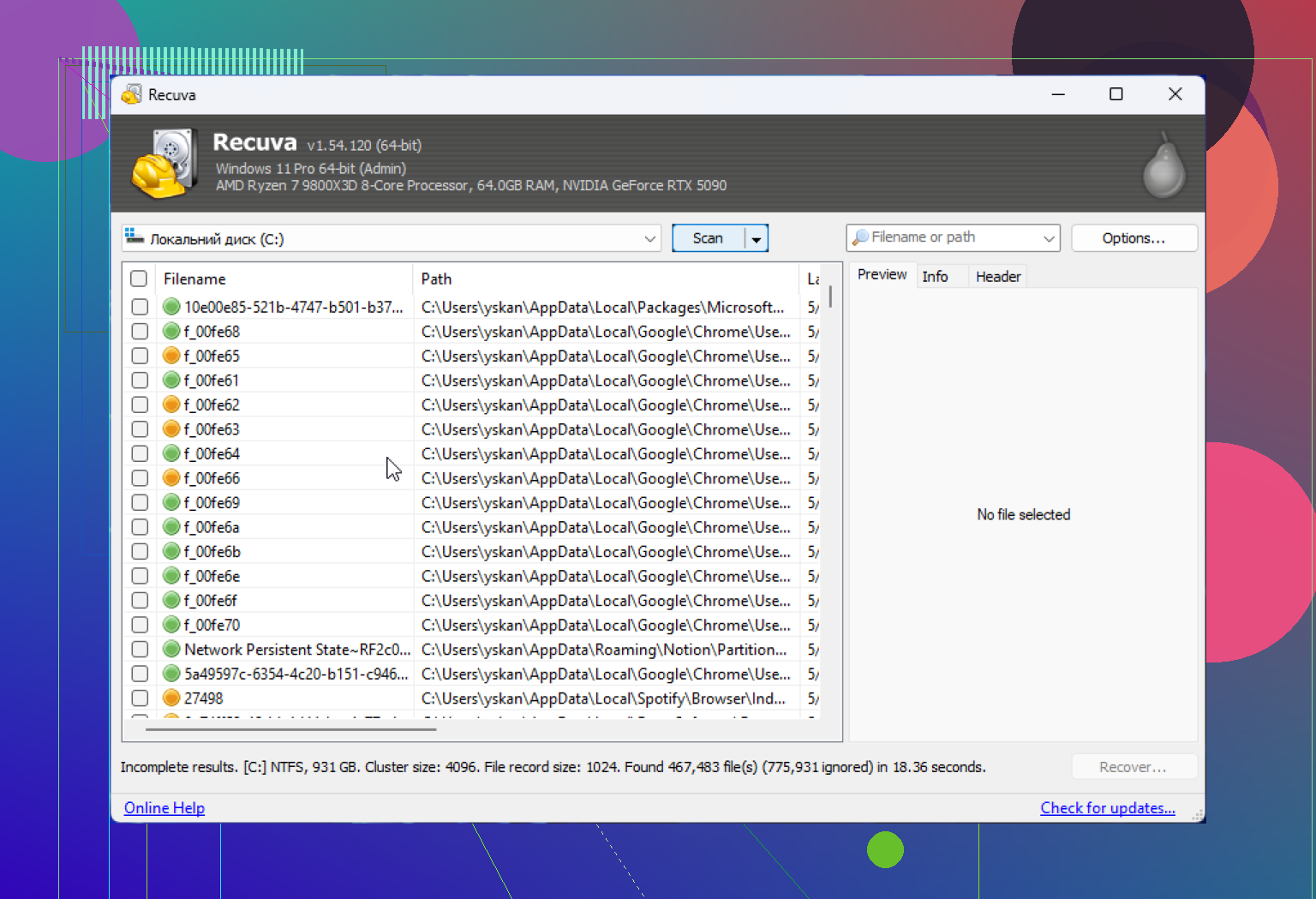
Recuva is safe in the “not malware, won’t randomly wreck Windows” sense, assuming you get it from the official source. On that, I’m with @viajantedoceu, @techchizkid, and @mikeappsreviewer.
Where I slightly disagree is the idea that “safe app = safe choice.” For a computer full of important files, I care less about whether Recuva is harmless and more about whether it’s the least risky tool for the job. Recuva is pretty gentle, but it’s also basic. That can be fine for simple accidental deletes, not always for high-value recovery.
My take:
- If you deleted a few files recently and the drive is healthy, Recuva is a reasonable first pass.
- If the files are truly important, I’d lean toward Disk Drill sooner.
Why? Not because Recuva is dangerous. Because stronger recovery software can reduce trial-and-error. That matters when every extra write, reboot, or scan can hurt recovery odds.
Disk Drill pros
- Better deep scan results in tougher cases
- Disk imaging feature is a big safety win
- Cleaner preview/recovery workflow
- Better for mixed file types and damaged file systems
Disk Drill cons
- Not as lightweight as Recuva
- Free recovery is limited
- Can be overkill for simple undelete jobs
Recuva pros
- Free and fast
- Easy for beginners
- Fine for recent deletions
Recuva cons
- Older recovery engine
- Weaker on damaged, formatted, or messy drives
- Can give “recoverable” results that still open corrupted
So yes, Recuva is safe enough. I just wouldn’t automatically call it the best option on a PC that has irreplaceable documents and photos. Safe tool, maybe not safest strategy.
Your take is solid. Recuva is safe from the official site. The real risk is new writes. Use portable, recover to another disk, image first. Disk Drill helps on tougher recovey.
Simpler path before any scan. Use version history.
- OneDrive. Open on the web. Check Recycle Bin and Version history. Restore the needed version.
- Windows. Right click the parent folder, Properties, Previous Versions. Open a snapshot, copy files to an external drive.
- Office files. Open Word or Excel, File, Info, Version History. Restore.
No installs. Few writes. Often works within minutes.