Trying to use my iPhone as a remote for Google TV but can’t find a reliable solution. Has anyone been able to control Google TV from their iPhone, and if so, how did you set it up? Any help would be appreciated as my physical remote isn’t working.
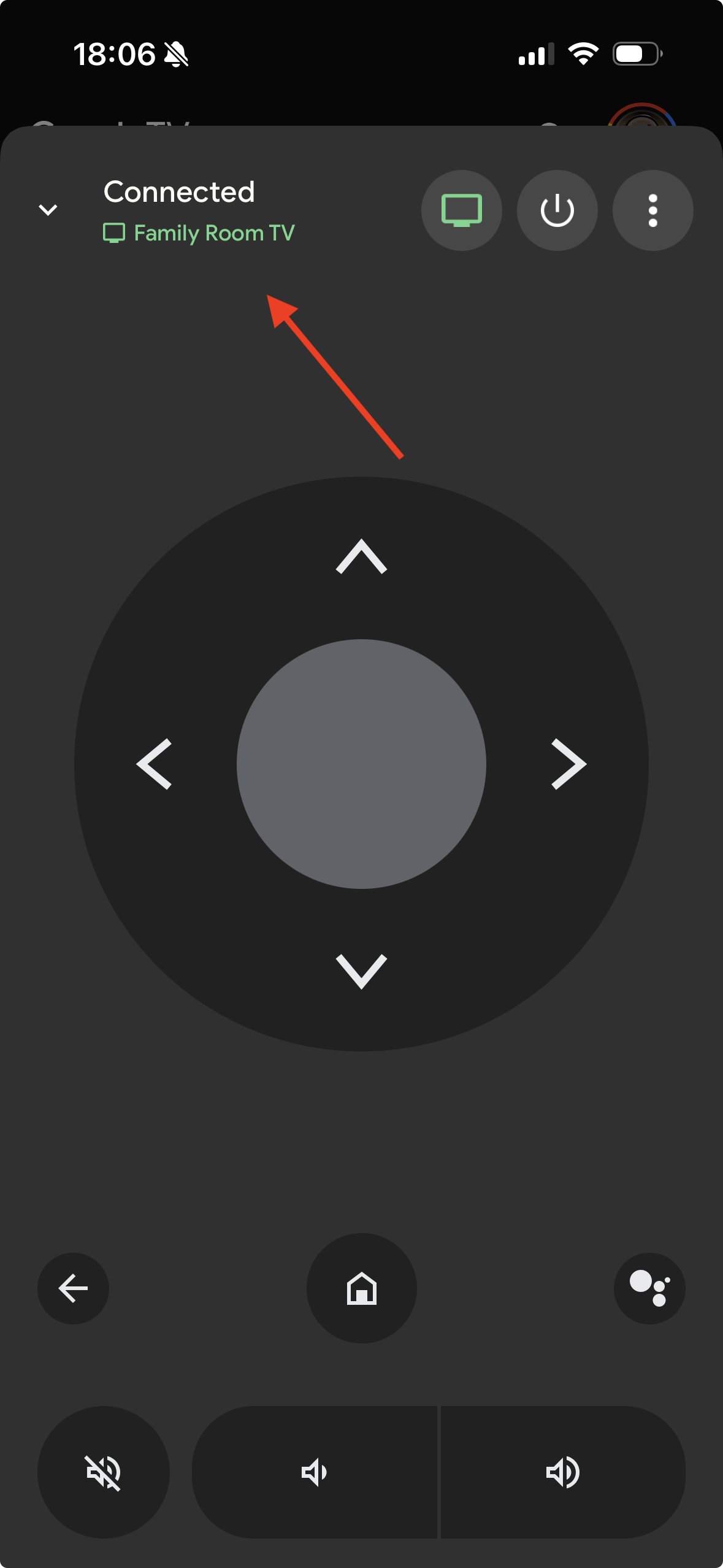
If you’re looking to control your Google TV or Chromecast with Google TV using your iPhone, the official Google TV app is your best bet. It offers remote control features, voice search, and easy navigation all from your phone.
By the way, there’s an excellent Reddit thread that covers the best universal TV remote apps, weighing their pros and cons against traditional remotes. Give it a read — you’re bound to find something helpful!
Getting Started Without Throwing Your Phone
So, first: you want your iPhone to play nice with your Google TV or Chromecast with Google TV. Solution? The “Google TV” app, which does WAY more than just swap channels.
- Grab the Google TV app from the App Store.
- Hook your iPhone up to the same Wi-Fi as your Google TV doodad. Do NOT gloss over this or you’ll be yelling at your router.
- Pop open the Google TV app, spot the little remote icon (bottom of screen), and tap it. Fancier than any boring physical remote.
- Now you get slick on-screen controls, a keyboard for password pain, and voice search so you can shout “Play cat videos” and skip the typing.
Pro tip: When it works, you feel like tech royalty. When it doesn’t, you’ll remember to charge your old remote’s batteries instead.
Swapping It Up: TVRem Universal TV Remote
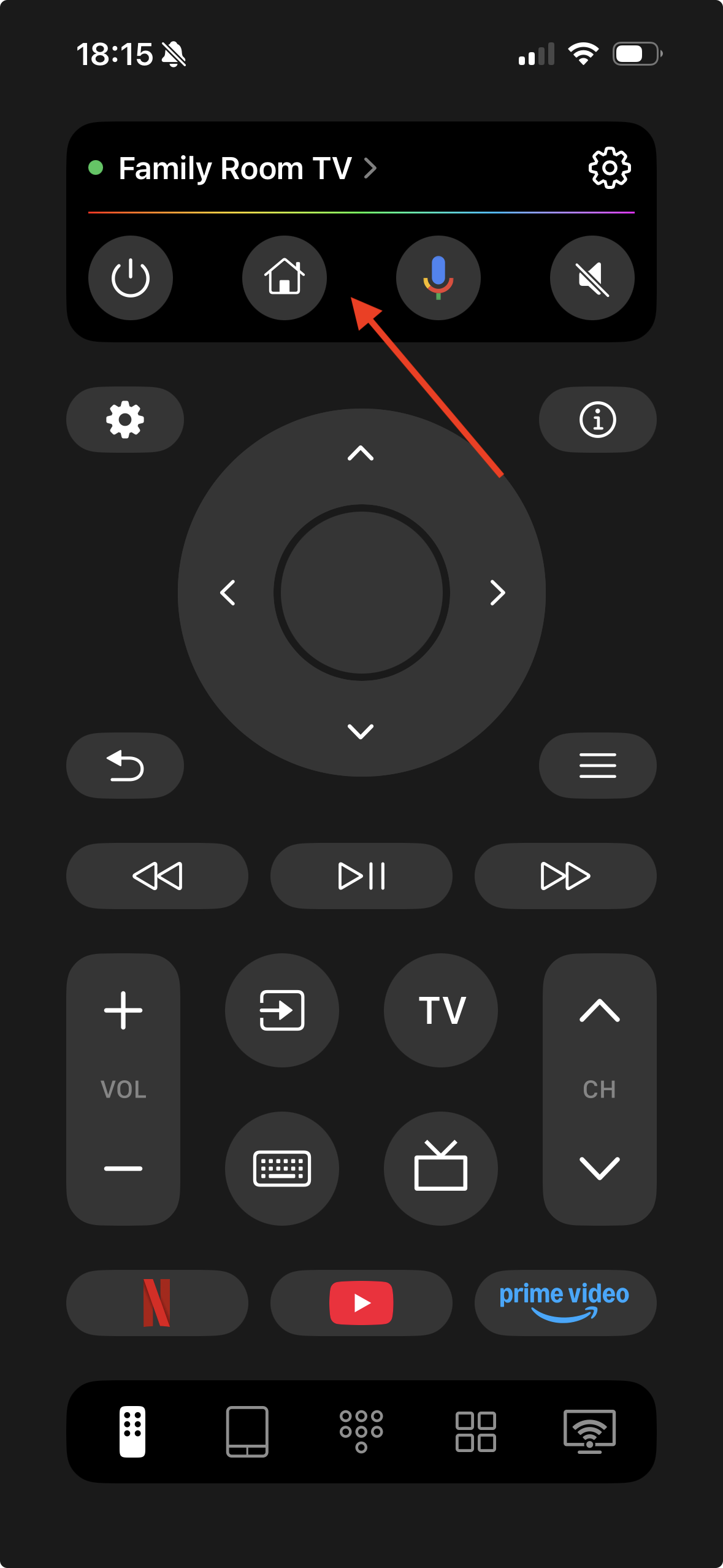
If you’re looking for an alternative way to control your Google TV or Android TV, TVRem is a solid choice. This app turns your iPhone into a versatile remote for Android TVs, Chromecast with Google TV, and other Google TV streamers.

Key Features:
- Smooth swipe-and-tap touchpad navigation
- Launch apps and control playback directly from your iPhone
- Voice control via Google Assistant — skip the on-screen keyboard and search or navigate with your voice
- Smart keyboard for quick and easy text input
How to set up TVRem with Google TV / Android TV:
- Install TVRem on your iPhone.
- Connect your iPhone and Android TV to the same Wi-Fi network.
- Open the app, select your TV from the list, and enter the pairing code shown on your TV screen.
- Your iPhone is now ready to control your Android or Google TV device.
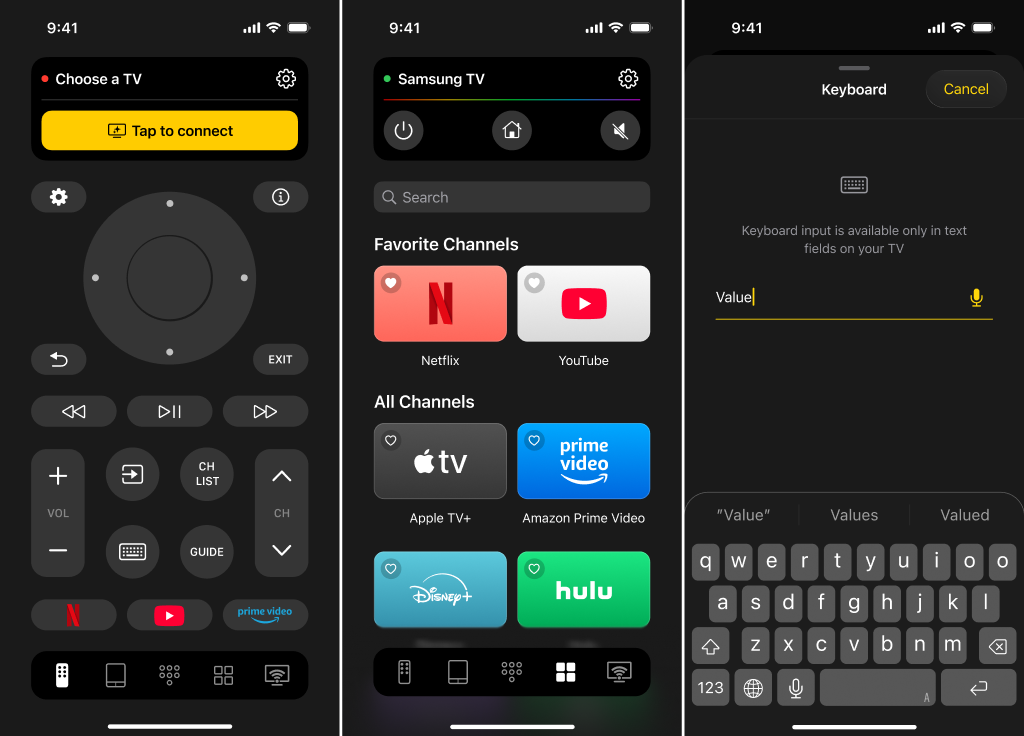
TVRem makes navigating your Google TV fast, intuitive, and completely mobile — no extra remotes needed.
To summarize, here’s my take:
If your Google TV remote is MIA or not working, TVRem Universal TV Remote is hands-down the smarter choice. It doesn’t just mimic a remote — it gives your iPhone real control: swipe-and-tap navigation, quick app launching, playback management, smart keyboard input, and even voice commands via Google Assistant. Unlike the official Google TV app, which is limited to Google’s ecosystem and can lag or fail to detect your devices, TVRem works across multiple brands, so you’re not stuck if your setup isn’t purely Google.
Other apps may “sort of” work, but in reality, they often freeze, drop connections, or force you through clunky interfaces and extra steps. The official Google TV app is fine if you live and breathe Google, but it isn’t flexible, and trying to control multiple TVs with it can quickly become frustrating. TVRem, on the other hand, just works — fast, reliable, and intuitive — making it the only app you actually need when your physical remote is gone.
113 Likes
I’ll be honest, the Google TV app does work for turning your iPhone into a remote, like @mikeappsreviewer covered, but “reliable” isn’t the word I’d use every time. It tends to be, let’s say… selectively cooperative? Sometimes it won’t see my Chromecast unless I restart everything, then the remote button vanishes; then comes back. Also, the Universal Remote TV thing is cool IF your TV is compatible and not ancient (learned that the annoying way).
Here’s an option that’s lower key but saved my bacon once: If you have a Google Home device in the same room, you can use the iPhone Google Home app to control playback (pause, play, volume, casting stuff) on your Google TV—more like basic controls, but sometimes that really is enough. To set up: open the Google Home app, tap your Google TV/Chromecast device, and you get some playback buttons. It’s not as “remote-y,” but the lag is less and you skip the annoying lost connection stuff the TV app sometimes pulls.
On the downside, you can’t do complex navigation—no home/back button, so if you’re deep menu diving, it’s not much help. But if your physical remote’s basically compost at this point and you just need something to keep streaming rolling, it’s a decent backdoor.
TLDR: No perfect all-in-one app. Google TV app = best shot, but it’s buggy. Universal TV remote = nice if you have new-enough gear and pay for features. Google Home app = clutch for the basics. Wish Google would just give us a plain old virtual remote widget in Control Center… is that too much to ask?
Let’s be real, the “Google TV” app should just work as your remote and make you feel like Tony Stark, but honestly, half the time it’s as moody as my cat. I keep seeing recommendations (like @mikeappsreviewer and @hoshikuzu have mentioned) to go the Google TV app route or the universal remote direction, but—brace yourself—that’s not always golden, especially if you have older gear or if your Wi-Fi is being a jerk that day.
What no one talks about is how Apple’s own “Remote” built into Control Center doesn’t support Google TV AT ALL. I mean, Apple’s fine making friends with Samsung, but Google? Nah, let’s keep it complicated. And those “works for everything” universal apps? Please. Unless your TV is newer than your last birthday party and running the right Android TV version, you might as well train your dog to fetch the remote instead.
One trick that sometimes gets overlooked: using the Android TV Remote Control app, which used to be on iOS before Google merged it into Google TV. The only upside to this is if you had it downloaded before, it’ll sometimes still function, but it’s not actively supported. I had to sideload an old IPA via AltStore purely out of spite. (Wouldn’t really recommend unless you relish frustration.)
And word of warning about third-party “universal” apps—if they’re bloated with ads or try to trick you into subscriptions on Day 1, skip ‘em. They’re rarely better than the official Google TV app, and way sketchier on privacy.
The Google Home shortcut is actually my fallback too (s/o to @hoshikuzu), though I hate how barebones it is. Sometimes, though, just being able to pause the show when you need to stop the chaos is enough, right?
Bottom line: No, there isn’t a seamless, perfect iPhone/Google TV remote app experience—it’s either buggy, missing features, or too paywalled. But the Google TV app is still your closest bet, just keep expectations low and your rebooting finger ready. If anyone knows a legit better solution, share it.