Is OpenMTP reliable for someone who isn’t super tech-savvy? I just want something that works when I plug the cable in without a lot of fuss.
 OpenMTP – An Android File Transfer App for Mac
If you use a Mac and an Android phone, you’ve probably run into the usual problem: macOS doesn’t handle Android file transfers very well out of the box. OpenMTP is one of the tools people recommend to fix that. It’s a free, open-source app that lets you transfer files over a regular USB cable.
I started using it after getting tired of Google’s Android File Transfer app not cooperating. OpenMTP felt like a more modern replacement, at least on paper.

 What Works
In day-to-day use, OpenMTP is pretty straightforward. When you plug in your phone and enable file transfer mode, the app opens with two panels: your Mac’s files on one side and your phone’s storage on the other.
Dragging files back and forth feels natural. I’ve used it to move photos, videos, and some larger files without much hassle. Batch transfers work fine – you can select multiple files and just drop them into a folder on your Mac.
One thing I like is that you don’t have to install anything on the phone itself. As long as your device supports MTP (which most Android phones do), it just shows up. For basic file management, it does what you expect without extra setup.
For a free tool, it covers the essentials well enough.
 Problems
The main issue I’ve run into – and seen others mention – is that OpenMTP sometimes doesn’t recognize certain devices, or it freezes during transfers.
In my case, there were moments when I plugged in my phone and the app just wouldn’t detect it. I tried switching cables and USB ports before it finally connected. Other times, a transfer would start normally and then hang halfway through, especially with larger files.
This is where it gets frustrating. When you just want to move a video quickly, having the app stall or refuse to see your phone turns a simple task into troubleshooting. It’s not constant, but it happens often enough to notice.
When it works, it’s fine. When it doesn’t, you’re left guessing whether it’s the cable, the phone, macOS, or the app itself.
 Alternatives Worth Knowing About
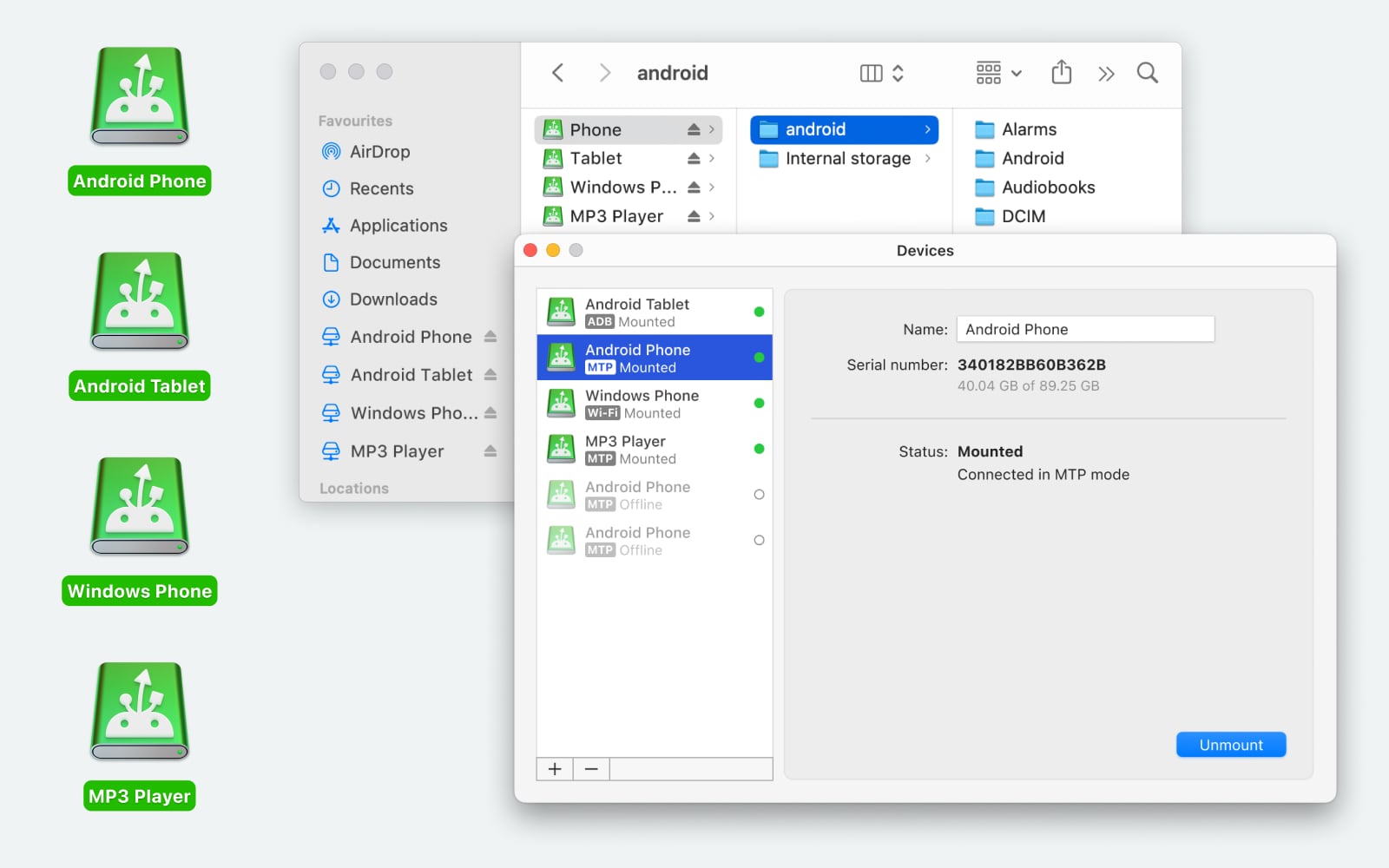
If OpenMTP gives you trouble, MacDroid is another option people talk about. It has a paid version, but there’s also a free tier. What makes it different is that it mounts your Android phone directly in Finder, like a regular external drive. Instead of using a separate app window, you just browse your phone in Finder and move files around like you would with a USB stick.
From what I’ve seen, it supports both USB and Wi-Fi connections, and you can transfer files both ways – Mac to Android and Android to Mac. It also lets you edit files directly on the phone without copying them over first, which can save time. In general, it feels more integrated into macOS and tends to handle system updates more smoothly.
Another option is NearDrop. This one works differently. It’s basically an unofficial Quick Share client for Mac. You don’t use a cable at all. It sits in your menu bar and waits for your Android phone to send something over Wi-Fi. For quick transfers – like sending a few photos – it’s surprisingly convenient. The downside is that it only works one way (phone to Mac), and both devices need to be on the same network. Still, for one-off sends, it’s handy.
 Final Thoughts
OpenMTP is a solid starting point if you just need a free USB file transfer tool between Android and macOS. For many people, it will do the job without much fuss.
If you run into device recognition issues or freezing during transfers, it might be worth looking at MacDroid for a more integrated experience, or NearDrop if you prefer wireless transfers. It really depends on how often you move files and how much troubleshooting you’re willing to deal with.
27 Likes
Short version: OpenMTP is “ok if you are patient,” not “trust it with a whole phone backup and walk away.”
My take after a few months:
- Stability and big transfers
- Under 2–3 GB total per batch, it behaves fine most days.
- Once you push big folders, like 30–80 GB photos or a full DCIM backup, it tends to:
- Hang on random files.
- Leave half written files on the Mac.
- Force you to restart the app or unplug and replug.
- I would not do a full, one shot backup of your phone with it and expect zero issues.
- Device detection
- Similar to what @mikeappsreviewer wrote, you sometimes fight with:
- Toggle MTP on phone.
- Change cable.
- Reopen the app.
- For me it fails to see the phone in maybe 15 to 20 percent of connections on Ventura and Sonoma.
- Once it sees the phone, a session is usually ok, but that first handshake wastes time.
- Everyday use vs backups
If your use is:
- Move some photos from last weekend.
- Drop a few music folders or PDFs.
Then OpenMTP is fine and the price is right.
For repeatable backups, like monthly DCIM plus WhatsApp plus Downloads, it turns into a chore.
What I do differently from @mikeappsreviewer:
- I do not even try to move single 4+ GB files with OpenMTP anymore. I split videos or use another method.
- I treat OpenMTP as a quick tool, not as my primary backup path.
- What to use for “serious” transfers
If you want something you can rely on for large batches, MacDroid has been a lot more predictable for me.
Key points:
- Android storage mounts in Finder.
- Any Mac app talks to it like it is a network drive.
- Fewer random freezes on 10+ GB moves.
- Handles OS updates better. I had fewer “it stopped working after the last macOS update” moments.
I still keep OpenMTP installed since it is free and sometimes handy, but if your question is “Is this safe for big, regular backups”, my honest answer is no.
My setup now:
- MacDroid for big, planned transfers and photo library dumps.
- OpenMTP as a backup option when I want a free app or I am on a different Mac.
- Wireless tools for small stuff.
If you try OpenMTP, test it with a 5–10 GB transfer first. If it gets through that without stalls on your Mac and phone combo, you might be fine for light daily use. For anything that matters, consider MacDroid or a second method in parallel.
Short version: OpenMTP is “fine but flaky,” and I would not trust it as the only tool for big, regular backups.
I’m mostly on the same page as @mikeappsreviewer and @cazadordeestrellas, but I’m slightly harsher on it for serious use.
Where I think OpenMTP is ok:
- Occasional photo grabs
- Copying a few videos or music folders
- Light day‑to‑day transfers when you’re sitting there watching it
Where it really falls apart for me:
- Full DCIM backups (tens of GB)
- One‑shot “everything on the phone” copies
- Any scenario where you want to click “copy,” walk away, and assume it’ll finish
On both Intel and Apple Silicon Macs I’ve seen:
- Device not detected until unplug / replug / toggle USB mode
- Random stalls mid‑transfer that just sit there forever
- Half‑copied files you only notice later
I actually disagree a bit with the idea that “if a 5–10 GB test works you’re fine.” In my experience, OpenMTP can behave for a test batch, then choke on some random 3.2 GB video in the middle of a 40 GB backup next week. Too much variability to be a backbone tool.
What worked better for me was:
- Treat OpenMTP like a free utility for quick manual moves
- Use something more stable for bulk transfers and backups
That’s where MacDroid came in. Since it mounts Android storage directly in Finder, it behaves more like a normal drive, and big transfers tend to be less drama. If you care about reliability and you do this often, MacDroid is frankly the more “set it and forget it” option, even if it’s not free.
If you want a practical setup:
- Keep OpenMTP installed for casual, “I just need these 50 photos” moments
- Use MacDroid for large backups and any transfer you’d really hate to redo
- On top of that, still have a cloud or app‑level backup (Google Photos, WhatsApp backup, etc.) so you’re not betting everything on MTP behaving
So yeah, OpenMTP is worth trying, not worth trusting alone for big, important backups.
Short version: OpenMTP is fine as a “tool in the box,” not fine as “the box.”
Where I’m close to @cazadordeestrellas / @boswandelaar / @mikeappsreviewer:
- Yes, OpenMTP is flaky with large, single‑shot transfers.
- Yes, device detection can be annoyingly inconsistent.
- Yes, it is perfectly serviceable for casual use.
Where I disagree a bit:
I actually find OpenMTP slightly more predictable if you structure your usage around its weaknesses instead of testing with a single 5–10 GB batch and extrapolating from that. For me, the key is avoiding huge monolithic jobs and reducing “weird” files in the queue.
How I’d position it:
When OpenMTP is worth using
- You mostly deal with:
- Recent photos in smaller batches (1–2 GB at a time).
- A folder or two of music or documents.
- You are prepared to:
- Watch the transfer.
- Retry a stuck batch without raging.
- You do not care if once in a while you need to unplug / replug.
Under those conditions, it is actually nicer than the ancient Android File Transfer, and unlike some people report, I have had weeks with zero crashes as long as I kept each batch manageable and avoided copying 4+ GB files directly.
When I avoid it entirely
- Full DCIM exports.
- Anything over ~15 GB in a single queue.
- “I need this to be done by the time I come back from lunch.”
That is exactly where a Finder‑mount solution like MacDroid has been more solid for me.
MacDroid: pros & cons from a “backup brain” perspective
Pros
- Mounts Android storage directly in Finder, so:
- Every Mac app can work with it like a network / external drive.
- You can resume or requeue files easily using your normal tools.
- Handles mixed workloads better:
- Lots of small photos plus a few big videos in the same copy job.
- Fewer random stalls during 10+ GB moves in my experience.
- Reacts more gracefully to cable wiggles or brief hiccups.
- Feels less fragile across macOS updates than OpenMTP.
Cons
- Not fully free, which matters if you only do this once a month.
- Still MTP under the hood, so:
- Not as bulletproof as a native mass‑storage drive.
- Browsing very large directories can feel a bit sluggish.
- Finder integration is a double‑edged sword:
- Great for power users.
- May feel overkill if you just copy a handful of files occasionally.
I would not say MacDroid is “perfect,” but if your main question is stability for recurring backups, it is the one that behaves more like infrastructure and less like a hobby tool.
How I would actually set this up
Instead of “OpenMTP vs MacDroid,” I would split roles:
-
Use OpenMTP when
- You are on a Mac where you cannot or do not want to install paid software.
- You are doing quick, supervised transfers under a few gigabytes.
- You want something open source and are okay with occasional annoyance.
-
Use MacDroid when
- You do monthly or weekly photo / video backups.
- You need to move entire app folders or multi‑gig projects.
- You want to drag and drop in Finder and then forget about it.
And crucial point that I think gets underplayed: for irreplaceable stuff, do not rely on any MTP tool alone. Use Google Photos, app‑level backups, or at least a second copy method in parallel. No cable solution on macOS + Android is reliable enough to be your only safety net.
So my answer to “New to OpenMTP, worth using?” would be:
- Yes, install it and keep it around.
- No, do not marry it.
- If large, regular backups are part of your life, let MacDroid handle those and make OpenMTP your sidekick, not the hero.
OpenMTP is ok if you are patient. Fine for 1 to 2 GB batches. Flaky on 10+ GB, big folders, and 4 GB files. Device detection fails about 15 to 20 percent on Ventura and Sonoma. MacDroid stays steadier for big, recurring jobs.
Simpler alternative, skip MTP. Use a USB C OTG flash drive. On your phone, plug the drive, open Files, move DCIM in 5 to 20 GB chunks. Unplug, connect to your Mac, copy into Photos or folders. No drivers, works offline. USB 3 speeds hit 80 to 150 MB/s. You will recieve fewer stalls and less fuss.