My iPhone storage is being taken up by media, and it won’t shrink even after I delete photos, videos, and messages. I’ve already tried restarting, clearing recently deleted items, and checking storage settings, but the media usage stays stuck. I’m looking for help figuring out what’s causing this and whether any free app or method actually works.
Storage full always seems to pop up at the dumbest time. I usually see it when I’m trying to grab a quick photo, install an app, or save a video I needed right then. Then I open iPhone Storage, spot a huge Media chunk, tap around, and get almost nothing useful back.
What “Media” usually means on iPhone
This part tripped me up first. A lot of people read Media and assume it means your photo library. It doesn’t work like that. Your camera photos and videos sit under Photos. Media is the other audio and video stuff.
From what I’ve seen, it often includes:
- Downloaded Apple Music tracks
- Spotify offline songs
- Netflix or other streaming downloads
- Saved podcast episodes
- Voice Memos
- Ringtones
- Audiobooks in Books
- Stuff synced from a Mac or PC through Finder or old iTunes
If you ever synced files from a computer, iPhone likes to bury those under Synced Media. On newer iOS versions, Apple tends to roll it into one big block, with no clean breakdown in the storage screen. So you end up staring at a number instead of a list.
Podcasts are a sneaky one. I found a pile of old episodes sitting there because auto-download was on. Some were months old. A few shows doing that in the background adds up fast.
Why Apple’s built-in view feels half-finished
I tried cleaning this up with only Settings and Photos. It was slow, and I still wasn’t sure what I had removed.
A few problems:
- You don’t get one simple list sorted by biggest file first
- Finding large videos takes too many taps
- Exact duplicates get some help, near-duplicates do not
- Old offline downloads stay buried in their own apps
- Synced media is hard to inspect
So if your storage problem comes from some forgotten 4K recording, an old movie download, or music synced from a laptop you stopped using two years ago, the default tools don’t make it easy.
Why most cleanup apps annoyed me
I went through a bunch of App Store cleanup apps. Same pattern almost every time. They scan for free, show you a giant number to scare you, then the delete button is locked unless you pay weekly. It feels like the scan is there to push the subscription, not to help.
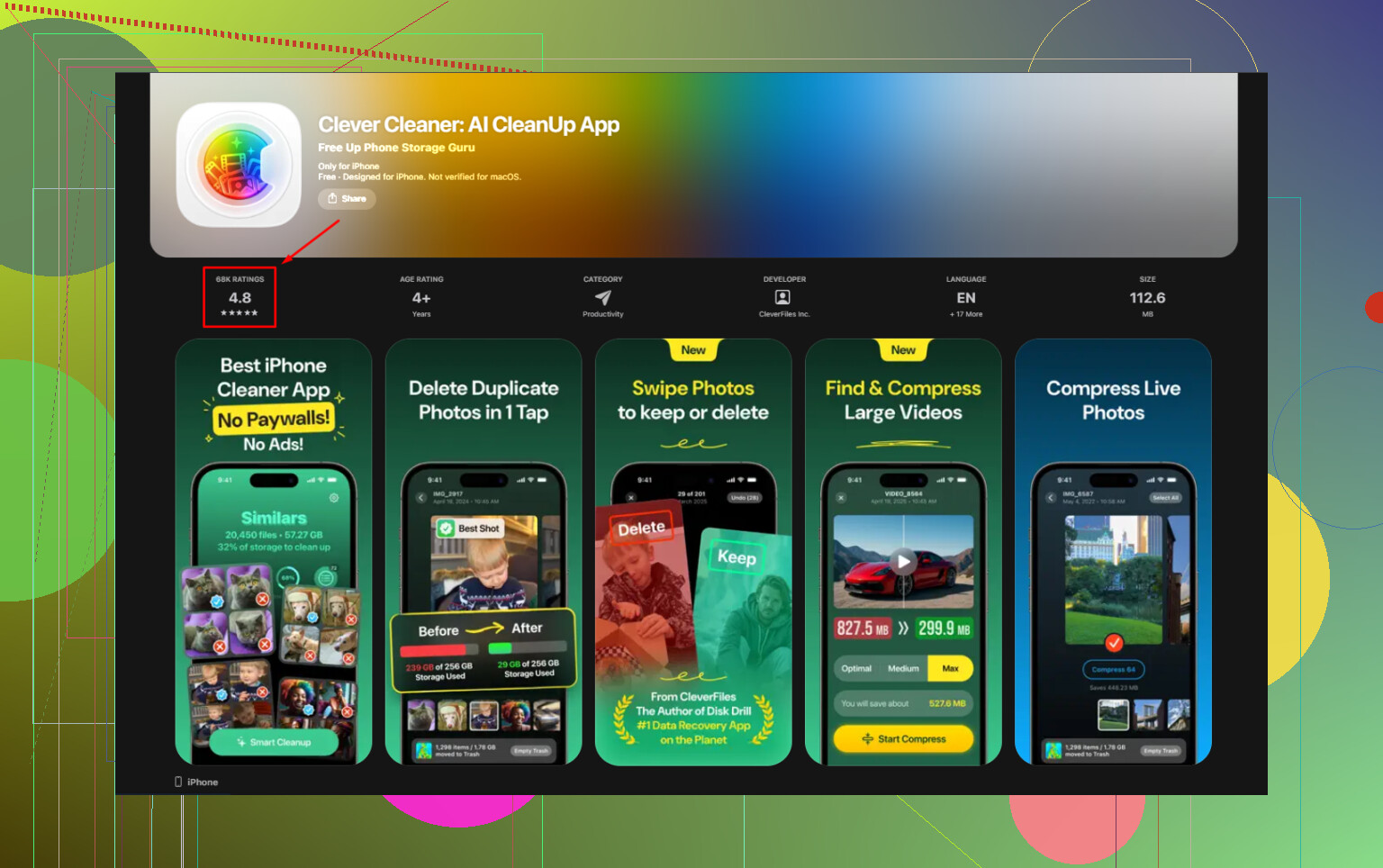
One app I didn’t hit that wall with was Clever Cleaner. No ads when I used it. No subscription screen. No paywall blocking the cleanup part. I noticed that fast because the usual bait-and-switch wasn’t there.
What I did to clear space
I’d start with the biggest files first. That moved the number faster than anything else.
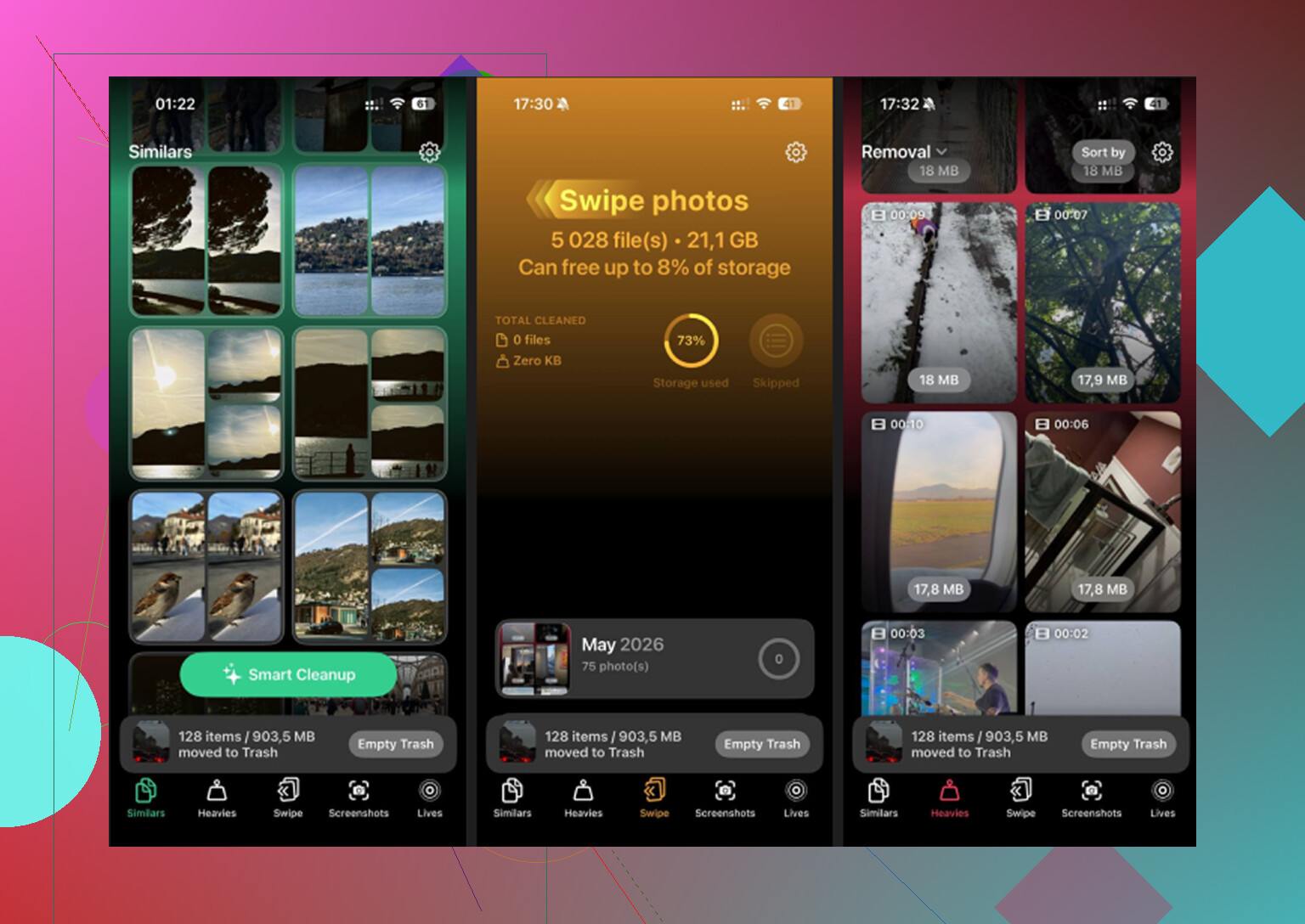
Heavies
This was the useful tab for me. It sorts media from largest to smallest and shows file sizes up front. If your storage bar is getting crushed by giant videos, you’ll see them right away. In my case, a couple old screen recordings and one long 4K clip were eating way more space than I guessed.
Similars
Apple’s duplicate detection is narrow. This grouped near-matches too. Good for those five shots of the same thing where only one is worth keeping. I had a ton of those from trying to get one decent pic in bad lighting. Kept one, dumped the rest.
Screenshots
This section was blunt, which I liked. You see the shots and their sizes. A lot of screenshots are temp junk, receipts, shipping info, passwords, memes, random parking spot photos. I had months of that stuff.
One other thing I cared about, the processing stayed on the phone. If your library has personal videos, private chats, banking screenshots, or work docs, that matters.
Manual cleanup I’d still do
Apps help, but some storage lives outside your photo library. I had to do a few boring manual checks too:
- Open Podcasts and turn off auto-download if you don’t need it
- Check old downloaded episodes and remove them
- Go to Settings > Messages > Keep Messages, switch it to 30 Days or 1 Year
- Open Netflix, YouTube, Spotify, or whatever else you use, remove offline downloads you forgot about
- Look at Voice Memos if you record meetings, notes, or music ideas
The one step people miss
This got me once. You delete a bunch of stuff, check storage, and the number barely moves. Looks broken. It kind of is, but there’s a reason.
Go to Photos, then Albums, then Recently Deleted, and clear it out.
Files sit there for 30 days and still count against storage until you remove them for good. If you skip that part, the cleanup won’t show the full result yet. For me, this was the step where the storage bar finally dropped for real.
If your Media category looks huge and vague, it’s usually old downloads, giant videos, audio files, synced leftovers, or screenshot clutter. I found the fastest path was: remove the biggest files first, kill podcast auto-downloads, clear offline app downloads, then empty Recently Deleted. That combo did more than poking around Settings for half an hour.
17 Likes
If the Media number will not drop, I would stop trusting the storage graph. iOS sometimes keeps the category stale for hours, and sometimes until the next index pass after charging. So no, it is not always a hidden file problem.
I agree with part of what @mikeappsreviewer said, but I don’t think “Media” is always solved by deleting more stuff in Photos. A lot of the time the issue is bad recaching from apps like Music, TV, WhatsApp, Instagram, or CapCut. Delete the app, reinstall it, and check storage again. This fixed 8 GB on my phone once. Annoying, but it worked.
A few things I’d try:
- Settings, General, iPhone Storage. Wait 2 to 3 minutes. Let it finish calcualting.
- Offload, then reinstall large streaming or editing apps.
- Sync with Finder on a Mac or iTunes on Windows once. Storage sometimes refreshes after a sync.
- Check Files app, On My iPhone, Downloads.
- If you use WhatsApp or Telegram, clear app media inside the app, not from Photos.
Free app wise, Clever Cleaner is one of the few worth trying for photo and video cleanup. It helps spot large files fast. It won’t fix stuck system reporting by itself though.
If you want a step walkthru, this iPhone storage cleanup video guide covers the process pretty well.
Free apps can help, but if the Media number is stuck, I honestly wouldn’t expect any app to magically “repair” iOS storage accounting. That’s where I slightly disagree with @mikeappsreviewer. Cleanup apps are good at finding junk fast, but they usually don’t fix the buggy storage bar itself.
What can help, besides what @waldgeist mentioned:
- Check Settings > General > Date & Time and make sure automatic time is on. Sounds dumb, but bad indexing can get weird if system time is off.
- Record a short video, then delete it. Weird little trick, but sometimes it forces Photos/storage to recalculate.
- If you use Apple Music or TV, sign out and back in after removing downloads. I had “ghost” media hang around until I did that.
- Check GarageBand, iMovie, CapCut, VN, InShot. Editing apps hoard exports, caches, and project media like little goblins.
- In Files app, also check “Recently Deleted” there, not just Photos.
- If you ever synced media from a computer, try connecting to Finder/iTunes and see if there’s old synced content still attached to the device.
As for free apps, Clever Cleaner is one of the few I’d actually bother trying because it helps surface large videos/screenshots without instantly smacking you with a paywall. Just don’t expect it to fix iOS being dumb.
If you want a decent breakdown before installing anything, this Clever Cleaner review for finding large photos and videos fast is easier to skim than most.
So yeah, free app for finding the storage hogs? Yes. Free app for forcing the Media category to budge every time? Probly not. That part is often just iPhone being iPhone.
I’m with @waldgeist on one thing: sometimes the graph lies. But I disagree a bit with @shizuka and @mikeappsreviewer on leaning too hard on cleanup apps for a stuck Media number. If the category itself is frozen, an app usually cannot repair Apple’s accounting.
What I’d check that hasn’t been stressed enough:
- Safari downloads and Reading List offline cache
- Mail app attachments and large local mailbox caches
- Music app with Sync Library toggled off then back on
- Device backup restore mismatch after iOS update
- Shared albums and downloaded originals from iCloud Photos
One sneaky fix: update iOS if you are even one minor version behind. I’ve seen storage recalc itself right after an update plus overnight charging.
Clever Cleaner is useful, but mainly as a finder tool.
Pros:
- free for basic cleanup
- good at spotting large videos and screenshot clutter
- simpler than digging through Photos manually
Cons:
- won’t force Media/System Data to refresh
- won’t clear caches inside every third-party app
- less helpful if the problem is synced or downloaded audio
So yes, a free app can help identify junk fast. No, it usually won’t magically make a stuck Media category budge. If the number stays frozen for days, I’d honestly back up the phone and consider a restore. That’s the boring fix, but it works more often than people want to admit.