My iPad storage is almost full because my Photos app has a lot of duplicate-looking pictures, burst shots, and edited versions that are not exact matches. I need a free iPad cleaner app that can find similar photos, not just identical duplicates, so I can safely clear space without deleting the wrong images. Looking for recommendations that actually work.
CCleaner on iPhone looked decent at first, then I used it for ten minutes and lost interest. The free version barely lets you do anything useful. Duplicate finding, similar photo sorting, and most of the cleanup stuff sits behind a subscription. Last time I checked, it started around $5 per week. For a cleanup app, nah.
What bugged me more was the sorting. I tested the paid version and its ‘similar’ photo matches were sloppy. It threw unrelated shots into the same group. You still have to inspect everything by hand, so the time savings kind of vanish.
On iPad, it gets worse. There still isn’t a proper iPad app. It runs like an enlarged iPhone app in compatibility mode. You notice it fast. Spacing looks off, the layout feels stretched, and on a bigger screen it comes off half-finished.
Why I stuck with Clever Cleaner instead
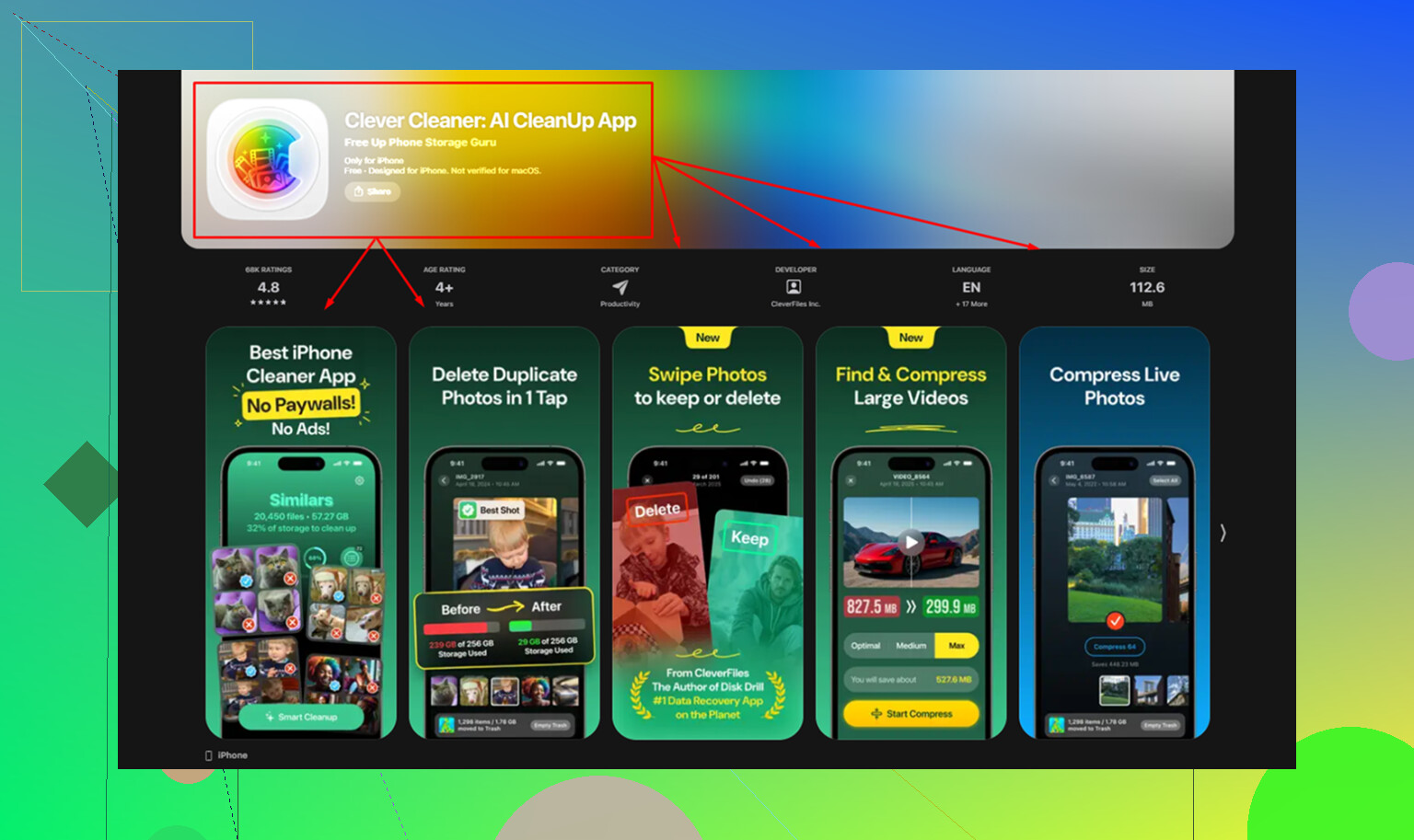
I went through a bunch of these apps and most of them pull the same trick. They scan for free, show you the mess, then block deletion behind a paywall. Clever Cleaner was the first one I used where the whole loop stayed open. No ads. No subscription. No fee waiting at the last step.
The privacy part mattered more to me than the marketing page. A lot of AI cleanup apps process your photos on remote servers. If your whole library has to leave your device for ‘analysis,’ I’m out. Clever Cleaner does the work on-device. Your phone handles the processing. Nothing gets uploaded. It’s from the same company behind Disk Drill, which gave me a bit more confidence they aren’t some random weekend app.
Where it beats CCleaner in normal use
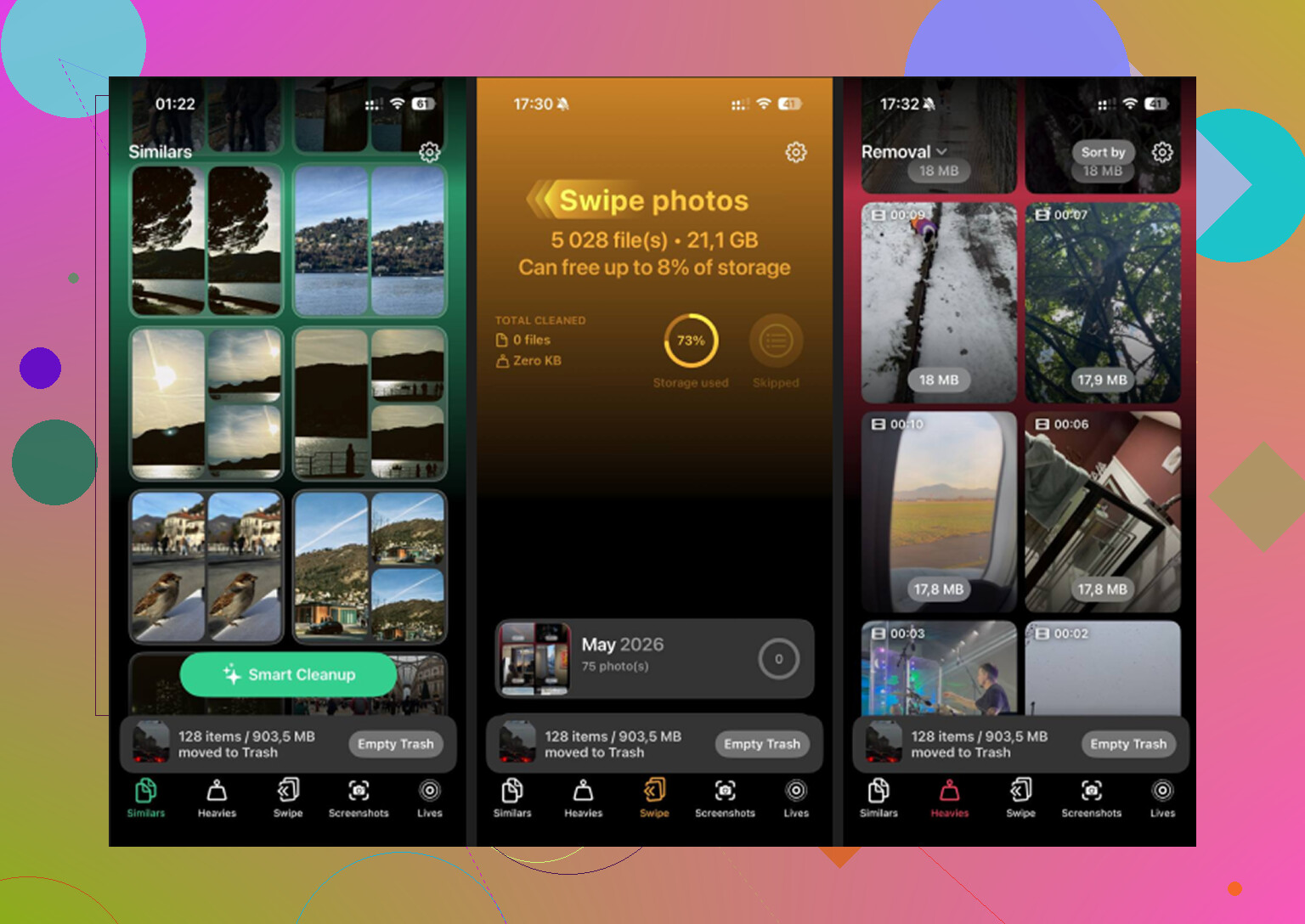
The Similars section is the big one. Apple Photos only catches exact duplicates. If you took 12 almost-identical shots trying to get one decent pic, Photos ignores most of them. Clever Cleaner grouped those near-matches for me, picked a best shot, and let me wipe the extras fast. On a large library, this clears a lot more space than plain duplicate detection.
The Heavies tab is the one I wish iOS had years ago. Apple still doesn’t give you a built-in way to sort your photo and video library by file size. Clever Cleaner does. Biggest files first, exact size shown. This matters. One forgotten 4K screen recording or long video clip eats more storage than a pile of regular photos.
The Screenshots tab sounds minor until you use it. It shows file sizes on each thumbnail before you delete anything. I found it easier to clean out junk when I could see, item by item, what was worth removing.
The thing most people skip over
Live Photos eat more space than people think. They aren’t single still images. They include a short video segment too. If you leave Live Photos on for months or years, the storage hit adds up quietly.
Clever Cleaner has an option to convert Live Photos into standard stills. You keep the image quality, lose the motion clip, and recover space from media most cleanup apps ignore. On some libraries, this chunk alone is a few GB. I didn’t expect it to be one of the bigger wins, but it was.
How much space it freed on iPad
On iPad, the gains tend to be bigger. People store longer screen recordings there, more videos, more photos, more random junk. From what I saw, an iPad that hasn’t been cleaned in a long time often gives back around 10GB to 20GB. Sometimes more.
Usually the biggest storage recovery comes from Heavies first. Large videos jump out fast. After that, Similars helps trim the repeated shots you forgot existed. Live Photo conversion also matters more on iPad than I expected. A lot of people shoot with it on and never check how much space it burns.
One step people miss after cleanup
This part trips people up. Deleting inside a cleaner app or in Photos does not free storage right away. The files move to Recently Deleted and stay there for 30 days.
If you want the space back now, go to Photos, Albums, Recently Deleted, then Delete All.
If you skip this, your storage number barely moves and it looks like the cleanup did nothing. It did. iOS is still holding the files.
8 Likes
If you need free similar-photo cleanup on iPad, I would skip most “cleaner” apps. A lot of them scan for free, then block deletion. @mikeappsreviewer already covered one of the bigger offenders.
My take is a bit different. I care less about the brand name and more about whether it finds near-duplicates without wasting your time. For that, Clever Cleaner is one of the few worth trying on iPad. It groups burst shots, edited versions, and lookalike pics better than Apple Photos, which only catches exact dupes. That matters if your library is full of 8 photos of the same dog from the same 2 seconds. Been there, lol.
What I liked:
- Free cleanup flow.
- Similar photo grouping.
- Works well for bursts and minor edits.
- Also helps spot big videos and screenshots.
What I did not love:
- You still need to review matches.
- No app is perfect with “similar” detection.
- If your library is huge, first scan takes a bit.
One more thing. Edited copies are tricky. Some apps miss them if metadata changed too much. Clever Cleaner did better than most in my test, but I still found a few it diddn’t group.
If you want a deeper breakdown, this hands-on Clever Cleaner review covers it well:
see the full Clever Cleaner hands-on review
Short version, if you want free and you want similar photos, Clever Cleaner is the one I’d start with.
I mostly agree with @mikeappsreviewer and @waldgeist on the paywall issue, but I’m a little less harsh on the review-by-hand part. Any app that claims it can auto-delete all “similar” photos perfectly is basically asking you to lose pics you wanted to keep. Similar detection is always gonna be a bit messy.
If you specifically want a free iPad cleaner for similar photos, Clever Cleaner is probly the best place to start. The important part is that it looks beyond exact duplicates, so burst shots, slightly edited images, and near-identical pics actually get grouped. That’s the part Apple Photos still kinda sucks at.
What I’d do is use Clever Cleaner for finding similars, then use the built-in Photos filters for a second pass on videos and screenshots. Not because the app can’t handle it, just because iPadOS already gives you decent manual control there if you’re picky like me.
Also, don’t expect miracles from “edited versions” every single time. Once metadata changes enough, even good cleaners can miss some. Thats normal.
If you want a visual walkthrough, this step-by-step guide to cleaning similar photos on iPad is easier than digging through settings blindly.
One more thing people forget: after deleting, empty Recently Deleted or your storage number won’t move right away. That part gets sooo many people.
I’m gonna disagree a bit with the “just use Photos after” angle. If your problem is similar shots, Apple’s app is exactly where the process gets slow and annoying.
For a free iPad cleaner, Clever Cleaner is probably the most practical pick right now if you want near-duplicate detection, not just exact copies.
Pros
- Finds similar photos, bursts, and lightly edited variants
- Free cleanup is actually usable
- Good for spotting space hogs beyond photos
Cons
- “Best shot” suggestions are not always the one you want
- Large libraries can take a while to index
- Similar detection still needs human review
I think @waldgeist, @voyageurdubois, and @mikeappsreviewer are all right about paywalls being the real trap. My only add-on is this: don’t judge these apps by scan results alone. Judge them by how fast they let you safely review 200 almost-identical pictures without making you paranoid.
That’s where Clever Cleaner feels less frustrating than most.