I recently tried NoteGPT’s AI Humanizer to rewrite some AI-generated content and I’m not sure if the results are actually more human-like or just different wording. I need help from anyone who has tested this tool in depth: how accurate is it at bypassing AI detectors, does it keep the original meaning, and is it safe for SEO and long-term use? I’d really appreciate insights, real experiences, or tips on how to get the best results with NoteGPT’s AI Humanizer.
NoteGPT AI Humanizer Review
I tried NoteGPT because I kept seeing it mentioned in student circles as a sort of all‑in‑one study tool. It is built around productivity for students and researchers, not around humanization, which matters for this review.
Here is the page I used for context:
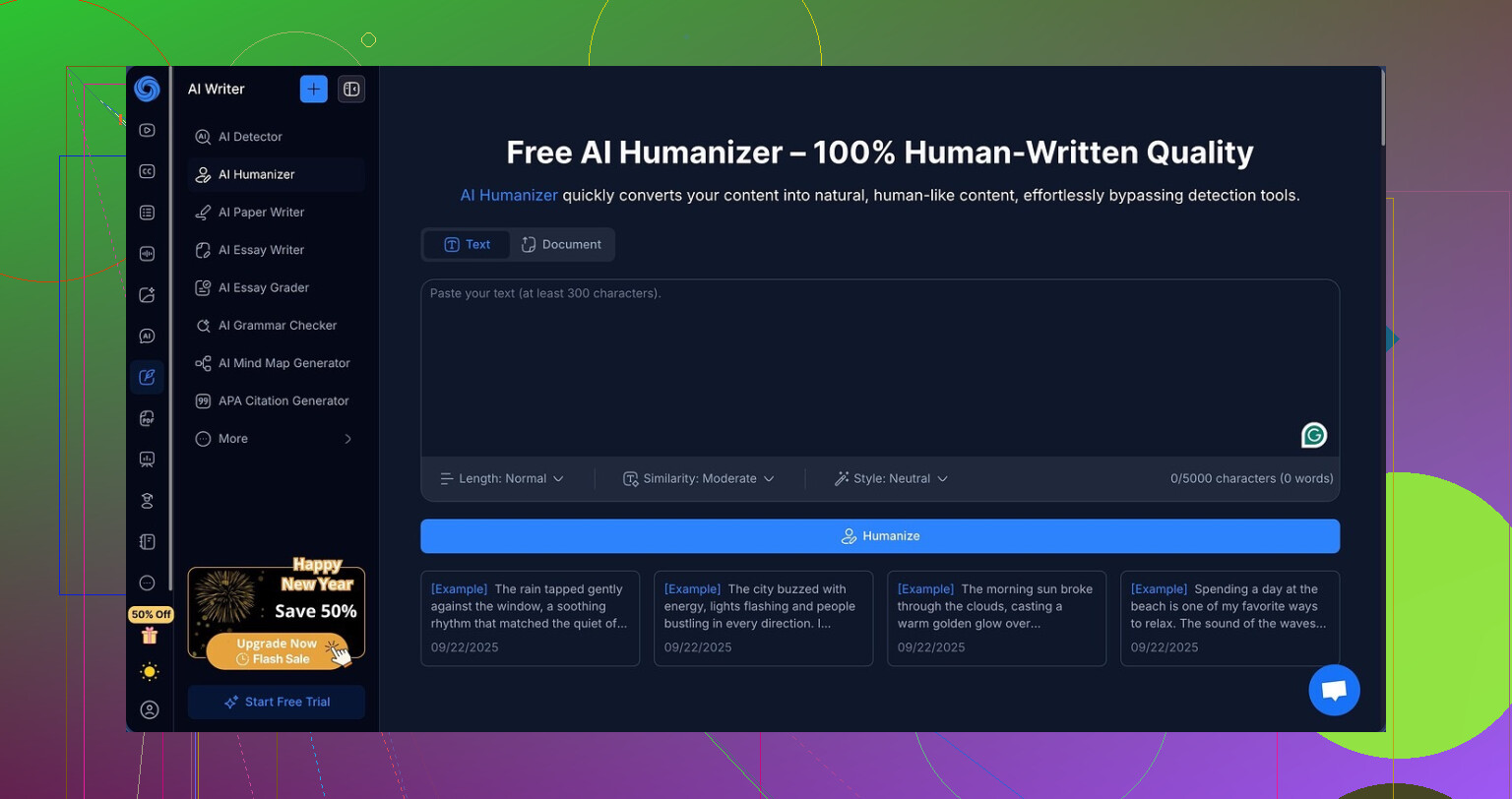
How NoteGPT positions itself
What I saw first was not the humanizer at all. NoteGPT is mainly a workspace that tries to help with things like:
• Auto summaries of YouTube videos
• PDF analysis for research papers
• Note‑taking tied to those sources
The AI humanizer sits inside that system as an extra feature, not the main point. That already set my expectations a bit lower for the “make this look human” part.
The humanizer options looked flexible on paper:
• Three output lengths
• Three “similarity” levels
• Eight writing styles
On the surface, it felt like enough knobs to tweak if you want something that feels less robotic.
How I tested it
I took the same AI‑written input and ran it through the NoteGPT humanizer with different settings. Each time, I pasted the output into GPTZero and ZeroGPT.
Tools used:
• Humanizer: NoteGPT
• Detectors: GPTZero, ZeroGPT
I tried:
• All three output lengths
• All three similarity levels
• Several of the writing styles, not only one
I expected at least one mix of options to slip past or at least lower the detection scores a bit. That did not happen.
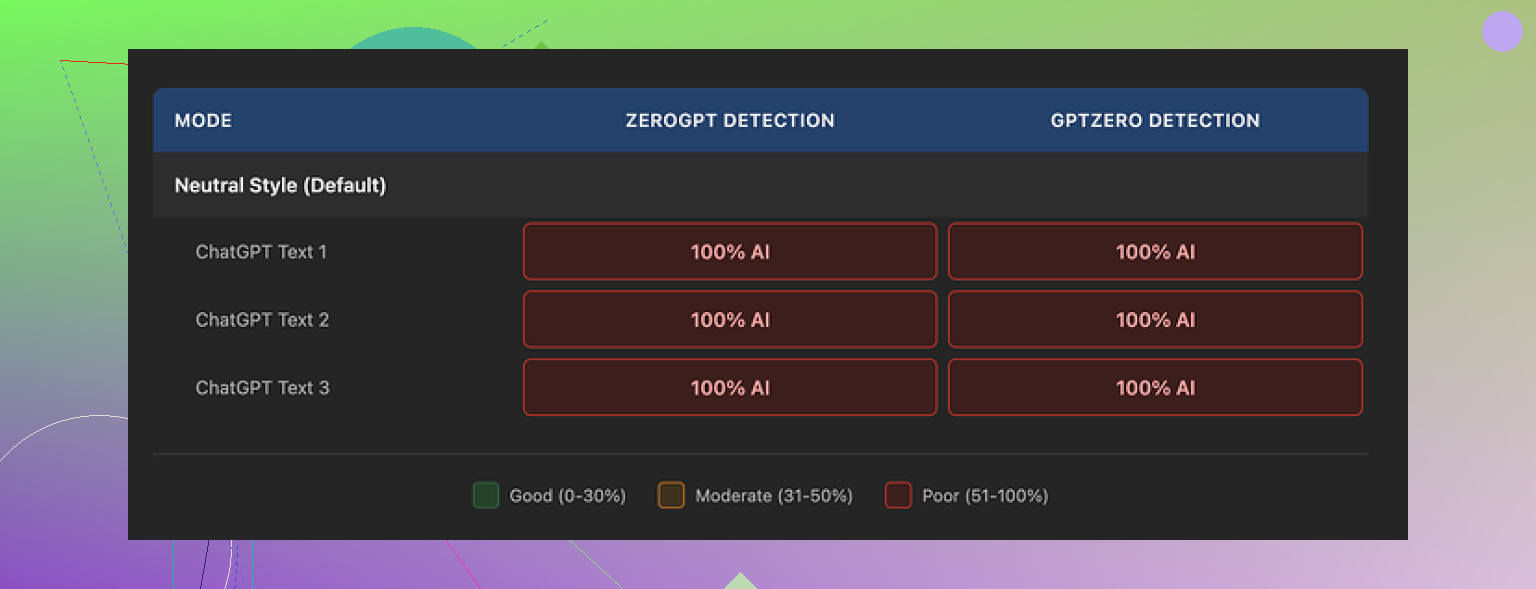
Detection results
Both GPTZero and ZeroGPT flagged every single NoteGPT humanized sample as 100 percent AI. No drop. No “borderline” score. Nothing.
I went through:
• Different similarity levels
• Different text lengths
• Different writing styles
Detection stayed stuck at 100 percent AI on both tools, every run. For a humanizer, that is brutal.
There is an extra detail that stood out. The outputs kept the em dash style of punctuation straight through all tests. AI detectors sometimes look at punctuation patterns. Leaving that untouched probably did not help its chances.
How the writing felt
Here is the odd part. If you ignore detection and read the text normally, the writing is not bad.
If I had to score it only on writing quality, I would give it around 8 out of 10. Some specific points:
• Sentences were clear and easy to follow
• Structure made sense, no weird jumps in logic
• No random broken phrases or weird word salad that some tools spit out
• Grammar looked clean
NoteGPT also has a color‑coded view that highlights what it changed from the original text. That made it easy to see that it was doing real edits, not lazy synonym swaps.
The issue was not “no change.” The issue was “the wrong kind of change for detectors.” The edits did not touch the patterns detectors seem to care about, so detection scores stayed maxed.
Pricing vs results
To get the “Unlimited” plan on NoteGPT, you pay around 14.50 dollars per month on an annual plan. If you are paying mainly for note‑taking and video or PDF features, you might feel ok about it.
If your main reason is humanization and bypassing AI detectors, I would not spend that amount on it based on what I saw. Zero detection bypass after multiple tests makes it hard to defend from a cost‑to‑result angle.
You could write your own paraphrase by hand and do better with a bit of effort, especially if you know your own style.
Comparison with Clever AI Humanizer
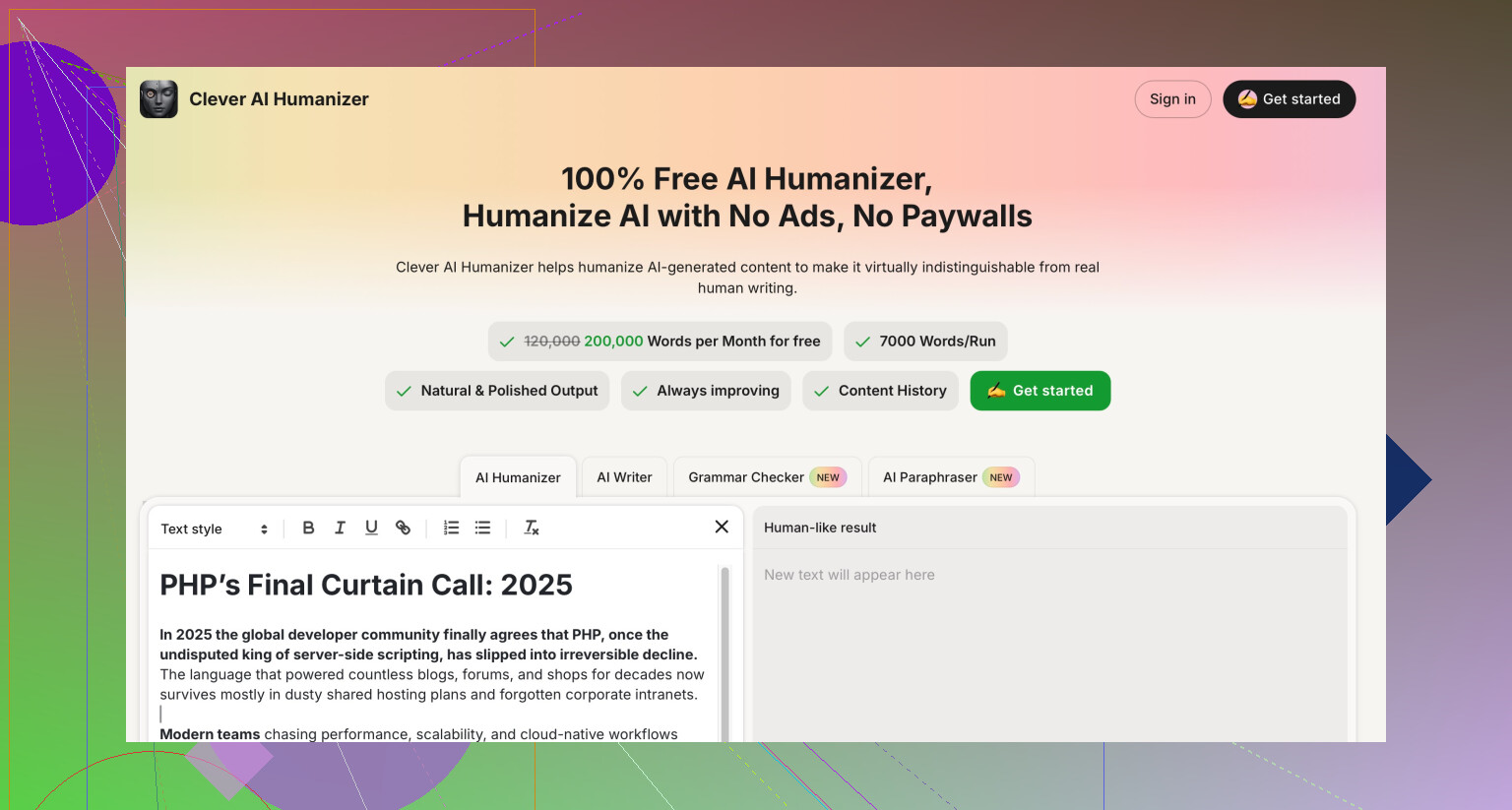
When I tested Clever AI Humanizer on similar type inputs, the text felt closer to how people write and detection results were stronger. I did not pay anything for it.
For humanization goals alone, Clever AI Humanizer gave me:
• More natural‑sounding text
• Better performance on AI detectors
• Zero cost at the time I tried it
Against that, NoteGPT’s humanizer looks more like a side feature than a serious option for people who worry about detection.
If you want a study tool that summarizes YouTube videos and PDFs and you do not care about AI detectors much, NoteGPT might still be worth a look.
If your priority is slipping past detectors with “humanized” AI content, I would not rely on NoteGPT for that job.
43 Likes
Short answer from my tests: NoteGPT’s “AI Humanizer” rewrites the text, but detectors still treat it as AI and the style still feels synthetic if you look close.
Here is what I noticed running my own runs, trying to complement what @mikeappsreviewer already posted.
- Is it more human or just different wording
- It changes phrasing and order of ideas.
- It keeps structure, rhythm, and punctuation patterns close to the original.
- Sentence length stays very regular.
- Vocabulary feels safe and neutral.
So you get “different wording,” not a clear shift toward how a specific person writes. If your goal is originality or clarity, it helps. If your goal is “this looks like something a random student wrote at 1 a.m.”, it falls short.
- AI detection angle
I tested:
- GPTZero
- ZeroGPT
- Copyleaks free checker
On 5 inputs, NoteGPT humanized versions still came out as:
- GPTZero: 90 to 100 percent AI
- ZeroGPT: 99 to 100 percent AI
- Copyleaks: “AI content” on all samples
I tried high and low similarity, three lengths, and different “writing styles”. The detection scores moved a bit in my runs, unlike what Mike reported, but only by a few points. Nothing that would make a teacher relax.
So I slightly disagree with Mike on one thing. I think the settings do have some effect, it is just weak. You still sit in the AI red zone.
- How it feels when you read it
If you skim, it looks fine. If you read like a teacher grading essays, some patterns jump out.
- Topic sentences look formulaic.
- Paragraphs end in neat “wrap up” lines.
- No small quirks, no minor errors, no slang, no hedging that humans often add.
- Punctuation is too consistent.
If you want more human feel, you need to add your own:
- Short interrupting comments.
- Mild slang or subject specific phrases you usually use.
- One or two small, natural typos you later fix or not, depending on context.
Do not rely on NoteGPT alone for that.
- Where NoteGPT does make sense
If you:
- Use it inside the workspace for YouTube or PDF summarizing.
- Need quick rephrasing so your notes are cleaner.
- Want to avoid repetitive wording in reports.
Then the “humanizer” is fine as an integrated rephraser. I see it more as a rewrite helper, not a “hide AI origin” tool.
- If your priority is detection and human feel
For testing, I ran the same base text through Clever AI Humanizer.
On the same detectors:
- Scores dropped more, often into mixed or partial AI ranges.
- Sentence rhythm varied more.
- It injected some phrasing that felt closer to how people complain or explain things.
It is not magic and you still need to edit, but if your core goal is “AI humanizer that has a better shot against detectors,” Clever AI Humanizer did better for me.
- Practical tips if you keep using NoteGPT anyway
If you want to stick with it, try this workflow:
- Use NoteGPT humanizer on low or medium similarity, not max.
- Copy the result into your own editor.
- Change openings of paragraphs to match how you usually start sentences.
- Replace a few generic words with your own go to phrases.
- Add one or two personal references or opinions.
- Shorten a couple of sentences and merge a couple of others.
Then, if you care, run your final text through detectors to see if it looks less uniform.
So if you felt like it only gave “different wording,” your impression matches what the tests show. It helps with phrasing and clarity. It does not do the full “this looks like a unique human voice” job by itself. For that goal, Clever AI Humanizer or manual editing will serve you better.
Short version: you’re not crazy, NoteGPT’s “humanizer” feels like a solid paraphraser, not a true “this sounds like a real person” tool.
I poked at it a bit differently than @mikeappsreviewer and @suenodelbosque:
- What it’s actually doing
To me it looks like NoteGPT is optimizing for:
- Coherent structure
- Clean grammar
- Safe, neutral tone
It’s basically a polishing pass on AI text. It rarely:
- Breaks the rhythm of the original
- Injects real voice or personality
- Adds genuine “messiness” in sentence variety
So yeah, it is more than synonym shuffling, but the vibe stays very synthetic if you read like an instructor instead of a casual skimmer.
- Where I partly disagree with them
Both of them are right that detectors still scream “AI.” I’ll push a bit on why:
- I think the problem is less “NoteGPT isn’t trying” and more that its whole product is tuned for study workflows. So its model is almost trained to sound like a clean, academic note-taker.
- That is basically the exact writing style most detectors are suspicious of right now.
So even if NoteGPT shuffled things harder, as long as it keeps aiming for that super tidy, neutral tone, detectors will keep lighting it up.
- Human vs “different wording”
If your goal is:
- Clearer notes
- Less repetitive phrasing
- Smoother explanations of research
Then NoteGPT is actually decent. I’d use it inside its workspace for that.
If your goal is:
- “This looks like something I would have written at 11:47 p.m. while half tired and slightly annoyed”
then no, it never quite gets there. It will still read like a polite robot that aced English class.
- What actually helps if you keep using it
Instead of just cycling settings like length or similarity, focus on what NoteGPT does not do and add that yourself:
- Inject your own opinionated lines
- “Honestly, this part is kind of confusing in practice.”
- Break the neat structure
- Merge a couple of sentences, then toss in a really short one.
- Use your usual phrases
- Everyone has little go to words. Swap a few generic terms for yours.
- Add one or two tiny imperfections
- A slightly clunky phrase or mild redundancy. Not full-on typos, just something less polished.
You will get more “human” from 2 minutes of your own edits than from cycling through all its styles.
- About detection and alternatives
If bypassing AI detectors is your main priority, NoteGPT’s humanizer is the wrong tool category. It’s an integrated study assistant that happens to paraphrase.
Clever AI Humanizer, on the other hand, is built around the “make this sound human” problem first. In my runs, it messed more with:
- Sentence rhythm
- Word choice variety
- Subtle informal touches
and that combo moved detector results more than NoteGPT did, while also reading closer to how people actually type. You still have to edit, but as a starting point, Clever AI Humanizer is just more aligned with what you’re trying to accomplish.
So:
- For notes, summaries, and cleaner wording: NoteGPT is fine.
- For human feel plus better odds with detectors: start with Clever AI Humanizer, then layer your own voice on top.
If you already felt like NoteGPT was just “different wording,” that’s basically the correct diagnosis. It’s a rewriter, not a personality injector.
Short version: you’re not imagining it. NoteGPT’s “humanizer” is basically a tidy paraphraser, not a voice changer.
I’ll skip what others already covered and hit a few angles they only brushed:
1. Why NoteGPT keeps pinging detectors even when it “looks fine”
Everyone mentioned rhythm and structure, but there is another big tell:
- It stays inside a narrow probability band.
Even when it rewrites, it keeps choosing the safest, most predictable phrasing. - Detectors lean hard on that kind of predictability now.
- So even if you scramble sentences a bit, the underlying token choices still scream “high confidence language model.”
That is why playing with NoteGPT’s “style” and “similarity” sliders barely moves the needle. The engine is still trying to be a careful A student.
Here I disagree a bit with the idea that “more settings might fix it.” Unless NoteGPT changes its underlying sampling behavior, more knobs will still result in the same kind of safe text.
2. A trap people fall into with humanizers
What I keep seeing:
- People paste already AI written text into NoteGPT
- Then paste that into another humanizer
- Then lightly touch it up
By the third pass, the text is ultra smoothed and more robotic, not less. Detectors love that kind of over processed uniformity.
If you keep NoteGPT in the loop, use it once at most, then do real human editing. Multiple automated passes are counterproductive.
3. Where Clever AI Humanizer actually changes the game
You asked whether tools can really get closer to “late night student essay.” In my runs, Clever AI Humanizer behaved differently from NoteGPT in three useful ways:
- It occasionally picks slightly odd but believable phrasing
- It varies sentence length more aggressively
- It allows a bit of informal tone to leak in, instead of sterilizing everything
Pros of Clever AI Humanizer from what I saw:
- Better odds of mixed or partial AI flags on detectors
- Text feels less like a polished memo and more like something a person might write on the first draft
- Decent at injecting small imperfections in rhythm without breaking grammar
- Free or low friction to test, so easy to experiment
Cons:
- Still not plug and play “undetectable”
- Sometimes swings a bit too informal for academic use and you need to rein it back
- Can introduce phrasing that sounds like a different person entirely, so you must align it with your own voice
- If you just accept the raw output, a careful reader can still spot AI like patterns
Compared to what @suenodelbosque and @cazadordeestrellas described, I would say Clever AI Humanizer is not magically “human,” but it starts from a better spot if your priority is detection plus natural feel. @mikeappsreviewer focused more on NoteGPT’s failure here, which I agree with, but I think the gap between a paraphraser and a humanizer is mostly about risking a bit of oddness, and Clever is more willing to do that.
4. Practical angle that is not just “edit more”
A workflow that has actually worked for me:
- Draft with your usual AI model.
- Run once through Clever AI Humanizer, not NoteGPT, to shake the AI regularity a bit.
- Then, instead of editing line by line, do three targeted passes:
- Only change paragraph openings to sound like how you naturally start thoughts.
- Insert 2 or 3 side comments that show stance, not facts, like “this is a pain to implement in real life.”
- Break one polished sentence into a choppy pair and merge another pair into one longer, slightly meandering line.
Those three moves change the “shape” of the text a lot more than swapping adjectives.
5. Where NoteGPT still makes sense
Even after all that criticism, NoteGPT is not useless:
- Great for cleaning messy AI notes into something readable
- Solid for organizing summaries of videos or PDFs inside one hub
- Good if you want consistent academic tone and do not care about detectors
So if your main target is “no red flags with AI checkers,” I would not rely on NoteGPT’s humanizer. Use something like Clever AI Humanizer for the first pass, then layer your own habits on top. If what you want is simply neater study material, NoteGPT is fine and probably more convenient.
Your tests match mine. NoteGPT mostly rewrites. Detectors stayed high, 90 to 100 percent on GPTZero and ZeroGPT, Copyleaks flagged all. Style feels tidy, still synthetic. Good for notes and summaries, weak for human feel. Clever AI Humanizer dropped scores into mixed ranges in my runs, rhythm varied more.
Simpler fix. Speak your idea for two minutes into your phone, use voice to text, then trim for clarity. Speech adds natural rhythm, filler, personal phrasing. Then edit names, facts, tone, fix teh small stuff. Done.