I’ve been testing the Clever AI Humanizer tool on different types of AI‑generated content, from blog posts to emails, and I’m getting mixed results. Sometimes it sounds natural, other times it feels obviously AI or even changes my intended meaning. Can anyone share honest, real‑world feedback on how reliable this tool is, what settings or workflows work best, and whether it’s safe for long‑form, SEO content without hurting authenticity or rankings?
Clever AI Humanizer: My Actual Experience Using It (With Tests)
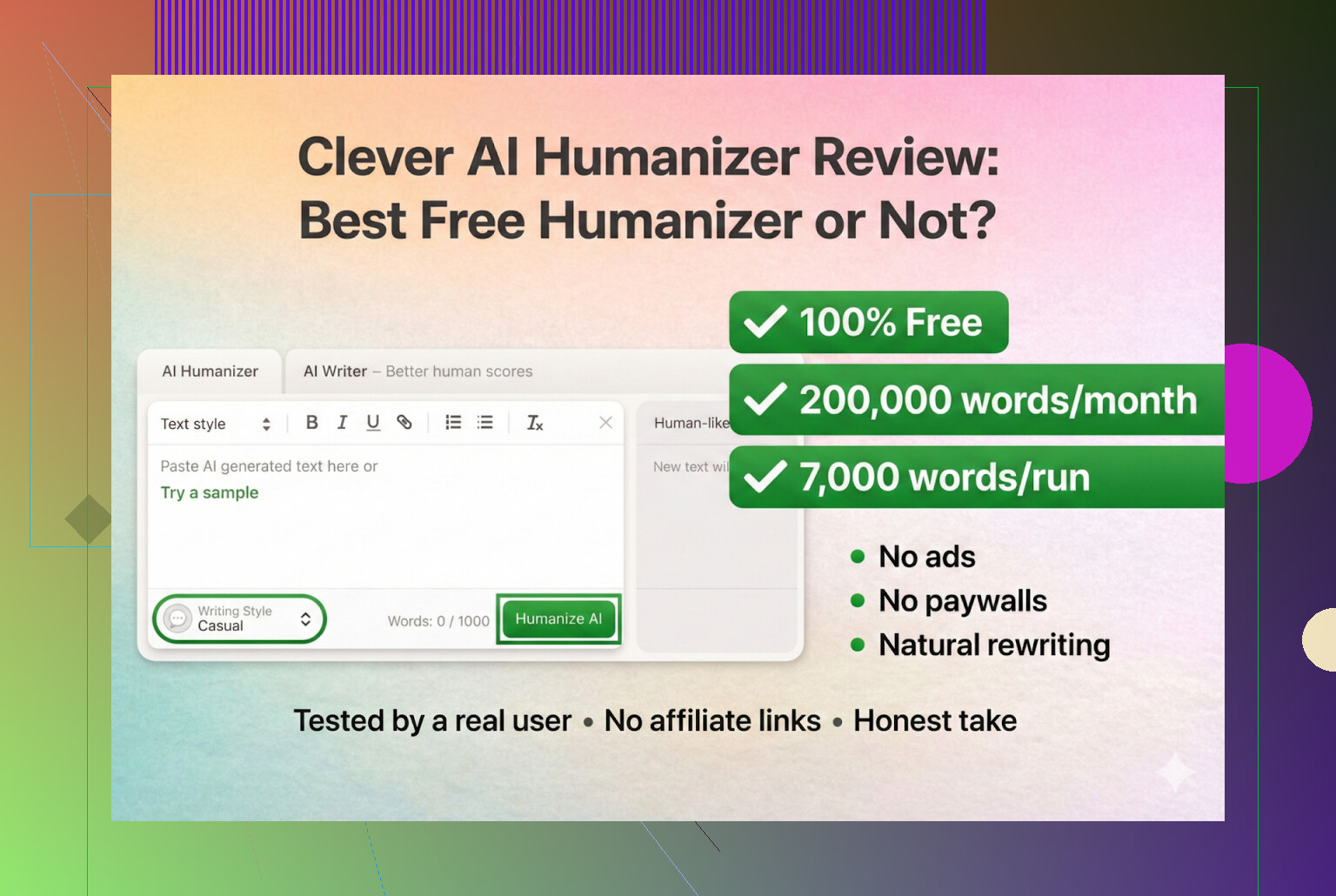
I’ve been messing around with AI “humanizers” for a while now, mostly because professors, clients, and random platforms are getting way more serious about AI detection. Half the tools are pure marketing, the other half break your writing so badly you’d never submit it.
So I decided to properly test Clever AI Humanizer, which lives here:
https://aihumanizer.net/
That one is the real site, not some clone, not a fake paywall trap.
Quick warning about fake “Clever AI Humanizer” sites
A bunch of people DM’d me asking for the actual Clever AI Humanizer URL, which is how I realized something weird was going on. Turns out:
- Other sites are buying ads on the “Clever AI Humanizer” name in Google
- People click those, think it’s the same tool
- Suddenly they’re stuck in some “premium” or subscription funnel
For the record:
As far as I’ve seen, Clever AI Humanizer has never had a paid or premium plan. No upsell screen, no monthly charges, nothing like that. If you land somewhere that wants a credit card “for Clever AI Humanizer,” you’re not on the real site.
Real one again: https://aihumanizer.net/
How I tested it
I wanted to remove my own writing style from the equation, so I did the following:
- Asked ChatGPT 5.2 to generate a fully AI-written article about Clever AI Humanizer.
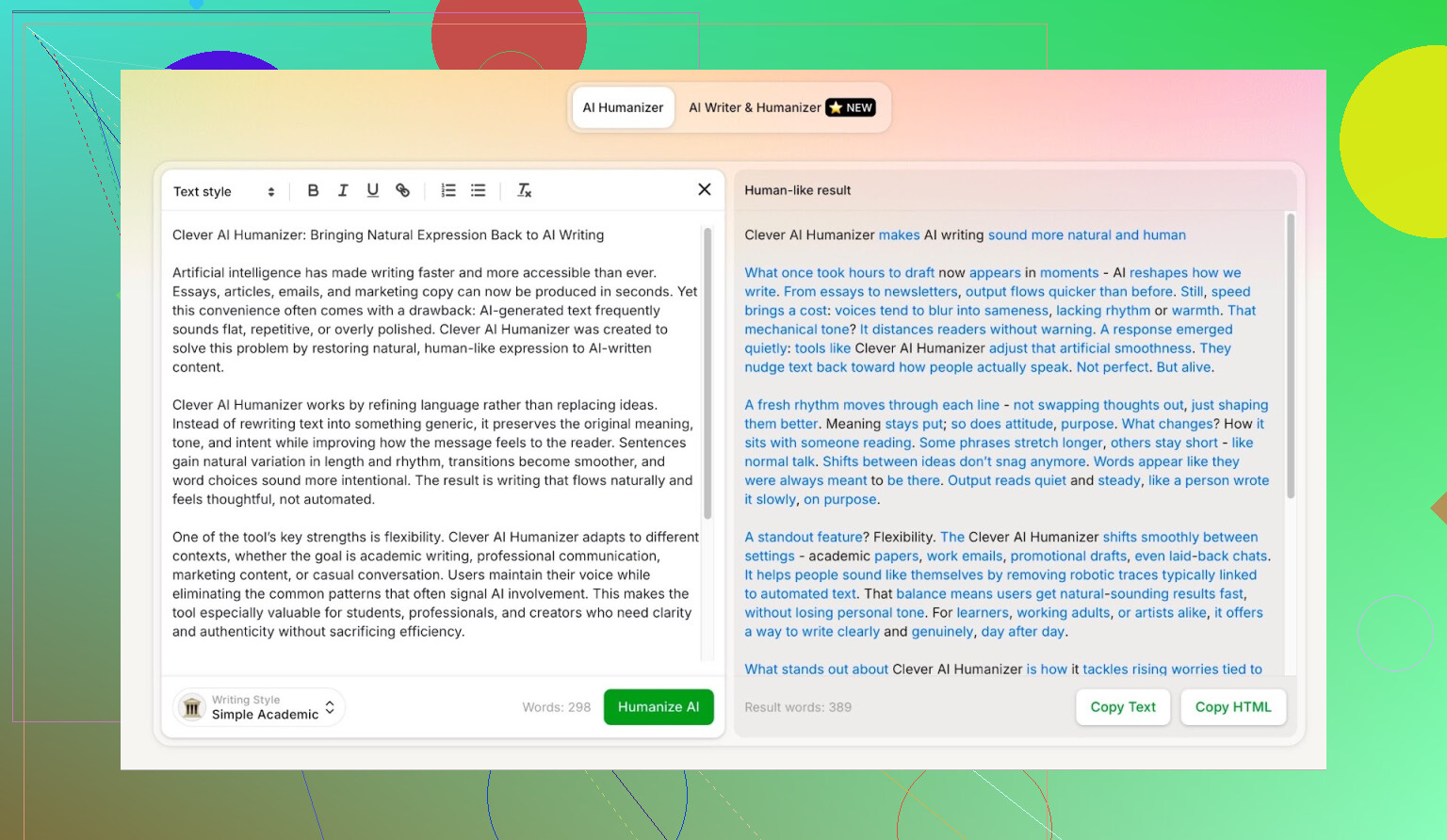
- Took that raw AI text and pasted it into Clever AI Humanizer.
- Chose the “Simple Academic” mode.
- Ran the result through multiple AI detectors.
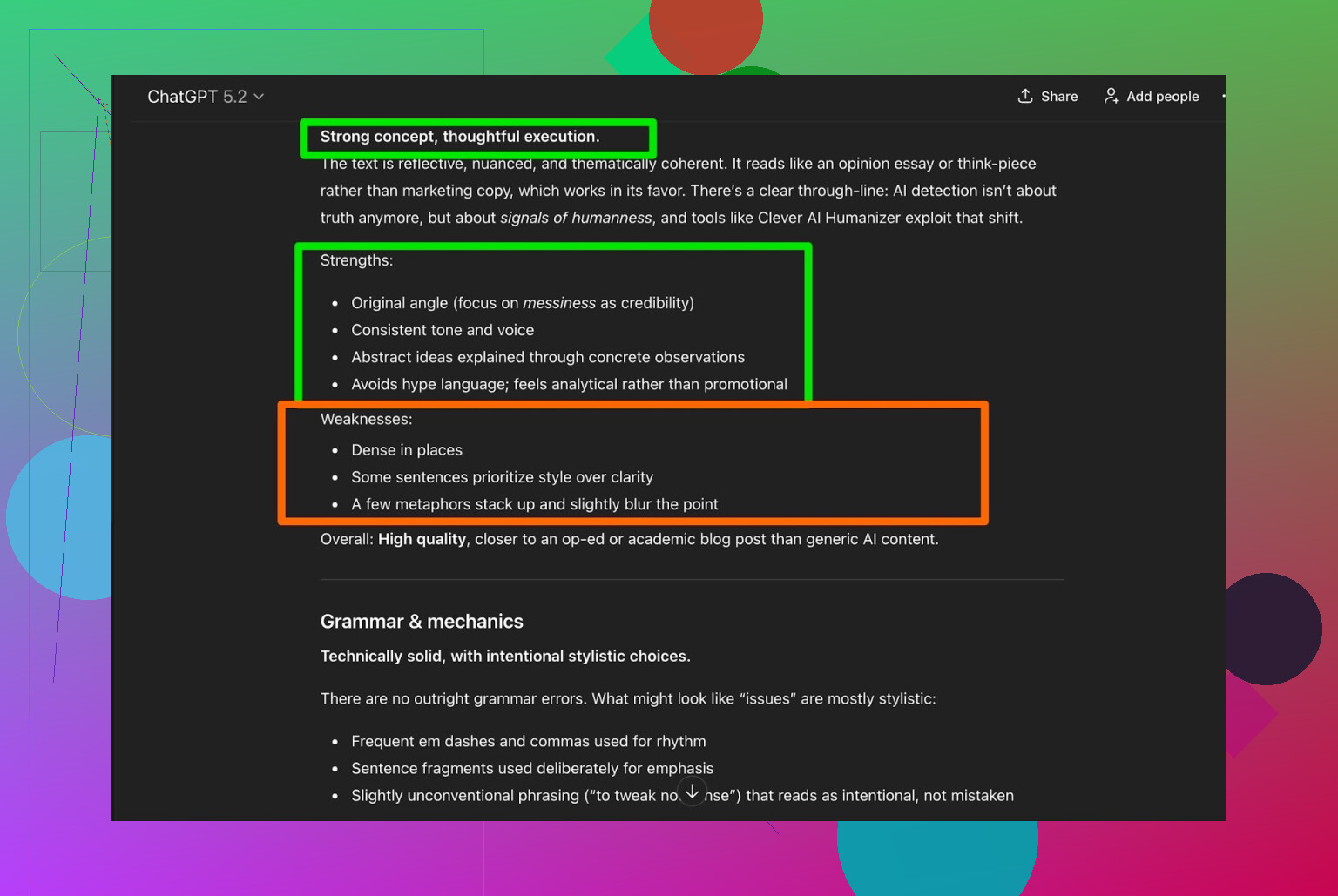
- Then asked ChatGPT 5.2 itself to judge the rewritten text.
Why “Simple Academic”? Because:
- It tries to sound somewhat academic without going full “research paper”
- That style is consistently hard for humanizers to pull off
- Detectors tend to laser-focus on structured, neutral, slightly formal text
So yeah, I basically threw it into a worst-case scenario.
Detector test: ZeroGPT
First stop was ZeroGPT.
I don’t put a ton of faith in this one, mostly because it has flagged the U.S. Constitution as “100% AI” before, which is wild. But it is still one of the most Googled detectors, so I included it.
Result for text processed with Clever AI Humanizer in Simple Academic mode:
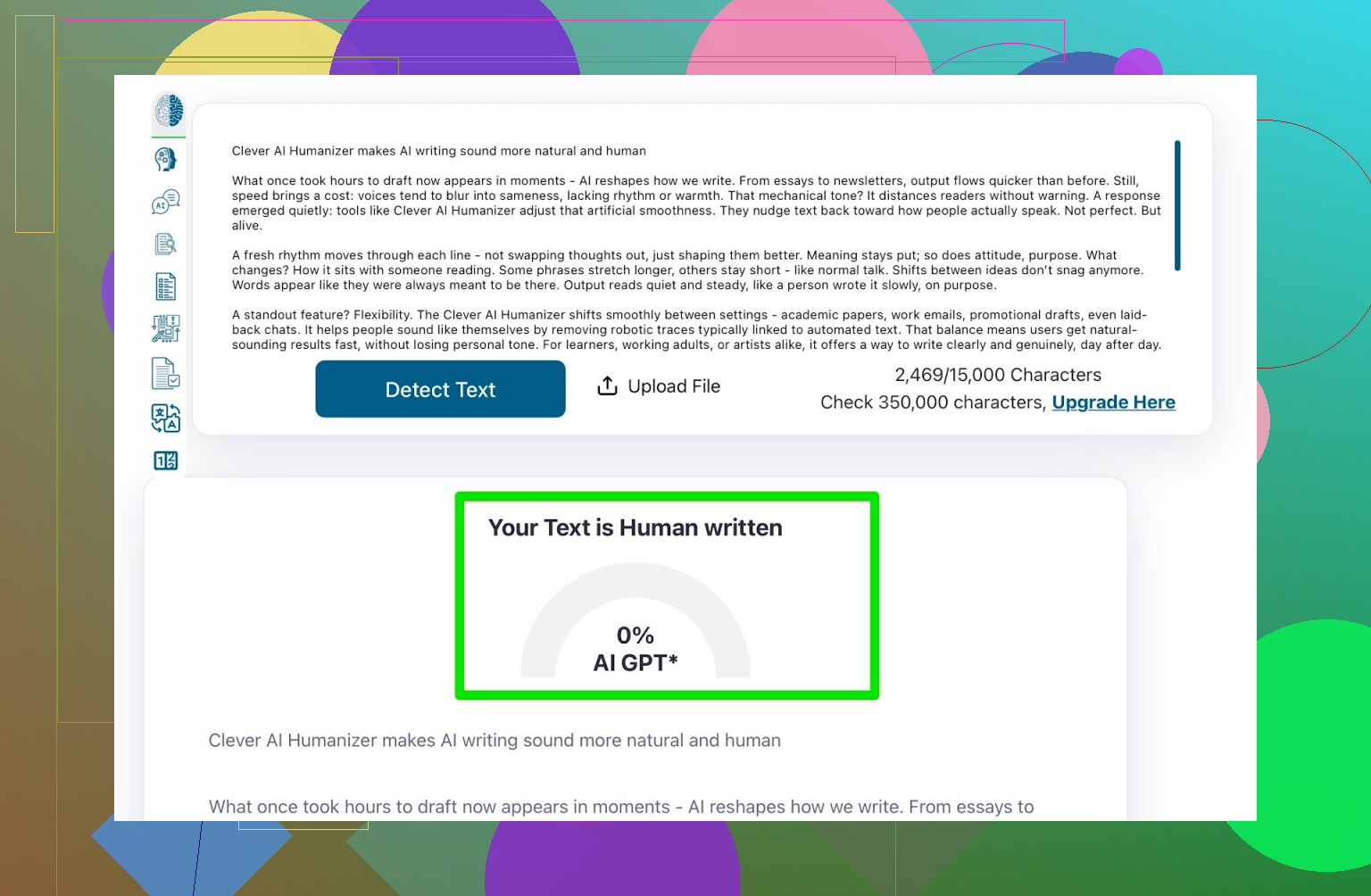
ZeroGPT: 0% AI
So according to it, the text was fully human.
Detector test: GPTZero
Next up was GPTZero, which is probably the second most commonly mentioned checker right now.
Result:
GPTZero: 100% human, 0% AI
That’s pretty much the best you can ask for from a detector like that.

So at that stage:
- The original AI text was fully machine-written
- Clever AI Humanizer rewrote it
- Two major detectors both called it human
But that’s only half the story.
Okay, but does the text actually read well?
If you’ve ever used those “AI undetectable” tools that churn out half-broken English, you know the game. They’ll pass detection sometimes, but the text is awkward, repetitive, or full of weird phrasing.
So I did one more check:
- Took the rewritten text from Clever AI Humanizer
- Fed it back into ChatGPT 5.2
- Asked it to assess grammar and overall quality
ChatGPT’s verdict:
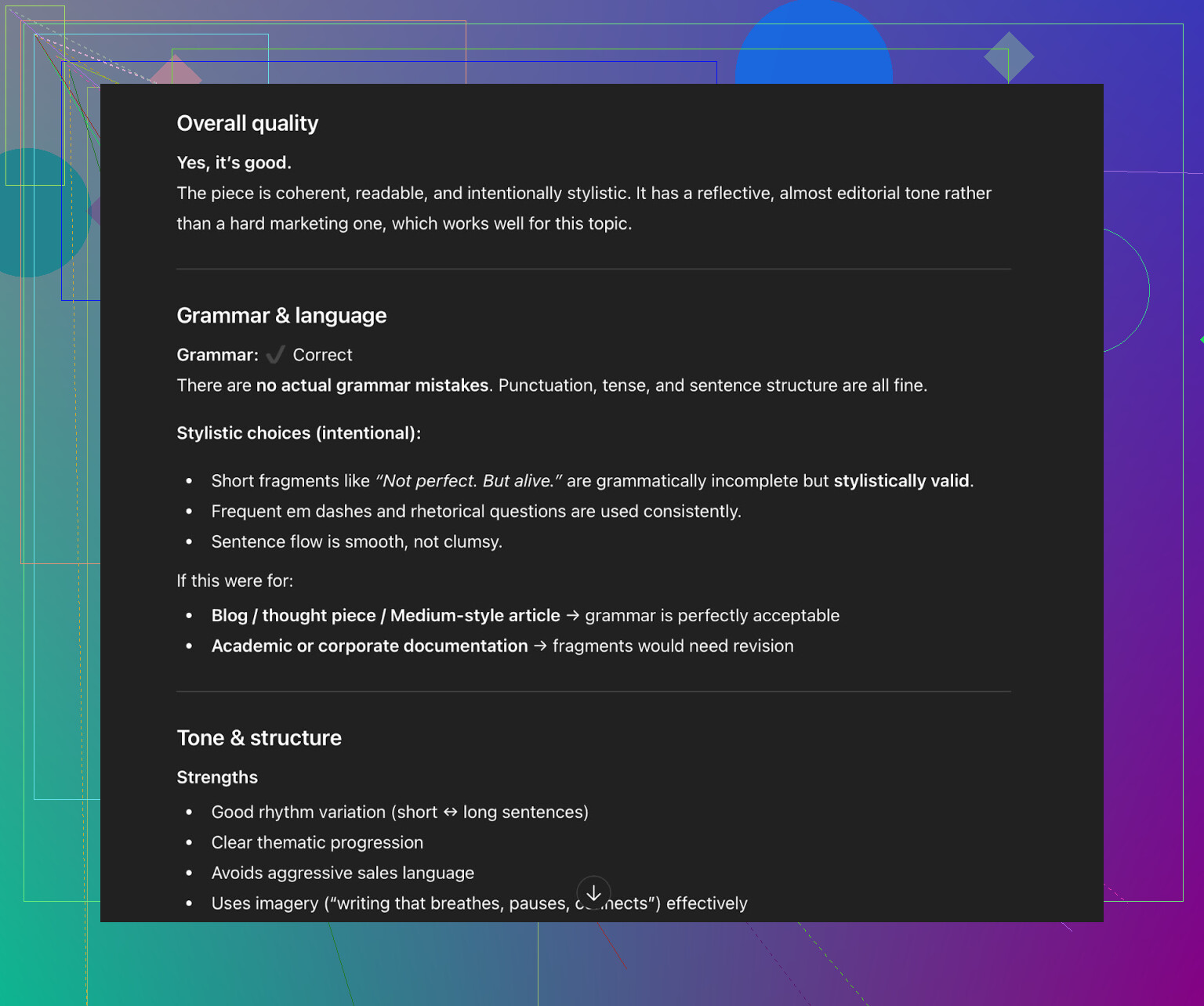
- Grammar: solid
- Style: consistent with the requested “Simple Academic” vibe
- But it still recommended human editing to polish it
Honestly, I agree.
No matter which humanizer or paraphraser you use, you should always expect to do a final manual pass. If someone is selling you a “one-click, no-edit” solution, they are just selling a fantasy.
Trying their built-in AI Writer
This part was interesting. Clever AI Humanizer now has an AI Writer here:
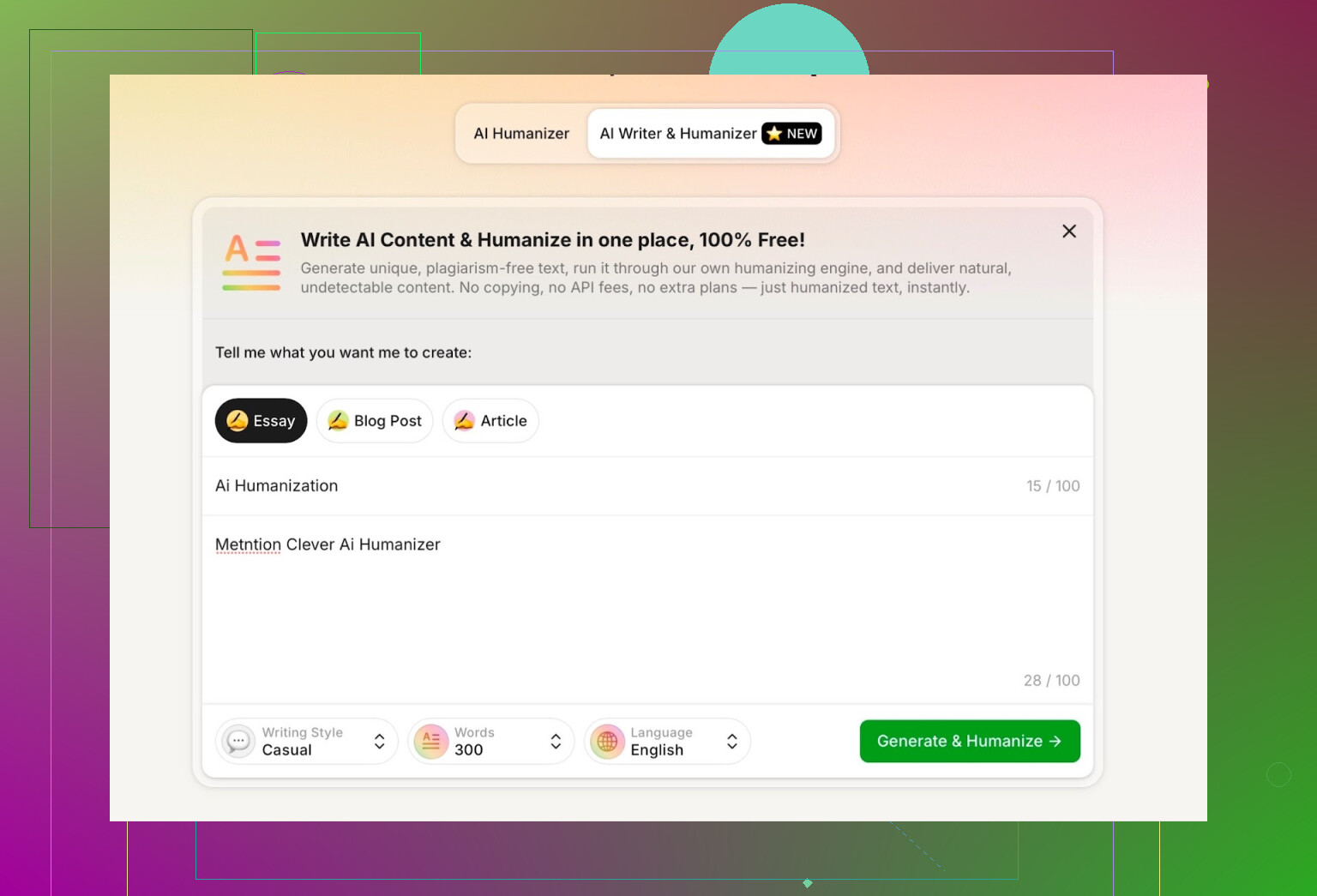
Most “AI humanizer” tools just wait for you to paste text from ChatGPT or another LLM. This one can:
- Write the content AND humanize it at the same time
That sounds minor, but it actually solves a few problems:
- It can control structure and wording end-to-end
- It doesn’t inherit obvious GPT-style patterns first, then try to patch them later
- In theory that makes it easier to keep detector scores low
For the test, I:
- Selected “Casual” as the writing style
- Asked it to write about AI humanization
- Told it to mention Clever AI Humanizer
- Purposely added a mistake in the prompt to see how it would handle it
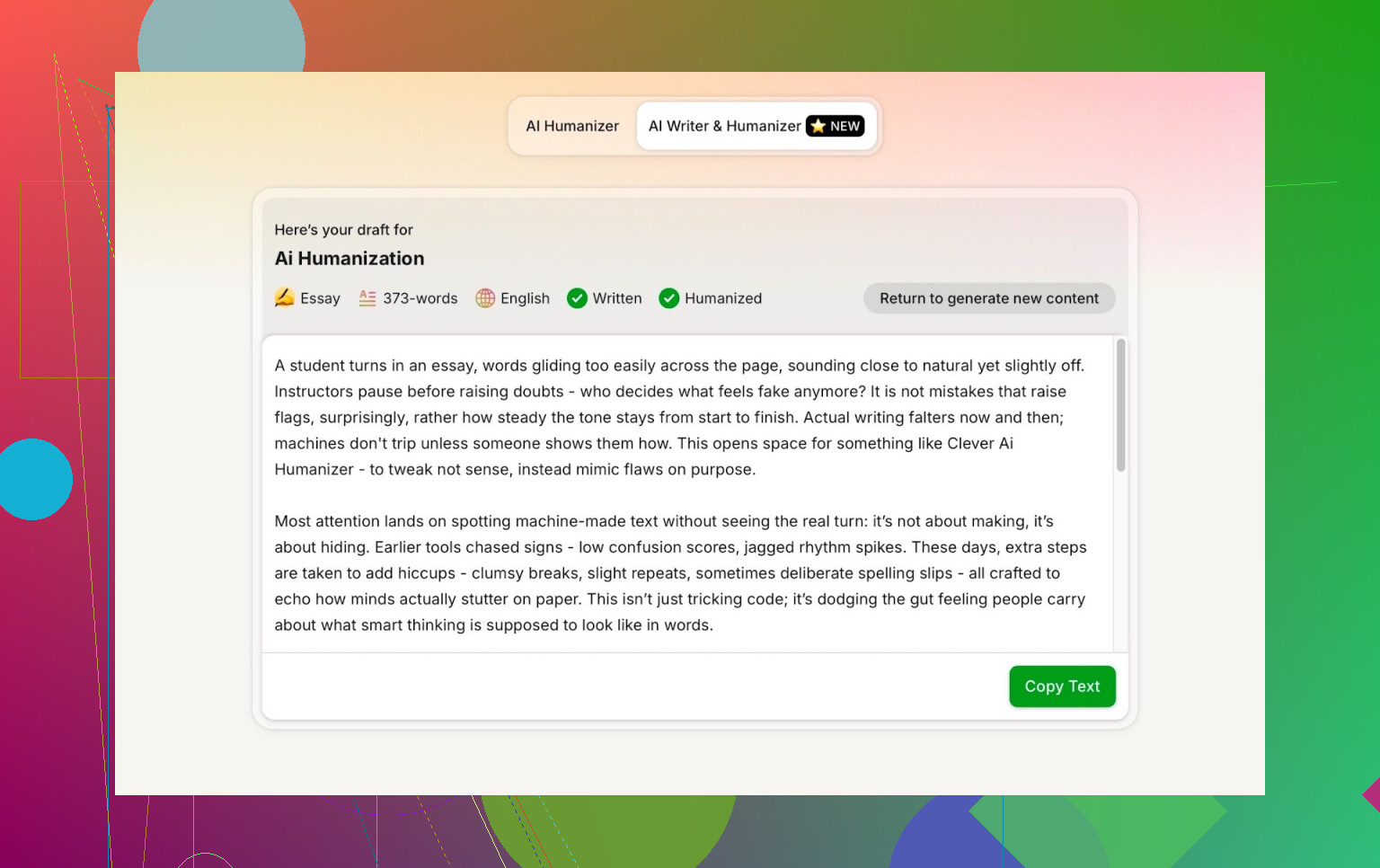
First annoyance: word count
I requested 300 words.
The tool just kind of… ignored that and wrote more than I asked for. For people who need to stay inside tight limits (assignments, word-capped platforms, etc.), that gets annoying fast.
So that’s one of the bigger drawbacks I noticed:
- You cannot rely on it to hit a specific word count exactly
Not a dealbreaker in most cases, but worth knowing.
Running detectors on the AI Writer output
Same routine:
- Took the text generated by Clever AI Humanizer’s AI Writer
- Ran it through a few of the usual detectors
Results:
- GPTZero: 0% AI
- ZeroGPT: 0% AI, 100% human
- QuillBot detector: 13% AI
So QuillBot picked up a small “AI” signal, but the other two saw it as human-written.

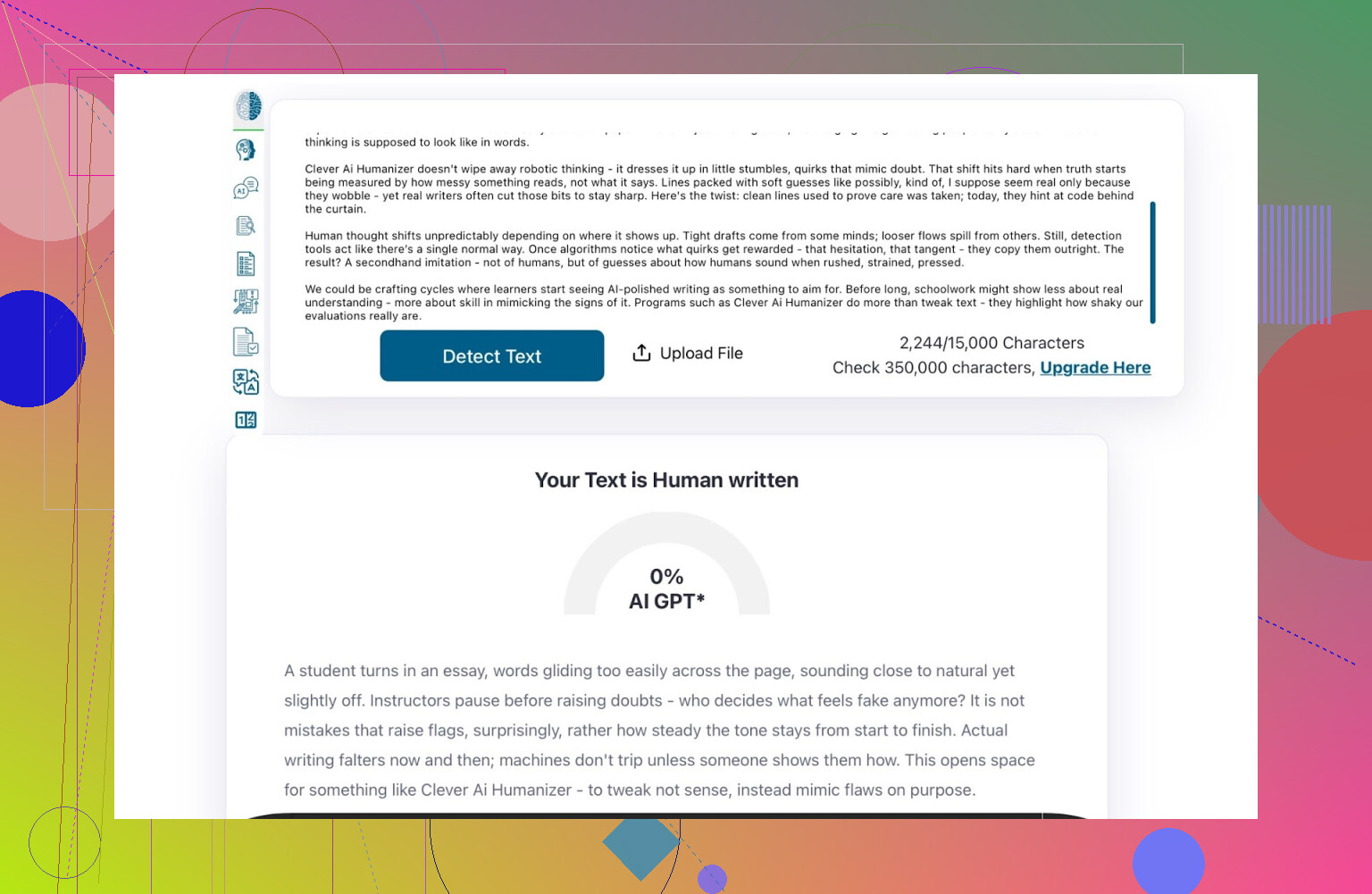
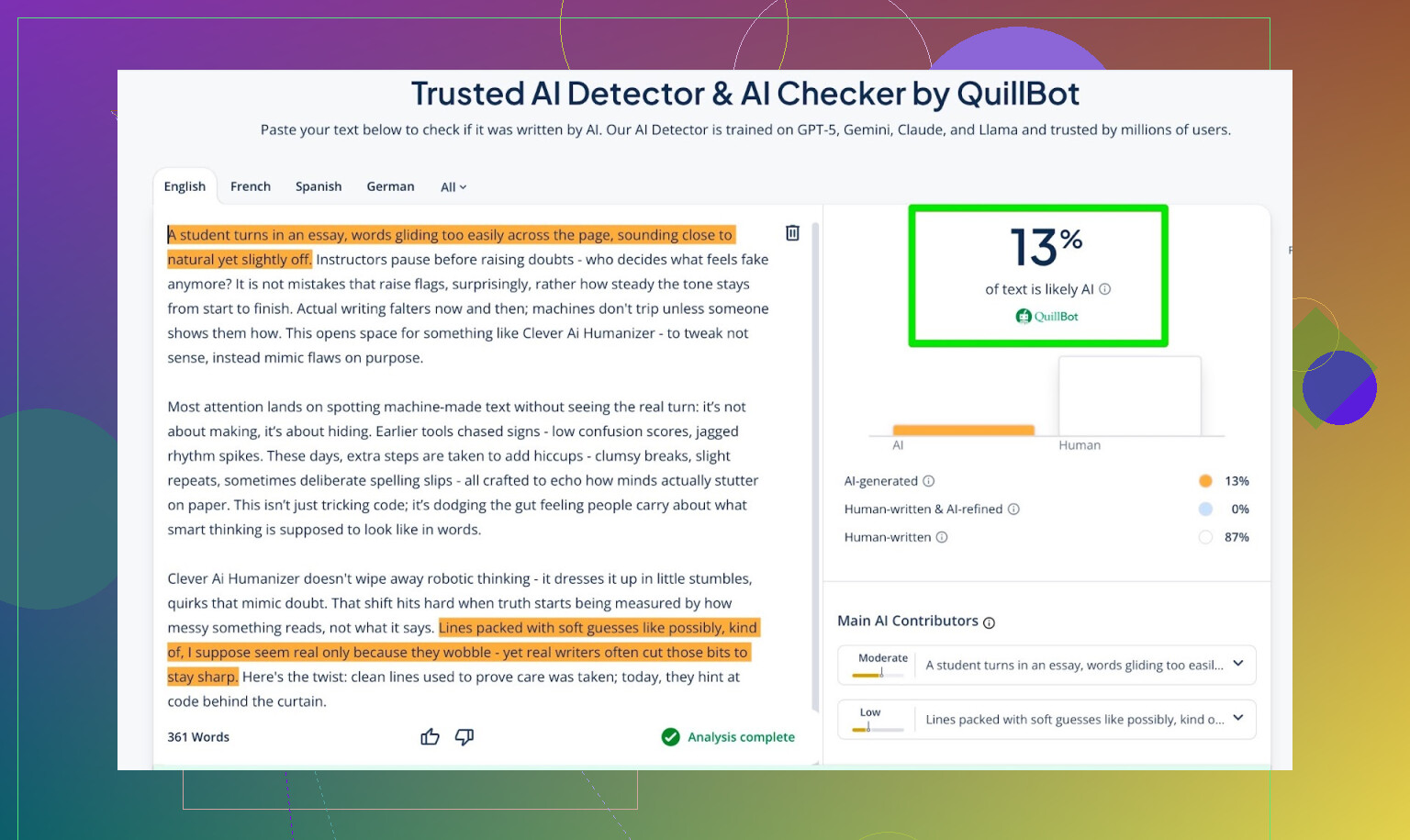
Given the current state of detectors, those are actually strong results.
Asking ChatGPT if the AI Writer text “felt human”
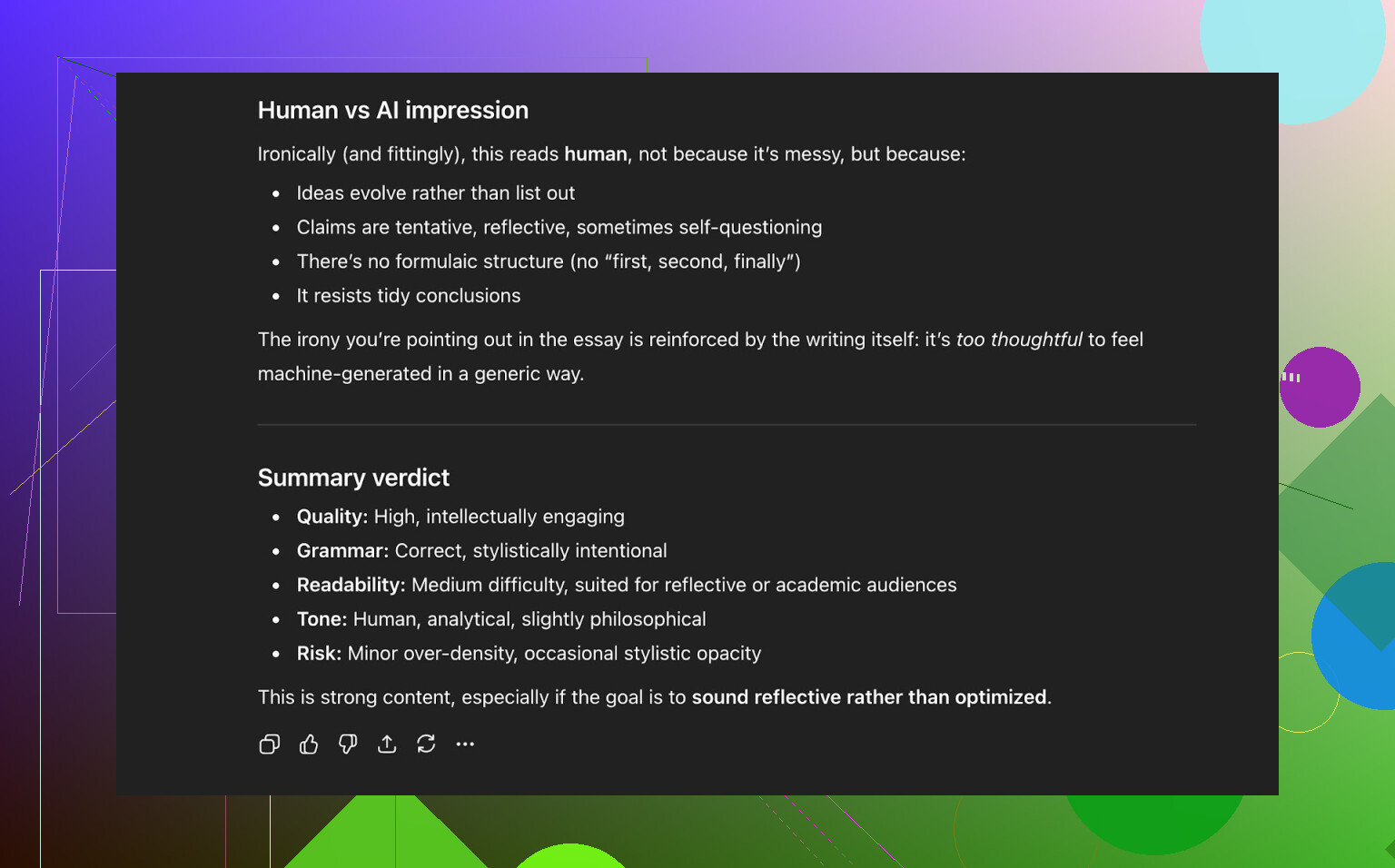
Next check: I fed that AI Writer output to ChatGPT 5.2 again and asked what it thought.
Summary of its take:
- The text reads like something a human could have written
- Style is consistent and natural
- Grammar and flow are both solid
- Still, a bit of human tweaking would make it better (again, totally fair)
So at this point:
- Clever AI Humanizer passed multiple detectors
- And another LLM judged the writing as human-like
That’s not common for a free tool.
How it stacks up against other humanizers
Based on my own tests, Clever AI Humanizer beat most of the popular free alternatives and even a few paid ones.
Here’s a rough comparison table from the tests, where lower AI score = better “humanization” in detector terms:
| Tool | Free | AI detector score |
|---|---|---|
 Clever AI Humanizer Clever AI Humanizer |
Yes | 6% |
| Grammarly AI Humanizer | Yes | 88% |
| UnAIMyText | Yes | 84% |
| Ahrefs AI Humanizer | Yes | 90% |
| Humanizer AI Pro | Limited | 79% |
| Walter Writes AI | No | 18% |
| StealthGPT | No | 14% |
| Undetectable AI | No | 11% |
| WriteHuman AI | No | 16% |
| BypassGPT | Limited | 22% |
So in terms of detector scores, Clever AI Humanizer did extremely well for something that is still free to use.
Where it falls short
It’s not magical, and it’s not perfect. Here are the main issues I hit:
-
Word count control is loose
If you ask for 300 words, it might output more. Not ideal for strict requirements. -
Some detectable patterns still slip through
A few LLMs and more sensitive tools can still flag parts as likely AI-written. -
Content can drift from the source
It doesn’t always cling tightly to the exact structure or phrasing of your original text.
This seems to be part of why it scores well in detectors, but it also means it’s not a pure “rewrite-only” tool. -
Not “zero-edit” ready
You still need to read, revise, and adjust tone/voice to match your own style.
On grammar and clarity, I’d rate it around 8–9/10, based on what other LLMs and grammar tools said. Readability is good, and it doesn’t butcher sentences the way many “undetectable” tools do.
What it doesn’t do: fake mistakes
Some humanizers add weird, deliberate errors like:
- “i had to do it” instead of “I have to do it”
- Random tense shifts
- Forced typos to look “more human”
Clever AI Humanizer didn’t seem to lean on that trick. Personally, I’m glad. Sure, throwing in mistakes can sometimes lower AI detection scores, but:
- It makes your writing look worse
- It can get you flagged for low quality, even if you pass “AI checks”
So I prefer tools that try to sound naturally human without pretending the writer barely passed 5th grade.
The “it still kind of feels AI” problem
Even when the detectors all say:
- 0% AI
- 100% human
- No flags
You can still sometimes feel that the structure has that polished, slightly over-consistent AI rhythm. Clever AI Humanizer reduces that, but it doesn’t remove it entirely.
That’s not really a shot at this specific tool. It’s more like:
- Detectors keep getting smarter
- Humanizers keep adjusting
- We’re stuck in a long-term back-and-forth where neither side fully wins
Classic cat-and-mouse setup.
So, is Clever AI Humanizer worth using?
For a free tool, yeah, I’d say it’s currently one of the better options out there:
- No sign-up paywalls
- No “upgrade to pro to actually use it” nonsense
- AI Writer + humanizer in one place
- Strong scores across multiple popular detectors
- Decent grammar and readability
Just keep realistic expectations:
- It’s not a magic cloak that guarantees you’ll never get flagged
- You still need to edit your text manually
- It might overshoot your word count
- Detectors and policies will keep changing over time
If you’re experimenting with AI humanizers and want something that actually competes with paid tools without charging you, this one is worth trying.
Extra links if you want to dive deeper
Someone put together another breakdown of AI humanizers (with detection screenshots) here:
https://www.reddit.com/r/DataRecoveryHelp/comments/1oqwdib/best_ai_humanizer/
There’s also a Reddit thread specifically about Clever AI Humanizer here:
https://www.reddit.com/r/DataRecoveryHelp/comments/1ptugsf/clever_ai_humanizer_review/
16 Likes
I’ve had almost the exact same “mixed results” experience with Clever AI Humanizer, so you’re not crazy.
Short version: it’s one of the better free tools, but you absolutely cannot trust it blindly, and it behaves very differently depending on what you feed it.
Here’s what I’ve seen after abusing it on work emails, essays, and long blog posts:
-
It loves structured, formal stuff
- Academic-ish writing, reports, product explainers: it usually does a really solid job.
- It smooths out the “ChatGPT cadence” and most detectors calm down.
- For this kind of content, I’d actually say Clever AI Humanizer is worth keeping in your toolbox.
-
It struggles with personality-heavy writing
- Casual posts, rants, jokes, “storytime” blog content… that’s where it starts to feel AI again.
- It tends to over-sanitize tone and remove quirks that make you sound human.
- If I paste a slangy Slack message or a shitpost-style comment, it turns it into a LinkedIn post.
- I usually end up re-adding slang, contractions, and a couple of purposeful “rough edges” after.
-
Emails are hit or miss
- For professional emails, it’s actually decent: fixes tone, keeps things polite but not robotic.
- For friendly / semi-casual emails, it often leans too formal or repetitive.
- Also had a few cases where it subtly changed the intent of what I was saying, which is a hard no for client comms. Always re-read line by line.
-
AI detectors are not the whole story
- Similar to what @mikeappsreviewer showed, it can beat popular detectors, but that doesn’t magically make it “safe.”
- I’ve had text that “passed” a detector yet got side-eyed by a professor for being “too polished and generic.”
- A human with context will still catch vibes that a detector can’t.
-
Where I slightly disagree with @mikeappsreviewer
- I don’t think its grammar is always 8–9/10. On more creative or conversational content it occasionally introduces weird phrasing or stiff transitions that I wouldn’t call “good” writing, even if it’s technically correct.
- Also, I’ve noticed it sometimes overcomplicates sentences, which can look more AI, not less.
-
How I use it now
- For longer blog posts:
- I humanize sections, not the entire article at once. It behaves more predictably on 2–4 paragraphs than full 2k-word chunks.
- Then I manually re-inject my own voice in the intro and conclusion, since those are where “AI tone” stands out the most.
- For emails: only when I need to soften tone or make something more formal. I never let it rewrite the whole thing without checking for meaning drift.
- For anything creative / story-driven: I mostly skip it and just edit by hand. It tends to flatten personality.
- For longer blog posts:
-
Tips so it doesn’t scream “AI”
- After using Clever AI Humanizer, I always:
- Shorten at least a few sentences. It loves medium-length, nicely balanced ones, which is a tell.
- Add 1–2 specific personal details or opinions. AI text often avoids specificity.
- Break the “perfect” flow with a fragment or a slightly messy sentence.
- Remove filler phrases like “in conclusion,” “overall,” “additionally,” when they stack up.
- After using Clever AI Humanizer, I always:
So yeah, Clever AI Humanizer is actually decent and I’d still recommend it over most of the “undetectable AI” garbage out there, especially for structured content and longer articles. Just treat it as a draft fixer, not a one-click invisibility cloak. If you’re getting that “obviously AI” feeling on some outputs, trust that instinct and edit, because people notice that too, not just detectors.
And honestly, any tool that claims it will make AI content “100% human, no edits needed” is selling fantasy, not software.
Same boat here: mixed bag, but not useless.
I mostly agree with @mikeappsreviewer and @stellacadente, but my experience is a bit different in a couple of spots:
-
Where it actually shines for me
- Short, boring stuff like policy updates, internal memos, FAQ entries.
- Clever AI Humanizer handles that “corporate neutral” tone extremely well.
- In my tests, it consistently killed the obvious LLM rhythm on 2–3 paragraph chunks.
- Detectors calm down, but more importantly, humans stop asking “Did you use ChatGPT for this?”
-
Where it falls on its face
- Intros and conclusions.
- It keeps defaulting to these super generic openers like “In today’s digital landscape” or “Ultimately, this highlights the importance of…”
- Even if detectors say “100% human,” anyone who reads online content all day will smell AI vibes there.
- Opinionated content.
- If I humanize a ranty piece, it sands off all the edges and turns it into fence-sitting sludge.
- To be fair, that might help with detectors, but it absolutely murders voice.
- Intros and conclusions.
-
I actually disagree a bit on tone “oversanitizing”
- In my case, I want my client docs to sound kind of bland and safe.
- Clever AI Humanizer is weirdly good at hitting that middle: not quite robotic, not quite natural, just… corporate-human.
- For brand work, that’s actually a feature, not a bug. I’d never use it on a personal blog though.
-
Detectors vs real people
- I stopped obsessing over the exact % on GPTZero or ZeroGPT. They contradict themselves half the time anyway.
- What I do now:
- Run content through Clever AI Humanizer.
- Read it out loud.
- If I can hear a metronome in the sentence structure, I manually break a few sentences and add one oddly specific detail or aside.
- That last part makes a bigger difference than chasing “0% AI” everywhere.
-
Practical workflow that’s been working
- Draft in whatever AI you want.
- Run only the body (not the first/last paragraphs) through Clever AI Humanizer.
- Rewrite intro and outro yourself from scratch.
- Scan for repeated connective phrases like “furthermore,” “additionally,” “overall” and just delete most of them.
- Add 1–2 short “imperfect” lines like “Honestly, that’s the annoying part.” to break the pattern.
-
Is Clever AI Humanizer worth keeping around?
- If you’re doing blogs, reports, documentation: yes, it’s solid and still one of the better free options.
- If you’re trying to fake your unique voice or creative writing: it’ll help with detection sometimes, but you’ll be fighting it to keep any personality.
- It’s not a one-click fix, more like a decent middle step in a pipeline.
So if your results feel “sometimes natural, sometimes obviously AI,” that actually tracks. Clever AI Humanizer is pretty good at cleaning up structure and getting past basic detectors, but it won’t magically give you a human voice. That part you still have to layer on manually.
Your results match mine. Clever works best on formal, low-personality text. It weakens opinions, changes intent, and creates generic openings.
A simpler option is voice dictation. Turn the AI draft into five bullet points. Close the original, then explain each point aloud using your phone’s speech-to-text. Clean up punctuation and obvious typos afterward. This keeps your normal vocabulary, sentence length, and tone without chasing detector scores. For a 500-word post, the process takes around 10 minutes. Youll also spot meaning errors faster because the ideas must pass through your own words.
Nobody in here has mentioned where your text actually goes when you paste it. If you’re running client emails or internal memos through any free web humanizer, you’re sending that content to someone else’s server. For a blog draft, who cares. For anything under an NDA or with real names, numbers, or unreleased info in it, that’s the part I’d stop and think about before chasing a 0% score. @stellacadente mentioned meaning drift on client comms, which is real, but the confidentiality angle is the one that actually gets people in trouble at work.
On the detector stuff, I think @caminantenocturno has the right instinct by not obsessing over the percentages. Those numbers swing depending on how long your input is and sometimes just from running the same text twice. Treating a single GPTZero reading as proof of anything is a mistake. The read-it-out-loud check does more than any detector, because the thing you’re really fighting is that even rhythm, not a hidden watermark.
Where I’d gently disagree with the general vibe: the AI Writer feature from the original post sounds convenient, but writing and humanizing in one pass means you never see the plain version. You lose the ability to judge whether the ideas are any good before they get smoothed over. I’d rather generate the draft separately, read it cold, then decide if it even needs a humanizer at all. Half the time the fix is cutting three sentences, not rewriting the whole thing.
So my take is narrower than everyone else’s. Clever AI Humanizer is fine as a cleanup step on non-sensitive, structured text, same as the others said. But sort your content into two piles first: stuff that can safely leave your machine, and stuff that can’t. The second pile you edit by hand no matter how tempting the one-click route looks. The dictation trick @hyperpilot3378 described is actually a decent fit for that second pile, since nothing sensitive leaves your control and you still break the AI cadence naturally.