I accidentally formatted my SD card before backing up important photos and videos, and now I’m trying to figure out the best way to recover the files. I need advice on whether DIY formatted SD card recovery software is safe to use or if professional data recovery is the smarter option so I don’t make things worse.
I know this one. I formatted the wrong SD card after a long shoot and felt sick the second I saw the confirmation screen. If you did the same, the first move is simple.
Stop using the card now. Take it out of your camera, phone, drone, whatever it is in. Do not shoot more photos. Do not copy files onto it. If your SD card has the little side switch, slide it to Lock. I did that right away the last time and it kept my laptop from writing stray junk onto the card.
Most cameras and phones do a quick format. So the files are often still sitting on the card. What gets wiped first is the file index, not the photo and video data itself. The danger starts when you keep recording, because new files overwrite old sectors. Once that happens, recovery drops off hard.
I would skip Command Prompt fixes and terminal hacks for this. CHKDSK is for file system repair. It is not a good pick for pulling data off a formatted card. I saw it make things worse on an old microSD once, so I stopped messing with that route.
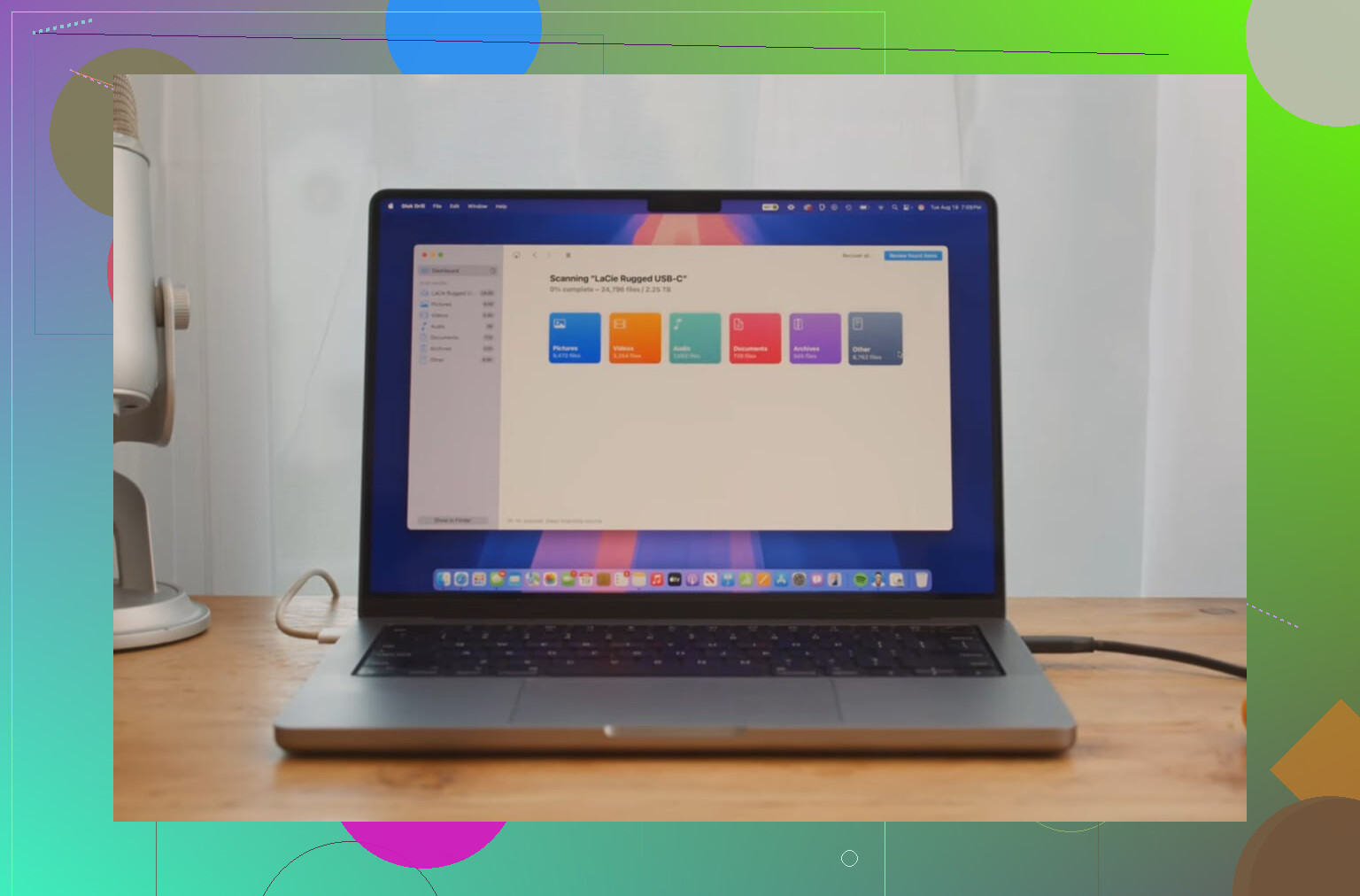
If you want the files back, use recovery software. The one I had the best luck with was Disk Drill. I tried a few tools over time, and the free ones were hit or miss, mostly miss for video. Recuva found clips for me once, but some came back broken and unplayable. Disk Drill did better with camera footage, especially larger files. Its Advanced Camera Recovery mode is built for fragmented video, which matters if your card held long clips from a camera or drone. It also picked up RAW photos and other files when I tested it.
What I did went like this:
- Used a decent card reader, then connected the locked SD card to my computer.
- Installed and opened Disk Drill.
- Picked the SD card from the device list and started the scan.
- Waited for the results, then previewed the files. If a file previews cleanly, recovery odds are usually good.
One more rule, and this part matters almost as much as stopping use in the first place. Do not save recovered files back to the same formatted SD card. Save them to your computer’s internal drive or to a different external drive. If you restore onto the same card, you overwrite the data you are trying to pull back. I nearly did that once because I was tired and clicking too fast. Bad idea.
If you stopped using the card right after formatting, your chances are still decent. In my case, the scan brought back most of the missing stuff. Not every time goes clean, but if the card stayed untouched, you’ve got a real shot.
4 Likes
DIY first, pro second. That’s my take.
If the card was only quick-formatted and you stopped using it fast, home recovery has a solid chance. For photos, success rates are often decent if no new data hit the card. Video is trickier, especially large 4K clips, split clips, or drone footage.
I agree with @mikeappsreviewer on one part. Stop all use of the card. Where I differ is this. I would hire a pro sooner if the files are business-critical, irreplaceable, or the card shows weird signs like disconnects, 0 bytes, slow reads, or read errors. Formatting alone is one thing. A failing SD card is a differnt mess.
My rule:
- DIY if the card mounts fine and was formatted once.
- Pro lab if the card is damaged, unreadable, or the data is worth more than the lab fee.
For DIY, Disk Drill is a fair pick because it handles common SD card photo formats well and does better than many cheap tools with video recovery. Still, make a byte-for-byte image of the card first if you have the option. Work from the image, not the original. Fewer risks.
Short SEO-friendly read on SD card photo recovery tools here:
best ways to recover deleted photos from SD cards
If previews look clean, keep going. If scans show garbage filenames, broken previews, or missing folders, stop burning time and send it in. That saves money sometiems, because repeated DIY attempts do people no favors.
DIY first only if the card is acting normal. That’s the part I’d stress a bit more than @mikeappsreviewer and @sterrenkijker.
A format by itself is often recoverable. A card that suddenly reads weird, drops connection, asks to be formatted again, or crawls at 1 MB/s is not a “just run software” situation. That’s where people waste time and make things worse. So my cutoff is simple:
- Card mounts, shows correct size, no errors: try DIY
- Card not detected, wrong capacity, I/O errors, super hot card: skip DIY and go pro
I also slightly disagree with the “preview looks clean = you’re fine” idea. For photos, sure, decent sign. For video, not always. A clip can preview the first few seconds and still be corrupt later. So if these are paid-work files, test recovered videos fully before you celebrate.
If you do try software, Disk Drill is one of the better choices for formatted SD card recovery because it handles common photo/video formats better than a lot of bargain-bin tools. But I would image the card first if possible, then scan the image. That gives you one less chance to screw up the original. Kinda boring advice, but boring is what saves data.
Also, if the card was encrypted by the device, used in a GoPro/drone, or had lots of long 4K files, recovery gets messy fast. At that point a pro lab may actually be cheaper than losing a client. Sucks, but true.
For more real-world discussion, this thread is pretty on-point:
what to do after accidentally formatting an SD card with important footage
So yeah, DIY is sensible for a healthy card and recent quick format. If the data is irreplaceable or the card is even a little flaky, pay the lab fee and dont gamble.