I’m a macOS user thinking about switching to VLC Media Player because my current player has been giving me playback issues with certain video formats. I need help figuring out if VLC is the best option for Mac, especially for compatibility, performance, and ease of use.
VLC Review (From My Experience)
I decided to revisit VLC Media Player because, despite the influx of modern “minimalist” players, I wanted a powerhouse that could handle anything I threw at it, from obscure server streams to 4K MKVs without worrying about compatibility.
VLC is open-source, non-profit, and carries a reputation for playing files that make other players crash. After using it as my primary hub for a few weeks, here is how the veteran of the industry holds up today.
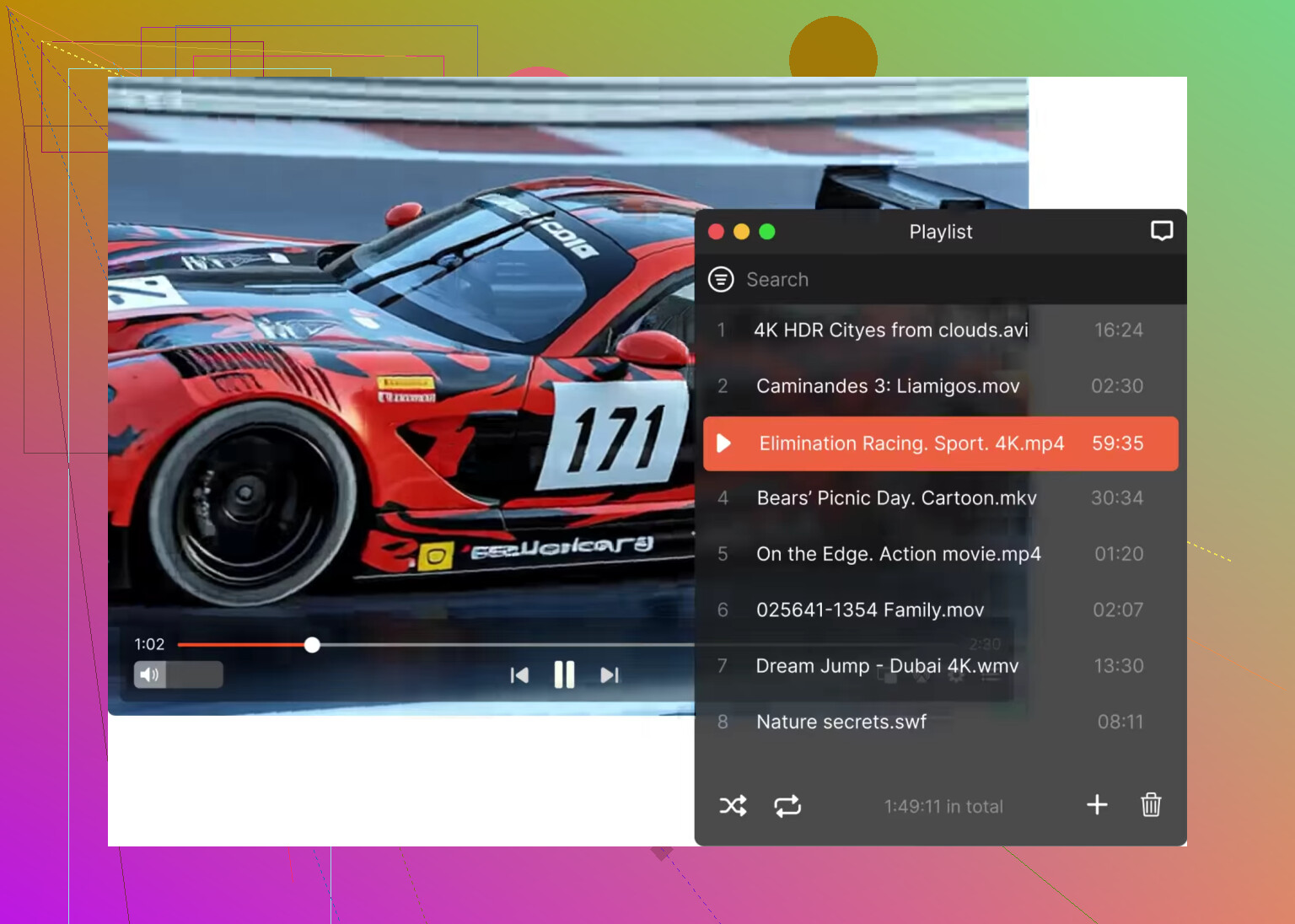
Interface & Design
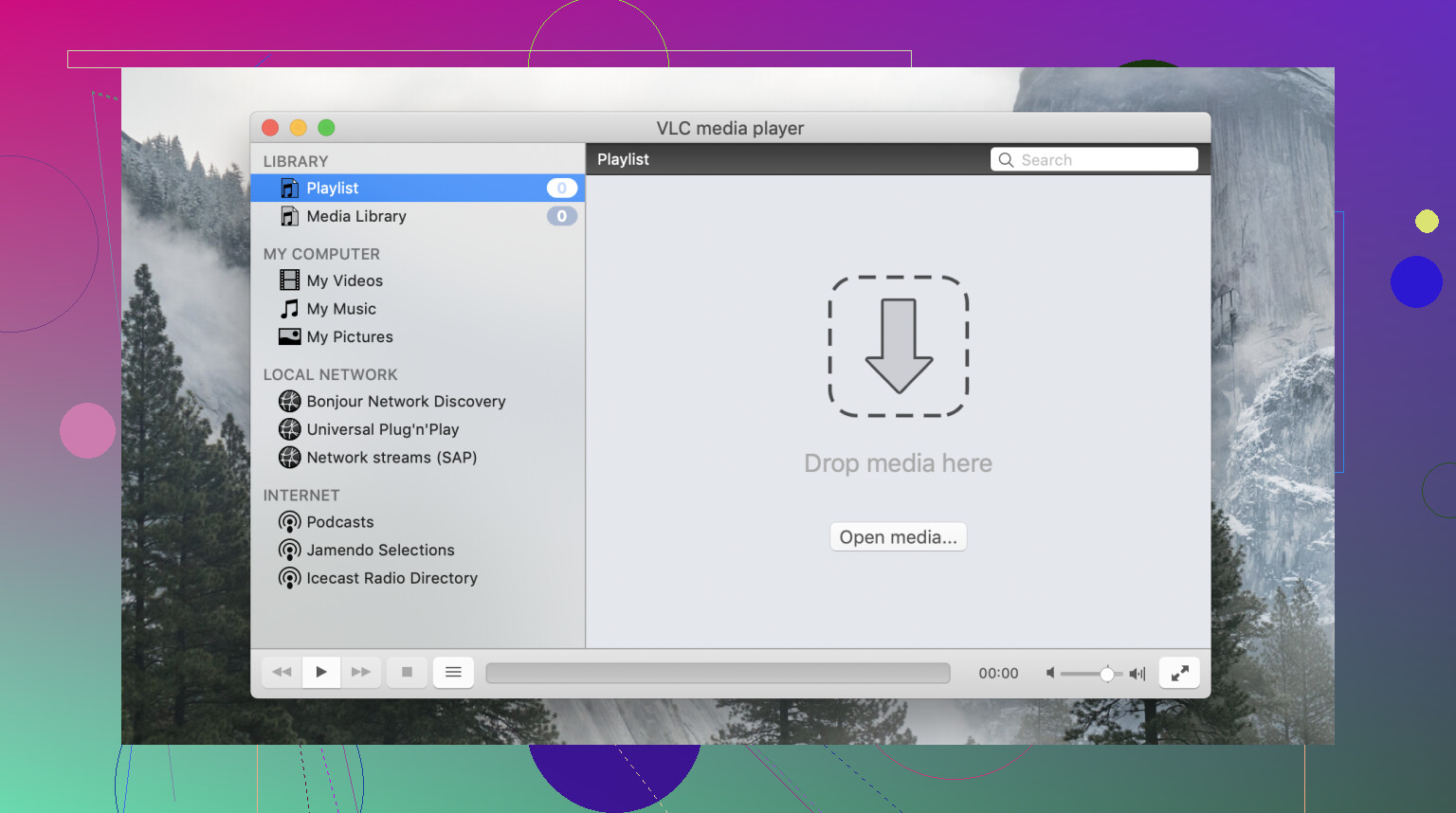
The first thing you notice about VLC is that it feels like a tool, not a piece of art. While apps like IINA try to blend into macOS, VLC still feels like a cross-platform utility.
- The UI is “Classic”: Some might call it “ancient.” It hasn’t seen a major visual overhaul in years.
- Customization: It is incredibly flexible. You can tweak almost every part of the interface, though the menus can feel cluttered.
- The “Everything” Button: Every feature you could possibly need is there, but they are often buried under three layers of “Advanced Settings.”
It doesn’t have the sleek, translucent look of a native Mac app. It behaves like a high-functionality workstation: utilitarian, reliable, but definitely not winning any beauty contests.
When I Threw Different Files at It
I tested it with:
- High-bitrate 4K MKV files
- AV1 encoded videos
- DLNA streams from a Plex server
- Legacy AVI and ISO files
VLC’s biggest strength is its independence. It doesn’t rely on your system’s codecs; it brings its own. For local videos and movies, it is nearly bulletproof. I was able to access my home server via DLNA effortlessly, which is something simpler players often lack.
Performance in Real Use
On my Mac, playback was generally robust. It handled HDR content and large files without breaking a sweat. However, I did notice that while it plays “everything,” it doesn’t always play everything perfectly.
I encountered some stuttering with specific AV1 files that other mpv-based players handled a bit more fluidly. It’s a reminder that while VLC is the king of compatibility, its engine can occasionally feel heavier than more modern, streamlined alternatives.
The macOS Crashing Bug
During my testing, I hit a frustrating wall: VLC began crashing immediately on macOS.
After launching VLC, its icon would appear in the Dock and immediately disappear. This can be incredibly annoying, and it’s often due to compatibility issues with newer versions of macOS or corrupted preference files rather than a flaw in the app’s code itself. After this issues occurred several times, I started looking for other alternatives, and now I’ll tell you which ones I liked:
Elmedia Player
If VLC feels too “old school” and you want something that feels premium on a Mac, Elmedia Player is a fantastic alternative.
- Enhanced Playback: It offers a much more refined set of controls for subtitle timing and audio/video synchronization.
- Built-in Equalizer: Unlike VLC’s somewhat clunky audio settings, Elmedia’s equalizer is intuitive and powerful.
- Streaming & Casting: Its standout feature is its ability to stream local files to Chromecast, AirPlay, or DLNA devices with much more stability than VLC’s “experimental” renderer.
QuickTime Player
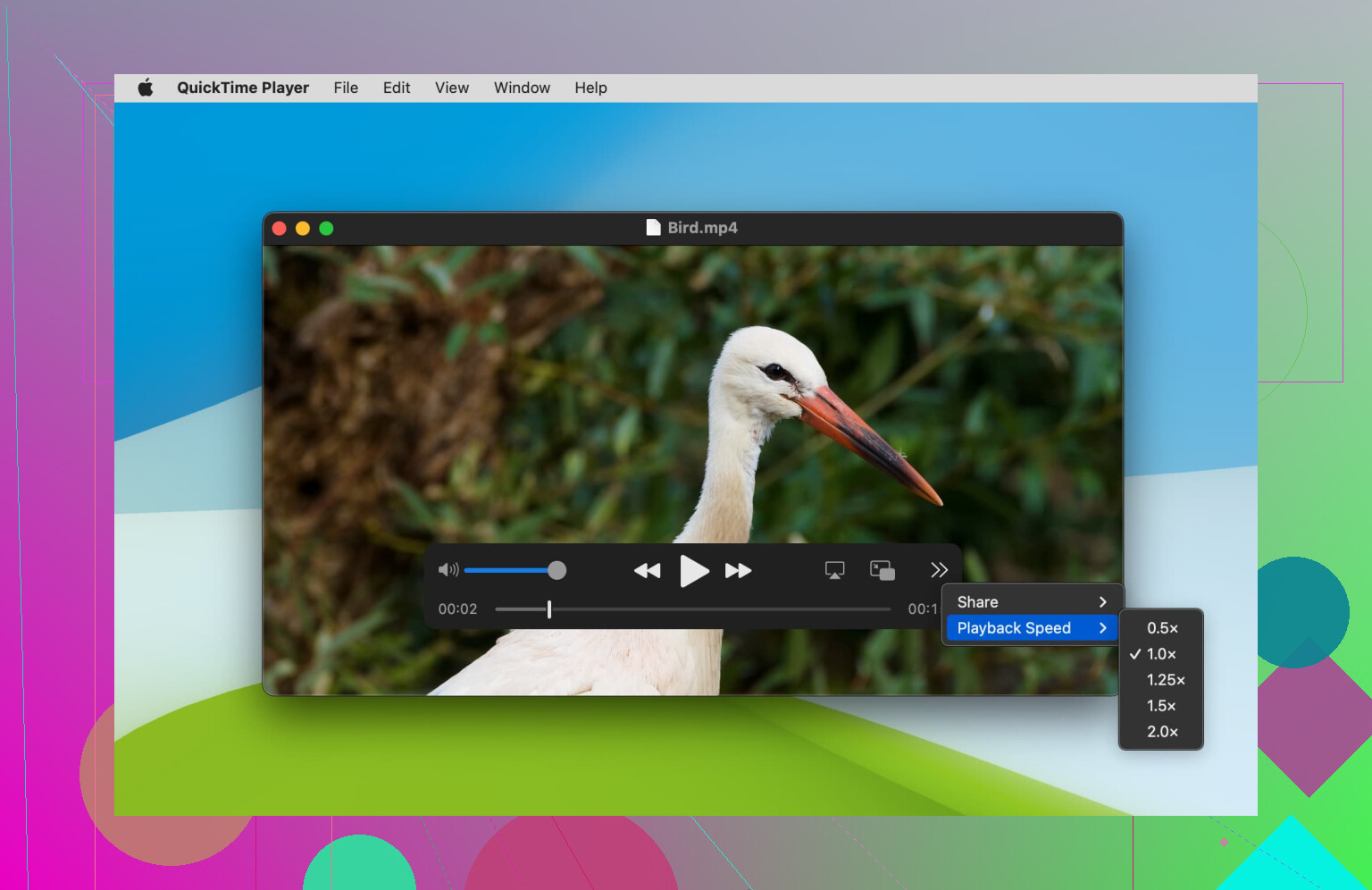
I also went back to the basics. QuickTime is stable and uses almost zero battery, but it fails the moment you try to play an MKV or use a subtitle file that isn’t perfectly formatted. It’s predictable, but far too restrictive for a power user.
My Overall Impression
VLC remains the “Old Reliable” of the media world. It’s free, ad-free, and stays true to its non-profit roots. If you need a player that handles DLNA servers and obscure formats without costing a dime, it’s still the king.
However, its “ancient” UI and occasional performance hiccups with newer codecs like AV1 show its age. If you value a native macOS aesthetic and superior casting features, Elmedia Player is the better modern choice. But for a tool that simply works (most of the time) on every OS on the planet, VLC isn’t going anywhere.
31 Likes
VLC is still worth installing on macOS, but I would not make it your only player.
My take is a little different from @mikeappsreviewer. I think VLC is best as your backup app, not your daily one. It wins on file support. MKV, FLAC, old AVI, odd subtitle formats, network streams, DVD folders, stuff your current player chokes on. VLC usually opens it.
Where it loses for me on Mac is polish. Battery use is not great on some laptops. HDR handling feels inconsistent across files. The UI feels old. If you scrub a lot, switch audio tracks, or tweak subtitles often, it gets annoyng fast.
If you want one app for everyday use on macOS, I’d look at Elmedia Player first. It feels more native, cleaner, and easier for subtitle sync, playlists, and casting. VLC still belongs in your Applications folder for weird files.
Simple answer:
VLC for compatibility.
Elmedia Player for daily Mac use.
QuickTime for basic MP4 stuff only.
If your issue is “some formats fail,” VLC is a smart switch. If your issue is “I want the best Mac experience,” I’d pick Elmedia Player and keep VLC as plan B.
VLC is absolutely worth installing on macOS, but I’m gonna disagree a bit with @mikeappsreviewer and @chasseurdetoiles on one thing: for a lot of people it actually can be the main player, not just the backup, if your top priority is ‘just play the file and stop being weird about it.’
That’s where VLC still rules. Random MKV, ancient AVI, ugly subtitle files, network streams, multichannel audio, broken containers, whatever. It usually opens the file and gets on with it. For format compatibility, it’s still one of the easiest answers.
Where I think VLC falls short on Mac is not playback support, it’s the overall feel. It doesn’t feel very native, some settings are buried in weird places, and certain files can look or behave a little jankier than they should. Not unusable, just not elegant. If you live inside your player every day, you’ll notice.
My take:
- VLC = best first install if formats are your problem
- Elmedia Player = better choice if you want a smoother Mac app experience
- QuickTime = fine until you hit anything slightly off the Apple-approved path
So yes, switch to VLC if your current app keeps choking on files. It’s free, trustworthy, and still one of the best problem-solvers on Mac. But if you want somthing more polished for daily use, Elmedia Player is probably the nicer long-term fit. I’d honestly keep both and use whichever one is less annoying that day lol.
I’d switch, but not in an all-or-nothing way.
I slightly disagree with @chasseurdetoiles and @boswandelaar on VLC being mostly a backup. On Mac, VLC is still a perfectly valid main player if your biggest pain point is codec/file compatibility. If your current app keeps failing on MKV, subtitle tracks, odd audio codecs, or network files, VLC usually fixes that immediately with zero fuss.
Where I agree with them and @mikeappsreviewer is that VLC is not the nicest Mac app. It feels cross-platform first, macOS second. That matters more than people admit if you watch stuff every day.
My practical take:
Use VLC if you want:
- maximum format support
- free and open-source
- DVD folders, streams, weird legacy files
- fewer “why won’t this open?” moments
Don’t expect VLC to be great at:
- feeling native on macOS
- clean menus/settings
- the smoothest subtitle and audio sync workflow
- best battery behavior on some Macs
If you want something more Mac-friendly, Elmedia Player is a legit alternative.
Elmedia Player pros
- cleaner macOS-style interface
- easier subtitle timing and audio delay controls
- better everyday usability
- casting features are more approachable
Elmedia Player cons
- not as universally trusted as VLC for truly bizarre files
- some features are better in paid tiers
- less of that “opens absolutely anything” reputation
So my answer is:
- If your issue is playback failures, install VLC first.
- If your issue is overall Mac experience, try Elmedia Player.
- Keep QuickTime around for simple MP4 stuff because it is efficient and lightweight.
Honestly, the best Mac setup is often VLC + Elmedia Player, not picking just one.
A simpler fix is to keep your current player and convert troublesome files with HandBrake.
Choose the Fast 1080p30 preset, MP4 format, H.264 video, and AAC audio. This gives you broad macOS compatiblity and smaller files. Conversion takes extra time, but you avoid switching apps or managing several players.
Try this if playback issues affect only a few downloaded videos. For a large mixed-format library, VLC still makes more sense.
Two situations here that keep getting mashed together. One is the person whose current player chokes on a handful of downloaded files. The other is someone whose whole library is a mess of MKV, AV1, odd subtitle tracks and network sources. Those are not the same problem, and the answer changes a lot depending on which one you are.
For the first case, honestly you don’t need to switch anything permanently. Keep what you have, install VLC as the ‘open with’ fallback for the files that break, and move on. For the second case, yeah, VLC as a main player makes sense, and everyone above is right that it opens basically anything.
The part I’d push back on is treating that macOS crash @mikeappsreviewer described as a reason to go shopping for alternatives. The dock icon appearing then vanishing is almost always corrupted preferences, and it’s a quick fix: quit VLC, delete the org.videolan.vlc preference files in your user Library, relaunch. Takes a minute. Abandoning the app over that is like replacing your car because the radio presets got wiped.
What I think the whole thread skipped over is IINA. Everyone keeps circling Elmedia as the ‘native Mac’ answer, but IINA is free, open source, built on the mpv engine, and it looks and feels like a proper Mac app. That AV1 stuttering VLC had? mpv-based players tend to handle that more smoothly, which lines up with what @mikeappsreviewer noticed. So if your complaint is ‘VLC feels old and cross-platform,’ IINA fixes that without you paying for anything.
Elmedia is fine and I get why it came up, especially for the casting and subtitle sync side, but a chunk of its nicer features sit behind the paid tier. That’s worth knowing before you install it expecting the full experience for free. My actual take: try IINA first as your daily player, keep VLC in the Applications folder for the truly cursed files, and only look at Elmedia if you specifically care about polished DLNA or AirPlay casting and don’t mind paying for it.