I’ve been testing Walter Writes AI for blog posts and product descriptions, but I’m not sure if I’m using it right. Some features feel simple, while others are really confusing and the outputs aren’t always what I expect. Can anyone share honest feedback, tips, or best practices on getting better results with Walter Writes AI and whether it’s worth sticking with long term?
Walter Writes AI Review
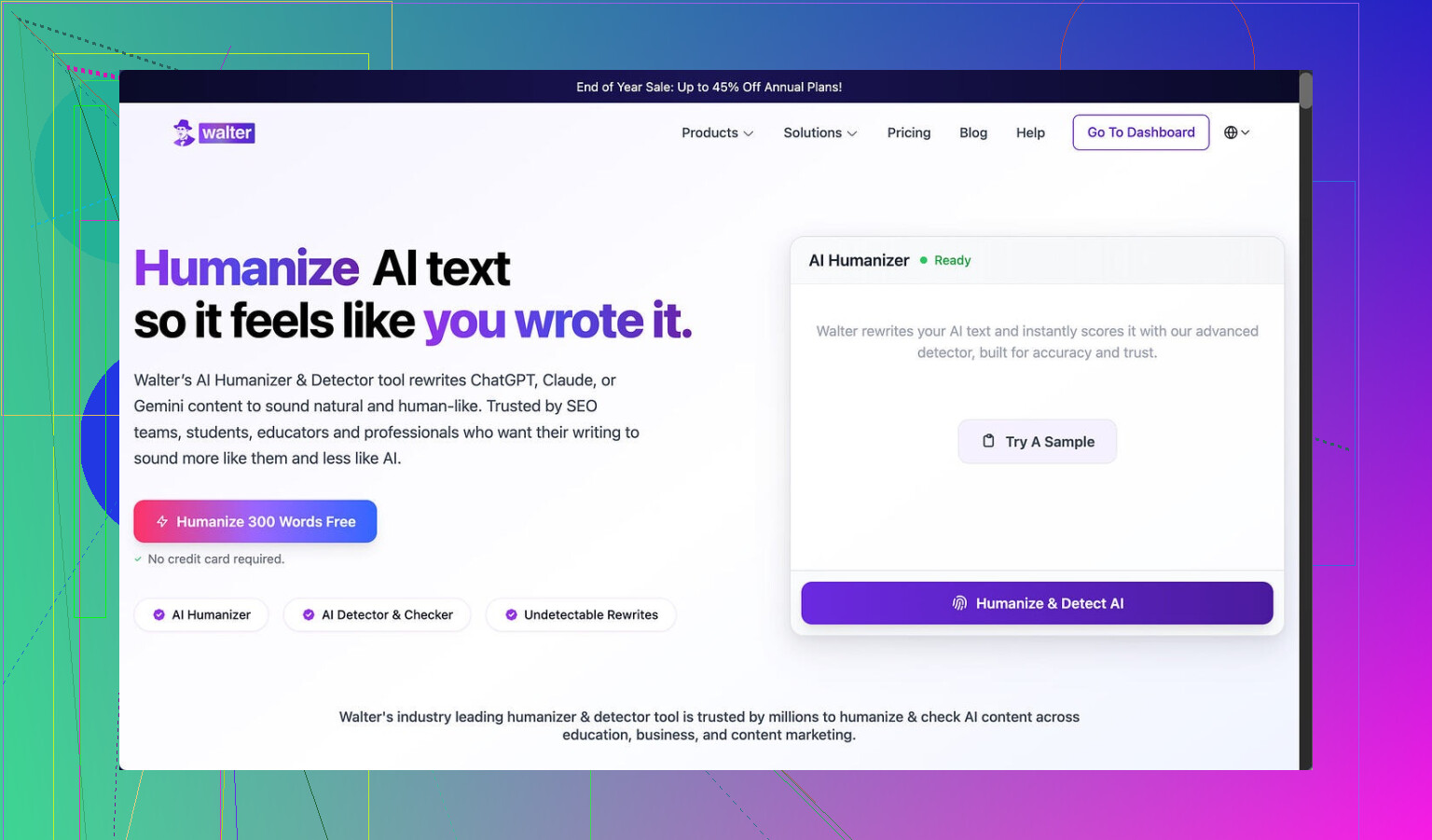
I spent an afternoon messing around with Walter Writes AI and the results were messy enough that I had to write this up.
I only used the free plan. That means I was stuck with their Simple mode. The site says paid users get two more levels, called Standard and Enhanced, that are supposed to be better at getting past detectors. Keep that in mind while you read this, because my tests are all from the free side.
How the detector tests went
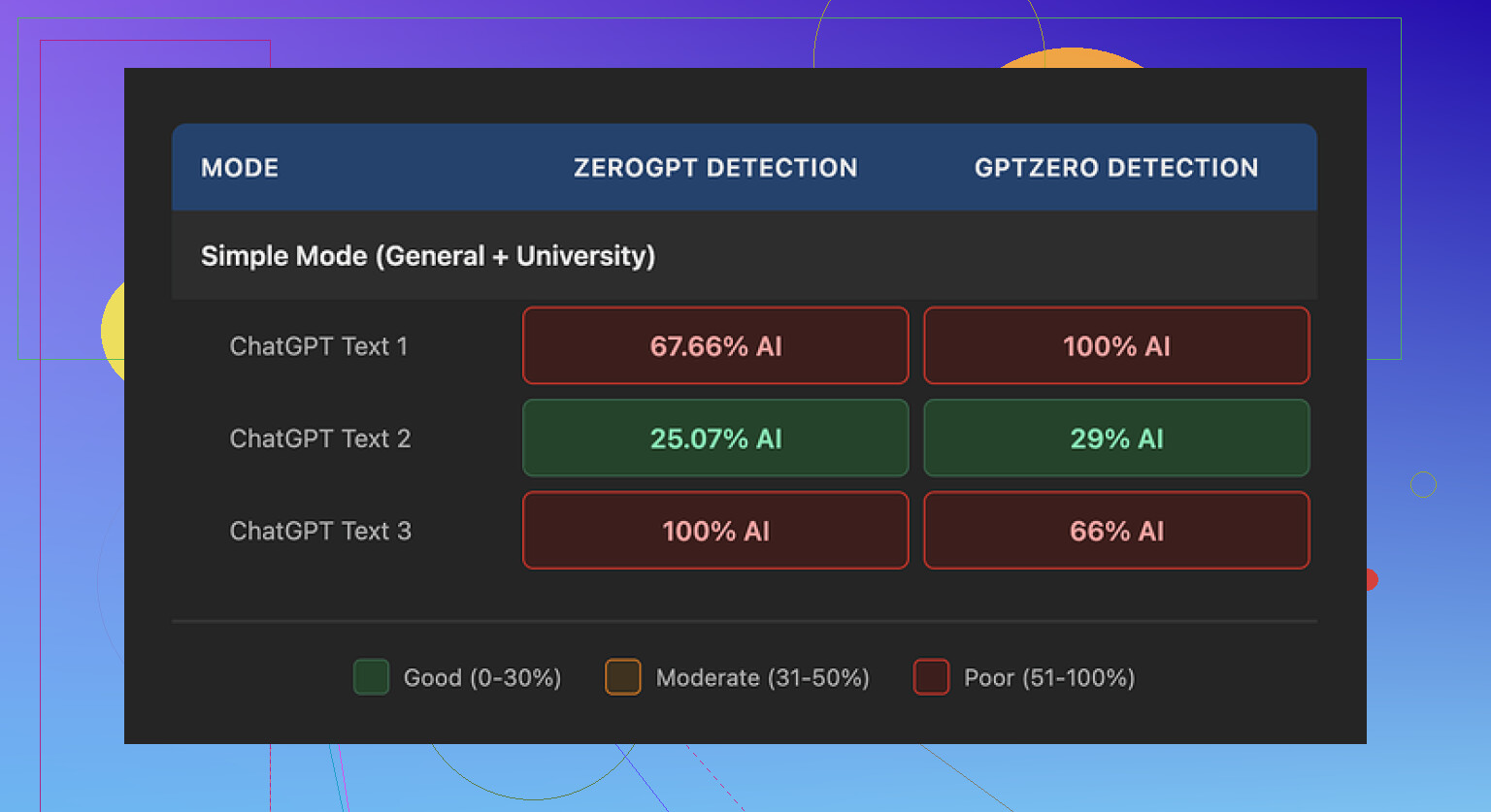
I ran three different samples from Walter through GPTZero and ZeroGPT. All of them started from the same base text so I could compare.
Here is what happened:
- One sample did surprisingly well
- GPTZero: 29%
- ZeroGPT: 25%
For a free tool, those numbers are decent. Most free “humanizers” I tried earlier got flagged around 70–100% on one of those two sites.
- The other two samples were a trainwreck
- Each of them hit 100% AI on at least one detector
- One of them got flagged across the board
So the behavior felt random. Same tool, same input style, completely different detection scores. Not something I would trust for school, clients, or anything where you get only one submission.
Here is a screenshot from one of the tests:
Writing quirks that kept showing up
After a few runs you start to see patterns. Walter’s output looked like AI text that tried to put on a human mask but forgot to change its shoes.
Stuff I noticed:
-
Semicolon spam
It kept dropping semicolons in places where a normal person uses commas or a full stop. It felt forced, like it was trying to “sound smart” instead of natural. -
Weird repetition
In one sample, the word “today” popped up four times in three sentences. No native writer does that by accident. You spot it and fix it. This did not feel edited. -
Parenthetical clutter
The text leaned on patterns like “(e.g., storms, droughts)” again and again. Same structure, same rhythm, same type of examples. That kind of repetition screams model output to detectors and to any human that reads for a living.
When you stack all of that together, the writing gave off the exact vibe you are trying to avoid if you are using a humanizer in the first place.
Pricing and limits
This part annoyed me a bit more than the writing.
Here is what the pricing looked like when I checked:
- Starter: 8 dollars per month on annual billing
- 30,000 words per month
- Unlimited plan: 26 dollars per month
- Word count per month is “unlimited”, but
- Each submission is capped at 2,000 words
That per-submission limit is important. If you work with longer reports, blog posts, thesis chapters, or client docs, you end up chopping everything into chunks. That increases the chance of style drift and repeated phrases.
Free tier:
- Total quota: 300 words
- Only Simple mode available
- Enough for a quick test, not enough for serious use
For me, 2,000 words per submission on the top plan would be a dealbreaker for longform projects. It forces you into a workflow where you keep copying, pasting, and stitching, and the output ends up inconsistent.
Refund policy and data concerns
The refund and policy side of the site threw up some red flags.
- The refund text used heavy “chargeback” language with threats of legal action
- It read more like a warning than a customer policy
- It made me pause before I even thought about connecting a card
On top of that, I did not find a clear, specific statement about how long they keep your submitted text or how they handle it long term.
For tools that process writing for school, work, or client projects, I prefer:
- Explicit data retention timeframes
- Clear notes about training usage
- Simple, non-hostile refund language
Walter’s docs felt vague in those spots.
How it compared to Clever AI Humanizer
While testing, I kept switching between Walter and Clever AI Humanizer to see which one I would trust more with something important.
My experience:
- Clever’s output read more like something a tired but real person wrote
- I did not see the same repetition of “today” or the weird semicolon habit
- The rhythm of the text changed between runs more than Walter’s did
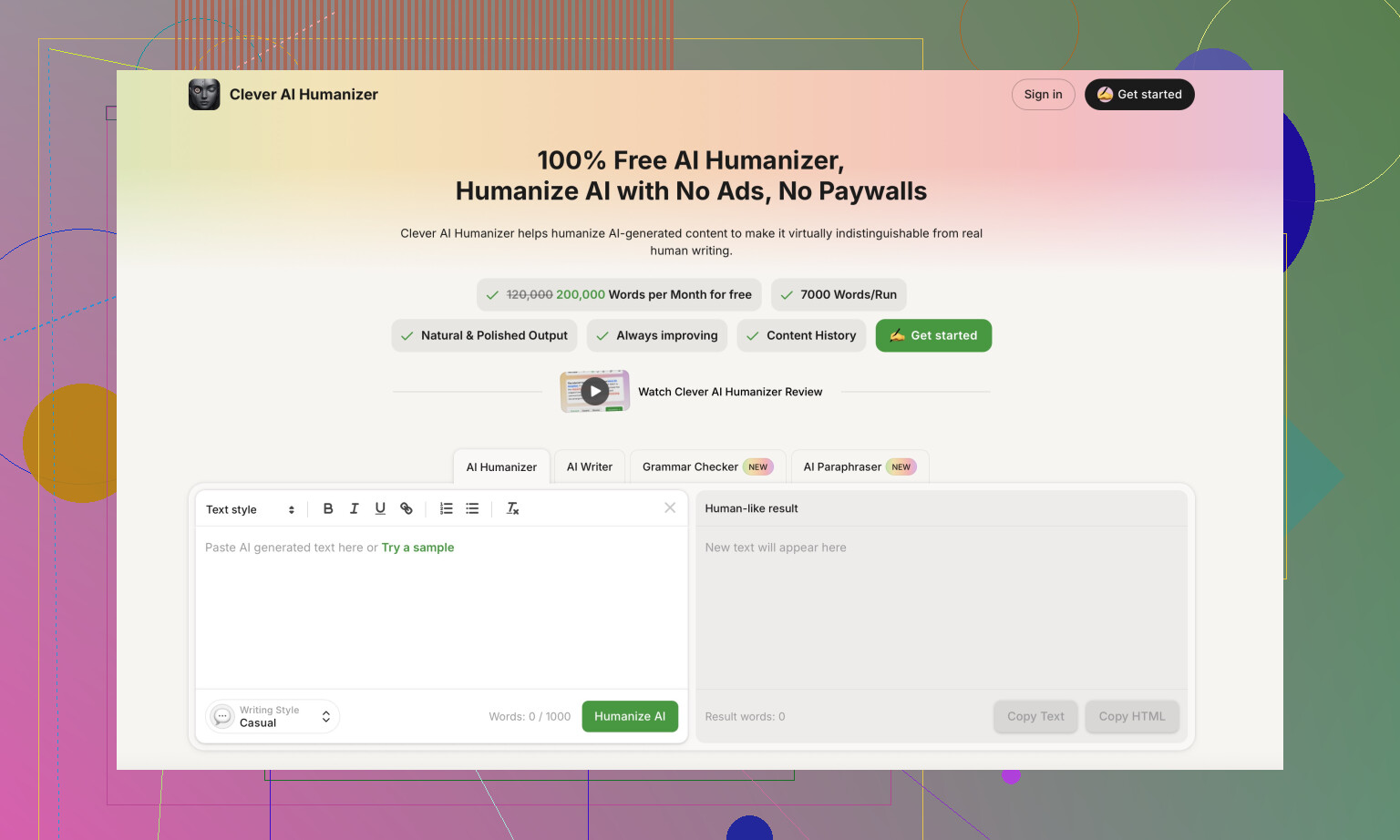
Clever AI Humanizer is here:
I used it with similar text and got more stable detector scores and fewer obvious AI tells. Also, it did not ask for payment to get to a point where the output felt usable for low stakes content.
Extra resources if you want to test yourself
If you want to see how other people are handling humanization, there are a few threads and a video that go into workflows, not only tools.
Humanize AI tutorial on Reddit
https://www.reddit.com/r/DataRecoveryHelp/comments/1l7aj60/humanize_ai/
Clever AI Humanizer review on Reddit
https://www.reddit.com/r/DataRecoveryHelp/comments/1ptugsf/clever_ai_humanizer_review/
YouTube video review

Quick takeaway
If you are thinking about Walter Writes AI for serious use:
- Free tier is enough to see the quirks
- Detection results jump all over
- Style patterns look robotic if someone pays attention
- Pricing and policy text felt aggressive and unclear to me
For my own work, I ended up keeping Clever AI Humanizer in my toolbox instead and left Walter as “tested and parked.”
3 Likes
You are not crazy, Walter is kinda weird to use.
Short version from my tests plus what @mikeappsreviewer saw: it does some things ok, but it is inconsistent and the UX makes it harder than it needs to be for blog posts and product stuff.
Here is how I would look at it for your use case.
- Simple vs “am I using this wrong”
For blog posts and product descriptions, Simple mode feels too blunt. It rewrites, but:
- Tone shifts between paragraphs.
- It overuses certain patterns, like parenthesis and repeated words.
- Some sentences look “AI trying to sound human” instead of normal writing.
You are not misusing it. The tool behaves like that.
If you keep getting outputs that feel off, try this workflow:
- Feed smaller chunks, 150 to 300 words at a time.
- Give a very tight instruction, like:
- “Keep structure, keep facts, write at 8th grade reading level, remove semicolons, avoid repeated words.”
- After output, manually fix the worst stuff yourself.
It reduces the damage, but it is slower than writing half of it by hand.
- Why the outputs feel random
The detection scores and style jumps that Mike mentioned line up with what I saw. One batch reads acceptable, the next looks robotic.
For your blog posts, that means:
- Series posts risk tone mismatch.
- Product pages risk sounding off-brand.
If you care about brand voice, Walter works better as a small helper, not the main writer. Use it to:
- Rephrase single paragraphs.
- Shorten long sentences.
- Change tone from “formal” to “casual.”
Do not let it generate full articles without heavy edits.
- Practical tips to get less confusing output
Stuff that helped me tame it a bit:
- Avoid vague prompts like “write a blog on X.”
- Use structure in your prompt:
- “Intro: 2 short paragraphs on pain point.
Section 1: 3 bullets on benefits.
Section 2: 2 paragraphs on use cases.
Conclusion: 1 short paragraph, no hype.”
- “Intro: 2 short paragraphs on pain point.
- Tell it what not to do:
- “No semicolons. No repeated phrases. No lists longer than 5 items.”
If a run looks bad, do not try to “fix” it in the same document. Rerun the same input with a slightly clearer instruction.
- Word limits and workflow
The word cap per submission (even on the higher plan) is painful for long blogs. You end up:
- Splitting a 3k blog into 2 to 3 runs.
- Then you get style drift between chunks.
- Then you spend time smoothing everything anyway.
For short product descriptions, this is less of a problem. For those, Walter is “ok enough” if you:
- Generate one product at a time.
- Add your own brand phrases manually.
- Rewrite headlines yourself.
- Data and policy side
I share some of the unease Mike mentioned about the refund and policy language. For client work or anything sensitive, I would only send text I am comfortable losing control over.
If you worry about that, keep:
- Internal docs and drafts fully local.
- Only send public facing copy or generic text.
- If your main goal is “more human” text
If your biggest pain is AI detection or “this reads too robotic,” Walter is not the best fit in my opinion.
Clever AI Humanizer did a better job in my tests with:
- Less obvious AI tells.
- Fewer weird punctuation habits.
- More stable tone.
I would:
- Use Clever AI Humanizer to post process text created in another writer or your own drafts.
- Use Walter only for quick rewrites or experiments if you already paid.
- Concrete recommendation for you
For blog posts:
- Outline and rough draft yourself or in another writer.
- Run smaller sections through Clever AI Humanizer for “humanization.”
- Use Walter only to rephrase awkward sentences if you want a second option.
For product descriptions:
- Write one base template in your voice.
- Use Walter to create 3 to 5 variations.
- Clean up semicolons and repetition.
- If detection or “too AI” is a concern, send the final version through Clever AI Humanizer.
If you feel confused using Walter, that is more on the tool design and behavior than on you. Treat it as a helper, not a full solution, and pair it with something like Clever AI Humanizer plus your own edits. That combo felt much more predictable in daily use.
You’re not using it “wrong.” Walter is just kind of… awkward by design.
Couple things I’ve noticed that line up with what @mikeappsreviewer and @hoshikuzu already dug into, but from a slightly different angle:
-
UX & “confusing” features
The interface looks simple, but the behavior isn’t. The modes and sliders don’t really map cleanly to real-world needs like “consistent brand voice” or “light rewrite.” You tweak something, hit generate, and the tone jumps or structure randomly shifts. That disconnect is what makes it feel confusing, not you missing a secret trick. -
Output style problems
Everyone already mentioned the semicolon obsession, but for blog posts and product pages the bigger issue for me is voice drift. One paragraph sounds like a casual blogger, next one sounds like a term paper. If you’re trying to build a recognizable style, this is a nightmare. And no, “just edit it” isn’t always realistic if you’re doing this at scale.
I’ll disagree slightly with the “just use it for small bits” suggestion. Even on small chunks I still get that same robotic rhythm and awkward phrasing. For me it works better as a rough “idea shaker” than as a true copy tool. I’ll sometimes paste something in, see what it spits out, then close the tab and write my own version from scratch using only the ideas.
- Detectors & “humanization”
If your goal is to avoid AI detectors or at least look less machine-written, Walter is not where I’d put my chips. The randomness in scores that was mentioned is exactly what I saw too: one pass looks semi-okay, the next pass looks like it was written by a caffeinated chatbot that discovered semicolons yesterday.
This is where Clever AI Humanizer actually does make sense to bring into the stack. When I run my own draft or even another model’s draft through Clever AI Humanizer, the text tends to come out with fewer obvious patterns and less copy-paste sentence rhythm. Still needs editing, but it feels closer to “normal human who writes fast” instead of “AI in a trench coat.” If you care about consistency for product descriptions and blogs, that’s way more useful.
- Where Walter can fit
If you insist on keeping Walter in the workflow, I’d limit it to:
- Brainstorming variations on a single headline or product bullet
- Rewriting overly stiff sentences where you don’t care if the tone matches perfectly
- Quick throwaway copy where mild weirdness is acceptable
For actual blog posts or anything tied to brand identity, I’d flip it:
- Draft or outline yourself (or with another writer tool)
- Run the draft through Clever AI Humanizer for smoothing / de-AI-ing
- Do a final human pass to fix tone and make sure it sounds like you
So no, you’re not crazy and you’re not “doing it wrong.” Walter is just inconsistent, quirky, and not as intuitive as it pretends. Treat it as a noisy helper, not the main writer.
Short version: Walter isn’t “too advanced” for you, it is just awkwardly designed. You’re running into its limits, not yours.
A few angles I haven’t seen covered as much:
1. The “mode mismatch” problem
What trips a lot of people is that Walter’s modes map poorly to actual use cases.
- Simple mode is basically a generic paraphraser with theatrical punctuation.
- For blog posts and product descriptions, what you actually need is:
- consistent voice over multiple sections
- gentle editing that respects your structure
- predictable behavior from run to run
Walter’s modes feel like they’re tuned for “beat this detector” rather than “sound like the same person across a 2,000 word review.” That’s why you feel like some features are simple and others are just bizarre.
I don’t fully agree with treating it only as a sentence rewriter like some suggested. For short product blurbs, a full-paragraph rewrite can work, but only if you already locked your brand voice in a template and use Walter to nudge wording, not invent it.
2. Why it feels confusing even when you “do everything right”
A few UX quirks that add to the confusion:
- The tool does not clearly preview how aggressive a setting will be.
- There is no obvious way to “lock” tone, so every run can shift mood.
- It does not give feedback like “I changed your structure here because X,” so when it rearranges content you just think you prompted wrong.
That lack of transparency is why people like @hoshikuzu and @viajeroceleste talk about workflow gymnastics. You should not have to reverse engineer a humanizer just to get a clean blog intro.
3. Where Walter actually makes sense
Instead of using it as the main writer, think of it as a noisy filter in three very narrow situations:
- You have stiff, formal text and you want something slightly softer before you edit by hand.
- You want 2 or 3 quick wording alternatives for a single line (e.g. a product tagline).
- You are brainstorming angles and do not care about tone consistency.
Outside that, your time is usually better spent drafting or editing yourself.
4. Clever AI Humanizer in the mix
Since you mentioned outputs “not always what I expect,” this is exactly where something like Clever AI Humanizer can be useful, as a second stage rather than a first stage.
Use case that tends to work well:
- Draft in your own voice or with another writer tool.
- Run the draft through Clever AI Humanizer to break up that AI rhythm and repetitive structures.
- Do a final human pass for nuance and brand voice.
Pros of Clever AI Humanizer in this specific context
- More natural sentence rhythm and fewer obvious repeated templates, which helps a lot for blogs and product pages.
- Handles paragraphs without spraying semicolons everywhere.
- Feels more predictable across runs which is key if you are publishing series posts.
Cons to keep in mind
- It will not magically give you a brand voice; you still need to guide style yourself.
- You still have to edit; it is a smoother starting point, not a finished product.
- If you feed in very weak or generic input, you will still get fairly generic output.
So compared to what @mikeappsreviewer focused on with detection and refund policy, I’d zoom in on this: Walter is structurally misaligned with what longform blogging and product copy really need, which is stability over time, not one-off “maybe this passes a detector” spins.
If you stay with it:
- Use Walter sparingly for minor rewrites or ideation.
- Use Clever AI Humanizer as your polishing step when you already like the content but hate the “AI shine.”
- Keep final control in your hands, especially for anything tied to your brand or clients.