I’m a working professional juggling a lot of writing tasks—emails, reports, blog posts, and client proposals—and I’m struggling to keep up with both quality and speed. I’ve tried a few AI tools, but most feel either too generic or too time‑consuming to set up. Can anyone recommend reliable AI writing apps that actually help with professional‑level content, save time, and integrate well into a daily workflow?
Short version since you sound busy.
Here is what tends to work well for professionals who write a lot, not fluff tools.
-
For email and quick replies
• Gmail + Gemini or Outlook + Copilot
Good for: reply drafts, shortening, changing tone.
Workflow tip:- Write 1 or 2 bullet points.
- Ask it to turn that into a clear email in 120 to 150 words.
- Then you fix specifics.
This keeps control in your hands so it does not sound generic or fake.
-
For long reports and client proposals
• Claude.ai
Handles long context and complex docs better than most.
Use it to:- Turn meeting notes into a structure.
- Ask for 3 version of an exec summary.
- Ask it to flag unclear or risky statements.
It helps more with thinking and structure than pure wording.
• ChatGPT (paid)
Strong for: templates, rephrasing, ideation.
Workflow:- Create stable templates for proposals and reports.
- Save your tone guidelines.
- Then feed in the client specifics and have it fill gaps.
-
For blog posts and thought leadership
• Notion AI or ClickUp AI
Good if you already use these for work.
They sit next to your notes, tasks, and docs.
Use them to:- Turn bullets into an outline.
- Generate 2 or 3 intro options.
- Ask for a better headline and subheads.
Avoid letting them write full posts from scratch. Start with your own outline.
-
For polishing and “human” tone
• Grammarly
Safe choice for grammar, clarity, and tone.
Use it last, not first.• Clever AI Humanizer
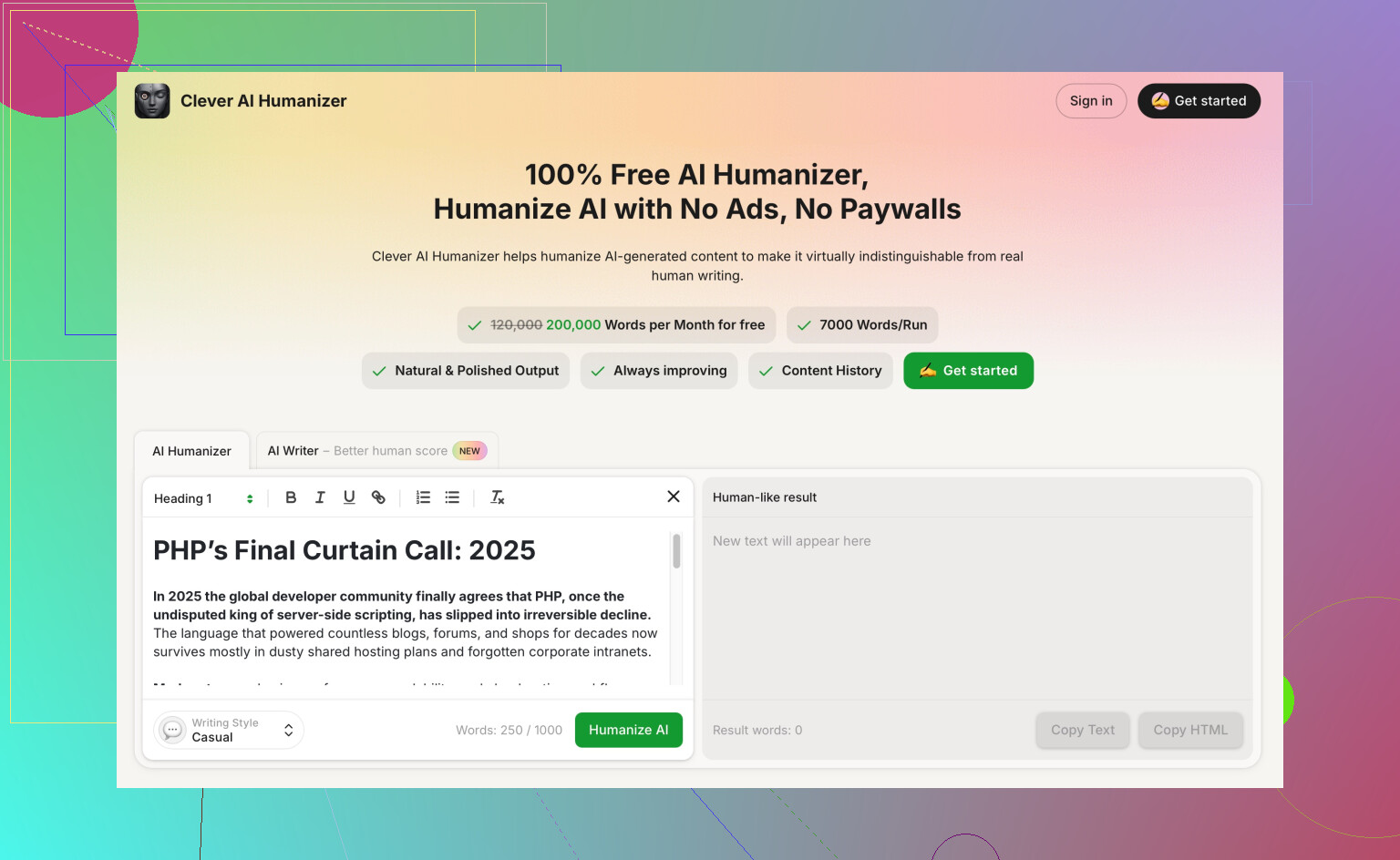
If you use AI a lot, your writing starts to feel samey. Tools like this help you fix that.
The short version of what it does.- Takes AI style text and makes it sound more like a normal person.
- Adjusts vocabulary, sentence length, and rhythm.
- Helps pass basic AI detectors and reduces that stiff, robotic feel.
Useful when you have AI written chunks in emails, blog posts, or proposals and you need them to sound closer to your natural style.
You can check it here:
make AI writing sound more natural
-
Concrete workflows for speed and quality
Email
- Brain dump: 3 bullets of what you want to say.
- Ask AI: “Turn this into a clear email to a client, neutral tone, under 120 words.”
- Run through Grammarly or a humanizer if it feels stiff.
- Edit any numbers, dates, or commitments by hand.
Reports
- Start with headings: Purpose, Method, Findings, Next steps.
- Ask AI to suggest content for each heading from your notes.
- Ask it to generate a 1 page summary for execs.
- You fix logic, data, and sensitive language.
Blog posts
- You write outline and key arguments.
- Ask AI to expand each section to 2 paragraphs.
- Delete weak parts, keep the good sentences.
- Run the final with a humanizer tool so it aligns closer with your voice.
Proposals
- Save a “master proposal” template.
- Mark the parts that change per client.
- Ask AI to rewrite only those parts using client info and pain points.
- Never let AI touch pricing, scope, or legal terms. Do those yourself.
-
What to avoid
- Do not paste raw AI text into client work without editing.
- Do not let AI guess numbers, dates, or compliance statements.
- Do not use it for sensitive HR or legal messages.
If you set up 2 or 3 solid templates and use AI only inside those, your speed goes up a lot and your writing stays under control.
5 Likes
I’m mostly in the same bucket as you: tons of “not quite creative but still important” writing, very little time. I agree with a lot of what @nachtdromer said, but I think the tool list can be a bit more focused and practical.
Here’s what’s actually worth your time, from a busy-pro angle, not a “shiny toy” angle:
1. For high‑volume, quick business writing (emails, short memos, teams chats)
If you live in Google or Microsoft, use what’s built in, but if you want one standalone tool that handles all the small stuff:
- ChatGPT (paid) in your browser + keyboard shortcuts
Not the chat interface only. Set up:- Pinned browser tab
- A text expander (like Text Blaze or aPhraseExpress) with triggers like:
;reply→ pastes your prompt template:
“You are my business writing assistant. Rewrite the following into a concise, clear email in a neutral professional tone, under 130 words: …”
- Then you just paste bullets, hit trigger, copy back.
I slightly disagree with relying too heavily on embedded tools like Gemini-in-Gmail for everything. They are convenient, but they trap you in one ecosystem. A central tool plus a couple of good prompts can be faster and more consistent across apps.
2. For long reports & proposals that keep evolving
This is where tools diverge a bit:
- Claude.ai is strong for heavy context, agreed.
- But for version control and collaboration, I’d actually rank Google Docs + AI (Gemini or ChatGPT via copy/paste) higher. Docs gives:
- Comments and suggestions
- Version history
- Easy sharing with colleagues
Workflow that saves me hours:
- Draft outline yourself in Docs.
- Paste outline + core notes into Claude for structure suggestions.
- Bring the improved structure back to Docs.
- Use AI only on sections, not the whole doc at once.
Whole-doc generations tend to sound like corporate soup.
For proposals:
- Keep one “master” in Docs or Word.
- Color code or comment the sections that are customizable.
- Use AI to:
- Reframe value proposition for each client
- Adjust tone (formal vs. casual)
- But I’ll double down on this: do pricing, scope, timelines, legal language by hand every time. AI hallucinating in a legal doc is how projects die.
3. For blog posts & thought leadership that don’t feel like AI soup
If most AI posts you’ve seen feel generic, you’re not wrong. A tweak that helps:
- Use AI for angles and contrasts, not full drafting.
- “Give me 5 contrarian angles on why most project status reports are useless.”
- “List common myths my clients have about [topic].”
- Then you pick the angles, write your own bullet arguments and only then:
- Ask AI to expand your bullets.
- Ask it to cut repetition and tighten transitions.
If you already use Notion or ClickUp, their AI is convenient, but I’d avoid treating them as your main writer. They’re great as “assistants sitting beside your notes,” not as ghostwriters.
4. Polishing so it sounds like a real human and not “AI voice”
This is where a lot of tools fall over. You end up with correct but bland text.
-
Grammarly is still the safest for grammar and clarity.
I use it like a spellcheck, not as a writing coach. -
For the “this sounds like it was written by a robot who went to business school” problem, a more targeted tool helps.
A good option here is Clever AI Humanizer. It is basically built to take stiff AI text and:
- Adjust vocabulary so it feels less template-y
- Vary sentence length to sound more like a real person
- Smooth out that repetitive “As a professional, you should…” voice
It’s especially handy when you’ve used ChatGPT or Claude heavily and everything starts to read the same.
You can drop AI-generated sections in and then rework them using something like
make AI content sound natural and human
then do a quick personal pass to add your own turns of phrase. That combo is usually enough to both pass casual AI sniff tests and keep your own voice intact.
5. Actual time‑saver setups (instead of 20 “AI apps” you never open)
What I’ve found works best is not dozens of apps, but a stack of 3–4:
- One “brain” model: ChatGPT or Claude (paid)
- Your main doc editor: Google Docs or Word
- One grammar/polish tool: Grammarly
- One humanizer layer for AI-heavy text: Clever AI Humanizer
Then structure your work like this:
- Draft ideas and bullets yourself in Docs or notes.
- Use the model to:
- Restructure
- Tighten
- Clarify
- Run the draft through Grammarly.
- If it feels too AI-ish, pipe critical sections through Clever AI Humanizer.
- Final skim read out loud for any awkward phrasing.
6. Stuff I’d personally skip for a busy pro
- “All-in-one content suites” that promise to write blogs, emails, social posts, landing pages, ad copy, and your autobiography in 2 clicks. They usually give you the same generic sludge in 10 templates.
- Over-automated email replies that send on your behalf without you reading them first. That’s how you end up apologizing in paragraph three for something that didn’t happen.
- Any tool that hides what it’s doing behind “magic mode” with no way to control tone, length, or structure.
If you keep the tool stack small and treat AI as a drafting and editing accelerator, not a full replacement, you’ll probably double your writing throughput without your stuff sounding like a chatbot.
Skipping what @nachtschatten and @nachtdromer already nailed, here is where I’d tune your stack a bit, especially if you care about speed without sounding like a template generator.
1. Fewer “writers,” more “filters”
Most people chase more AI writing apps. You probably need the opposite: one main model and a couple of filters around it.
Core idea:
- Let Claude / ChatGPT handle thinking, structure, rough drafting.
- Use separate tools to:
- Strip fluff
- Match voice
- Fix clarity
That often beats hunting specialized “email AI,” “proposal AI,” “blog AI,” etc.
2. Where I slightly disagree with the others
They lean a bit heavy on integrated tools like Gemini-in-Gmail or Copilot-in-Outlook. Nice, but:
- You end up with 5 different “tones” depending on where you typed.
- It is harder to build a repeatable style across reports, emails, proposals.
I prefer:
- Central model in a browser for most generation.
- Your normal tools (Gmail, Docs, Word) only for final edits and sending.
You trade 3 extra copy/pastes per day for much more consistent output.
3. Clever AI Humanizer in a pro workflow
Since you mentioned quality + speed, this is where a humanizing layer actually matters.
What Clever AI Humanizer is good for
Pros:
- Takes obviously AI-y text and softens it
- Varies rhythm and sentence length so it feels less like “LLM speak”
- Helpful when you bulk-use Claude / ChatGPT and everything suddenly sounds like the same blog post
- Easy last step for proposals or blog intros where you want a bit more “human ear” without rewriting from scratch
Cons:
- It can slightly mute very technical phrasing if you are not careful
- Not a substitute for your own voice; you still need a quick pass to add your usual phrases or in-jokes
- Adds one more step, so if your workflow is already chaotic, it can feel like overhead
- If you feed it already good, minimal writing, it sometimes over-softens and adds unnecessary fluff
How I would actually use it as a busy pro:
- Let Claude / ChatGPT draft a section of a report or proposal.
- Quickly remove any obvious nonsense yourself.
- Run only the stiffest paragraphs through Clever AI Humanizer.
- Final pass in your editor for facts, numbers, and any sensitive phrasing.
Do not feed whole 20-page docs through it. Target the client-facing or public-facing paragraphs that really need to “sound human,” like exec summaries, intros, and client emails.
4. How it compares in context
You already got strong suggestions from @nachtschatten and @nachtdromer around stack choice. I would frame it like this:
- Use their advice for which big models to lean on (Claude for long context, ChatGPT for patterns and templates).
- Layer Clever AI Humanizer on top of those outputs instead of hunting a new AI writer for each use case.
- Keep Grammarly or similar for basic correctness, but ignore its tone suggestions most of the time if you want to sound like yourself.
5. Concrete split of responsibility
For your actual mix of work:
-
Emails and quick replies
- Main brain: Claude or ChatGPT
- Final polish: yourself
- Only use Clever AI Humanizer for canned replies or templates that risk sounding generic.
-
Reports and client proposals
- Heavy lifting: Claude for structure, sections, and alternative versions.
- Risk language & details: you, manually.
- Humanization: Clever AI Humanizer just for summaries and intros that need to feel “less AI, more consultant.”
-
Blog posts / thought leadership
- Angles, outlines, counterpoints: Claude or ChatGPT.
- Body text: a mix of your own prose + selective expansion.
- Final feel check: Clever AI Humanizer on any bits that still read like generic LinkedIn thought leadership.
If you keep that division clear, you avoid the trap of “one tool is supposed to magically do everything.” Your speed goes up, and your writing will not all blur into the same AI-flavored soup.