My iPhone has started lagging, apps open slowly, and scrolling feels choppy even though Battery Health still shows above 80%. I thought performance issues usually happened with a weaker battery, so I’m trying to figure out if this is caused by iOS, storage, background apps, or something else before I replace the battery or reset the phone.
Yeah, that sounds maddening, especially when the phone isn’t even that old and Battery Health says everything is fine. If this started right after an iOS update, I’d look there first before assuming the phone is dying.
After a bigger iOS update, the phone can feel awful for a couple days. It’s doing a bunch of background cleanup: indexing photos, rebuilding app stuff, sorting system files, all of that. During that 48 to 72 hour window, it can run warm, lag when typing, freeze for a second, or take forever to open apps. The boring fix is usually the right one here: keep it on Wi-Fi and plugged in overnight for a few nights and let it finish.
If it’s already been several days and it still feels bad, storage is the thing I’d check next. Battery Health above 80% usually means performance throttling probably isn’t the main issue, especially if you’re still around 90% or better.
Low storage can make iOS act way worse than people expect. Having 1GB or 2GB free sounds like enough, but it really isn’t. iOS needs room for cache files, temporary files, and swap space. Once you’re down to the last 10% or 20% of storage, the whole system can start dragging. That’s also why some apps feel worse than others. Apps like Instagram, TikTok, Safari, and anything media-heavy need more breathing room than something simple like Calculator.
You can try the usual small fixes, like clearing Safari history, deleting website data, or turning off Background App Refresh for apps you don’t care about. They can help a bit. But the biggest win is usually clearing photos and videos, because that’s where the real storage gets eaten up. The annoying part is sorting through thousands of nearly identical pictures and random old videos by hand.
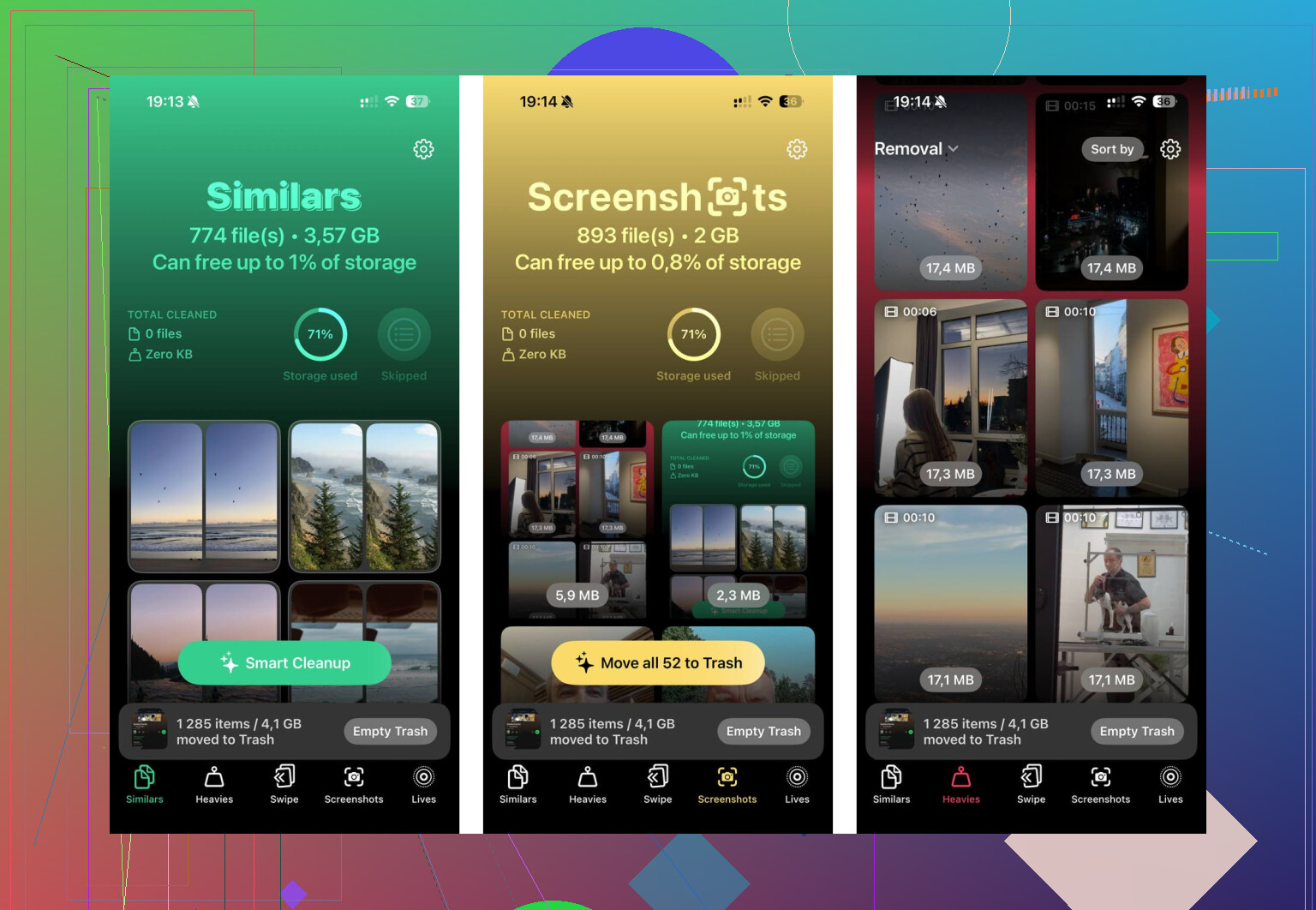
For that, Clever Cleaner is worth trying. A lot of “cleaner” apps are sketchy or useless unless you pay, but this one is free, with no ads, subscriptions, or locked delete feature.
The useful part is the “Heavies” section. It shows your photos and videos by file size, so you can quickly spot stuff like an old 4K screen recording taking up multiple gigabytes. Deleting just a few huge files can free up more space than deleting hundreds of random screenshots.
The “Similars” section is also handy because it groups photos that are basically the same, even if they aren’t exact duplicates. So if you have ten versions of the same sunset or a bunch of burst shots, it helps you pick what to keep. It can also suggest the best shot.
Privacy-wise, the important bit is that it processes your photos on the phone instead of uploading them somewhere. After clearing a big chunk of junk files, stuff like keyboard lag and app stutters can disappear pretty fast if storage was the problem.
One thing people forget: after deleting a lot of photos or videos, open the Photos app, go to “Recently Deleted,” and hit “Delete All.” Otherwise those files can sit there for 30 days and still count against your storage.
If you can get yourself back to at least 10 to 15GB free, there’s a good chance the freezing and app lag calm down. I’d try that before going anywhere near a factory reset.
22 Likes
Check Low Power Mode first, because it can make the phone feel slower even when the battery health number looks fine. The storage advice above is fair, but if the lag comes and goes, I’d suspect power saving, heat, or a misbehaving app before blaming the battery percentage.
That 80% number can hide a lot, because it’s only maximum capacity, not a full “your battery is healthy” certificate. Go into Battery Health and look at the message under Peak Performance Capability, not just the percentage. If it says the phone had an unexpected shutdown or performance management was applied, the battery can still be part of the problem even above 80%. If that section looks normal, I’d lean more toward heat, storage, or a bad app like the others said. A quick cheap test is to take the case off, restart the phone, leave it cool for 10 minutes, then try scrolling in Settings or Messages. If those are choppy too, it’s more system-wide. If only social/media apps lag, I’d blame the app or storage before replacing anything.
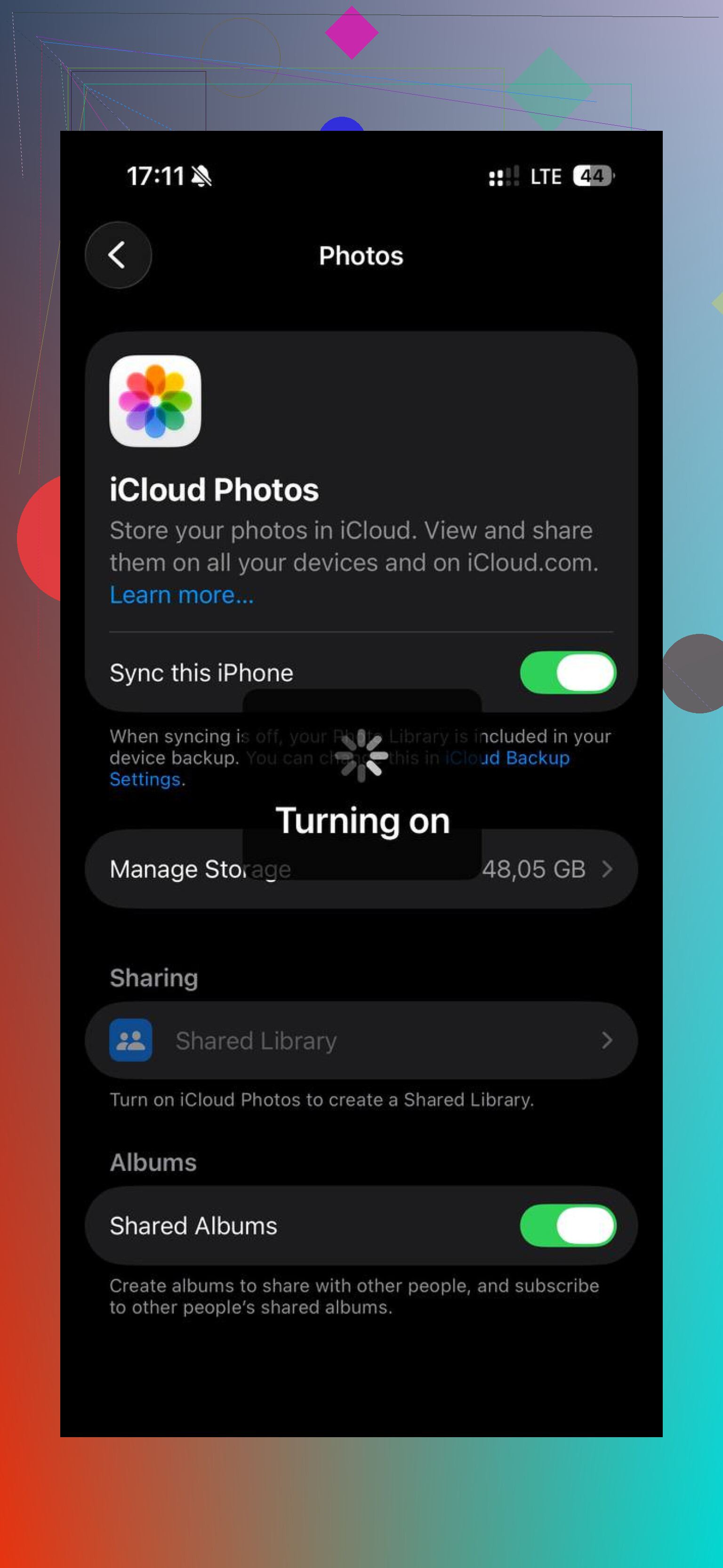
80% is not a speed guarantee. If Settings shows iCloud Photos, Messages, or a restore still syncing, let it finish on Wi-Fi and power before troubleshooting anything else, because that background sync can make a good-battery iPhone feel broken.