I recently tried WriteHuman AI to improve my writing and I’m not sure if it’s actually helping or just making my content sound generic. I’d really appreciate feedback from others who’ve used it, what issues you faced, and whether it’s worth sticking with or if I should switch tools.
WriteHuman AI Review
I tried WriteHuman after seeing it name-drop GPTZero in its marketing. The claim is that it is tested against that detector. My results were the opposite.
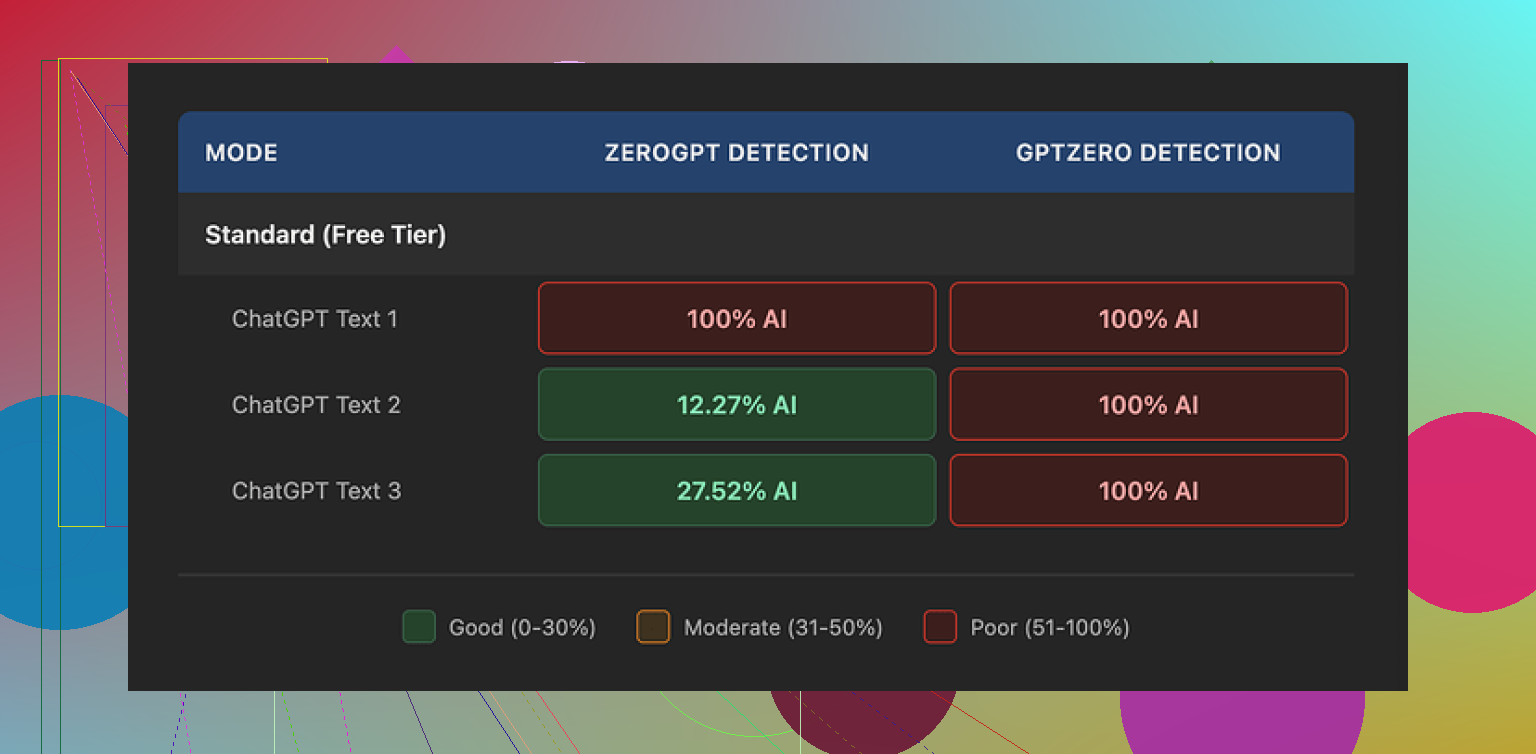
I fed three different samples through WriteHuman, then ran the outputs through GPTZero. All three came back as 100% AI on GPTZero. Not “borderline”, not “mixed”, straight 100%.
Tried ZeroGPT too. That one was less predictable:
- First sample: 100% AI
- Second sample: around 12% AI
- Third sample: around 28% AI
So the text sometimes slipped past ZeroGPT, but it was inconsistent and not something I would rely on.
Writing quality and weird tone shifts
The writing itself felt strange.
One output had a typo: “shfits” instead of “shifts”. I did not type that. That came from the tool.
On top of that, the tone jumped around. Part of a paragraph sounded like a standard AI essay. Then suddenly it read like a casual forum reply. Then it flipped back to formal again.
Those shifts might help a little with detection scores, since detectors often flag uniform tone, but the tradeoff is ugly text that you would not want to turn in for school or send to a client without rewriting it yourself.
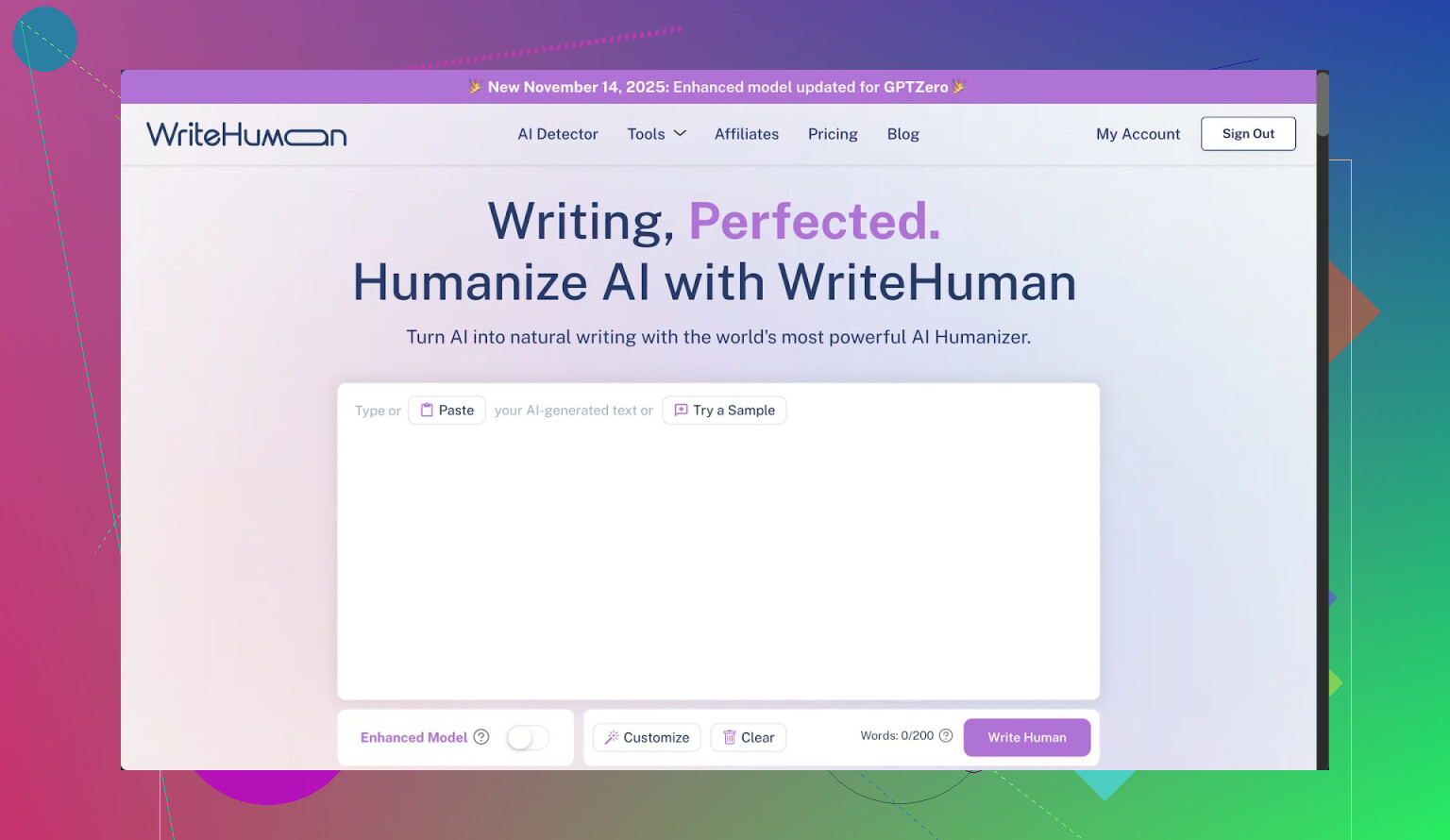
Screenshot
Here is what the interface/output looked like for me:
And another capture:
Pricing and what you sign away
Their pricing hit me as high for what you get.
- Basic plan starts at 12 dollars per month on annual billing
- That Basic tier gives you 80 requests
- All paid plans unlock an Enhanced Model and extra tone options
So the “good stuff” sits behind the paywall. The tests I mentioned above were with the product as available, and the detection results were still rough.
The part that bothered me more was the fine print.
From their own terms:
- They say outright they cannot guarantee bypass of any detector
- No refunds
- Content you submit is licensed for AI training
So if the tool fails to pass a detector for you, you are stuck. And whatever you paste there is allowed to be used for training on their side.
If you do not want your writing used that way, your only real move is to not use the tool at all.
Link to the original test thread I used:
Comparison with Clever AI Humanizer
Out of curiosity, I ran the same kind of tests with Clever AI Humanizer.
My experience:
- Better detection results than WriteHuman on the same detectors
- No paywall problem for running tests
I did not hit a “sorry, pay first” wall there, which made it easier to push several variants through and see what worked and what failed.
When I would use WriteHuman
Given what I saw:
- I would not trust it for anything high stakes like academic work or paid client deliverables, at least not without heavy manual editing.
- I might use it if I already planned to rewrite the output and only needed a rough style shake-up.
- I would avoid pasting any sensitive or original work in there, because of the training license terms.
If you are looking for something to reliably clear GPTZero, my tests did not support the marketing. If you are price sensitive or care about content ownership, the no-refund policy and training license are important to read before you pay.
Bottom line from my own run with it: detection results were weak on GPTZero, mixed on ZeroGPT, writing quality needed cleanup, and the policy tradeoffs on price and data use were not in its favor compared with Clever AI Humanizer.
5 Likes
I had a similar reaction to WriteHuman. I used it on a few blog posts and some LinkedIn stuff. Short version, it helped a bit with tone flips, but it pushed everything toward this bland, “content mill” style.
Main issues I hit:
-
Generic voice
After running text through it, my posts started to sound like every other AI-written article. Shorter sentences, fewer obvious AI tells, but also less of my voice. If you care about your personal style, you will need to edit a lot after. -
Overfixing structure
It kept flattening my variety. Paragraphs became the same length. Sentences started with similar patterns. That pattern alone can trigger detectors and also bores human readers. You might see “improvements” that look clean but feel dead. -
Tone weirdness
I agree somewhat with @mikeappsreviewer about tone shifts, but in my case it was more subtle. It would flip from semi-professional to slightly “bloggy” in the same section. So I had to manually re-align tone anyway. At that point, the time saved was small. -
Detector side of things
I ran my original text and the WriteHuman version through a few free detectors. Results were mixed. Sometimes scores went down, sometimes up. There was no stable pattern. If your main goal is “pass GPTZero,” you will stress over inconsistent scores. -
Data and terms
The training license is a big deal if you write anything sensitive or original. I stopped pasting client work after reading that line. No refunds plus training use is too much risk for me.
What helped more than the tool:
• Start with your own draft, even if rough.
• Use a humanizer tool only for specific parts, like the intro or one stiff paragraph.
• Then read it out loud and fix anything that sounds robotic or overpolished.
• Add small “tells” of your voice, like mild slang, a short personal detail, or an opinionated line.
If your main goal is to lower detector scores, Clever AI Humanizer did better in my tests, similar to what @mikeappsreviewer mentioned. I still would not trust any tool alone, but Clever AI Humanizer plus manual editing gave me text that read more human and scored lower on detectors.
If your goal is to improve your writing, I would treat WriteHuman as a rough helper, not a final step. Use it to shake up structure, then delete and rewrite anything that feels generic. Over time you will rely more on your own edits and less on the tool.
I’m kinda in the same camp as @mikeappsreviewer and @cacadordeestrelas on WriteHuman, but my experience was a bit different in how it went wrong.
For me, the biggest issue wasn’t just “generic” writing, it was that it kept sanding off the parts of my voice that actually make people respond.
What I noticed after a week of testing it on newsletters + blog drafts:
-
It quietly deletes personality
Not just slang, but any strong opinions, edgy phrases, or specific anecdotes. Stuff like “this part really sucked for me” turned into “this experience was challenging.” On paper that looks “cleaner,” but engagement on those posts actually dropped. People reacted more to my messy, half-broken drafts than the “humanized” versions. -
It optimizes for safety, not connection
I get why a tool like that leans neutral. But if your goal is to grow a personal brand, neutral = forgettable. It’s like it’s trained to make something your manager won’t yell at you for, not something your audience will remember. -
It fights you if you’re already a decent writer
If you already know how to structure a paragraph, it tends to flatten what you did and call it an “improvement.” I actually disagreed with a lot of the changes. I spent more time undoing “fixes” than I would have just editing my own draft. -
AI detectors are a distraction
I tested the same text like you guys: original vs WriteHuman version. Sometimes WriteHuman scored more AI-ish. Sometimes less. No clear pattern. At this point I think chasing “0% AI detected” is a losing game. Even human text can trigger those tools. They’re noisy, and I wouldn’t let them dictate your entire process.Where I slightly disagree with the others: I don’t think the tool is totally useless. It can help if:
- English isn’t your first language and you want something more neutral
- You’re stuck and just want a “different sounding” version to react to
But I would never just paste, click, and publish.
-
Data & terms matter more than ppl think
The training license / no-refund combo is a real dealbreaker if you do client work or anything sensitive. Once I realized they can train on whatever I paste, I stopped giving it anything I actually care about. That basically killed it for my real workflow.
What worked better for me instead of leaning on WriteHuman:
-
Use any AI (or Clever AI Humanizer specifically) only in micro chunks.
Example: Just feed it one awkward paragraph or a stiff intro, not your whole article. Clever AI Humanizer gave me more “human-feeling” rephrasings without nuking my whole style, especially when I kept the scope small. -
Keep a “voice checklist.”
Literally 3–5 rules like:- include at least one short story
- at least one opinionated line
- one slightly casual / offbeat phrase
Then after AI touches the text, go back and re-add those. That stops the bland-ification.
-
Read it in your actual voice.
If you wouldn’t say it in a call or over coffee, it’s prob WriteHuman talking, not you. Rewrite those bits.
If WriteHuman is making your stuff feel generic, trust that instinct. Use it (or Clever AI Humanizer) as a rough reshaping tool at most, then manually drag it back toward you. The more you edit its output, the less you’ll need it over time.
Short take: WriteHuman is decent as a “poke my draft so it looks a bit different” tool, but pretty weak as either a real writing helper or a reliable detector bypass. If it’s already making your stuff feel generic, that’s your signal to dial it way back.
A few points that haven’t been hit as directly by @cacadordeestrelas, @shizuka and @mikeappsreviewer:
1. Think in “layers,” not “replace my voice”
Instead of running full articles through WriteHuman, treat it like a filter on one specific layer of your writing:
- Layer 1: ideas, stories, opinions
- Layer 2: structure and flow
- Layer 3: polish and tone
WriteHuman is mostly touching layer 3, sometimes 2, and it is terrible at preserving layer 1. So keep your ideas and specific phrasings sacred. If you use it, restrict it to:
- Transitional sentences between sections
- One stiff paragraph you already know you will rewrite
- Repetitive sentence structures you want to break
Anything personal, spicy, or story-like should never be handed over to it unedited.
2. Don’t overcorrect for AI detectors
I disagree slightly with the “AI detectors are just a distraction” take. They matter if an institution or client is explicitly using them, but you still should not design your process around them.
What actually helps more than WriteHuman in that context:
- Vary sentence length on purpose
- Include concrete, time-bound details from your real experience
- Leave in a few imperfections that you personally make often
Human detectors (editors, teachers, clients) care a lot more about those than GPTZero percentages.
3. Where Clever AI Humanizer fits in
If you are going to use a humanizer at all, Clever AI Humanizer is closer to “co-writer” than “genericizer,” especially when you keep its scope small.
Pros of Clever AI Humanizer:
- Tends to keep more of your phrasing intact when you only target a short chunk
- Often gives outputs that read more like a human rewrite instead of a content mill rewrite
- Easier to iterate quickly without slamming into hard paywalls while you are still testing
Cons:
- It can still smooth away some personality if you paste long sections
- You can’t just copy the output blindly; fact-check and style-check are still on you
- You might get inconsistent detector scores across tools, just like with WriteHuman
So it is not “magic detector bypass,” but as a readability helper plus light humanization, it usually does less damage to your voice.
4. A different way to test tools
Instead of only checking detector scores like @mikeappsreviewer did, try this small experiment:
- Take one paragraph of your writing.
- Run it through WriteHuman.
- Run the same original paragraph through Clever AI Humanizer.
- Then ignore detectors and do three checks:
- Which version sounds most like you if you read it out loud at normal speed
- Which one you would actually send to a friend or client with minimal edits
- Which one keeps your specific examples and opinions intact
If WriteHuman wins one of those for a specific use (like neutral corporate updates), keep it only for that use. For most personal or brand writing, Clever AI Humanizer usually holds your “you-ness” a bit better when you control the snippet size.
5. A workflow that avoids the “generic” trap
To keep any tool from flattening you:
- Draft: Write messy, with all your spikes and opinions.
- Slice: Only send small, technical, or clunky bits to a humanizer.
- Restore: Reinsert your slang, jokes, or sharp lines afterward.
- Final pass: Read aloud and cut anything that sounds like “polished brochure language.”
If you feel your writing sliding toward “generic LinkedIn post,” that is less a detector issue and more a voice issue. Lean back into specifics and tension, and let tools like Clever AI Humanizer handle only the rough edges, not the core.